
Introduction
Welcome to the ActivPro Smart Watch PRO VR67 user manual. This guide provides comprehensive instructions for setting up, operating, maintaining, and troubleshooting your new smartwatch. The ActivPro VR67 is designed to enhance your daily life with features such as Bluetooth calling, advanced fitness tracking, and smart notifications.
Before using your device, please read this manual thoroughly to ensure proper operation and to maximize the benefits of your smartwatch.
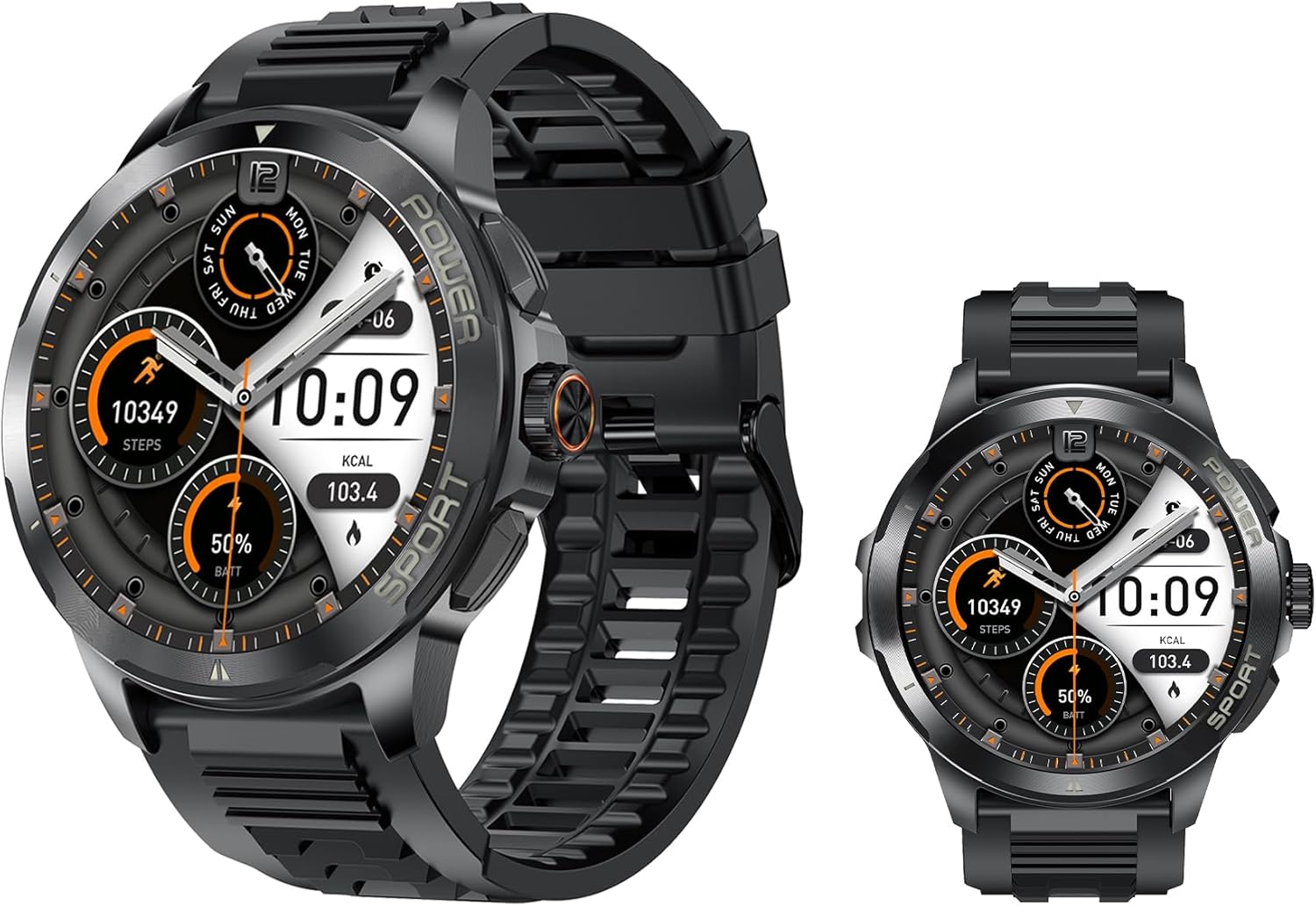
Image: Front view of the ActivPro Smart Watch PRO VR67, showcasing its round AMOLED display and rugged design.
Setup
1. Unboxing and Initial Charge
Your ActivPro Smart Watch PRO VR67 package includes:
- ActivPro Smart Watch (VR67)
- Magnetic Charger
- User Manual (this document)
- 2x Straps (Black & Blue)
- Screen Protector
Before first use, fully charge the smartwatch. Connect the magnetic charger to the charging points on the back of the watch and plug the USB end into a compatible power adapter (not included). A full charge typically takes approximately 2 hours.
2. Powering On/Off
- To Power On: Press and hold the side button until the screen illuminates.
- To Power Off: Press and hold the side button, then select 'Power Off' on the screen.
3. Pairing with Your Smartphone
The ActivPro VR67 is compatible with iPhone, Samsung, and Android phones. To unlock full functionality, pair your watch with the dedicated mobile application.
- Download the companion app (refer to the quick start guide or watch screen for app name) from your smartphone's app store.
- Ensure Bluetooth is enabled on your smartphone.
- Open the app and follow the on-screen instructions to add a new device.
- Select 'ActivPro VR67' from the list of available devices.
- Confirm the pairing request on both your watch and smartphone.

Image: Side view of the ActivPro Smart Watch PRO VR67, highlighting the physical buttons and strap attachment.
Operating Your Smart Watch
Basic Navigation
- Touchscreen: Swipe left/right, up/down to navigate menus and screens. Tap to select items.
- Side Button: Press to return to the home screen or wake the display. Long press for power options.
Bluetooth Calling
Once paired, you can answer and make calls directly from your ActivPro VR67 smartwatch.
- Answering Calls: When a call comes in, tap the green phone icon on the watch screen.
- Making Calls: Access the 'Dialer' or 'Contacts' function on your watch to initiate a call.
Customizing Watch Faces
The ActivPro VR67 offers various watch faces to personalize your device.
- On Watch: Long press the current watch face on the home screen, then swipe left/right to browse and tap to select.
- Via App: Use the companion app on your smartphone to explore and download additional watch faces.

Image: A selection of digital and analog watch faces available for the ActivPro Smart Watch PRO VR67, demonstrating customization options.
Features
Fitness Tracking
The ActivPro VR67 is equipped with comprehensive fitness tracking capabilities:
- Heart Rate Monitoring: Continuous or on-demand heart rate measurement.
- Blood Oxygen Monitoring: Measures your SpO2 levels.
- Sleep Monitoring: Tracks sleep patterns and quality.
- Activity Tracking: Records steps, distance, calories burned, and supports various sports modes.
Waterproof Design
The ActivPro VR67 features an IP67 waterproof rating, making it suitable for daily wear and various sports activities. Avoid prolonged submersion or hot water exposure.
Long Battery Life
Enjoy extended usage with up to 7 days of battery life on a single charge, depending on usage patterns.
Maintenance
Cleaning
Regularly clean your smartwatch to ensure optimal performance and hygiene.
- Wipe the screen and watch body with a soft, lint-free cloth.
- For stubborn smudges, slightly dampen the cloth with water. Avoid harsh chemicals.
- Clean the charging contacts periodically to ensure good connection.
Storage
When not in use for extended periods, store the watch in a cool, dry place. It is recommended to charge the watch to about 50% before storing to preserve battery health.
Troubleshooting
Watch Not Turning On
- Ensure the watch is fully charged. Connect it to the charger for at least 30 minutes.
- Press and hold the side button for 10-15 seconds to attempt a forced restart.
Bluetooth Connection Issues
- Ensure Bluetooth is enabled on both your watch and smartphone.
- Make sure the watch is within the Bluetooth range of your phone (typically 10 meters).
- Restart both the watch and your smartphone.
- Forget the device in your phone's Bluetooth settings and re-pair through the app.
Inaccurate Health Data
- Ensure the watch is worn snugly on your wrist, about one finger's width above the wrist bone.
- Clean the sensors on the back of the watch.
- Avoid excessive movement during measurements.
Specifications
| Feature | Specification |
|---|---|
| Brand | ActivPro |
| Model | VR-67 |
| Display Type | AMOLED |
| Screen Size | 1.43 Inches |
| Battery Capacity | 400 Milliamp Hours (Lithium Polymer) |
| Battery Life (Average) | Up to 8 days |
| Charging Time | Approx. 2 Hours |
| Memory Storage Capacity | 128 MB |
| Operating System | Ubuntu Touch |
| Connectivity | Bluetooth |
| Water Resistance | IP67 |
| Compatible Devices | Smartphone (iPhone, Samsung, Android) |
| Item Dimensions | 47mm (width) x 47mm (height) x 12mm (thickness) |
| Strap Length | 270mm |

Image: Diagram illustrating the dimensions of the ActivPro Smart Watch PRO VR67, including width, height, thickness, and strap length.
Warranty and Support
For information regarding warranty coverage, please refer to the warranty card included with your product or visit the official ActivPro website. Keep your proof of purchase for warranty claims.
If you encounter any issues not covered in this manual or require further assistance, please contact ActivPro customer support through the contact information provided on the official website or within the companion mobile application.