
SmartAI V5
SmartAI V5 Cordless Vacuum Cleaner User Manual
Model: V5
Important Safety Instructions
Please read all instructions carefully before using this appliance. Keep this manual for future reference.
- Do not operate the vacuum cleaner with a damaged cord or plug.
- Do not use on wet surfaces.
- Do not pick up flammable or combustible materials.
- Keep hair, loose clothing, fingers, and all parts of body away from openings and moving parts.
- Use only as described in this manual. Use only manufacturer's recommended attachments.
- Turn off all controls before unplugging.
Product Overview
The SmartAI V5 Cordless Vacuum Cleaner is designed for efficient and powerful cleaning of various surfaces. It features a high-performance motor, long-lasting battery, and intelligent cleaning modes.

Figure 1: SmartAI V5 Cordless Vacuum Cleaner and included accessories.
This image displays the main unit of the SmartAI V5 cordless vacuum cleaner along with its various attachments, including the charging dock, crevice tool, brush tool, and a washable filter. The main unit is shown in multiple configurations, highlighting its versatility.
Key Features:
- 600W Brushless Motor & 55Kpa Suction: Powerful suction for effective removal of dust, dirt, and pet hair.
- 8*3000mAh High-Capacity Battery: Up to 80 minutes of runtime for large area cleaning.
- Three Operating Modes: ECO, AUTO, and TURBO for optimized cleaning performance.
- Smart LED Display: Shows battery level, operating mode, and error notifications.
- Self-Standing Design: Allows the vacuum to stand independently, freeing your hands.
- 6-Level Filtration System: Captures up to 99.99% of fine dust and allergens.
- Intelligent Dust Sensors: Automatically adjusts suction power based on dust amount.
- Anti-Tangle Brush: Designed to prevent hair tangles, reducing maintenance.
Setup and Assembly
Follow these steps to assemble your SmartAI V5 Cordless Vacuum Cleaner.
- Unpack Components: Carefully remove all parts from the packaging. Ensure all components listed in the packing list are present.
Figure 2: All components of the SmartAI V5 vacuum cleaner.
This image shows the SmartAI V5 vacuum cleaner disassembled into its main parts: the motor unit, extension wand, floor brush, and various accessories like the crevice tool and brush attachment. This helps users identify all parts before assembly.
- Attach Extension Wand: Insert the extension wand into the main motor unit until it clicks into place.
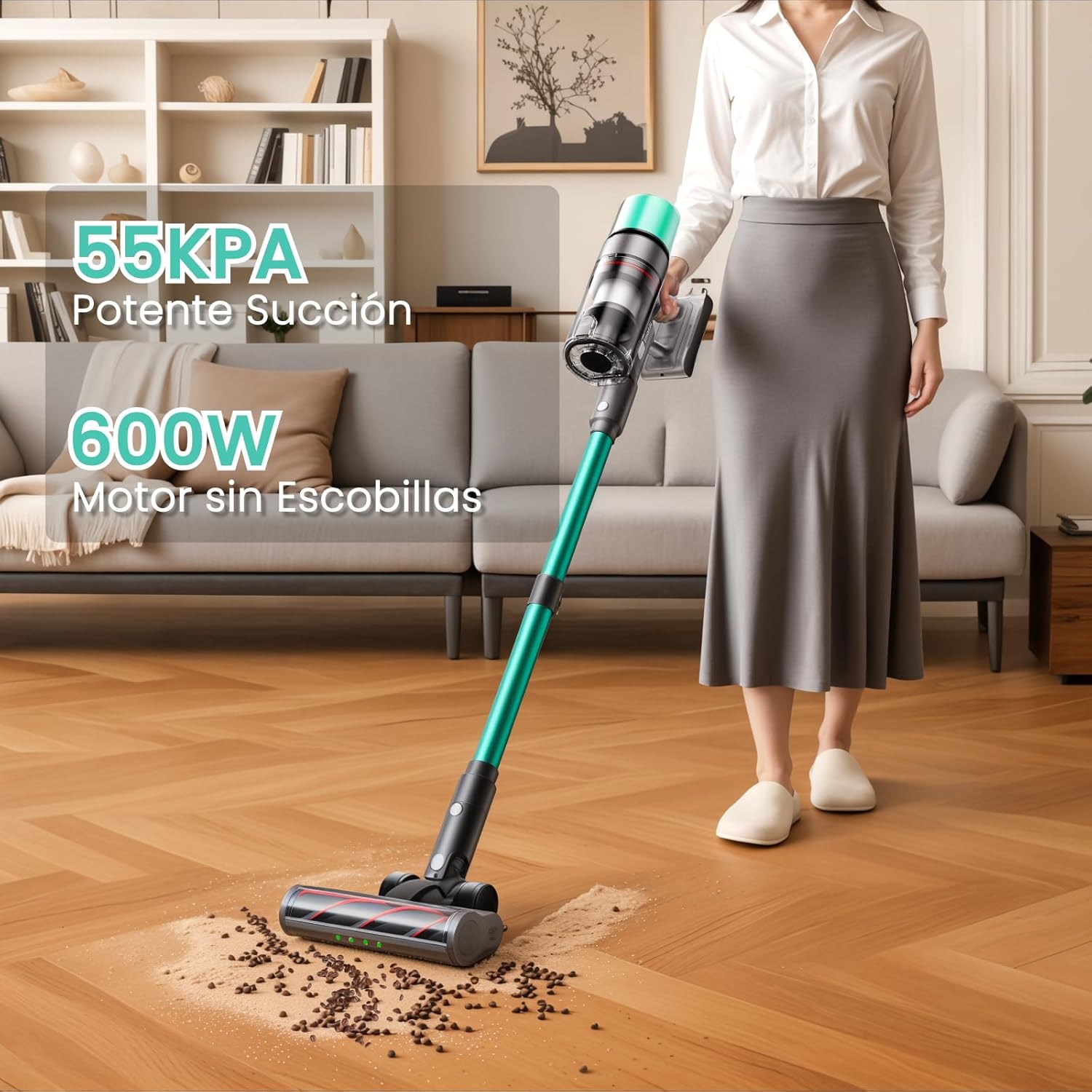
Figure 3: Assembling the main body of the vacuum cleaner.
This image illustrates the process of connecting the main motor unit to the extension wand, forming the upright structure of the vacuum cleaner. It shows the secure connection point.
- Connect Floor Brush: Attach the floor brush to the other end of the extension wand, ensuring it locks securely.

Figure 4: Connecting the floor brush to the extension wand.
This image demonstrates how the floor brush attachment connects to the bottom of the extension wand, completing the primary assembly of the vacuum cleaner for floor cleaning.
- Initial Charge: Before first use, fully charge the battery. Connect the adapter to the charging port on the main unit or the wall-mounted charging base.
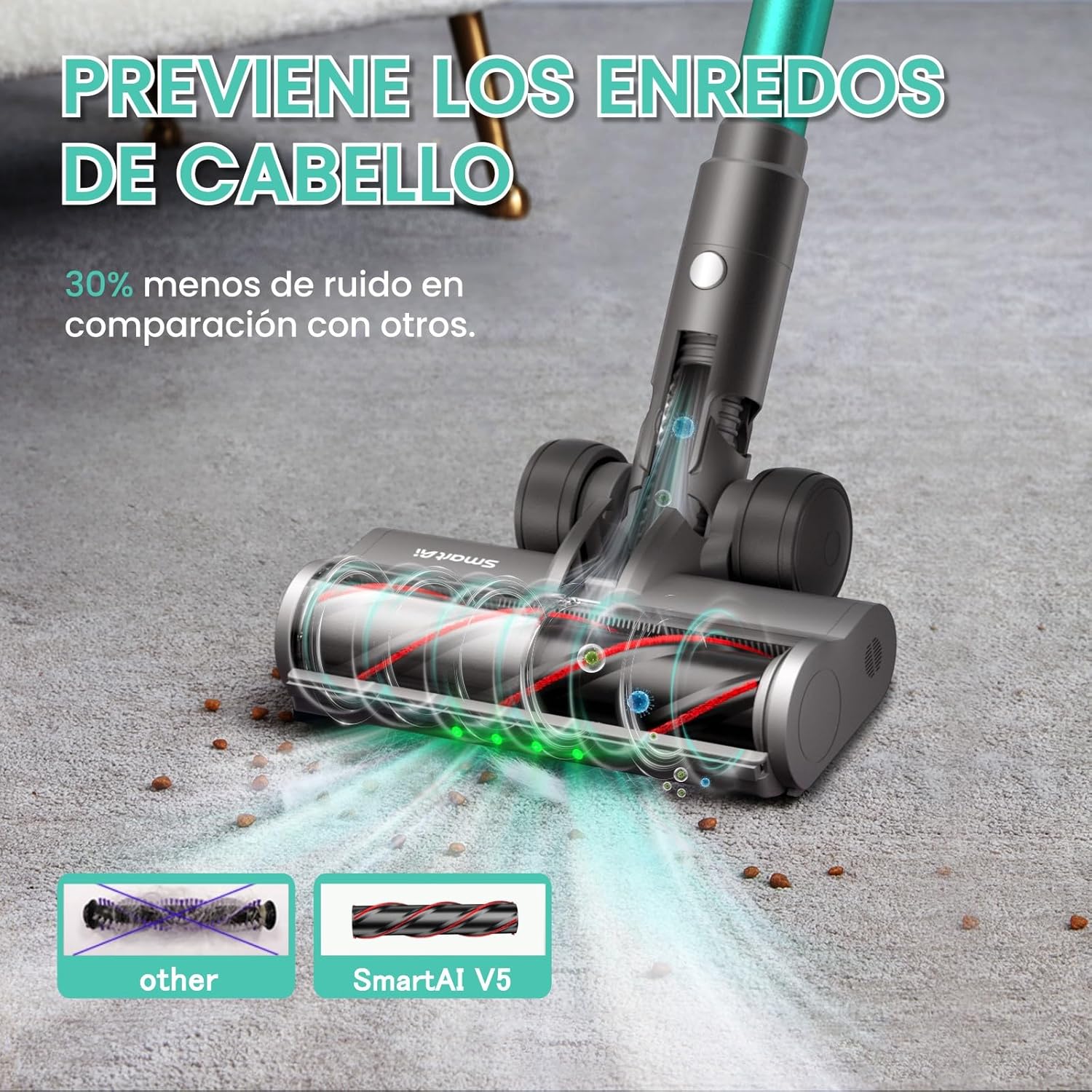
Figure 5: SmartAI V5 charging using the wall-mounted dock.
This image shows the SmartAI V5 vacuum cleaner docked on its wall-mounted charging station, with the power cable connected to an outlet. This illustrates one of the multiple charging methods available.
Operating Instructions
Powering On/Off and Mode Selection:
The SmartAI V5 features an intuitive LED display for easy control.

Figure 6: Close-up of the SmartAI V5's smart LED display.
This image provides a detailed view of the vacuum cleaner's LED display, highlighting the power button and mode change button. The display shows battery percentage, current suction mode (ECO, AUTO, TURBO), and other indicators.
- Power On/Off: Press the power button on the display to turn the vacuum on or off.
- Change Mode: Press the mode button to cycle through ECO, AUTO, and TURBO modes.
- ECO Mode: Optimized for daily cleaning and extended battery life (up to 80 minutes).
- AUTO Mode: Automatically adjusts suction power based on dust detection (35Kpa to 55Kpa).
- TURBO Mode: Provides maximum suction power (55Kpa) for deep cleaning (up to 22 minutes).
Cleaning Tips:
- For general cleaning, use ECO or AUTO mode.
- For stubborn dirt or high-traffic areas, switch to TURBO mode.
- The green LED light on the floor brush helps illuminate fine dust on hard floors.

Figure 7: Green LED light illuminating dust on the floor.
This image demonstrates the effectiveness of the green LED light integrated into the floor brush, which highlights dust and debris on the floor, making it easier to see and clean.
- Utilize the self-standing feature for convenient pauses during cleaning.

Figure 8: SmartAI V5 standing independently.
This image shows the SmartAI V5 vacuum cleaner standing upright on its own, demonstrating its self-standing capability which allows users to pause cleaning without needing to lean the vacuum against a wall or furniture.
- For different surfaces and hard-to-reach areas, use the appropriate attachments.

Figure 9: SmartAI V5 used with different attachments.
This composite image displays the SmartAI V5 vacuum cleaner in various cleaning scenarios, utilizing different attachments. It shows the main unit cleaning a floor, a handheld configuration cleaning a keyboard, and another handheld configuration cleaning a sofa, illustrating its versatility.
Maintenance
Regular maintenance ensures optimal performance and extends the lifespan of your SmartAI V5 vacuum cleaner.
Emptying the Dustbin:
Empty the dustbin after each use or when the MAX fill line is reached.
- Press the dustbin release button to detach it from the main unit.
- Hold the dustbin over a trash can and press the bottom release latch to open the lid and empty contents.
- Close the lid and reattach the dustbin to the main unit.
Cleaning Filters:
The SmartAI V5 features a 6-level filtration system, including a washable HEPA filter. Clean filters regularly for best performance.
- Twist and pull to remove the filter assembly from the dustbin.
- Tap the filter gently to remove loose dust.
- Rinse the filter under cold running water until the water runs clear.
- Allow the filter to air dry completely for at least 24 hours before reinserting. Do not use a dryer or direct heat.

Figure 10: Cleaning the washable filter.
This image shows the removable filter component of the SmartAI V5 vacuum cleaner being rinsed under running water, illustrating the washable nature of the filter for easy maintenance.
Cleaning the Brush Roll:
The anti-tangle brush roll minimizes hair wrapping, but occasional cleaning may be necessary.
- Turn off the vacuum cleaner.
- Locate the brush roll access latch on the side of the floor brush.
- Open the latch and remove the brush roll.
- Use scissors to cut away any tangled hair or debris.
- Reinsert the brush roll and secure the latch.
Figure 11: Anti-tangle brush roll design.
This image highlights the anti-tangle design of the SmartAI V5's brush roll, showing how it prevents hair from wrapping around it compared to conventional brush designs, reducing the need for frequent manual cleaning of tangles.
Troubleshooting
| Problem | Possible Cause | Solution |
|---|---|---|
| Vacuum not turning on | Battery is low or depleted. | Charge the battery fully. |
| Loss of suction | Dustbin is full. Filter is clogged. Brush roll is obstructed. Hose/wand is blocked. | Empty the dustbin. Clean or replace the filter. Remove debris from the brush roll. Check and clear any blockages in the hose or wand. |
| Brush roll not spinning | Brush roll is tangled with hair/debris. Floor brush attachment is not properly connected. | Clean the brush roll. Ensure the floor brush is securely attached. |
| Short battery life | Operating in TURBO mode frequently. Battery not fully charged. Battery degradation over time. | Use ECO or AUTO mode for longer runtime. Ensure battery is fully charged before use. Contact customer support for battery replacement if necessary. |
Specifications
- Model: SmartAI V5
- Power: 600W Brushless Motor
- Suction Power: Up to 55Kpa
- Battery: 8*3000mAh (Removable)
- Runtime: Up to 80 minutes (ECO Mode), 22-80 minutes (AUTO Mode), 22 minutes (TURBO Mode)
- Dustbin Capacity: 1.6 Liters
- Filter System: 6-Level HEPA Filtration (Washable)
- Noise Level: 70 dB
- Charging Time: Approximately 4.5 hours
- Product Dimensions: 5 x 10 x 10 cm (approximate, based on input)
- Product Weight: 4 kg
- Special Features: Portable, Rechargeable, Washable Filter, Cordless, HEPA, Self-Standing, Intelligent Dust Sensors, Anti-Tangle Brush, LED Display, Green LED Headlight.
Warranty and Support
SmartAI provides high-quality customer service. If you encounter any issues or have questions regarding your SmartAI V5 Cordless Vacuum Cleaner, please contact us.
- Customer Service: Available 7 days a week, 24 hours a day.
- Response Time: Queries are typically answered within 24 hours.
- Return Policy: 30-day refund/replacement policy (as per Amazon Buy Box Winner info).
For further assistance, please visit the official SmartAI store or contact their customer support directly through your purchase platform.
Related documentsV5


Ask a question about this manual
Ask about setup, troubleshooting, compatibility, parts, safety, or missing instructions. Manuals+ will review the question and use this page’s manual context to help answer it.