
1. Introduction and Key Features
The Godox iM30 Mini Flash Speedlite is a compact and versatile lighting solution designed for various camera systems, including Canon, Fuji, Sony, and Nikon DSLR cameras with a hot shoe. Its small size and ease of use make it an ideal accessory for photographers seeking portable and effective flash illumination.
Key Features:
- Ultra-Portable Design: Weighing just 78g, the iM30 fits easily into a pocket, ensuring effortless portability.
- Adjustable Power Levels: Offers 7 levels of flash power (1/64 to 1/1) for precise lighting control.
- Natural Fill Light: With a guide number of 15 (ISO 100, meters), it provides brighter, more natural fill light compared to most built-in camera flashes.
- Plug-and-Play Hot Shoe: Features a single-contact hot shoe for simple attachment and immediate use with compatible cameras.
- AAA Battery Powered: Operates on two AAA batteries for convenient power replacement.
- Extended Flash Capacity: Delivers up to 230 flashes on a single set of batteries.
- S1/S2 Optical Control: Includes S1 and S2 optical slave modes for off-camera flash synchronization.

Figure 1: The Godox iM30 Mini Flash Speedlite, showcasing its compact design and hot shoe mount.
2. What's in the Box
Please check the contents of your package to ensure all items are present:
- Godox iM30 Flash Body
- User Manual (this document)
- (Note: AAA batteries are not included and must be purchased separately.)
3. Setup
3.1 Battery Installation
The Godox iM30 requires two AAA batteries for operation. Ensure you use fresh, high-quality alkaline or rechargeable AAA batteries for optimal performance.
- Locate the battery compartment door on the side of the flash unit.
- Slide the battery compartment door open.
- Insert two AAA batteries, ensuring the correct polarity (+ and -) as indicated inside the compartment.
- Close the battery compartment door securely until it clicks into place.
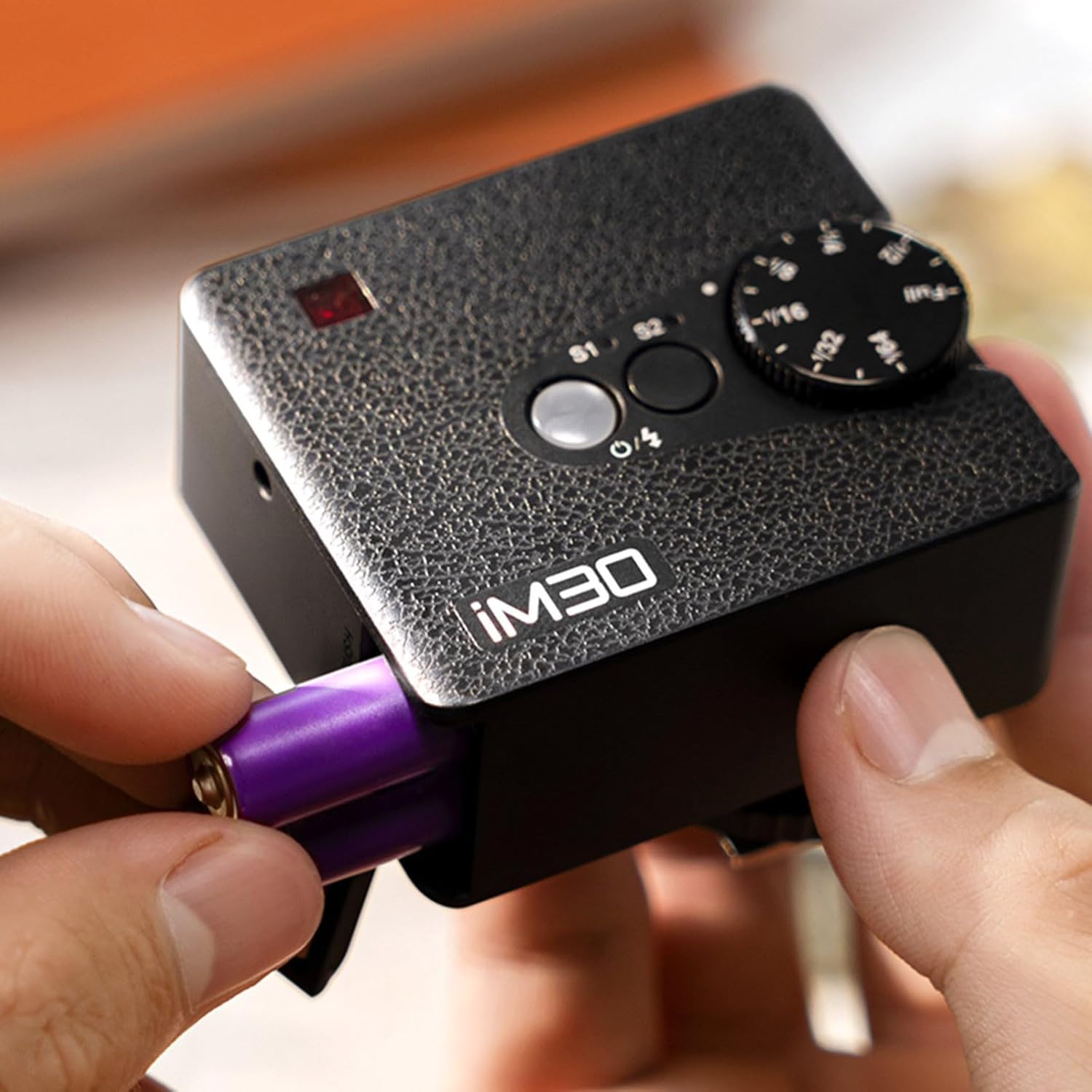
Figure 2: Proper insertion of AAA batteries into the iM30 flash unit.
3.2 Mounting on Camera
The iM30 features a universal single-contact hot shoe mount, compatible with most cameras equipped with a standard hot shoe.
- Ensure your camera is turned off.
- Slide the iM30's hot shoe foot into your camera's hot shoe slot.
- Secure the flash by tightening the locking ring or lever (if present on your camera's hot shoe or the flash unit itself) until it is firmly attached.
- Turn on your camera and the flash unit.

Figure 3: The Godox iM30 flash securely mounted on a camera's hot shoe.

Figure 4: The iM30 flash attached to a camera, ready for use.
3.3 Compatibility
The Godox iM30 is designed for broad compatibility with cameras featuring a standard hot shoe. This includes many models from Canon, Fuji, Sony, and Nikon DSLR cameras, as well as mirrorless cameras like the Sony ZV-1.

Figure 5: Examples of the Godox iM30 flash mounted on different camera models.
4. Operating Instructions
4.1 Powering On/Off
To power on the iM30, slide the power switch to the 'ON' position. The indicator light will illuminate. To power off, slide the switch to the 'OFF' position.
4.2 Adjusting Flash Power
The iM30 offers 7 levels of flash power adjustment, from 1/64 (lowest) to 1/1 (full power). This allows you to fine-tune the light output for various shooting conditions.
- Locate the power adjustment dial on the top of the flash unit.
- Rotate the dial clockwise to increase flash power (e.g., from 1/64 to 1/1).
- Rotate the dial counter-clockwise to decrease flash power.
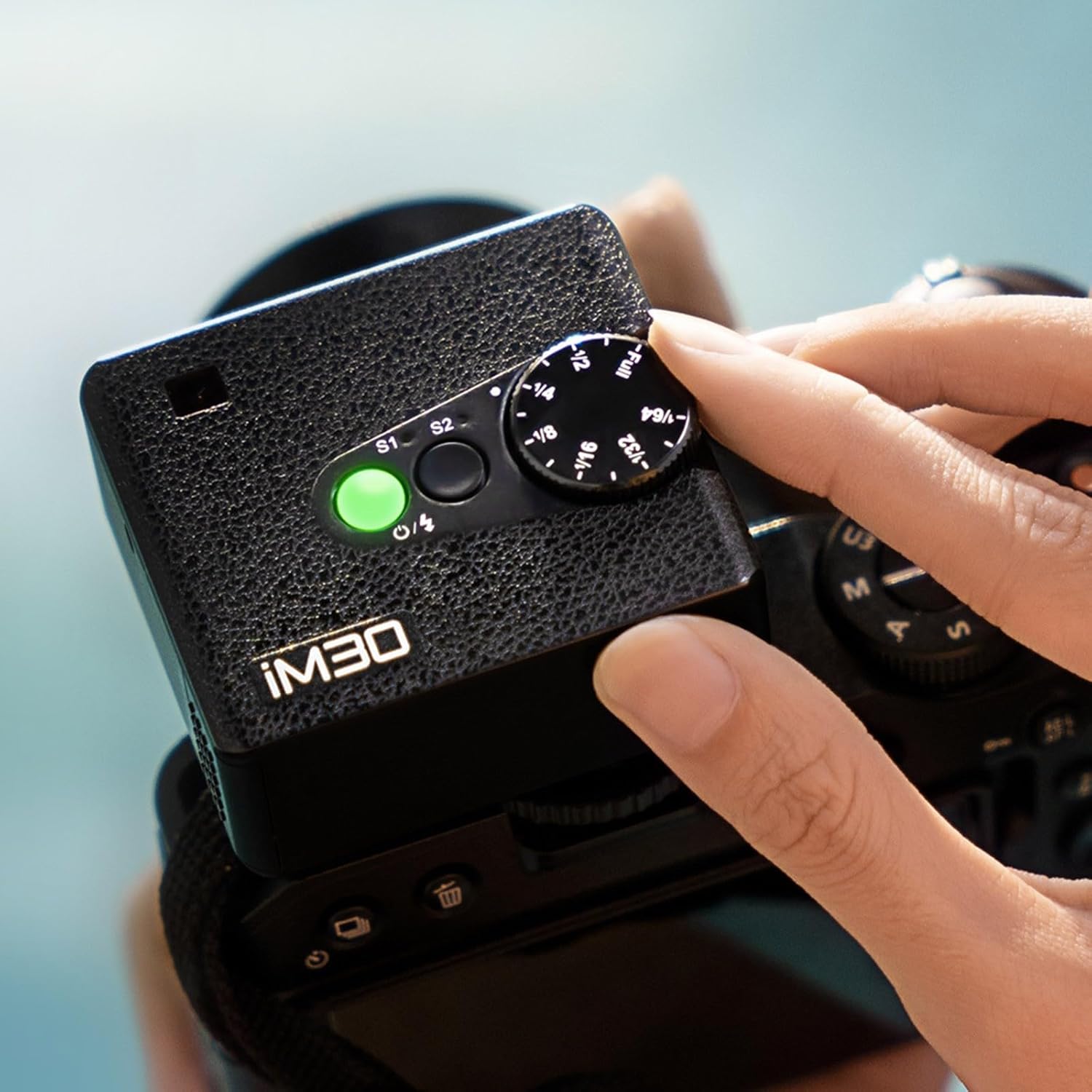
Figure 6: Adjusting the flash power using the rotary dial.
4.3 S1/S2 Optical Control
The iM30 includes S1 and S2 optical slave modes, allowing it to be triggered by another flash unit. This is useful for off-camera lighting setups.
- S1 Mode: The flash will fire in response to the first flash from a master flash. This mode is suitable for manual flash or TTL flash systems that do not pre-flash.
- S2 Mode: The flash will ignore the pre-flash from a master TTL flash and fire in response to the main flash. This mode is suitable for TTL flash systems with pre-flash.
To select S1 or S2 mode, press the corresponding button on the flash unit. The indicator light will confirm the selected mode.
4.4 General Usage and Flash Capacity
The iM30 is designed for quick and efficient flash photography. With a fresh set of AAA batteries, it can provide approximately 230 flashes at full power, ensuring you can capture many moments without frequent battery changes.
Video 1: An overview of the Godox iM30 Mini Camera Flash in various usage scenarios, demonstrating its portability and ease of use.

Figure 7: The iM30 providing ample flashes for extended shooting sessions.
5. Maintenance
5.1 Battery Replacement
When the flash performance degrades or the indicator light signals low power, it's time to replace the batteries. Follow the steps in Section 3.1 for battery installation.
5.2 Cleaning
To maintain the flash unit's appearance and functionality:
- Use a soft, dry cloth to wipe the exterior of the flash.
- For stubborn dirt, slightly dampen the cloth with water or a mild, non-abrasive cleaning solution.
- Avoid using strong solvents or abrasive cleaners, as they may damage the finish.
- Keep the hot shoe contacts clean and free of debris to ensure proper communication with the camera.
6. Troubleshooting
If you encounter issues with your Godox iM30, please refer to the following common problems and solutions:
| Problem | Possible Cause | Solution |
|---|---|---|
| Flash not firing. | Low or dead batteries; Incorrectly mounted on camera; Flash not powered on; Camera settings. | Replace batteries; Re-mount flash securely; Ensure flash is powered on; Check camera flash settings (e.g., external flash enabled). |
| Flash output is too weak/strong. | Incorrect power level setting; Distance to subject. | Adjust the power level dial (Section 4.2); Move closer or further from the subject. |
| Optical slave mode not working. | Incorrect S1/S2 mode selected; Master flash pre-flash issue; Obstruction between flashes. | Ensure correct S1/S2 mode for your master flash (Section 4.3); Ensure clear line of sight between flashes. |
7. Specifications
| Feature | Detail |
|---|---|
| Model | Godox iM30 |
| Guide Number | GN15 (ISO 100, meters) |
| Color Temperature | 6500K±200K |
| Flash Power Levels | 7 levels (1/64~1/1) |
| Flash Sync Speed | 1/250s |
| Power Source | 2 AAA batteries (not included) |
| Flashes per Charge (approx.) | 230 (at full power) |
| Dimensions (L x W x H) | 3.94 x 3.94 x 1.97 inches |
| Weight | 7 ounces (approx. 78g) |
| Compatible Mountings | Standard Hot Shoe (Canon, Fuji, Sony, Nikon DSLR, Sony ZV-1, etc.) |
8. Warranty and Support
Godox products are manufactured to high-quality standards. For warranty information, technical support, or service inquiries, please contact your authorized Godox dealer or visit the official Godox website. Please retain your proof of purchase for warranty claims.
Note: Specific warranty terms and conditions may vary by region.


