
Introduction
This manual provides detailed instructions for the installation, operation, and maintenance of your Fuluku 9-inch Android Car Radio, Model S2. This unit is specifically designed for Toyota Corolla Verso models manufactured between 2004 and 2009. Please read this manual thoroughly before installation and use to ensure proper functionality and to maximize your driving experience.
The Fuluku Android Car Radio integrates advanced features such as a 9-inch touchscreen display, Android operating system, wireless Carplay and Android Auto, GPS navigation, Bluetooth connectivity, and support for a rear-view camera, enhancing both convenience and safety.
Setup and Installation
The Fuluku Android Car Radio is designed for a plug-and-play installation in compatible Toyota Corolla Verso vehicles (2004-2009). Before purchasing and installing, verify your car's model, year, and the shape and size of your center console to ensure compatibility.
Package Contents
Please check that all items listed below are included in your package:
- Android Car Radio Head Unit
- AHD Rear View Camera
- GPS Antenna
- External Microphone
- USB Cables (x2)
- RCA Cable
- Power Cable
- Installation Tool
- Radio Adapter Cable
Installation Overview
This unit is designed to retain your vehicle's original OEM features, including steering wheel controls, door information, driving data display, amplifier function, and original reverse camera functionality.

This image shows the central console of a Toyota Corolla Verso (2004-2009) before and after the installation of the Fuluku Android car radio. The 'Before' images display the original factory radio, while the 'After' images show the new 9-inch Android display seamlessly integrated into the dashboard.
Product Dimensions and Connections

This image illustrates the physical dimensions of the 9-inch Fuluku Android car radio (255mm width, 175mm height) and provides a visual list of all included accessories for installation, such as power cables, GPS antenna, and the AHD rear camera.

This diagram details the various connection ports on the rear of the head unit, including connections for the power cable, USB cables, RCA input, camera input, radio antenna, and GPS antenna.
Operating Instructions
Android System and Display
The unit features a 4-core CPU, 2GB RAM, and 64GB ROM, running on the latest Android system. The 9-inch capacitive touchscreen with 2.5D tempered glass protection offers a clear and responsive interface. You can customize the look with 28 different UI themes.

This image highlights the Android system's specifications, including 2GB RAM and 64GB ROM, indicating a smooth and responsive user experience.

This image compares the display quality, emphasizing the Fuluku unit's HD IPS + 2.5D Glass screen with a 1024x600 resolution for stable performance and faster running speed compared to other standard displays.
Wireless Carplay and Android Auto
Connect your smartphone to the car radio via Bluetooth or USB cable to access features like phone calls, music playback, and navigation through Apple Carplay or Android Auto. Voice assistants like Siri are supported for hands-free control.

This image displays the interface for wireless Carplay, Android Auto, and Mirror Link, detailing the connection methods via USB, Bluetooth, or mobile hotspot.

This diagram illustrates the connectivity options for both wireless and wired Carplay and Android Auto, showing how smartphones can connect via USB or Bluetooth.
GPS Navigation and WiFi
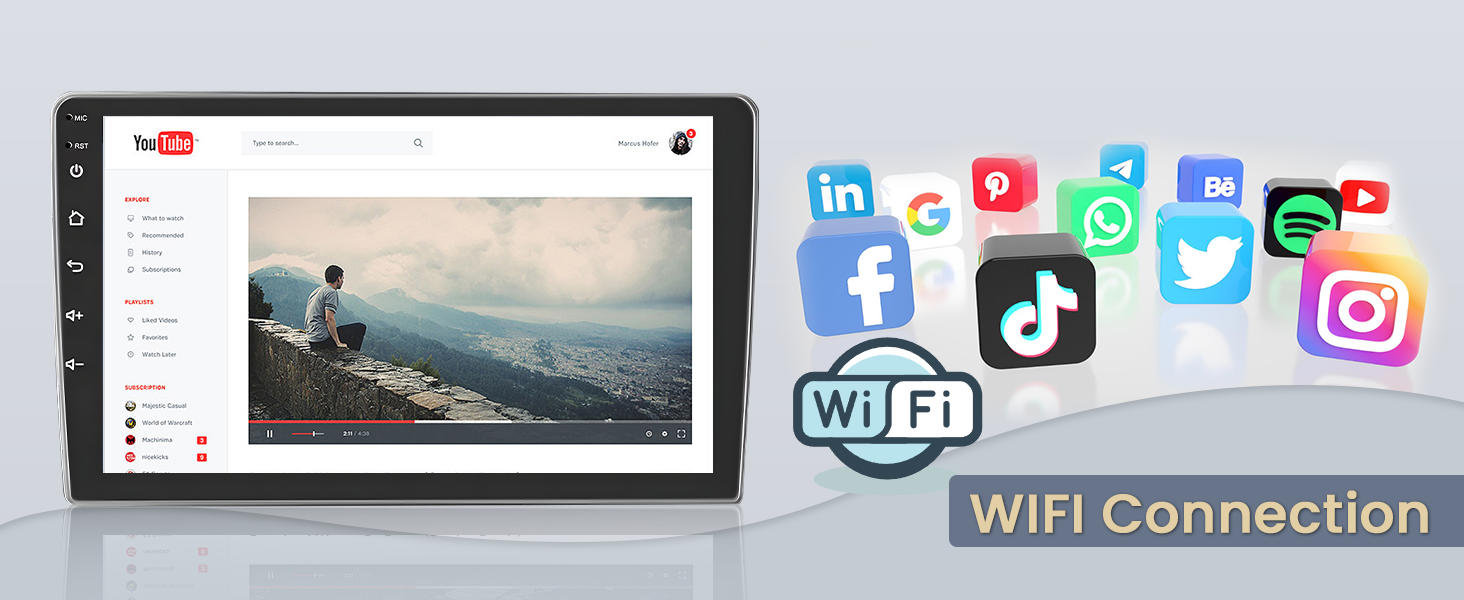
The integrated GPS navigation system supports both offline and online maps. The unit can connect to WiFi or mobile hotspots, allowing you to install or remove Android applications from the app store, similar to a smartphone.

This image demonstrates the unit's GPS navigation capabilities, supporting both online and offline maps. It also highlights the WiFi connection feature, enabling app downloads and internet browsing.
This graphic illustrates the GPS navigation feature, showing a car icon moving along a mapped route, emphasizing precise guidance.

This image shows the unit's screen displaying YouTube and various social media application icons, demonstrating the WiFi connectivity for online content and app usage.
Bluetooth Hands-free Calling and Music
The built-in Bluetooth module supports hands-free calls, phonebook synchronization, and music playback from your smartphone.

This image shows the Bluetooth hands-free calling interface, allowing users to dial numbers and manage contacts directly from the screen. It also displays the integrated audio equalizer settings.
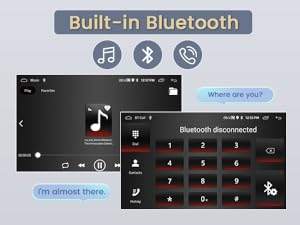
This image illustrates the built-in Bluetooth functionality, showing both music playback and the hands-free calling interface, including a disconnected phone status.
Steering Wheel Control
After completing the steering wheel button learning process, you can control the car radio directly from your steering wheel, enhancing safety and convenience.

This image displays the steering wheel control learning interface, where users can program their steering wheel buttons to control various functions of the car radio.

This image shows hands on a steering wheel, with illuminated control buttons, illustrating how the steering wheel control feature allows for convenient operation of the car stereo.
Audio Equalizer
The integrated audio equalizer allows you to customize sound options and effects to personalize your music listening experience.
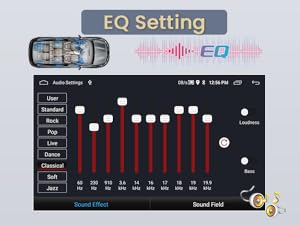
This image shows the EQ setting interface, allowing users to adjust frequency bands and select from various sound presets like User, Standard, Rock, Pop, Live, Dance, Classical, Soft, and Jazz.
1080P HD Video Playback and Split Screen
Enjoy 1080P HD video playback. The split-screen function allows you to run two applications simultaneously, for example, navigating while listening to music or making a phone call.

This image demonstrates the split-screen mode, allowing users to view navigation and listen to the radio simultaneously. It also shows the FM/RDS radio interface.

This image illustrates the split-screen functionality, displaying navigation on one side and a music player on the other, along with various control buttons for power, home, back, volume, and settings.
FM/RDS Radio
The built-in FM radio with RDS (Radio Data System) allows for automatic memory storage and preset scanning. You can preset over 30 stations and receive real-time radio, weather forecasts, and news broadcasts.
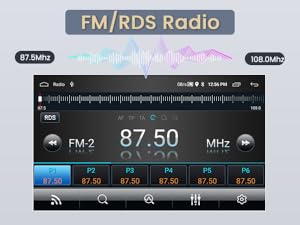
This image shows the FM/RDS radio interface, displaying the current frequency, RDS information, and preset station buttons for easy access to your favorite channels.
AHD Backup Camera
The unit supports an included 1080P AHD backup camera, offering a 170-degree ultra-wide-angle view and waterproof design for enhanced safety when reversing.
This image shows the display from the AHD backup camera, providing a clear view of the rear with dynamic parking guidelines to assist with safe maneuvering.

This diagram illustrates the wiring connection for the AHD reversing camera, emphasizing its high definition, waterproof, wide-angle, and night vision capabilities for improved visibility.
Mirror Link
The Mirror Link function allows you to mirror your Android or iOS smartphone screen directly onto the car radio display via USB or WiFi, extending your phone's functionality to the larger screen.

This graphic demonstrates the Mirror Link feature, showing a smartphone screen being mirrored onto the car radio display, compatible with both Android and iOS systems via USB or WiFi.
Voice Control
Activate the voice assistant while driving to operate the unit without distraction, enhancing driving safety. You can use voice commands for navigation, calls, music, and more.
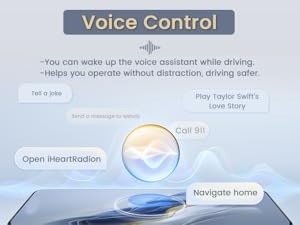
This image illustrates the voice control feature, displaying various commands such as 'Tell a joke', 'Play Taylor Swift's Love Story', 'Call 911', 'Open iHeartRadio', and 'Navigate home', allowing for hands-free operation.
Maintenance
To ensure the longevity and optimal performance of your Fuluku Android Car Radio, follow these general maintenance guidelines:
- Cleaning: Use a soft, dry cloth to clean the screen and exterior. For stubborn smudges, a slightly damp cloth with a mild, non-abrasive cleaner suitable for electronics can be used. Avoid harsh chemicals or abrasive materials.
- Temperature: Avoid exposing the unit to extreme temperatures, both hot and cold, for extended periods.
- Connections: Periodically check all cable connections to ensure they are secure and free from damage. Loose connections can lead to intermittent issues.
- Software Updates: Keep the system software updated to benefit from the latest features, improvements, and security patches. Check for updates through the unit's settings menu when connected to Wi-Fi.
Troubleshooting
If you encounter any issues with your Fuluku Android Car Radio, refer to the following common troubleshooting steps:
- No Power: Check the power cable connection and ensure your vehicle's ignition is on. Verify the fuse in the power cable.
- No Sound: Check speaker connections. Ensure the volume is not muted or set too low. Verify audio settings in the system.
- Touchscreen Unresponsive: Try restarting the unit. If the issue persists, a factory reset might be necessary (note: this will erase all user data).
- GPS Not Working: Ensure the GPS antenna is properly connected and has a clear view of the sky. Check GPS settings in the system.
- Bluetooth Connection Issues: Ensure Bluetooth is enabled on both the car radio and your smartphone. Try unpairing and re-pairing the devices.
- Carplay/Android Auto Not Connecting: Verify that your smartphone is compatible and that the connection (USB or Bluetooth) is stable. Try using a different USB cable.
- Rear Camera Not Displaying: Check the camera's power and video signal connections. Ensure the car is in reverse gear.
If these steps do not resolve the issue, please contact customer support for further assistance.
Specifications
| Feature | Detail |
|---|---|
| Brand | Fuluku |
| Product Model Number | Fuluku-A7517A3195A4MI2AM62EU-494 |
| Package Dimensions | 29.9 x 22 x 16.2 cm; 1.39 kg |
| Operating System | Android |
| RAM + ROM | 2GB RAM + 64GB ROM |
| Display | 9-inch IPS Touch Screen with 2.5D Tempered Glass |
| Connectivity Technology | Bluetooth, USB, Wi-Fi |
| Special Features | Android, IPS Touch Screen, FM/RDS Radio, Split Screen, Steering Wheel Control, 1080P AHD Backup Camera, Mic, Wi-Fi, Bluetooth, GPS Navigation, Wireless Carplay, Android Auto, Mirror Link |
| Compatible Devices | Amplifier, Smartphone |
| Audio Output Mode | Stereo (2.1 Surround Sound Channel Configuration) |
| Output Power | 45 Watts (180 Watts total) |
| Control Method | Touch |
| Video Encoding | MKV, RMVB, AVI, MP4 |
| Internet Applications | Blockbuster, Daily Motion, Browser, Pandora, Skype (and others via app store) |
| Country of Origin | China |
Warranty and Support
Your Fuluku Android Car Radio comes with a 24-month product warranty. We offer online consultation support with responses typically within 24 hours.
Customer Support
For any questions, technical assistance, or warranty claims, please contact Fuluku Direct customer support. You can reach us via email at fulukusupports@126.com. Our support team is available 24 hours to assist you.

This image provides a guide on how to contact Fuluku Direct for support, detailing the steps to 'Ask a question' through the seller's page on Amazon.

This image summarizes the customer support offerings: 24-hour quick response, 60-day worry-free returns, 365-day replacement, and lifetime technical support. The email address for support is also provided.


