
Introduction
Thank you for choosing the iGPSPORT BSC300T GPS Bike Computer. This device is designed to enhance your cycling experience with advanced navigation, performance tracking, and smart connectivity. Featuring a 2.4-inch color touchscreen, e-bike support, and global GPS coverage, the BSC300T provides comprehensive data and intuitive control for every ride. Please read this manual carefully to ensure proper setup and optimal use of your device.
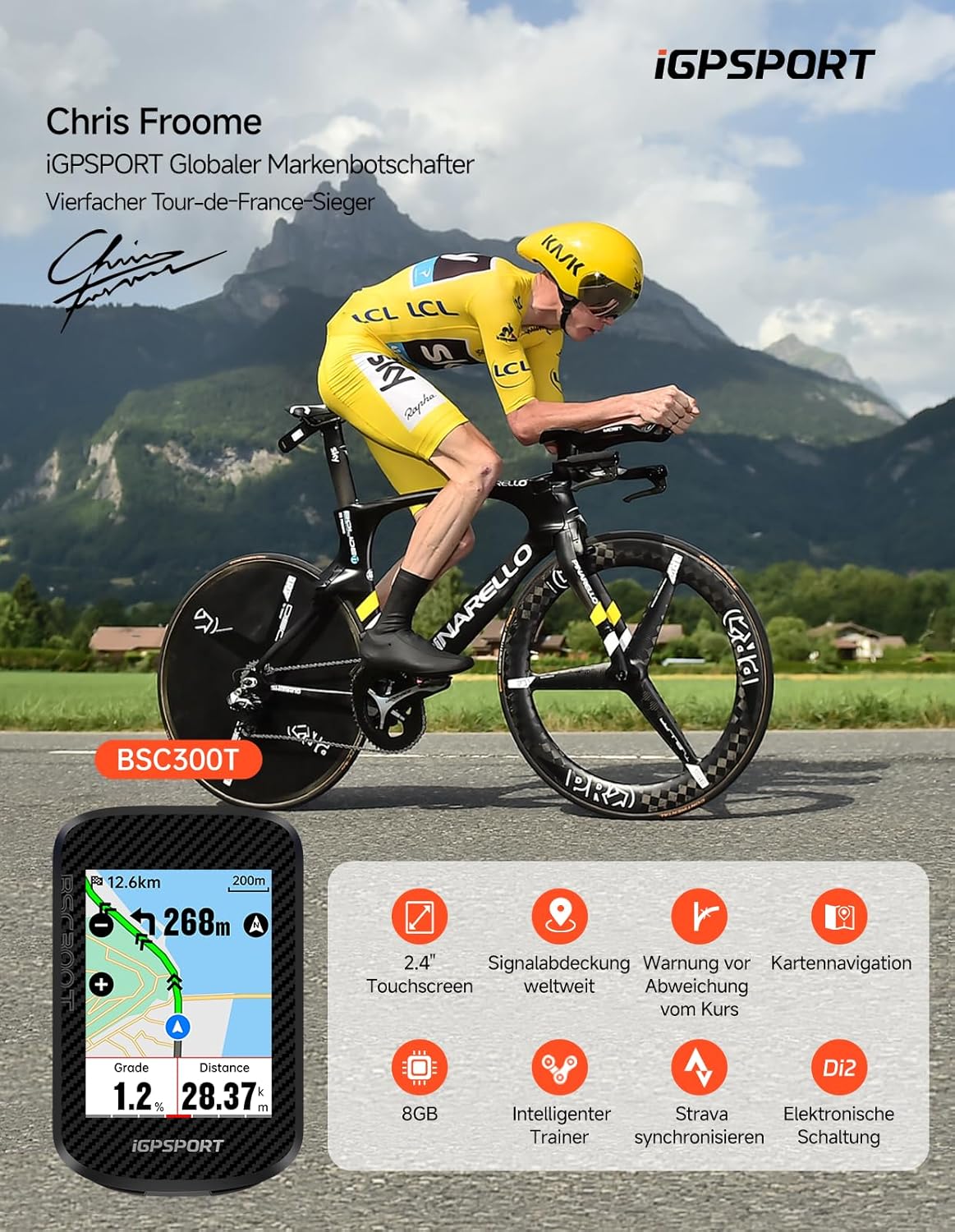
Image: The iGPSPORT BSC300T GPS Bike Computer, showcasing its compact design and key features like touchscreen, global signal coverage, navigation, and compatibility with various sensors and e-bikes.
Package Contents
Please check the box for the following items:
- 1 x iGPSPORT BSC300T GPS Bike Computer
- 1 x Special Bike Mount
- 2 x Rubber Rings for Mount Installation
- 1 x User Manual (this document)
Note: A data cable is not included in the package.
Setup
1. Initial Charging
Before first use, fully charge the BSC300T using a standard USB charger (not included). The device has a built-in rechargeable battery. A full charge provides approximately 20 hours of battery life.
2. Mounting the Device
Attach the special bike mount to your bicycle's handlebar or stem using the provided rubber rings. Ensure the mount is securely fastened and the computer clicks firmly into place.
3. Firmware Update
For optimal performance and access to the latest features, it is highly recommended to update the device firmware to the newest version upon receipt. Connect the BSC300T to the iGPSPORT app on your smartphone and follow the on-screen instructions for firmware updates.
4. Sensor Pairing (ANT+ & Bluetooth)
The BSC300T supports both ANT+ and Bluetooth dual protocols for connecting to various cycling sensors. This includes cadence sensors, heart rate monitors, power meters, speed sensors, smart bike lights, radar tail lights, Shimano Di2, and E-bikes.
- Navigate to the 'Sensors' menu on your BSC300T.
- Select 'Add Sensor' and choose the type of sensor you wish to pair.
- Ensure your sensor is active and within range. The device will scan for available sensors.
- Select your sensor from the list to complete the pairing process.

Image: The iGPSPORT BSC300T displaying its compatibility with a wide range of cycling devices and sensors, including cadence, heart rate, power, speed, smart lights, radar, Shimano Di2, and E-bikes via Bluetooth and ANT+ protocols.
Operating Instructions
1. Power On/Off
- Power On: Press and hold the power button (usually on the side or bottom) until the screen illuminates.
- Power Off: Press and hold the power button until a power-off prompt appears, then confirm.
2. Touchscreen & Buttons
The BSC300T features a responsive touchscreen and 6 physical buttons for intuitive navigation. You can swipe and tap to browse through statistics and settings, even while riding.

Image: The iGPSPORT BSC300T displaying its 2.4-inch touchscreen interface with various customizable color themes and data displays, demonstrating touch interaction.
3. Display Customization (Themes)
Personalize your display with over 20 vibrant, multi-colored theme options to match your style or mood. Access display settings through the main menu to select your preferred theme.
4. Navigation (Offline Maps & Off-Course Warning)
The bike computer supports global offline map downloads. You can store multiple routes, preview them, and receive re-routing prompts. The "Off-Course Warning" feature alerts you if you deviate from your planned route until you are back on track.
- Downloading Maps: Connect your device to the iGPSPORT app to download regional or global offline maps.
- Route Planning: Plan or import routes via the iGPSPORT app and sync them to your device.
- Starting Navigation: Select a saved route from the navigation menu and start your ride.

Image: The iGPSPORT BSC300T displaying its map navigation feature, showing a route with distance, grade, and turn-by-turn directions, with a cyclist in the background.
5. E-Bike Connection
The BSC300T offers enhanced E-Bike Connect support. Effortlessly connect to your electric bike to monitor real-time performance data. View comprehensive information at a glance, including charge status, speed, battery status, and more.

Image: The iGPSPORT BSC300T screen showing E-bike connection settings, including options to enable, auto-detect, set wheel size, and view details, with a cyclist on an e-bike in the background.
6. Training Features
Customize training sessions or download them directly from the iGPSPORT app. The device provides advanced training metrics and guidance to help you achieve your fitness goals.

Image: The iGPSPORT BSC300T displaying various advanced training screens, including workout targets, power output, speed, cadence, and performance scores, with a cyclist in the background.
7. Data Display
The BSC300T can display over 130 types of riding data. This includes speed, distance, ascent, cadence, calories, time, temperature, heart rate, power, altitude, and more. Customize your data fields to see the information most relevant to your ride.

Image: Multiple screens of the iGPSPORT BSC300T showing over 130 types of riding data, such as speed, distance, gears, heart rate, cadence, power, calories, and ascent, in various customizable layouts.
8. App Synchronization (iGPSPORT App & Strava)
Connect your BSC300T to the iGPSPORT app to analyze your riding data. The app allows for easy synchronization of training data with popular platforms like Strava, Komoot, and others.
- Download the iGPSPORT app from your smartphone's app store.
- Pair your BSC300T with the app via Bluetooth.
- After your ride, open the app to automatically sync your data.
- Configure third-party app synchronization (e.g., Strava) within the iGPSPORT app settings.
Maintenance
- Cleaning: Wipe the device with a soft, damp cloth. Avoid using harsh chemicals or abrasive cleaners. The device is IPX7 waterproof, meaning it can withstand immersion in 1 meter of water for up to 30 minutes, but it is not designed for prolonged underwater use.
- Battery Care: To prolong battery life, avoid fully discharging the battery frequently. Charge the device regularly, especially if it will be stored for an extended period.
- Storage: Store the device in a cool, dry place away from direct sunlight and extreme temperatures.
Troubleshooting
| Problem | Possible Solution |
|---|---|
| Device does not power on. | Ensure the device is fully charged. If the battery is completely depleted, it may take a few minutes of charging before it can power on. |
| GPS signal is weak or not acquired. | Ensure you are in an open area with a clear view of the sky. Avoid tall buildings or dense tree cover. Allow a few minutes for the device to acquire satellites. |
| Sensors (e.g., heart rate, cadence) are not connecting. |
|
| Data not syncing to iGPSPORT app or Strava. |
|
| Touchscreen is unresponsive. | Try restarting the device. Ensure the screen is clean and dry. If the issue persists, contact customer support. |
Specifications
| Feature | Detail |
|---|---|
| Model Number | BSC300T |
| Display | 2.4-inch LCD Color Touchscreen (Capacitive) |
| Dimensions (L x W x H) | 8.2 x 5.3 x 1.45 cm |
| Weight | 120 g |
| Battery Life | Up to 20 hours |
| Connectivity | Bluetooth, USB, ANT+ |
| Satellite Systems | GPS, BeiDou, GLONASS, GALILEO, QZSS (5-satellite positioning) |
| Internal Storage | 8 GB |
| Waterproof Rating | IPX7 |
| Compatible Devices | E-bikes, Smartphones, various ANT+/Bluetooth sensors |
| User Interface Input | Touch, Buttons |
Warranty and Support
Specific warranty information for the iGPSPORT BSC300T is not provided in this manual. Please refer to the official iGPSPORT website or contact your retailer for detailed warranty terms and conditions.
For technical support, firmware updates, or further assistance, please visit the official iGPSPORT website or contact their customer service department. Ensure your device's firmware is up to date for the best user experience.
Official iGPSPORT Website: www.igpsport.com


