
1. Introduction
This manual provides essential information for the safe and efficient operation of your Hocosyme Infrared Image Heater 500W with Thermostat, Model C-CZ-500W-S1. Please read these instructions carefully before installation and use, and retain them for future reference.
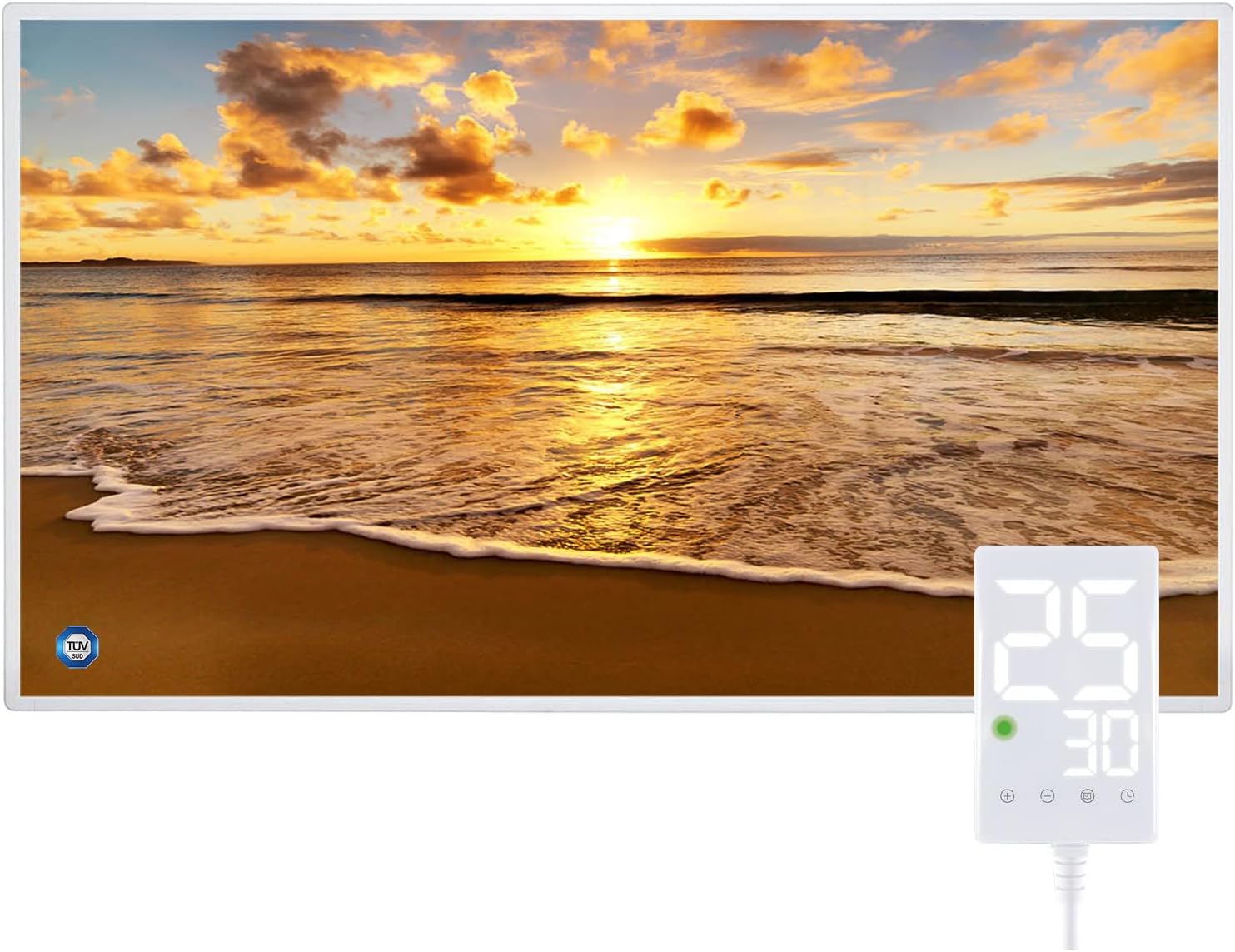
Figure 1: Hocosyme Infrared Image Heater with integrated digital thermostat display.
2. Safety Instructions
- Read all instructions before using this heater.
- Do not use this heater in the immediate vicinity of a bath, shower, or swimming pool.
- Do not immerse the heater in water or other liquids.
- Keep flammable materials such as furniture, curtains, and other combustibles at least 1 meter (3 feet) from the front and sides of the heater.
- Ensure the power plug is securely inserted into a suitable outlet. Inspect the plug and cable for any damage before each use. A damaged plug can pose a safety risk.
- This appliance is not intended for use by persons (including children) with reduced physical, sensory, or mental capabilities, or lack of experience and knowledge, unless they have been given supervision or instruction concerning use of the appliance by a person responsible for their safety.
- Children should be supervised to ensure that they do not play with the appliance.
- Do not cover the heater. Overheating may occur if the heater is covered.
- Always unplug the heater when not in use.
3. Setup and Installation
The Hocosyme Infrared Image Heater can be installed in two primary configurations: wall-mounted or freestanding with a roller bracket (accessories may vary by package).
3.1 Unpacking
Carefully remove the heater and all accessories from the packaging. Inspect for any signs of damage. Retain packaging for future storage or transport.
3.2 Mounting Options
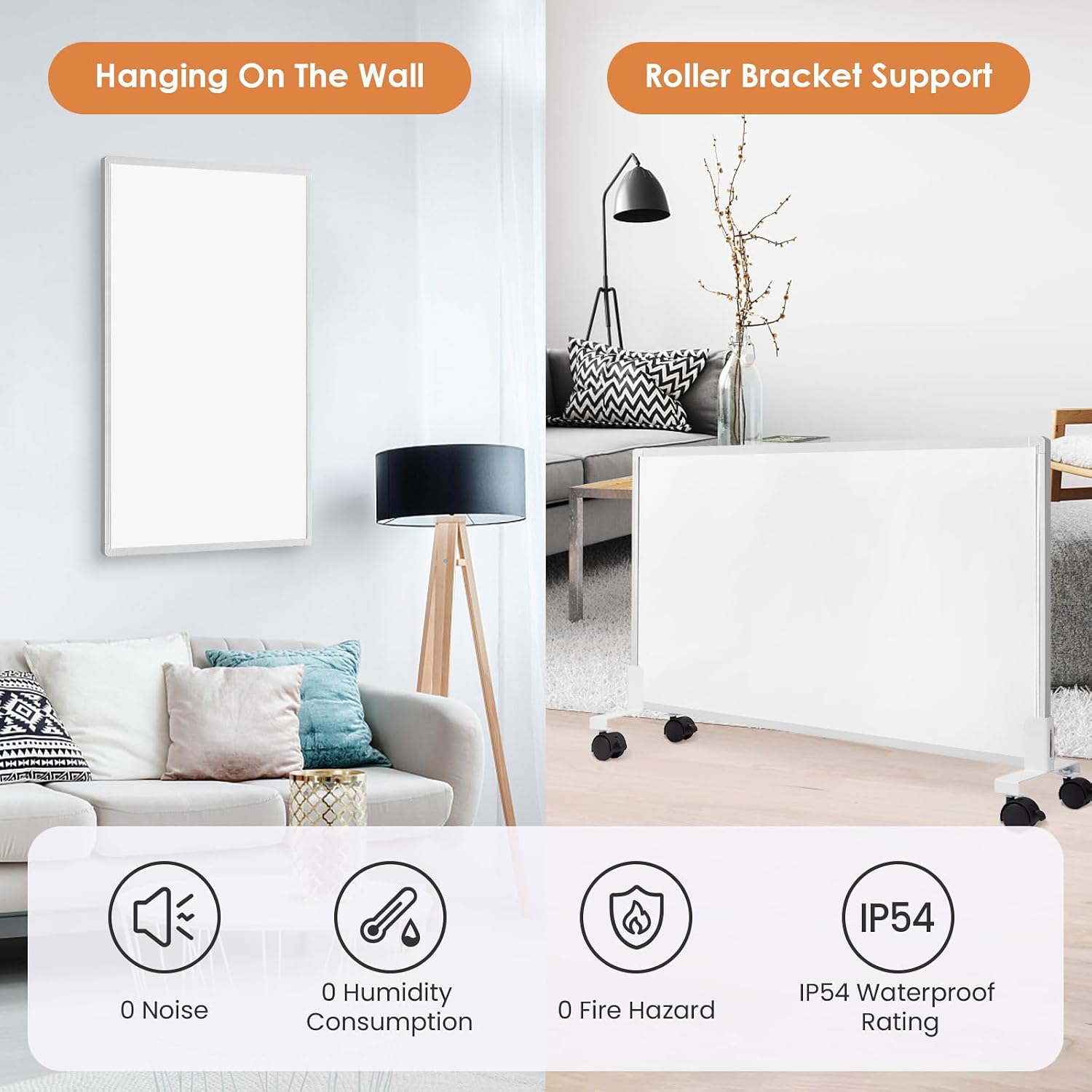
Figure 2: Heater shown wall-mounted and with optional roller bracket support.
3.2.1 Wall Mounting
- Choose a suitable wall location, ensuring sufficient clearance from flammable materials and a power outlet.
- Use the provided drilling template to mark the mounting holes on the wall.
- Drill holes and insert wall plugs.
- Secure the mounting screws, leaving a small gap for the heater's mounting brackets.
- Carefully hang the heater onto the screws. Ensure it is level and securely fastened.
3.2.2 Freestanding with Roller Bracket
- Attach the roller bracket to the bottom of the heater according to the instructions provided with the bracket accessory.
- Ensure the bracket is securely fastened and the heater is stable.

Figure 3: Included mounting material (screws, spacers) and drilling template for installation.
3.3 Power Connection
Connect the two-pin Euro plug of the heater's thermostat cable (1.80 m length) into a standard electrical outlet. Ensure the outlet is easily accessible.
4. Operating Instructions
The Hocosyme Infrared Image Heater features a smart thermostat for precise temperature control and various operating modes.

Figure 4: Smart Thermostat interface with key features highlighted.
4.1 Power On/Off
Press the power button (usually indicated by a circle icon) on the thermostat to turn the heater on or off. The digital display will illuminate when the heater is active.
4.2 Setting Temperature
Use the '+' and '-' buttons on the thermostat to adjust the desired room temperature. The display will show the set temperature. The heater will automatically maintain the set temperature.
4.3 Operating Modes
The thermostat typically offers multiple operating modes (e.g., Comfort, Eco, Anti-freeze). Press the 'Mode' button (often an 'M' or similar icon) to cycle through available modes. Refer to the thermostat's specific icons for detailed mode functions.
4.4 Timer Function
Some models include a timer function. Press the 'Timer' button (often a clock icon) to set a specific operating duration or schedule. Consult the thermostat's detailed instructions for programming the timer.
4.5 Infrared Heating Principle

Figure 5: Diagram illustrating uniform infrared heating throughout a room, achieving rapid temperature increase.
This infrared heater provides uniform heating by emitting infrared rays that directly warm objects and surfaces in the room, similar to natural sunlight. This method offers rapid heating, reaching up to 120 degrees Celsius on the panel surface within approximately 3 minutes, providing efficient and comfortable warmth.
5. Maintenance
5.1 Cleaning
- Always unplug the heater and allow it to cool completely before cleaning.
- Wipe the exterior surfaces with a soft, damp cloth. Do not use abrasive cleaners or solvents.
- Ensure no water enters the internal components of the heater.
5.2 Storage
If storing the heater for an extended period, clean it thoroughly and store it in a dry, cool place, preferably in its original packaging.
6. Troubleshooting
- Heater not turning on: Check if the power plug is fully inserted into the outlet. Ensure the outlet is functional by testing with another appliance. Verify the thermostat is powered on.
- No heat output: Confirm the desired temperature setting is higher than the current room temperature. Check if any timer functions are active.
- Unsafe plug/damaged cable: If the plug or power cable appears damaged, discontinue use immediately and contact customer support. Do not attempt to repair it yourself.
- Inconsistent heating: Ensure the heater is not covered and there are no obstructions blocking the infrared emission.
7. Specifications

Figure 6: Product dimensions and weight.
| Feature | Specification |
|---|---|
| Brand | Hocosyme |
| Model Number | C-CZ-500W-S1 |
| Power Output | 500W |
| Voltage | 230 Volts (AC) |
| Heating Method | Radiant (Infrared) |
| Product Dimensions (D x W x H) | 50.5 cm x 90.5 cm x 2.2 cm |
| Item Weight | 5.94 Kilograms |
| Thermal Coverage | 5 to 12 square meters |
| Power Source | Corded Electric |
| Cable Length | 1.80 meters |
| Country of Origin | China |
8. Warranty and Support
For warranty information or technical support, please refer to the documentation included with your purchase or contact the retailer. Keep your purchase receipt as proof of purchase.