
Aigostar B0DLW2CQ97
Contents
Aigostar 7-Blade Pedestal Fan
Model: B0DLW2CQ97
Introduction
Thank you for choosing the Aigostar 7-Blade Pedestal Fan. This manual provides important information regarding the safe operation, assembly, and maintenance of your new fan. Please read it thoroughly before use and retain it for future reference.

Image: The Aigostar 7-Blade Pedestal Fan, showcasing its sleek design and accompanying remote control.
Safety Information
Always follow basic safety precautions when using electrical appliances to reduce the risk of fire, electric shock, and injury.
- Do not insert fingers or any objects through the grille when the fan is operating.
- Ensure the fan is placed on a stable, level surface to prevent tipping.
- Unplug the fan from the power outlet before cleaning or performing any maintenance.
- Keep the fan away from water and high humidity environments.
- Do not operate the fan with a damaged cord or plug.

Image: The fan features a safe close grille design to prevent accidental contact with the blades, particularly important for households with children.
Package Contents
Before assembly, please verify that all components are present and undamaged:
- Front Grille
- Spinner
- 7 Aerodynamic Blades
- Real Grille Mounting Nut
- Rear Grille
- Fan Body (with motor and power cord)
- Base (cross-shaped)
- Remote Controller
- Internal Pole

Image: An exploded diagram showing all individual parts of the Aigostar pedestal fan, including the front grille, blades, motor, base, and remote control.
Setup and Assembly
Follow these steps to assemble your Aigostar Pedestal Fan:
- Assemble the Base: Insert the internal pole into the cross-shaped base and secure it.
- Attach the Fan Body: Place the fan body onto the assembled pole and tighten the securing knob.
- Install Rear Grille: Mount the rear grille onto the motor housing and secure it with the mounting nut.
- Attach Blades: Carefully slide the 7 aerodynamic blades onto the motor shaft until they click into place.
- Secure Spinner: Fasten the spinner onto the motor shaft to hold the blades firmly.
- Install Front Grille: Align the front grille with the rear grille and snap the clips or secure the screws to close it completely.

Image: A step-by-step visual guide demonstrating the assembly process of the fan, from attaching the base to securing the grilles.
Adjustable Height and Tilt
The fan's height can be adjusted between 41.5 and 49 inches to suit various needs. The fan head also features a tilt-angle adjustment for directional airflow control.

Image: Illustrations highlighting the fan's adjustable height range and the ability to tilt the fan head for customized airflow.
Operating Instructions
Your Aigostar Pedestal Fan can be controlled via the integrated control panel on the fan body or the included remote control.
Control Panel & Remote Control
The fan offers both touch control on its body and convenient remote control operation from up to 13 feet away.

Image: Demonstrates the two control methods: direct touch buttons on the fan unit and the wireless remote control for convenience.
Wind Speeds and Modes
The fan features 3 speed settings and 3 distinct wind modes:
- Normal Mode: Provides a consistent airflow. Press the mode button a third time to activate.
- Natural Mode: Simulates varying natural breezes. Press the mode button once to activate.
- Sleep Mode: Offers a gentle, quiet airflow ideal for sleeping. Press the mode button twice to activate.

Image: The remote control and fan display illustrating the options for 3 wind speeds and 3 wind modes (Normal, Natural, Sleep).
Oscillation Function
Activate the oscillation function to distribute air across a wider area (70° oscillation).
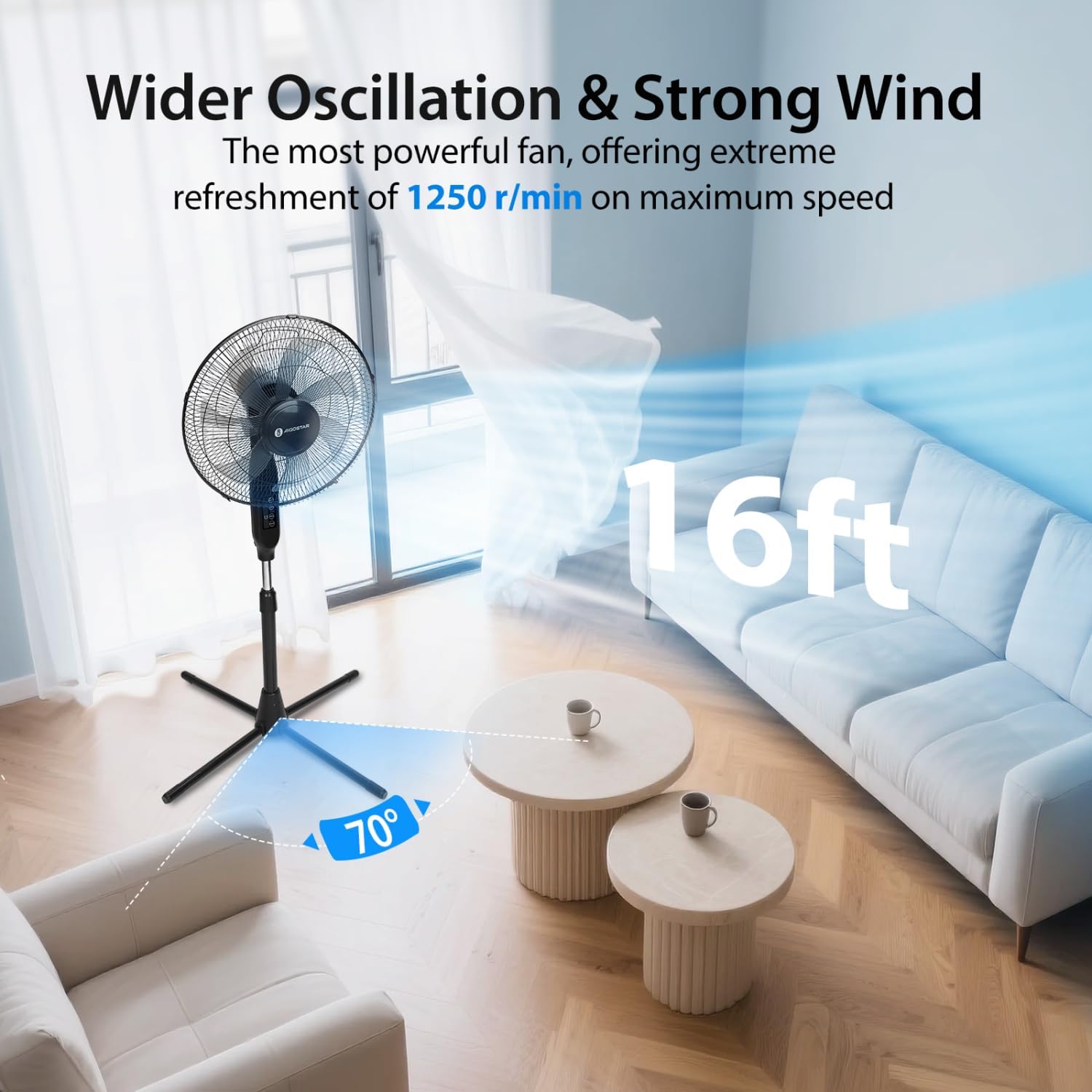
Image: The fan operating in a living room, demonstrating its wide oscillation angle and effective air distribution across the space.
Timer Function
Set the fan to automatically turn off after a specified period, from 1 to 9 hours, in one-hour increments. This feature is particularly useful for nighttime use.

Image: A visual representation of the fan's low noise level and 9-hour timer function, designed to provide undisturbed sleep.
Product Overview Video
Video: A short 6-second overview of the Aigostar Pedestal Fan, highlighting its features and the phrase "Coolness at your command."
Maintenance
Regular cleaning and proper maintenance will ensure the longevity and efficient operation of your fan.
- Cleaning: Always unplug the fan before cleaning. Use a soft, damp cloth to wipe down the exterior surfaces. Do not use abrasive cleaners or allow water to drip into the motor housing.
- Grille Cleaning: The grilles can be removed for thorough cleaning of the blades. Refer to the assembly instructions in reverse order to safely remove and reattach the grilles.
- Storage: When not in use, store the fan in a cool, dry place. The fan can be disassembled for compact storage.
Troubleshooting
If you encounter issues with your fan, refer to the following common problems and solutions:
| Problem | Possible Cause | Solution |
|---|---|---|
| Fan does not turn on. | Not plugged in; power outlet fault; power button not pressed. | Ensure plug is fully inserted; test outlet with another device; press power button. |
| Weak airflow. | Fan speed too low; grilles or blades are dirty. | Increase fan speed; clean grilles and blades. |
| Fan is noisy. | Loose parts; fan not on a level surface; debris in blades. | Check for loose components; place fan on a stable surface; clean blades. |
| Remote control not working. | Batteries dead or incorrectly inserted; remote out of range. | Replace batteries; ensure correct polarity; operate within 13-foot range. |
If the problem persists after trying these solutions, please contact customer support.
Specifications
- Model: B0DLW2CQ97
- Brand: Aigostar
- Blade Design: 7 Aerodynamic Blades
- Speeds: 3
- Modes: Normal, Natural, Sleep
- Oscillation: 70°
- Timer: 1-9 Hours
- Adjustable Height: 41.5 to 49 inches
- Remote Control Range: Up to 13 feet
- Noise Level: Max 58dB
- Item Weight: 7.68 pounds
- Package Dimensions: 21.2 x 17.8 x 5.5 inches
Warranty and Support
Aigostar products are designed and manufactured to the highest quality standards. For warranty information or technical support, please refer to the contact details provided with your purchase or visit the official Aigostar website. Please have your model number (B0DLW2CQ97) ready when contacting support.
Ask a question about this manual
Ask about setup, troubleshooting, compatibility, parts, safety, or missing instructions. Manuals+ will review the question and use this page’s manual context to help answer it.