
1. Introduction
Thank you for choosing the AMKI Laser Lights DJ Lights Pro 4 in 1. This device is designed to create dynamic lighting effects for parties, stages, and events. It combines 9 LED RGBW lasers, UV lights, 2 pattern lights, and RGB beams to produce over 100 vibrant patterns. This manual provides essential information for safe and effective use, including setup, operation, maintenance, and troubleshooting.
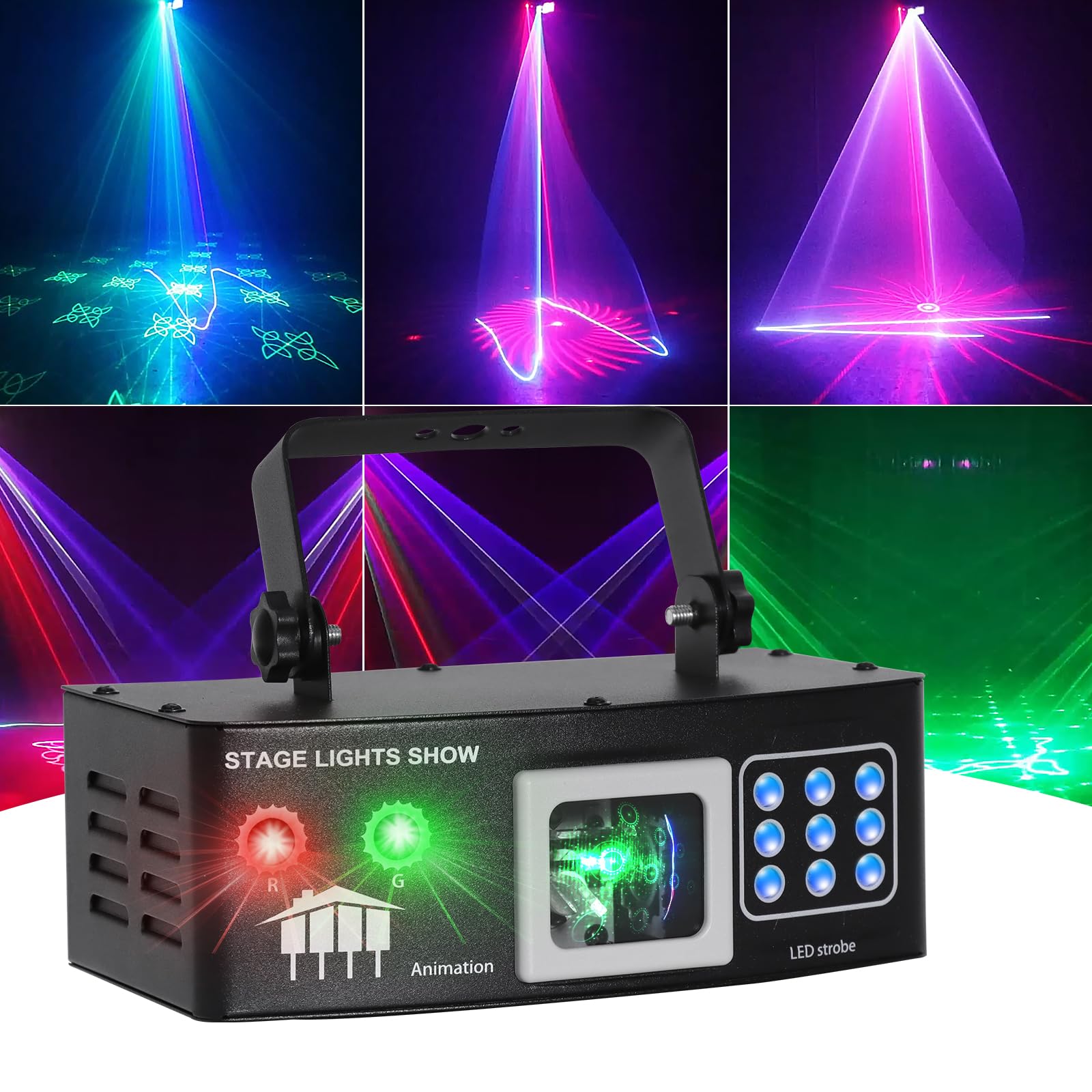
Image 1.1: The AMKI Laser Lights DJ Lights Pro 4 in 1 unit.
2. What's in the Box
Please check the package contents upon receipt to ensure all items are present and undamaged:
- Disco Laser Party Light Unit
- Remote Control
- User Manual (this document)
- Power Cable

Image 2.1: Included components: the laser light unit, remote control, user manual, and power cable.
3. Product Features
The AMKI Laser Lights DJ Lights Pro 4 in 1 offers a versatile range of lighting effects:
- 4-in-1 Lighting Effects: Integrates 9 LED RGBW lasers, UV lights, 2 pattern lights, and RGB beams.
- Extensive Pattern Variety: Provides over 100 distinct patterns for diverse visual displays.
- Wide Coverage: Capable of illuminating areas up to 500 square feet.
- UV Blacklight Function: Creates a mysterious ambiance, ideal for specific themed events.
- Multiple Control Modes: Supports DMX512, master-slave, automatic stroboscopic, voice-controlled stroboscopic, constant light, and brightness adjustment.
- Sound-Activated Mode: Patterns, colors, and beams synchronize with music beats.
- Remote Control: Allows for easy operation and effect selection without a DMX console.

Image 3.1: Overview of the laser light unit, highlighting 9 LED RGB&UV Light, 2 Pattern Lights, Green laser, Red laser, Professional DMX512 Linking, and Digital Control Panel.
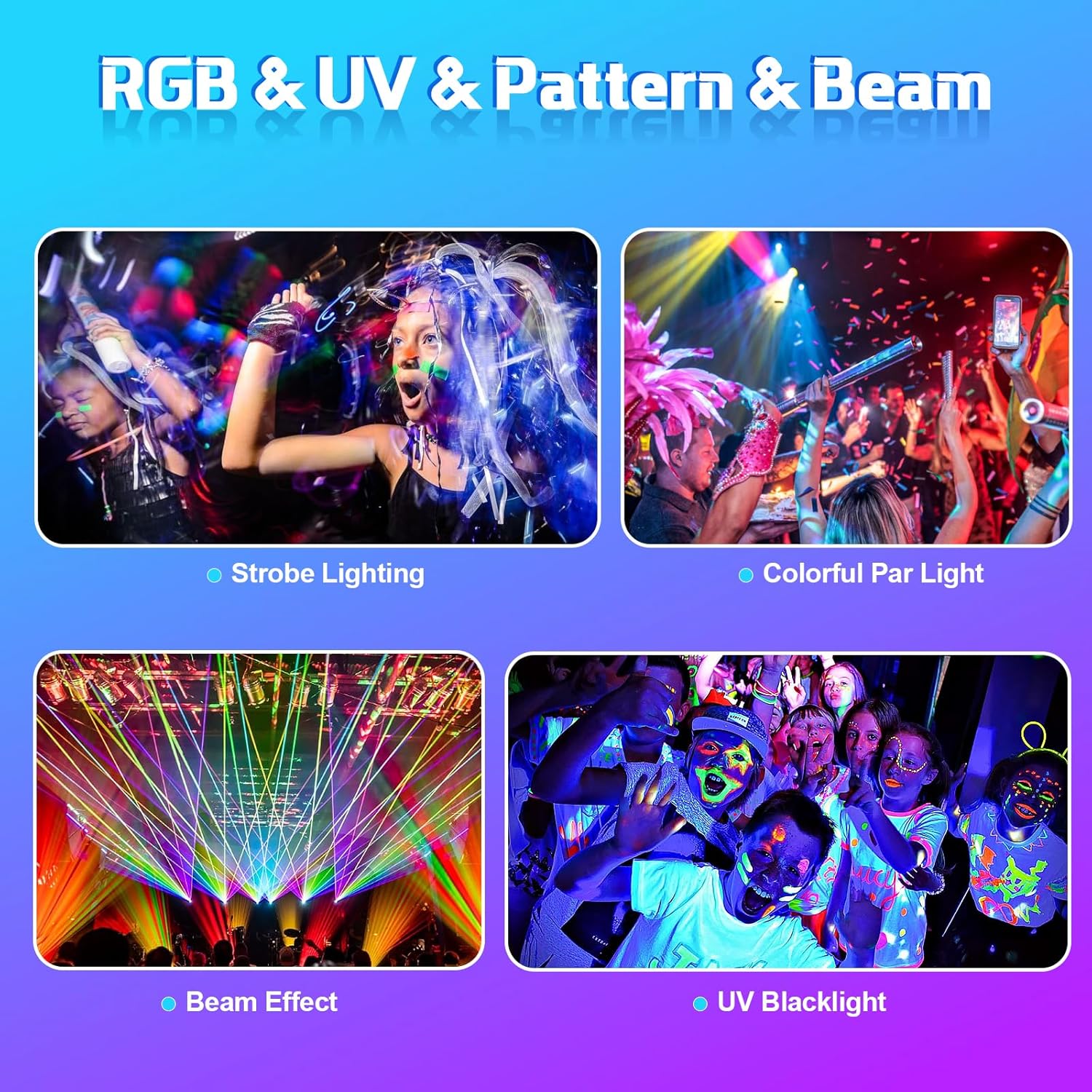
Image 3.2: Visual representation of Strobe Lighting, Colorful Par Light, Beam Effect, and UV Blacklight capabilities.

Image 3.3: Demonstrates the multiple colors and over 100 patterns achievable with the device.
4. Setup Instructions
Follow these steps to set up your AMKI Laser Lights DJ Lights Pro 4 in 1:
- Unpacking: Carefully remove all components from the packaging. Retain the packaging for future storage or transport.
- Placement: Position the light on a stable, flat surface using its table mount, or securely attach it to a truss or ceiling using appropriate clamps (not included). Ensure adequate ventilation around the unit.
- Power Connection: Connect the provided power cable to the unit's power input and then to a standard electrical outlet (AC100-240V, 50/60Hz).
- Initial Power On: Turn on the unit using the power switch. The digital control panel will illuminate.
- Remote Control Setup: Ensure the remote control has working batteries. Point the remote towards the front of the unit for optimal signal reception.
5. Operating Instructions
5.1. Control Panel
The digital control panel on the unit allows for basic mode selection and DMX addressing. Use the MENU, UP, DOWN, and ENTER buttons to navigate and confirm settings.
5.2. Remote Control Operation
The included remote control provides convenient access to various functions and effects:
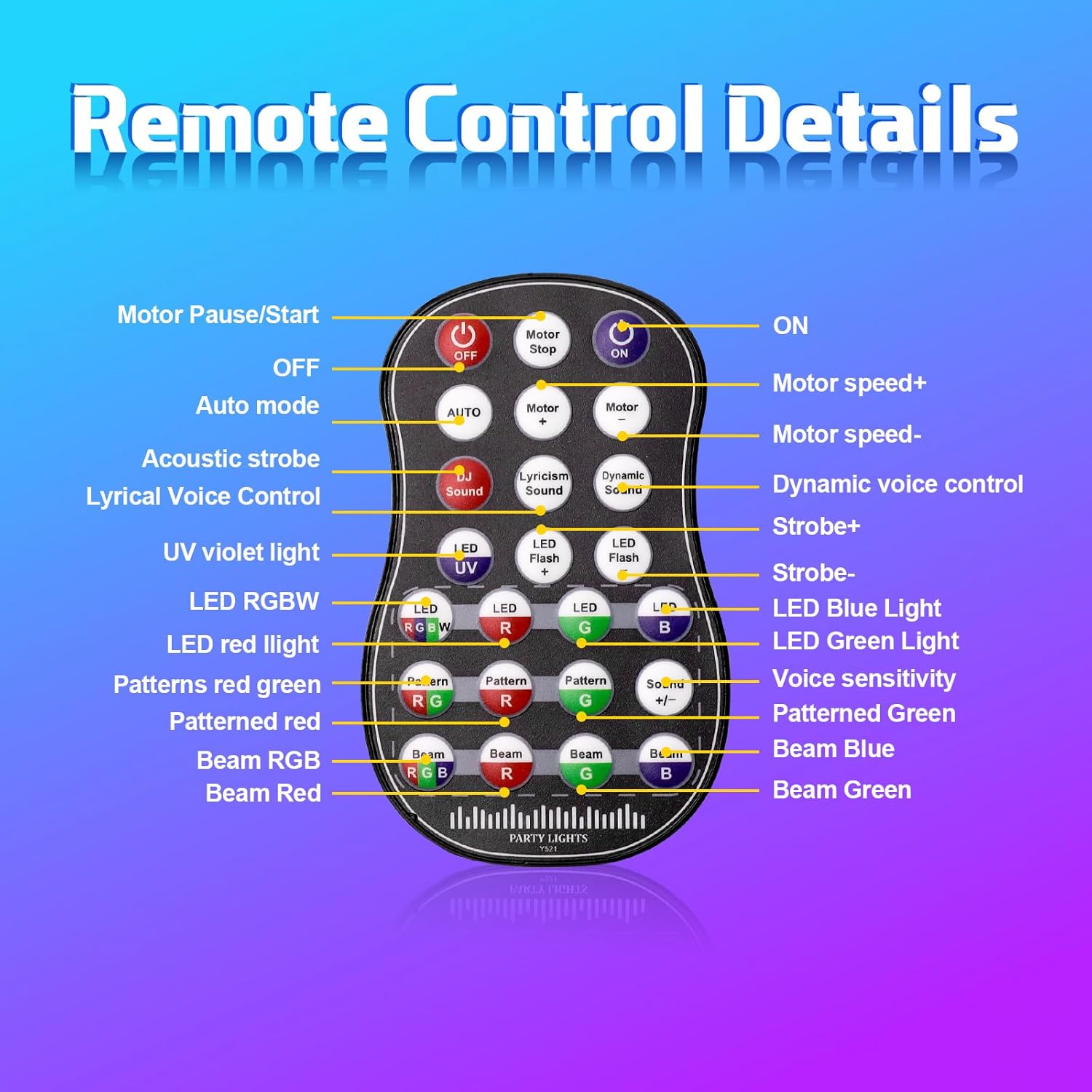
Image 5.1: Remote Control Details, showing buttons for power, motor speed, auto mode, acoustic strobe, lyrical voice control, UV violet light, LED RGBW, LED red, patterned red, beam red, dynamic voice control, strobe+, LED blue, LED green, voice sensitivity, patterned green, and beam green.
- ON/OFF: Powers the unit on or off.
- Motor Pause/Start: Controls the movement of the internal motor.
- Motor Speed +/-: Adjusts the speed of pattern rotation.
- Auto Mode: Cycles through pre-programmed automatic light shows.
- Acoustic Strobe / Lyrical Voice Control / Dynamic Voice Control: Activates sound-activated modes with different sensitivities or effects.
- LED UV / LED RGBW / LED R / LED G / LED B: Selects specific LED colors or UV light.
- Pattern R / Pattern G / Pattern B: Activates specific pattern colors.
- Beam R / Beam G / Beam B: Activates specific beam colors.
- Strobe +/-: Adjusts the strobe speed.
- Voice Sensitivity +/-: Adjusts the sensitivity of the sound-activated modes.
5.3. DMX Control
For advanced control, connect the unit to a DMX512 controller. Use the DMX IN and DMX OUT ports for linking multiple units. Refer to the DMX channel chart (not provided in this manual, typically found in a separate DMX guide) for specific channel assignments and functions. The programmable DMX512 system allows for precise adjustments to movement, rotation, zoom, color changes, and speed.
5.4. Sound-Activated Mode
In sound-activated mode, the light patterns, colors, and beams respond to the rhythm of nearby music. For optimal performance, operate the unit in an environment with loud, clear audio. This mode is ideal for enhancing the atmosphere at parties, gigs, and DJ events.

Image 5.2: Illustrates the sound-activated and DMX512 control capabilities in a dynamic party environment.
Video 5.1: A demonstration of the AMKI RGBUV Party Laser Lights in action, showcasing various full-color animation line effects, strong beams, high brightness, and instant party scenes.
6. Maintenance
Proper maintenance ensures the longevity and optimal performance of your laser light:
- Cleaning: Regularly clean the exterior casing and optical lenses with a soft, dry cloth. Do not use abrasive cleaners or solvents.
- Ventilation: Ensure the ventilation openings are clear of dust and debris to prevent overheating.
- Storage: When not in use, store the unit in a cool, dry place, away from direct sunlight and extreme temperatures.
- Power Disconnection: Always disconnect the power cable before cleaning or performing any maintenance.
7. Troubleshooting
If you encounter issues with your AMKI Laser Lights, refer to the following common problems and solutions:
- No Light Output:
- Ensure the power cable is securely connected and the unit is switched on.
- Check the power outlet for functionality.
- Verify that the remote control batteries are not depleted.
- Weak or Unclear Patterns:
- The best effects are achieved in a smoke environment. Without smoke, dynamic beams and scanning effects may be less visible.
- Ensure the lenses are clean and free from dust or smudges.
- Sound-Activated Mode Not Responding:
- Ensure the sound source is loud enough and close to the unit's microphone.
- Adjust the voice sensitivity setting using the remote control.
- Unusual Noise from Unit:
- The built-in motor spins quickly and may produce a sound during operation. This is considered normal.
- Remote Control Not Working:
- Replace the batteries in the remote control.
- Ensure there are no obstructions between the remote and the unit's IR receiver.
8. Specifications
| Feature | Specification |
|---|---|
| Brand | AMKI |
| Model Number | YSH |
| Color | Multicolor |
| Shape | Rectangular |
| Material | Iron |
| Finish Type | Powder Coated |
| Light Source Type | LED |
| Power Source | Corded Electric |
| Mounting Type | Table Mount |
| Light Source Special Features | RGBW, UV, Sound-Activated, DMX Control, Remote Control |
| Number of Light Sources | 1 |
| Item Dimensions (L x W x H) | 7.28" x 3.54" x 3.15" |
9. Warranty and Support
This product comes with a 2-year manufacturer warranty. For warranty claims, technical support, or any inquiries regarding your AMKI Laser Lights DJ Lights Pro 4 in 1, please contact the seller, SHINE Innovation, through your purchase platform or refer to the contact information provided with your product documentation.
