1. Introduction
This manual provides detailed instructions for the safe and effective use of your YESOUL Walking Treadmill. Designed with extended handrails and a stable structure, this treadmill is ideal for walking, home exercise, and rehabilitation, especially for seniors. Please read this manual thoroughly before operation and retain it for future reference.
The YESOUL Walking Treadmill features a quiet 2.5 HP motor, a speed range of 0.6 to 3.8 mph, and supports users up to 300 lbs. It includes a multi-functional LED display, remote control, and Bluetooth connectivity for use with the YESOUL fitness app.
2. Safety Information
Your safety is paramount. The YESOUL Walking Treadmill is equipped with several features to ensure a secure workout environment.
- Extended Handrails: Provides additional support and stability, crucial for preventing falls and maintaining balance during exercise.
- Safety Key: An essential safety feature that immediately cuts power to the treadmill if disengaged, preventing accidents. Always attach the safety key to your clothing before starting your workout.
- Sturdy Construction: Built with alloy steel and a 6-layer running belt with 6 shock absorbers to provide a stable and joint-friendly exercise surface.
For a visual demonstration of the safety features, please refer to the video below:
Video: Demonstrates the safety features and general operation of the YESOUL Walking Treadmill.
3. Setup Guide
The YESOUL Walking Treadmill is designed for straightforward assembly. All necessary components and tools are included.
- Unpacking: Carefully remove all components from the packaging. Verify that all included components are present: User Manual, Safety Key, Remote Control, Walking Pad, Tool Kit.
- Assembly: Follow the step-by-step instructions in the included user manual for assembly. Components are often labeled (e.g., 'L' for left, 'R' for right) to simplify the process.
- Placement: Place the treadmill on a flat, stable surface with adequate clearance around it for safe operation.

Image: Treadmill components laid out for assembly, highlighting the safety lock and extended handrail.
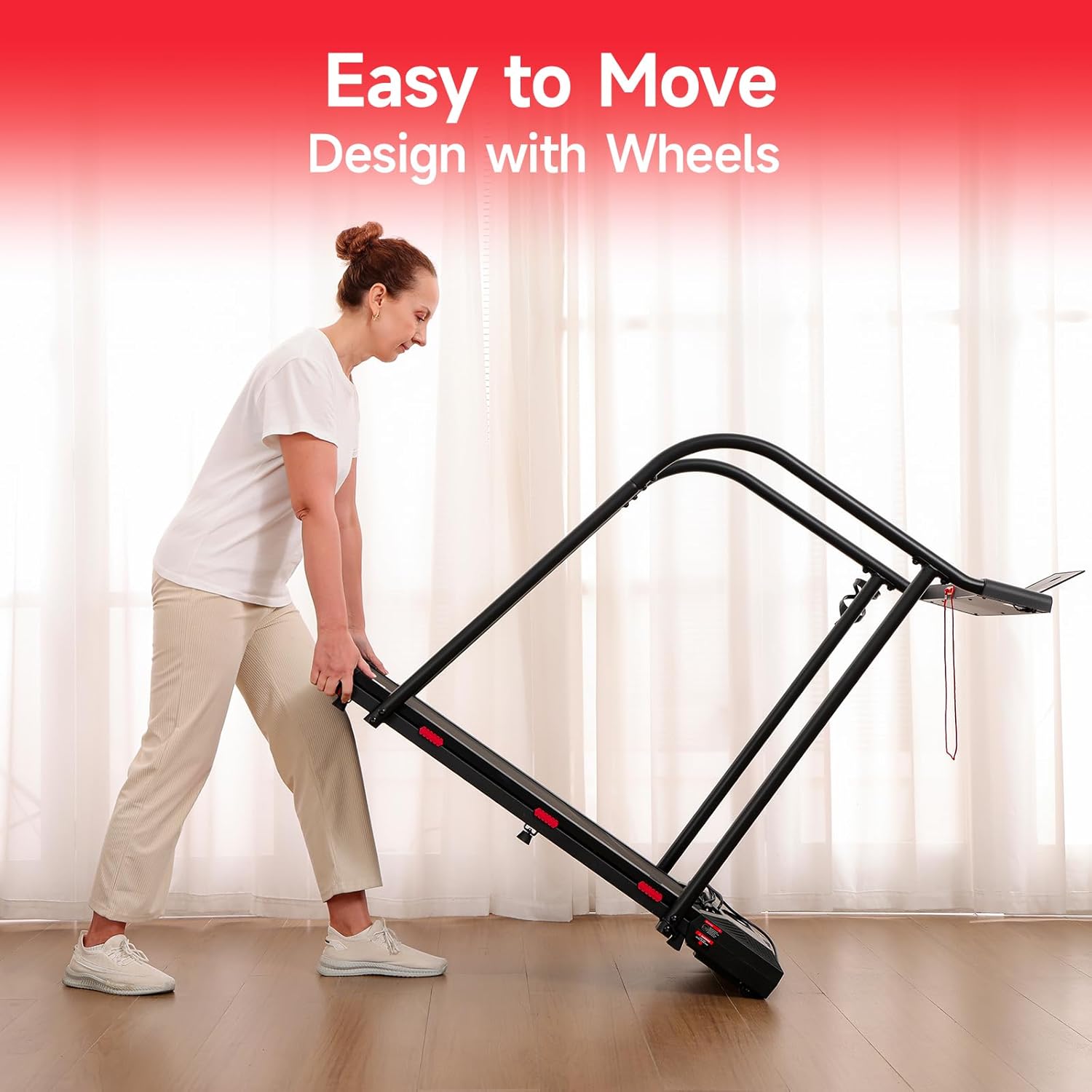
Image: Treadmill designed with wheels for easy movement and storage.
4. Operating Instructions
Operating your YESOUL Walking Treadmill is simple and intuitive.
- Power On/Off: Locate the power switch on the base of the treadmill. Once powered on, the LED display will activate.
- Remote Control: Use the included remote control to start, stop, and adjust the speed of the treadmill. The remote allows for easy speed adjustments between 0.6 mph and 3.8 mph.
- LED Display: The integrated LED display clearly shows essential workout metrics including time, calories burned, steps, speed, and distance.
- YESOUL APP Connectivity: Sync your treadmill with the YESOUL fitness app via Bluetooth. The app provides guided workouts, performance data tracking, and health insights, allowing families to monitor exercise progress remotely.
- Convenience Features: The treadmill includes a dedicated slot for your phone or tablet and a water bottle holder for convenience during your workout.

Image: Intelligent LED display and remote control for easy operation.

Image: Multiple Security Guarantees of the treadmill.
5. Maintenance
Regular maintenance ensures the longevity and optimal performance of your treadmill.
- Cleaning: Regularly wipe down the treadmill with a damp cloth to remove dust and sweat. Avoid using abrasive cleaners.
- Belt Lubrication: Periodically lubricate the running belt as per the instructions in the detailed user manual to ensure smooth operation and prevent wear.
- Belt Adjustment: Check the tension and alignment of the running belt regularly. Adjust if necessary to prevent slipping or uneven wear.

Image: Comfortable to Use - Joint-Friendly Shock Absorption.
6. Troubleshooting
If you encounter any issues with your treadmill, refer to the following common troubleshooting tips:
- Treadmill Not Starting: Ensure the power switch is on and the safety key is properly inserted. Check the power cord connection.
- Belt Slipping: The running belt may need tension adjustment or lubrication. Refer to the maintenance section or the full user manual.
- Unusual Noises: Check for any loose parts or foreign objects under the belt. Lubrication may also be required.
- Error Codes: If an error code appears on the display (e.g., Error 07), consult the comprehensive user manual for specific solutions. If the issue persists, contact customer support.
7. Product Specifications
| Feature | Detail |
|---|---|
| Brand | YESOUL |
| Model Name | YS-TSW10 |
| Product Dimensions | 49.4"D x 22.6"W x 5.2"H |
| Item Weight | 48 Pounds |
| Material | Alloy Steel, Plastic |
| Maximum Speed | 3.8 Miles per Hour |
| Minimum Speed | 0.6 Miles per Hour |
| Maximum Weight Recommendation | 300 Pounds |
| Display Type | LED |
| Connectivity Technology | Bluetooth |
| Included Components | User Manual, Safety Key, Remote Control, Walking Pad, Tool Kit |
| Metrics Measured | Speed, Calories Burned, Time, Distance |

Image: Treadmill with 300 lbs maximum load capacity, 0.6-3.8mph speed range, and 2.5HP quiet motor.

Image: Specifications overview of the YESOUL Walking Treadmill.
8. Warranty Information
The YESOUL Walking Treadmill comes with a 1 Year Manufacturer Warranty. Please retain your proof of purchase for warranty claims.
9. Customer Support
For any questions, technical assistance, or warranty inquiries, please contact YESOUL customer support. You can also visit the official YESOUL Store for more information and resources:


