
Introduction
This manual provides comprehensive instructions for the installation, operation, and maintenance of your Yakry Y60 Baby Car Camera 2-Pack. This system is designed to provide a clear view of your child in a rear-facing car seat, enhancing safety and peace of mind during travel. Please read this manual thoroughly before use and retain it for future reference.
Package Contents
Verify that all items listed below are included in your package:
- 2 x Baby Car Cameras
- 2 x 4.3 Inch Monitors
- 2 x Mounting Brackets
- 2 x Cigarette Lighter Adapters
- 2 x Video Cables
- 4 x Straps

Image: Yakry Y60 Baby Car Camera 2-Pack components, including two monitors, two cameras, and various accessories.
Safety Information
- Always ensure the monitor and camera are securely mounted and do not obstruct the driver's view or interfere with vehicle controls.
- Do not attempt to adjust the camera or monitor while driving. Pull over to a safe location if adjustments are needed.
- Keep cables neatly tucked away to prevent entanglement or interference with vehicle operation.
- This device is an aid for monitoring and should not replace direct supervision of a child.
Setup
Camera Installation
- Attach Camera to Headrest: Use the provided straps to securely fasten the baby camera to the headrest of the rear-facing car seat. Ensure the camera is positioned to capture a clear view of your child.
- Adjust Camera Angle: The camera features a 360° rotatable joint. Adjust the camera to achieve the optimal viewing angle of your child.

Image: Woman installing the Yakry Y60 camera onto a car seat headrest.

Image: Diagram illustrating the 360-degree rotation capability of the Yakry Y60 camera for flexible viewing.
Monitor Installation
- Mount the Monitor: Choose a suitable location on your dashboard or windshield that does not obstruct your view of the road. Use the provided mounting bracket to secure the 4.3-inch monitor.
- Connect Cables: Connect the video cable from the camera to the monitor. Then, connect the monitor to the cigarette lighter adapter using the provided power cable. Plug the adapter into your vehicle's 12V power outlet.
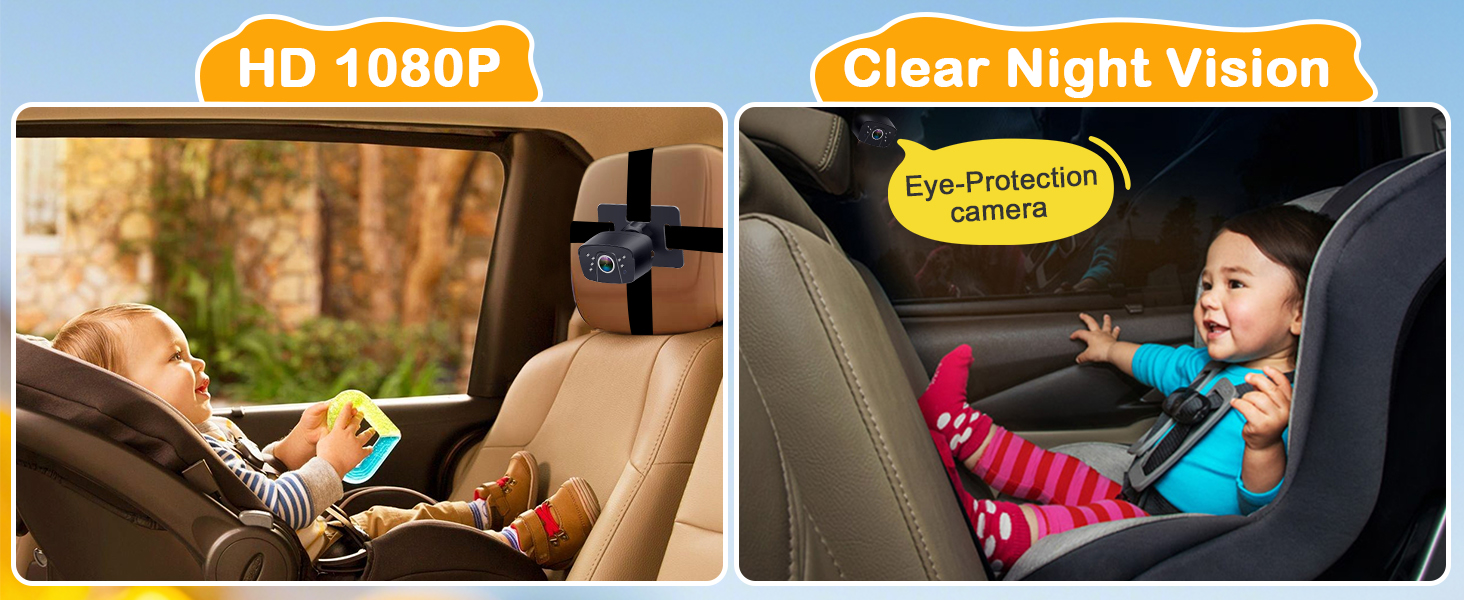
Image: Step-by-step visual guide for installing the Yakry Y60 baby car camera system.
Video: Official video demonstrating the easy installation process and eye-protection features of the Yakry Y60 Baby Car Camera, showcasing its 1080P image quality.
Operating Instructions
- Power On/Off: Once connected to the 12V power outlet, the monitor should power on automatically when the vehicle starts. To manually power on/off, use the button on the cigarette lighter adapter.
- Adjust Monitor Settings: Use the multi-function menu key on the monitor to access settings such as Brightness, Contrast, Color, Hue, and Language. Adjust these to your preference for optimal viewing.
- Night Vision: The camera automatically switches to night vision mode in low-light conditions, providing a clear black and white image of your child.

Image: Close-up of the Yakry Y60 monitor's multi-function menu key, showing options for brightness, contrast, color, hue, and language.
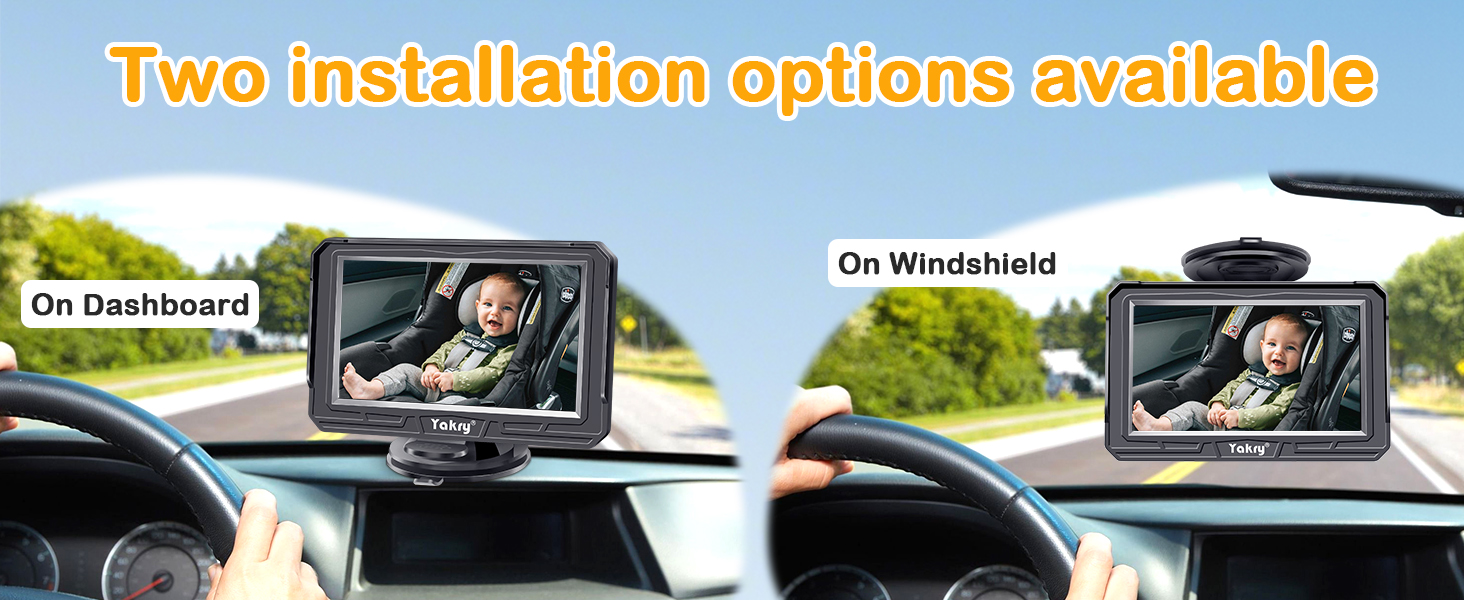
Image: Yakry Y60 camera providing clear HD 1080P and night vision views of a baby in a car seat.
Features
- HD 1080P Video: Provides a clear and sharp view of your child.
- 170° Wide Angle Lens: Offers an expansive view of the backseat, allowing you to monitor multiple children or a wider area.
- Night Vision: Automatic infrared night vision ensures clear visibility in low-light conditions without disturbing your child.
- 360° Rotatable Camera: Allows for flexible positioning and adjustment to achieve the perfect viewing angle.
- Easy Installation: Tool-free setup with secure strap and suction cup mounts.
- Dual Camera System: Includes two cameras and two monitors, ideal for multiple vehicles or monitoring two children simultaneously.

Image: View of two children in car seats from the Yakry Y60 wide-angle camera.
Maintenance
- Cleaning: Use a soft, dry cloth to clean the camera lens and monitor screen. Avoid abrasive cleaners or solvents.
- Cable Management: Periodically check all cables for wear or damage. Ensure they are securely connected and not pinched.
Troubleshooting
- No Image on Monitor:
- Ensure the cigarette lighter adapter is securely plugged into the 12V outlet and the vehicle's ignition is on. Check that all video cables are firmly connected between the camera and monitor.
- Unclear or Distorted Image:
- Verify the camera lens is clean and free from obstructions. Adjust the camera angle for a better view. Check monitor settings (brightness, contrast) for optimal display.
- Monitor Not Powering On:
- Confirm the cigarette lighter adapter is fully inserted and its power button (if applicable) is pressed. Test the 12V outlet with another device to ensure it is functional.
Specifications
| Feature | Detail |
|---|---|
| Brand | Yakry |
| Model Name | Y60 |
| Video Resolution | HD 1080P |
| Wide Angle | 170° |
| Rotation | 360° adjustable |
| Night Vision | Clear Night Vision, Eye-Protection |
| Mounting Type | Windshield Mount, Dashboard Mount |
| Compatible Devices | Vehicle |
| Voltage | 12 Volts |
| Item Dimensions | 5 x 0.48 x 4 inches |
| Item Weight | 2.32 Pounds |
| Enclosure Material | Durable ABS |
Warranty & Support
The Yakry Y60 Baby Car Camera comes with a 2-year warranty from the manufacturer. For warranty claims, technical support, or any inquiries regarding your product, please contact Yakry customer service directly. You can often find contact information on the manufacturer's website or through the retailer where the product was purchased.
For additional information and support, visit the official Yakry Store: Yakry Store