
1. Introduction
This manual provides instructions for the safe and effective use of your Kircuit 24V AC/DC Adapter. This adapter is designed to convert alternating current (AC) power from a wall outlet into direct current (DC) power required by compatible electronic devices. It enables you to operate your device or charge its battery from standard electrical power outlets.
2. Safety Information
Please read and understand all safety instructions before using this product. Failure to follow these instructions may result in electric shock, fire, or damage to the adapter or connected device.
- Do not expose to liquids: Keep the adapter away from water, rain, or excessive moisture.
- Proper ventilation: Ensure the adapter is used in a well-ventilventilated area. Do not cover it, as this may lead to overheating.
- Avoid physical damage: Do not drop, disassemble, or attempt to repair the adapter.
- Correct voltage: Only plug the adapter into a standard electrical outlet within the specified input voltage range (100-240VAC).
- Compatibility: Use this adapter only with devices that require a 24V DC input and are compatible with the barrel connector type. Refer to your device's specifications.
- Children and pets: Keep the adapter and its cord out of reach of children and pets.
- Disconnect when not in use: Unplug the adapter from the wall outlet and your device when not in use or during electrical storms.
3. Product Overview
The Kircuit 24V AC/DC Adapter is a compact power supply designed for reliability and safety. It features a standard two-prong AC plug for wall outlets and a barrel connector for your electronic device.

Image 3.1: Two Kircuit 24V AC/DC adapters. This image displays two identical black power adapters, highlighting their compact design and standard two-prong AC plug.

Image 3.2: Close-up view of the Kircuit 24V AC/DC adapter. The label clearly shows the input specifications (100-240V AC, 50/60Hz, 0.3A) and output specifications (24V DC, 1.5A), along with safety certifications.

Image 3.3: Kircuit 24V AC/DC adapter with its power cord. This image shows the adapter with its 6.5-foot long output cable, neatly coiled, and terminating in a barrel connector.
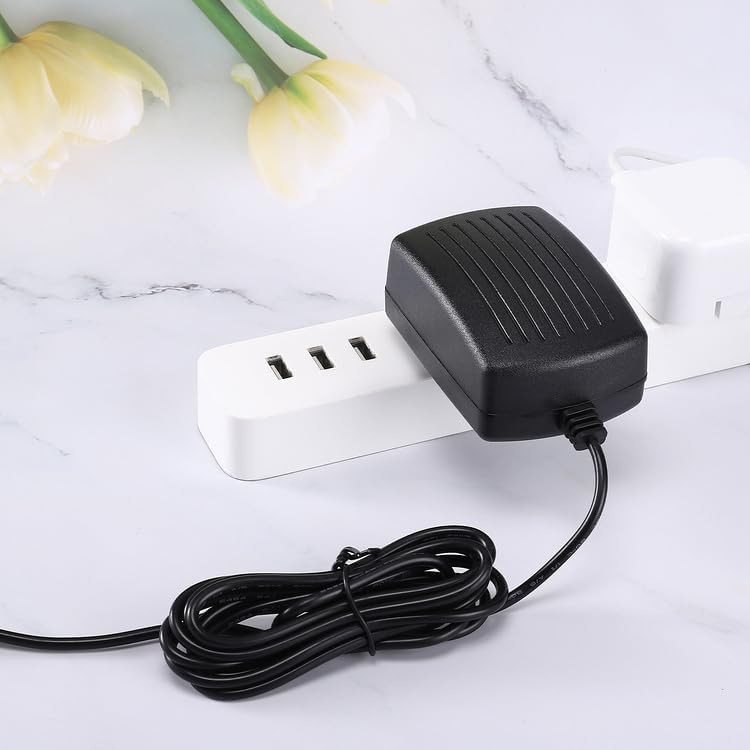
Image 3.4: Kircuit 24V AC/DC adapter in use. The adapter is shown plugged into a white power strip, demonstrating its compact form factor that minimizes obstruction of adjacent outlets.
4. Setup
Follow these steps to properly set up your Kircuit 24V AC/DC Adapter:
- Verify Compatibility: Ensure your device requires a 24V DC power input and has a compatible barrel connector. This adapter is compatible with devices such as Aopvui FZ-201, FZ-608, FZ-200 IPL Hair Removal Devices, and SHCY-SP2401500EUS.
- Connect to Device: Insert the barrel connector of the adapter's output cable firmly into the power input port of your electronic device.
- Connect to Power Outlet: Plug the AC prongs of the adapter into a standard, functional electrical wall outlet (100-240VAC, 50/60Hz).
- Secure Connection: Ensure all connections are secure to prevent intermittent power supply.
5. Operating Instructions
Once properly connected, the Kircuit 24V AC/DC Adapter will automatically begin supplying power to your device or charging its battery. No further user interaction is typically required for basic operation.
- Power Indication: Some devices may have an indicator light to show they are receiving power or charging. Refer to your device's manual for details.
- Disconnection: To disconnect, first unplug the adapter from the wall outlet, then disconnect the barrel connector from your device.
6. Maintenance
Proper care and maintenance will extend the life of your adapter:
- Cleaning: Use a dry, soft cloth to clean the adapter. Do not use liquid cleaners or solvents.
- Storage: Store the adapter in a cool, dry place when not in use. Avoid extreme temperatures.
- Cable Care: Do not excessively bend, twist, or crimp the power cord. Avoid placing heavy objects on the cord.
- Inspection: Periodically inspect the adapter and cord for any signs of damage, such as frayed wires or cracked casing. If damage is found, discontinue use immediately.
7. Troubleshooting
If you encounter issues with your adapter, refer to the following common solutions:
- Device not powering on/charging:
- Ensure the adapter is securely plugged into both the wall outlet and your device.
- Test the wall outlet with another device to confirm it is functional.
- Verify that the adapter's specifications (24V DC output) match your device's power requirements.
- Check the adapter's cable and connector for any visible damage.
- Adapter feels warm during use:
- It is normal for power adapters to become warm during operation.
- If the adapter becomes excessively hot to the touch, disconnect it immediately and ensure it is in a well-ventilated area. If the issue persists, discontinue use.
8. Specifications
| Brand | Kircuit |
| Model | SHCY-SP2401500EUS |
| Input Voltage | 100-240VAC, 50/60Hz, 0.3A |
| Output Voltage | 24V DC, 1.5A |
| Connector Type | Barrel |
| Protection Features | Over Voltage Protection (OVP), Over Current Protection (OCP), Short Circuit Protection (SCP) |
| Compatible Devices | Aopvui FZ-201, FZ-608, FZ-200 IPL Hair Removal Devices, SHCY-SP2401500EUS |
| Manufacturer | Shenzhen Waweis Technology Co., Ltd |
9. Warranty and Support
For information regarding product warranty, returns, or technical assistance, please refer to the documentation provided with your purchase or contact the retailer where the product was acquired. Keep your purchase receipt as proof of purchase.