
MONODEAL Sleep Earbuds 01
MONODEAL Sleep Earbuds User Manual
Model: Sleep Earbuds 01
1. Product Overview
The MONODEAL Sleep Earbuds are designed to provide a comfortable and immersive audio experience, specifically tailored for sleep and relaxation. Featuring Bluetooth 5.4 connectivity and a soft, ergonomic design, these earbuds offer passive noise isolation to help you achieve a peaceful night's rest.

This image displays the MONODEAL Sleep Earbuds, featuring a compact design, alongside their sleek charging case. A person is shown sleeping soundly, illustrating the earbuds' intended use for comfortable sleep.
2. Product Features
- Advanced Bluetooth 5.4: Ensures a stable and efficient wireless connection for seamless audio streaming.
- Passive Noise Isolation: Designed with silicone earplugs that seal the ear canal to reduce ambient noise by up to 24dB, promoting undisturbed sleep.
- Ultra-Soft Silicone Design: Crafted from liquid silicone for exceptional comfort, skin-friendliness, and easy cleaning.
- Ergonomic & Lightweight: Each earbud weighs only 2.5g, providing a pressure-free experience, ideal for side sleepers.
- Extended Battery Life: Up to 5 hours of playback on a single charge, extended to 20 hours with the portable charging case.
- Hi-Fi Audio Quality: Equipped with advanced driver units for realistic sound effects and an enjoyable music experience.

This image portrays the earbuds as an 'Ultimate Sleep Partner,' demonstrating their ability to passively reduce ambient noise by up to 24dB, effectively minimizing disturbances like snoring and keyboard sounds for a peaceful night's sleep.

This graphic emphasizes the earbuds' 'Cloud-Like Softness,' detailing their ultra-light 2.5g weight, effective noise reduction, overall comfort, and snug fit for an immersive sleep experience.
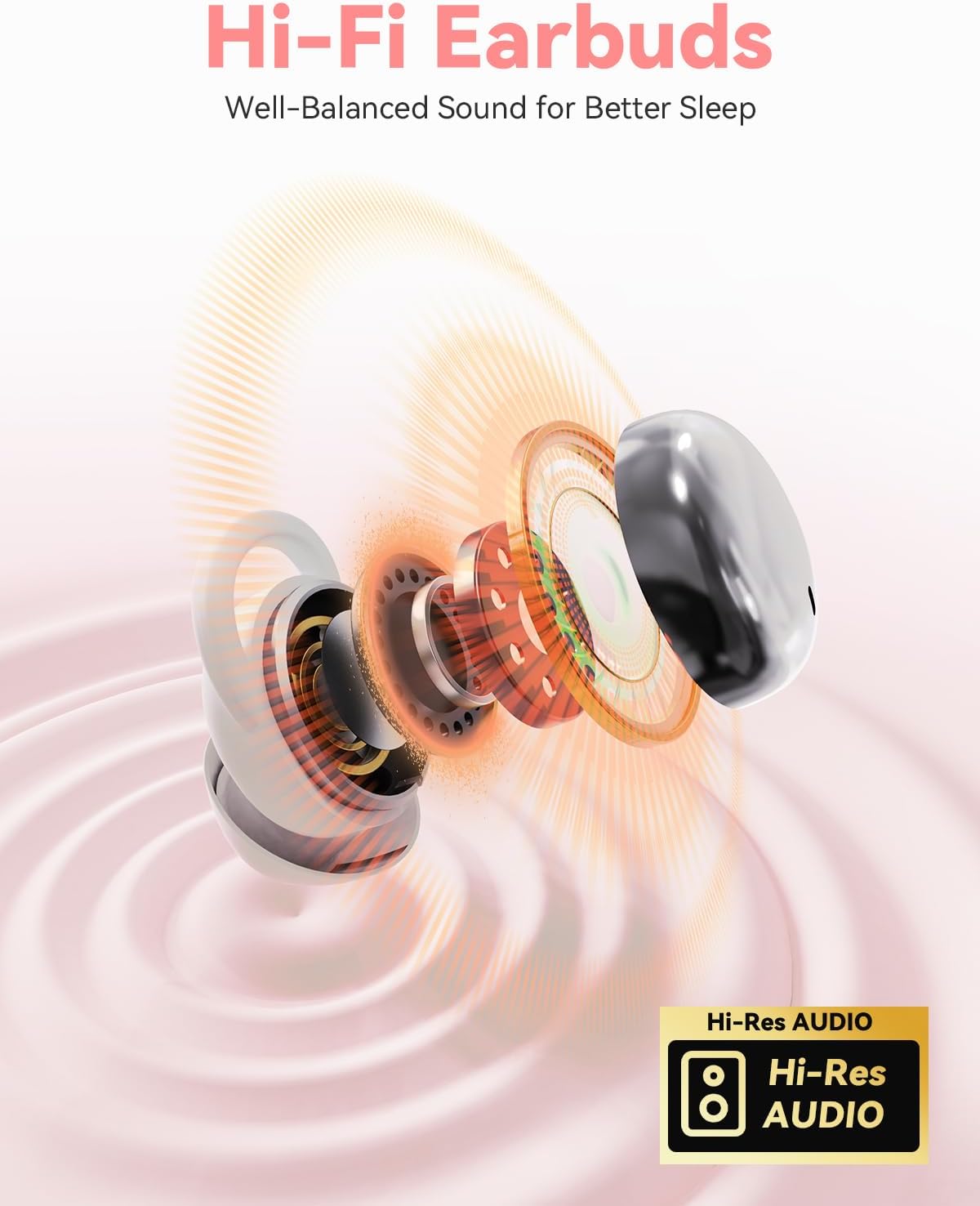
This visual provides an internal look at the earbud's advanced audio components, emphasizing its Hi-Fi capabilities and support for high-resolution audio for a superior listening experience.
3. Package Contents
Please check the package contents carefully. If any items are missing or damaged, contact customer support.
- MONODEAL Sleep Earbuds (Left & Right)
- Charging Case
- USB Charging Cable
- User Manual
4. Setup
4.1 Initial Charging
Before first use, fully charge the earbuds and the charging case.
- Place the earbuds into the charging case.
- Connect the USB charging cable to the charging port on the case and a power source (e.g., USB wall adapter, computer USB port).
- The indicator lights on the case will show charging status. Once fully charged, the lights will indicate completion (refer to specific light behavior in the quick start guide if provided).

This graphic emphasizes the extended battery life of the earbuds, indicating up to 5 hours of continuous playback on a single charge and a total of 20 hours of use when combined with the portable charging case.
4.2 Bluetooth Pairing
Pair the earbuds with your device (smartphone, tablet, etc.) for wireless audio.
- Ensure the earbuds are charged and inside the charging case.
- Open the charging case. The earbuds will automatically enter pairing mode (or press and hold a button if specified in a quick start guide).
- On your device, go to Bluetooth settings and turn Bluetooth on.
- Search for available devices and select "MONODEAL Sleep Earbuds" (or similar name).
- Once connected, you will hear an audio prompt, and the indicator lights on the earbuds will change.
5. Wearing Instructions
Proper fit is crucial for comfort and effective noise isolation.
- Identify Left and Right: Check the 'L' and 'R' markings on each earbud.
- Insert: Gently insert the earbud into your ear canal.
- Tuck: Rotate and tuck the earbud securely into the concha of your ear until it feels snug and comfortable. The soft silicone design is optimized for a pressure-free fit, even for side sleepers.

This diagram illustrates the two-step process for correctly wearing the earbuds: first, 'Insert' the earbud into the ear canal, then 'Tuck' it securely into the ear's concha for a stable and comfortable fit.

This image illustrates the 'Senseless Wearing' experience, showcasing how the SFE Ear Fit Technology allows the earbuds to sit comfortably and securely in the ear, making them almost unnoticeable.

This close-up view highlights the compact and ergonomic design of the earbuds, specifically engineered to provide maximum comfort for individuals who sleep on their side, without causing pressure or discomfort.
6. Operating Instructions
6.1 Power On/Off
- Power On: Open the charging case, and the earbuds will automatically power on and attempt to connect to the last paired device.
- Power Off: Place the earbuds back into the charging case and close the lid. They will automatically disconnect and power off.
6.2 Music Playback
- Play/Pause: Tap the touch control area on either earbud once.
- Next Track: Double-tap the right earbud.
- Previous Track: Double-tap the left earbud.
6.3 Call Management
- Answer/End Call: Tap the touch control area on either earbud once.
- Reject Call: Press and hold the touch control area on either earbud for 2 seconds.
7. Maintenance
To ensure the longevity and optimal performance of your MONODEAL Sleep Earbuds, follow these maintenance guidelines:
- Cleaning: Regularly wipe the earbuds and charging case with a soft, dry, lint-free cloth. For the silicone earplugs, you can gently clean them with a damp cloth and mild soap, then dry thoroughly before reattaching.
- Avoid Liquids: Do not immerse the earbuds or charging case in water or expose them to excessive moisture.
- Storage: When not in use, store the earbuds in their charging case to protect them from dust and damage. Store in a cool, dry place away from direct sunlight and extreme temperatures.
- Charging Contacts: Periodically check and clean the charging contacts on both the earbuds and the case to ensure a good connection. Use a dry cotton swab if necessary.
8. Troubleshooting
If you encounter any issues with your earbuds, please refer to the following common problems and solutions:
| Problem | Possible Cause | Solution |
|---|---|---|
| Earbuds not powering on | Low battery; not properly seated in case. | Ensure earbuds are fully charged. Place them correctly in the charging case. |
| Cannot pair with device | Earbuds not in pairing mode; Bluetooth off on device; interference. | Ensure earbuds are in pairing mode (open case). Turn Bluetooth on/off on your device. Move closer to your device. |
| No sound or low volume | Volume too low on device; earbuds not connected; dirty earbud mesh. | Increase volume on your device. Reconnect earbuds. Clean earbud mesh gently. |
| Intermittent connection | Distance from device; interference; low battery. | Stay within Bluetooth range (approx. 10m). Avoid strong electromagnetic interference. Charge earbuds. |
9. Specifications
| Brand | MONODEAL |
| Model Number | Sleep Earbuds 01 |
| Color | White |
| Headphone Type | In-Ear |
| Connectivity Technology | Wireless (Bluetooth 5.4) |
| Battery Composition | Lithium Metal |
| Single Charge Playtime | Up to 5 hours |
| Total Playtime (with Charging Case) | Up to 20 hours |
| Earbud Weight | 2.5g per earbud |
| Passive Noise Reduction | Up to 24dB |
| Components Included | Earbuds, Charging Case, USB Cable |
10. Warranty and Support
MONODEAL products are designed and manufactured to the highest quality standards. For information regarding warranty coverage, technical support, or replacement parts, please refer to the warranty card included in your product packaging or visit the official MONODEAL website.
Please note that information regarding specific software updates or detailed spare parts availability is not provided in the product specifications.
Ask a question about this manual
Ask about setup, troubleshooting, compatibility, parts, safety, or missing instructions. Manuals+ will review the question and use this page’s manual context to help answer it.