
1. Introduction
Thank you for choosing the ErgoFocus Freelift Pro Dual Monitor Arm. This product is designed to enhance your workspace ergonomics and productivity by securely mounting two computer monitors, freeing up valuable desk space. Featuring gas spring technology, it allows for smooth and effortless adjustment of your monitors to achieve optimal viewing angles and positions. This manual provides detailed instructions for assembly, operation, maintenance, and troubleshooting to ensure a safe and efficient experience.
2. Safety Information
- Read all instructions carefully before installation and use.
- Ensure your desk surface is strong enough to support the combined weight of the monitor arm and two monitors.
- Do not exceed the maximum weight capacity of 22 lbs (10 kg) per arm.
- Ensure all screws and bolts are securely tightened before placing monitors on the arms.
- Keep children and pets away from the product during assembly and adjustment.
- Adjust gas spring tension carefully to match your monitor's weight to prevent sudden movement.
- Avoid pinching cables during installation and adjustment.
3. Package Contents
Please verify that all components are present before beginning assembly. If any parts are missing or damaged, please contact customer support.
- Dual Monitor Arm Assembly (2 arms, central pole, base)
- Desk Clamp Mounting Hardware
- Grommet Mounting Hardware
- VESA Plates (2)
- Cable Management Clips
- Assorted Screws and Washers for VESA Mounting
- Allen Keys for Assembly and Adjustment
- Instruction Manual

Image: Overview of the ErgoFocus Freelift Pro Dual Monitor Arm components, showing the two gas spring arms, the desk clamp, and the alternative grommet mounting base.
4. Setup Instructions
4.1 Choose Mounting Option
The monitor arm offers two installation methods: C-clamp for desk edges or grommet mount for desks with a pre-existing hole. Ensure your desk thickness is between 0.39 and 2.76 inches (10-70mm) for both options. For grommet mounting, the hole diameter should be between 0.39 and 2.36 inches (10-60mm).

Image: Visual guide illustrating the C-clamp and grommet mounting options, detailing compatible desk thickness and grommet hole diameter.
4.2 Attach Base to Desk
Follow the specific instructions for your chosen mounting method (C-clamp or grommet) to securely attach the monitor arm base to your desk. Ensure the base is stable and tightened firmly.
4.3 Assemble Arms
Attach the gas spring arms to the central pole according to the diagrams in the included printed manual. Ensure all connections are secure.
4.4 Attach VESA Plate to Monitor
The Freelift Pro features a quick-release VESA plate for easy monitor attachment. Secure the VESA plate to the back of your monitor using the appropriate screws provided. The mount supports VESA patterns of 75x75mm and 100x100mm.

Image: A detailed view of the quick-release VESA plate mechanism, demonstrating how to easily attach and detach a monitor from the arm.
4.5 Mount Monitors
Carefully slide the VESA plate with the attached monitor onto the arm's mounting head until it clicks into place. Repeat for the second monitor.
4.6 Cable Management
Route your monitor cables through the integrated cable management channels on the arms to maintain a tidy workspace. This helps prevent clutter and protects cables from damage.

Image: An illustration of effective cable management using the monitor arm's built-in channels, alongside a detail showing the convenient storage location for Allen keys.
5. Operating Your Monitor Arm
5.1 Adjusting Monitor Position
The Freelift Pro offers full motion adjustment for optimal viewing comfort:
- Tilt: Adjust your monitor from +85° to -45° to reduce glare and find the perfect vertical angle.
- Swivel: Swivel your monitors 180° (±90° from center) to share your screen or change viewing direction.
- Rotation: Rotate your monitors 360° to switch between landscape and portrait orientations.
- Height: The gas spring allows for easy vertical height adjustment.

Image: A composite image demonstrating the full range of motion for the monitor arm, including swivel, height adjustment, tilt, and 360-degree rotation.

Image: An exploded view highlighting the multiple swivel points on the monitor arm, illustrating its extensive full-motion adjustment capabilities.

Image: The monitor arm shown at its maximum height and extension, illustrating the range of motion for positioning your screen freely.
5.2 Tension Adjustment
The gas spring tension needs to be adjusted to match the weight of your monitors. This ensures the arms hold their position stably and move smoothly.
- Monitor raises up too easily or won't stay down: Turn the adjustment screw counter-clockwise (-) to reduce tension for lighter monitors.
- Monitor drops down or is difficult to raise: Turn the adjustment screw clockwise (+) to increase tension for heavier monitors.
Always keep the arm in a horizontal position when adjusting tension. The required Allen keys are conveniently stored within the arm itself.

Image: A visual guide on adjusting the gas spring tension, showing the Allen key insertion point and the directions for increasing or decreasing tension.
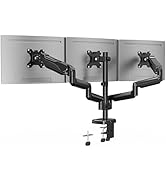
Image: A close-up view of the monitor arm highlighting the integrated storage for Allen keys, ensuring they are always accessible for adjustments.
6. Maintenance
- Regularly check all screws and connections to ensure they remain tight.
- Clean the monitor arm with a soft, damp cloth. Avoid abrasive cleaners or solvents.
- Periodically check the gas spring tension, especially if you change monitors or notice the arms are not holding position correctly.
7. Troubleshooting
- Monitor sags or won't stay at desired height: The gas spring tension is too low for the monitor's weight. Refer to Section 5.2 "Tension Adjustment" and turn the adjustment screw clockwise (+) to increase tension.
- Monitor is difficult to move or won't go down: The gas spring tension is too high for the monitor's weight. Refer to Section 5.2 "Tension Adjustment" and turn the adjustment screw counter-clockwise (-) to reduce tension.
- Arm feels loose or wobbly: Check all mounting points (desk clamp/grommet and arm connections) and tighten any loose screws.
- Cables are getting pinched: Re-route cables through the cable management channels, ensuring they have enough slack for full arm movement.
8. Specifications
| Feature | Specification |
|---|---|
| Brand | ErgoFocus |
| Model | Freelift Pro |
| Monitor Size Compatibility | 13-32 inches |
| Weight Capacity per Arm | 4.4 - 22 lbs (2 - 10 kg) |
| VESA Compatibility | 75x75mm, 100x100mm |
| Mounting Type | Tabletop Mount (C-clamp or Grommet) |
| Movement Type | Rotate, Swivel, Tilt, Articulating |
| Tilt Range | +85° to -45° |
| Swivel Range | 180° (at VESA plate and arm joints) |
| Rotation | 360° |
| Max Height (from desk) | 17.3 inches |
| Max Extension | 21 inches |
| Material | Metal (Aluminum Alloy Arms) |
| Color | Black |
| Item Weight | 8.01 pounds |
| Package Dimensions | 16.39 x 10.59 x 5 inches |
9. Warranty and Support
ErgoFocus products are manufactured with quality and durability in mind. This product comes with a standard manufacturer's warranty against defects in materials and workmanship. Please refer to the warranty card included in your package or visit the official ErgoFocus website for specific warranty terms and conditions.
For technical support, troubleshooting assistance, or to inquire about replacement parts, please contact ErgoFocus customer service through the retailer where you purchased the product or via the contact information provided on the official ErgoFocus website.
10. Product Videos
Freelift Pro Dual Monitor Mount EF106B - Overview
Video: An official product video from Elived Store (ErgoFocus seller) showcasing the features and functionality of the Freelift Pro Dual Monitor Mount EF106B, including its adjustability and design. (Duration: 0:44)
