Introduction
This manual provides detailed instructions for the safe and effective use of your qirita 71" Selfie Stick Tripod, Model C19SS. This versatile device combines the functions of a selfie stick, a stable tripod, and a desktop phone holder, designed for capturing photos and videos with ease.
Safety Information
- Do not expose the device to extreme temperatures or direct sunlight for prolonged periods.
- Keep the device away from water and other liquids.
- Ensure all locking mechanisms are secure before use, especially when extending the pole or using as a tripod.
- Do not overload the phone holder or tripod with devices heavier than recommended.
- Keep out of reach of children.
Package Contents
Verify that all items are present in your package:
- qirita Selfie Stick Tripod
- Wireless Remote Control (built-in)
- User Manual
Product Overview
Familiarize yourself with the components of your selfie stick tripod.
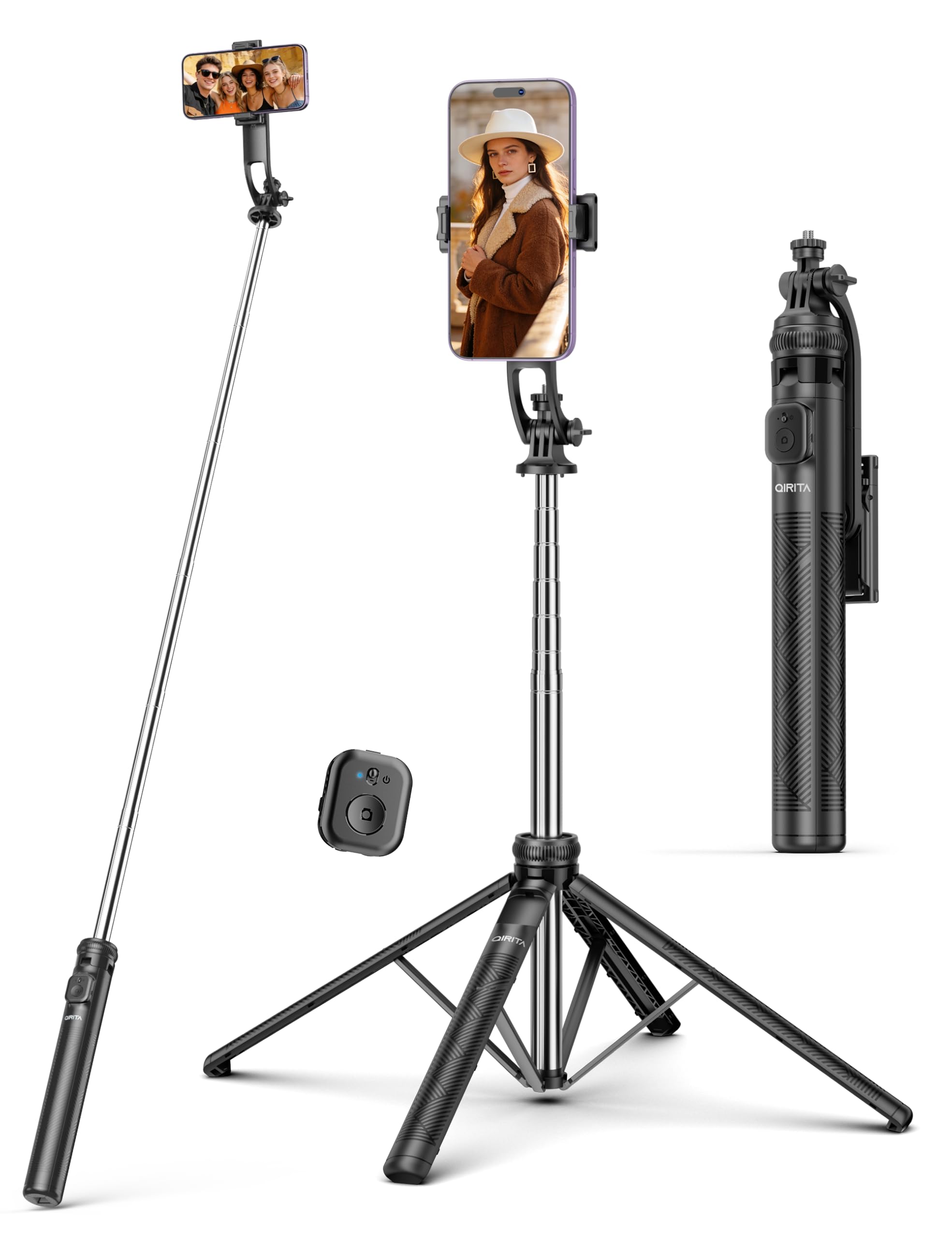
Image: Overview of the qirita 71" Selfie Stick Tripod, highlighting its main parts including the phone holder, extendable pole, tripod base, and the detachable remote control.
- Phone Holder: Adjustable clip for securing smartphones.
- 1/4" Screw Mount: Universal mount for cameras, action cameras, webcams, and fill lights.
- Extendable Pole: Multi-section telescopic pole for height adjustment.
- Tripod Base: Quadripod design with four foldable legs for stability.
- Locking Knob: Secures the tripod legs in position.
- Wireless Remote Control: Detachable Bluetooth remote for remote shutter operation.
Setup Instructions
1. Unfolding the Tripod Base
- Hold the handle of the selfie stick.
- Gently pull the bottom part downwards to extend the tripod legs.
- Spread the four legs outwards until they are fully extended and stable.
- Use the knob to lock the legs in place for enhanced stability.
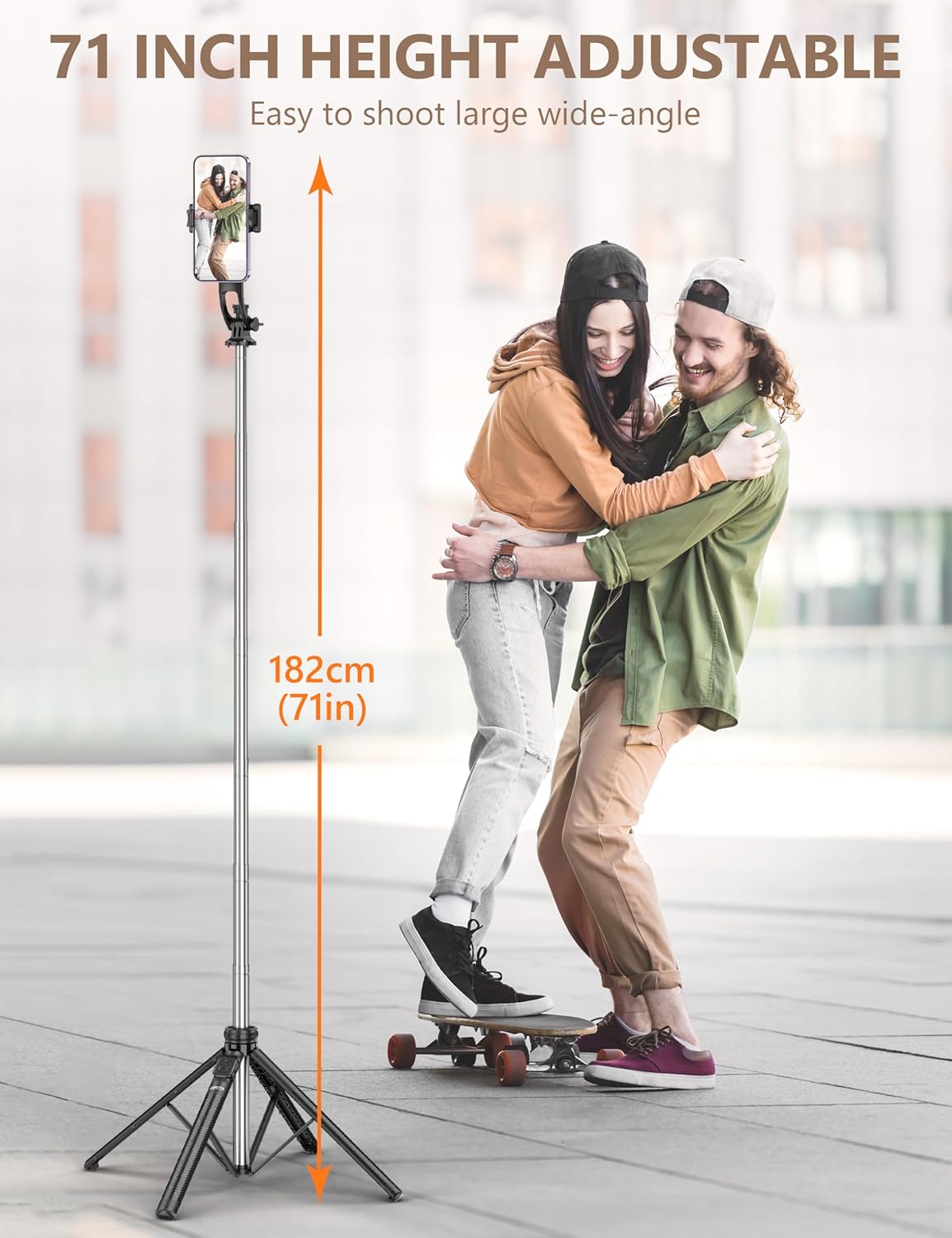
Image: Detailed view of the quadripod base, illustrating the knob for locking the tripod legs and the non-slip silicone pads for stability.
2. Extending the Telescopic Pole
- Once the tripod base is stable, gently pull the top section of the pole upwards to extend it.
- Extend the pole to your desired height, up to 71 inches (182 cm).
- Ensure each section is securely in place before attaching a device.

Image: The selfie stick tripod fully extended to 71 inches (182 cm), demonstrating its height capability for wide-angle shots.
3. Attaching Your Device (Phone/Camera)
- For Smartphones:
- Open the phone clip by pulling the top part upwards.
- Place your smartphone into the clip, ensuring it is securely held between 6.5cm to 9.5cm width.
- The soft silicone pads will protect your phone from scratches.
- For Cameras/Action Cameras/Fill Lights:
- Remove the phone clip if it is attached.
- Mount your device onto the universal 1/4" screw mount at the top of the pole.
- Tighten the screw to secure the device.

Image: Illustration of the phone holder's compatibility with various smartphone sizes (2.5-3.7 inches) and the universal 1/4" screw mount for cameras, fill lights, and GoPro devices.
4. Pairing the Wireless Remote Control
- Remove the remote control from its slot on the handle.
- Press and hold the button on the remote control until the indicator light flashes, indicating it's in pairing mode.
- On your smartphone, go to Bluetooth settings and search for available devices.
- Select "QIRITA" from the list to pair. The indicator light will stop flashing once connected.
- The remote is compatible with iOS 5.1+ and Android 4.4+ devices.

Image: A user pairing the embedded wireless remote control with a smartphone via Bluetooth, showing the "QIRITA" device name in the phone's settings.
Operating Instructions
1. Using as a Selfie Stick
- Ensure the tripod legs are folded and secured.
- Extend the telescopic pole to your desired length.
- Hold the handle firmly and position your device for the shot.
- Use the paired wireless remote control to capture photos or start/stop video recording.

Image: A person holding the qirita selfie stick extended, capturing a photo, demonstrating its use in selfie mode.
2. Using as a Tripod
- Unfold the tripod legs and lock them securely as described in the Setup section.
- Place the tripod on a flat, stable surface.
- Adjust the telescopic pole to the desired height.
- Use the wireless remote control for hands-free shooting.
3. Adjusting Shooting Angles
- The phone clip supports 360° rotation for switching between horizontal and vertical shooting modes.
- The pole design allows for 270° elevation, enabling overhead shots.
- The phone holder can also be rotated 180° for front/back shots.
- Adjust the angle by loosening the appropriate joint, setting the desired angle, and then tightening to secure.

Image: Visual guide demonstrating the adjustable shooting angles, including 360° vertical/horizontal rotation, 270° elevated/overhead shots, and 360° front/back shot capabilities.
4. Detaching the Phone Holder
- The phone clip can be detached from the selfie stick.
- Once detached, it can be used as a standalone tabletop phone stand for watching videos or video calls.
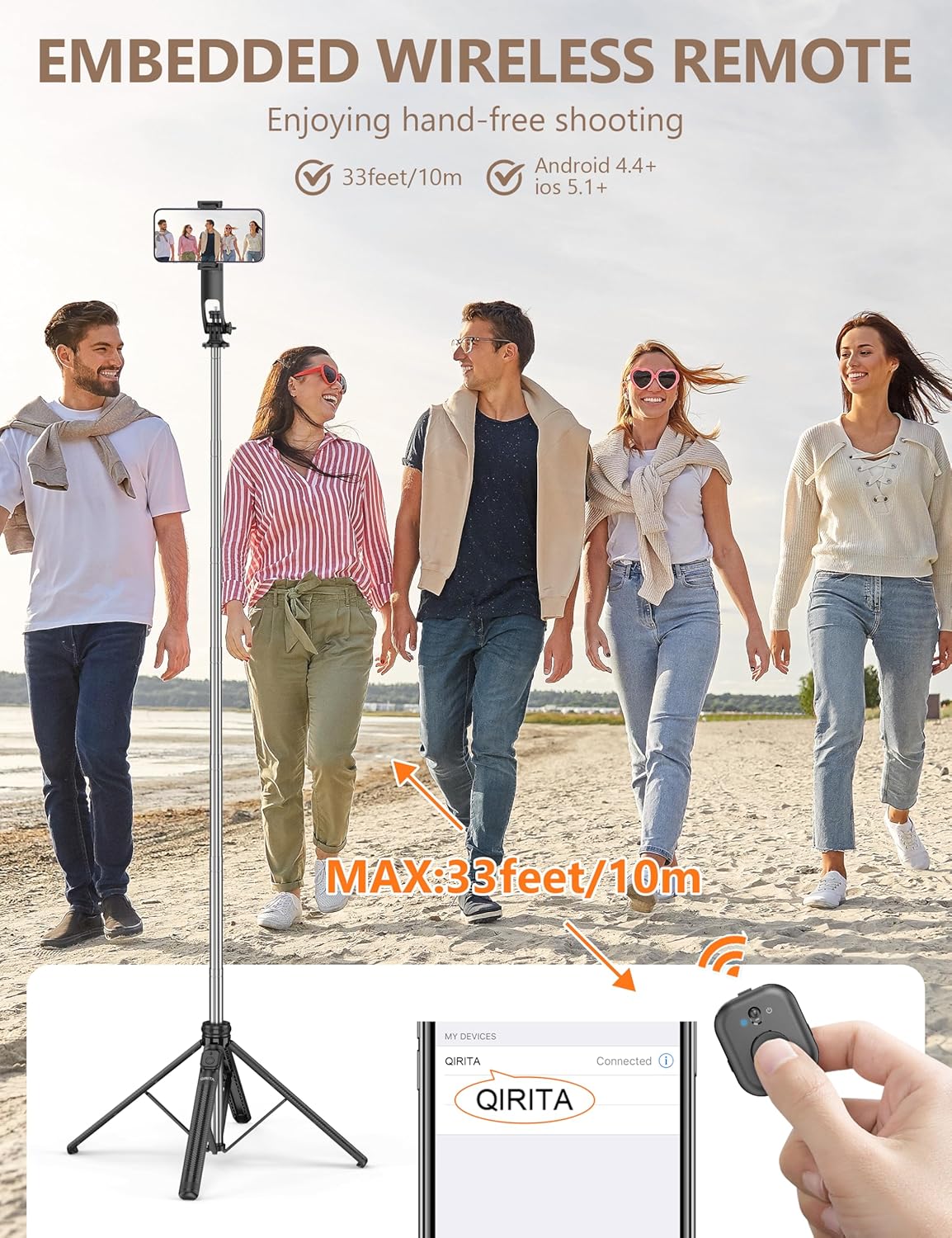
Image: The removable phone holder shown detached from the tripod, functioning as a tabletop stand for viewing content and also held to the ear for phone calls.
Maintenance
- Cleaning: Wipe the device with a soft, dry cloth. Do not use abrasive cleaners or solvents.
- Storage: Store the selfie stick tripod in a cool, dry place when not in use. Ensure it is fully collapsed and the remote is securely in its slot.
- Battery: The remote control uses a replaceable battery (1 A battery included). Replace when the remote's performance diminishes.
Troubleshooting
| Problem | Possible Cause | Solution |
|---|---|---|
| Remote control not pairing. | Remote battery low or off; Bluetooth not enabled on phone; remote not in pairing mode. | Ensure remote is charged/has fresh battery and turned on. Enable Bluetooth on your phone. Press and hold remote button to enter pairing mode. Forget device and re-pair if necessary. |
| Tripod unstable. | Legs not fully extended or locked; uneven surface; device too heavy. | Fully extend and lock all four legs. Place on a flat, stable surface. Ensure your device is within the recommended weight limit. |
| Pole not extending/retracting smoothly. | Dirt or debris in telescopic sections. | Clean the pole sections with a soft, dry cloth. Avoid forcing the mechanism. |
Specifications
| Feature | Detail |
|---|---|
| Model Number | C19SS |
| Material | Acrylonitrile Butadiene Styrene (ABS), Stainless Steel |
| Maximum Height | 72 Inches (182 cm) |
| Minimum Height (Folded) | 13.11 Inches (33.3 cm) |
| Item Weight | 15.4 ounces (436 Grams) |
| Phone Holder Compatibility | 6.5cm to 9.5cm width (2.5 to 3.7 inches) |
| Camera Mount | Universal 1/4" Screw Mount |
| Remote Control Compatibility | iOS 5.1+, Android 4.4+ |
| Remote Control Range | Up to 30 feet (10 meters) |
| Battery (Remote) | 1 A battery (included) |
Video Demonstration
Watch the official product video for a visual guide on the features and usage of the qirita Selfie Stick Tripod.
Video: Official demonstration of the qirita 71" Selfie Stick Tripod, showcasing its various features, setup, and operational modes.
Warranty and Support
For warranty information or technical support, please refer to the contact details provided with your purchase or visit the official qirita website. Keep your purchase receipt for warranty claims.
Manufacturer: SHENZHEN YUANSU CHUANGDA TECHNOLOGY CO., LTD
