1. Introduction
Thank you for choosing the Feegow Smart WiFi Programmable Thermostat. This device is designed to provide intelligent control over your heating system, including water and gas boilers, ensuring optimal comfort and energy efficiency in your home. This manual provides detailed instructions for installation, operation, programming, and maintenance to help you get the most out of your new thermostat.
2. Safety Information
- Always disconnect power to the heating system at the main circuit breaker before installation or maintenance.
- Installation should be performed by a qualified electrician or heating technician to ensure safety and proper functionality.
- Do not expose the thermostat to water or excessive humidity.
- Keep the device away from direct sunlight, heat sources, and strong electromagnetic fields.
- This thermostat is designed for indoor use only.
3. Product Overview
3.1 Key Features
- Smart WiFi Connectivity: Control your heating system remotely via a smartphone application.
- Programmable Schedules: Create custom temperature programs to match your daily routine, optimizing comfort and energy savings.
- Voice Control Compatibility: Seamlessly integrate with popular voice assistants like Alexa for hands-free temperature adjustments.
- User-Friendly Interface: Large LCD screen with intuitive button controls for easy operation.
- Modern Design: Sleek, white ABS construction that complements any home decor.
3.2 Thermostat Components and Display

Image: Labeled diagram of the Feegow Smart WiFi Thermostat's display and control buttons. This image highlights the 'Week icon', 'Time period icon', 'Time display', 'Power button', 'Mode button', 'Time slot button', 'Upregulate' (Up arrow), 'Down' (Down arrow), 'Room temperature', 'Heat icon', and 'Child lock icon'.
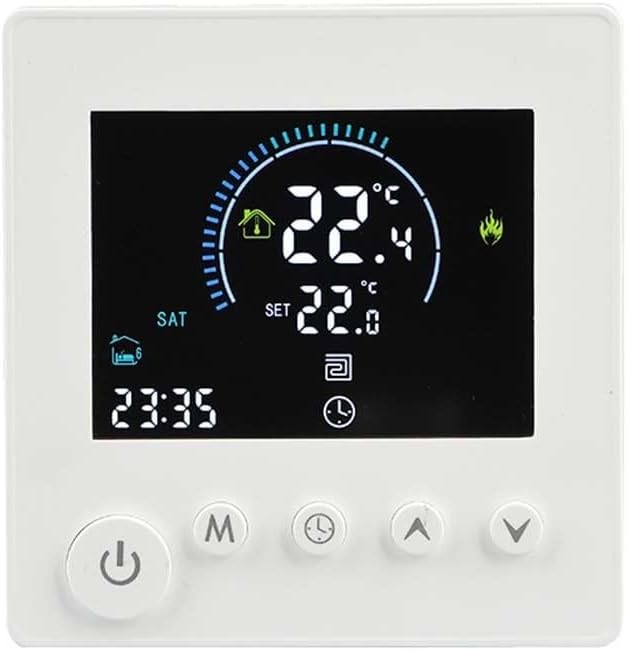
Image: A close-up view of the Feegow Smart WiFi Thermostat's LCD screen, showing a current room temperature of 22.4°C and a set temperature of 22.0°C. The display also shows the day (SAT) and time (23:35), along with various icons indicating heating status and other functions.
4. Setup
4.1 Installation
The Feegow Smart WiFi Programmable Thermostat is designed for easy wall mounting. Ensure the installation location is away from drafts, direct sunlight, and heat-emitting appliances for accurate temperature readings. Refer to the wiring diagram provided in the packaging for specific electrical connections. It is recommended to have a professional install the device.

Image: The Feegow Smart WiFi Thermostat displayed on a wall, showcasing its sleek design and clear digital interface. The screen shows a temperature reading of 22.4°C and the time 23:35.
4.2 Initial Power-On and WiFi Connection
After successful installation and power restoration, the thermostat will power on. Follow the instructions in the accompanying app manual to connect your thermostat to your home WiFi network. This will enable remote control and smart features.
5. Operating Instructions
5.1 Basic Operation
The thermostat features an LCD screen with button controls for direct adjustments. Use the 'Power button' to turn the device on or off. The 'Up' and 'Down' arrow buttons allow you to adjust the set temperature. The 'Mode button' cycles through different operating modes (e.g., heating, auto).
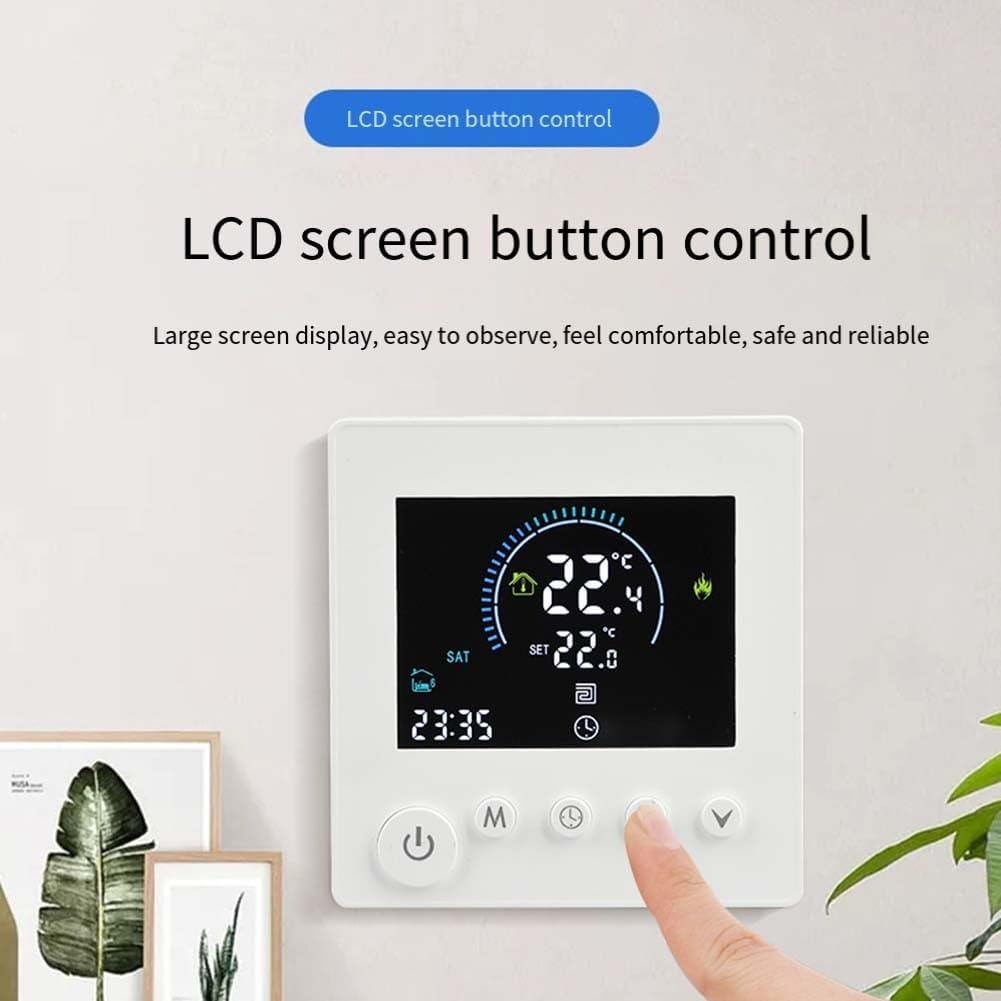
Image: A hand pressing one of the control buttons on the Feegow Smart WiFi Thermostat, illustrating the 'LCD screen button control' feature. The screen displays temperature and time information.
5.2 Setting the Time and Date
Press the 'Time slot button' (often represented by a clock icon) to enter time setting mode. Use the 'Up' and 'Down' arrows to adjust the hour, minute, and day of the week. Press the 'Time slot button' again to confirm each setting and move to the next, or to exit the setting mode.
6. Programming Schedules
The Feegow Smart WiFi Programmable Thermostat allows you to set different temperatures for various time periods throughout the day and week. This feature helps in maintaining comfort while saving energy.

Image: A detailed table illustrating the 'Time programming' feature of the thermostat. It shows serial numbers, options (icons for home/away), time slots, and default adjusting temperatures (e.g., 06:00 at 22°C for weekdays, 08:00 at 22°C for rest days).
To set a program:
- Press the 'Mode' button repeatedly until you enter the programming mode (often indicated by a calendar or schedule icon).
- Use the 'Time slot button' to navigate between different programming periods (e.g., weekday morning, weekday evening, rest day).
- Use the 'Up' and 'Down' arrow buttons to adjust the start time and desired temperature for each period.
- Confirm each setting by pressing the 'Time slot button' or 'Mode' button as per the on-screen prompts.
- Once all desired periods are set, exit the programming mode. The thermostat will now follow your customized schedule.
7. Voice Control
The Feegow Smart WiFi Programmable Thermostat is compatible with popular voice assistants, allowing for convenient hands-free control of your heating system. Ensure your thermostat is connected to your WiFi network and linked to your voice assistant account (e.g., Alexa).

Image: The Feegow Smart WiFi Thermostat positioned next to a smart speaker, illustrating its voice control capabilities. Speech bubbles show example commands like "Turn on the floor heating" and "Set the floor heat to 26 degrees," demonstrating interaction with a voice assistant.
Example voice commands:
- "Alexa, set [Thermostat Name] to 22 degrees."
- "Alexa, what is the temperature in [Thermostat Name]?"
- "Alexa, turn on [Thermostat Name]."
8. Maintenance
The Feegow Smart WiFi Programmable Thermostat requires minimal maintenance. To ensure optimal performance:
- Cleaning: Gently wipe the screen and casing with a soft, dry cloth. Do not use abrasive cleaners, solvents, or chemical sprays.
- Avoid Obstructions: Ensure no objects are blocking the thermostat's vents or sensors, as this can affect temperature readings.
- Software Updates: Periodically check the companion app for any available firmware updates to ensure your thermostat has the latest features and security enhancements.
9. Troubleshooting
| Problem | Possible Cause | Solution |
|---|---|---|
| Thermostat not powering on | No power supply; incorrect wiring | Check circuit breaker. Verify wiring connections (consult a professional if unsure). |
| Heating system not responding | Incorrect mode; wiring issue; system fault | Ensure thermostat is in heating mode. Check wiring. Consult heating system manual. |
| Inaccurate temperature readings | Thermostat location; blocked sensor | Relocate thermostat away from drafts/heat sources. Ensure sensors are clear. |
| WiFi connection issues | Router distance; incorrect password; network interference | Move thermostat closer to router. Re-enter WiFi password. Restart router. |
| Voice control not working | Not linked to voice assistant; WiFi issue | Ensure thermostat is linked in the voice assistant app. Check WiFi connection. |
10. Specifications
- Brand: Feegow
- Model Variant: Without WIFI 16A (Note: This refers to a specific current rating variant; general WiFi functionality is present as per product features.)
- Product Weight: 200 Grams
- Material: ABS
- Compatibility: Water/Gas Boilers, Voice Control (e.g., Alexa)
- Control: LCD Touch Screen Buttons, WiFi App, Voice Control
11. Warranty and Support
For warranty information, technical support, or service inquiries, please refer to the contact details provided in your product packaging or visit the official Feegow website. Keep your purchase receipt as proof of purchase for warranty claims.


