
Introduction
Thank you for choosing the DSP Professional Cordless Hair Clipper. This manual provides essential information for the safe and effective use, maintenance, and care of your new hair clipper. Please read it thoroughly before first use and keep it for future reference.
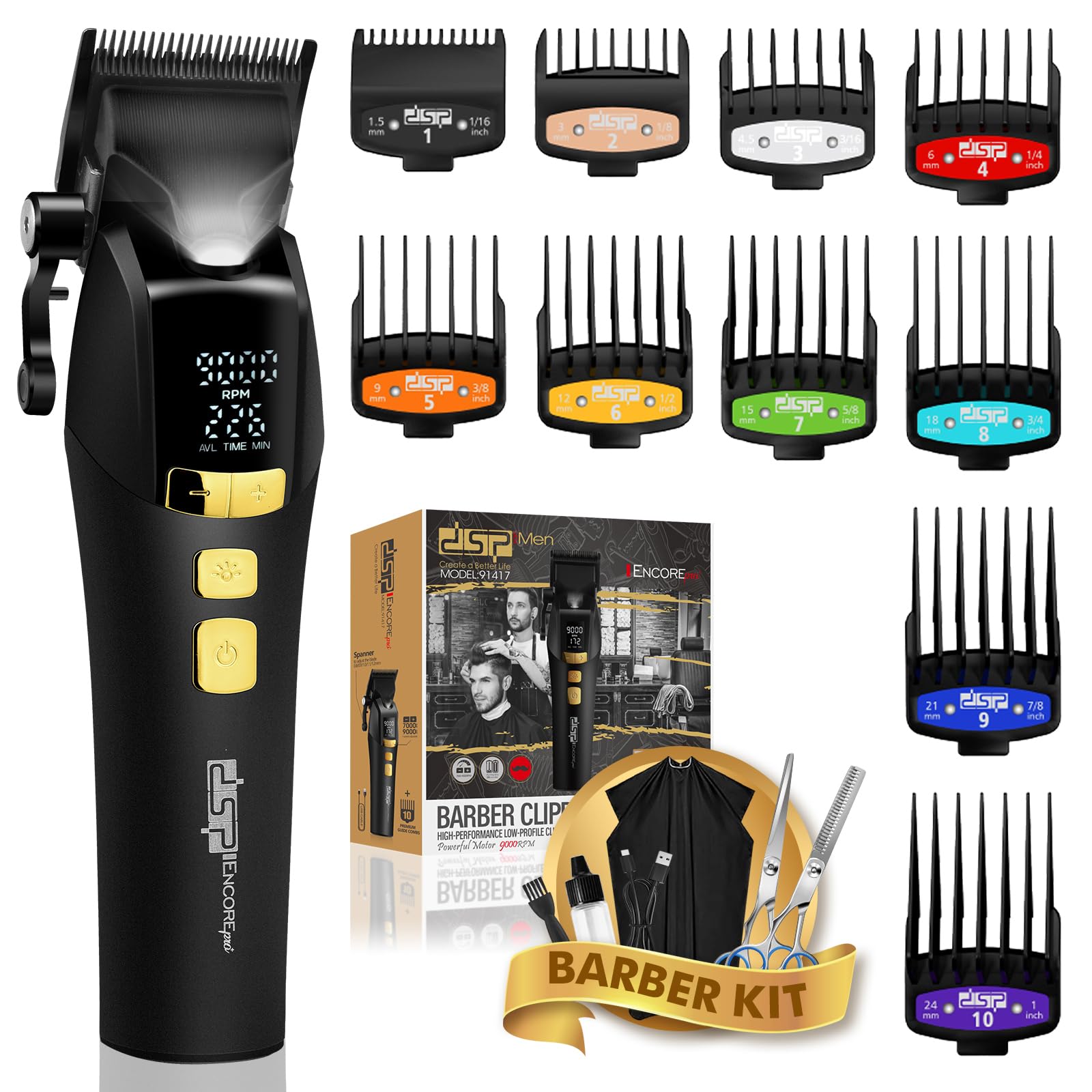
Image: The DSP Professional Cordless Hair Clipper, showcasing its sleek black design and digital display.
Important Safety Instructions
To reduce the risk of electric shock, injury, or damage, always follow these basic safety precautions:
- Avoid use near water: Do not use this appliance near bathtubs, showers, basins, or other vessels containing water.
- Keep blades clean and dry: Ensure blades are free from hair and debris after each use.
- Store out of reach of children: This appliance is not a toy and should be kept away from children.
- Power Source: Use only the provided Type-C cable for charging.
- Maintenance: Do not attempt to disassemble or repair the appliance yourself. Refer to qualified service personnel.
Package Contents
Your DSP Professional Cordless Hair Clipper package includes the following items:
- 1 x DSP Professional Cordless Hair Clipper
- 10 x Quality Limit Combs (various sizes)
- 1 x Type-C Charging Cable
- 1 x Cleaning Brush
- 1 x Lubricating Oil
- 1 x User Manual
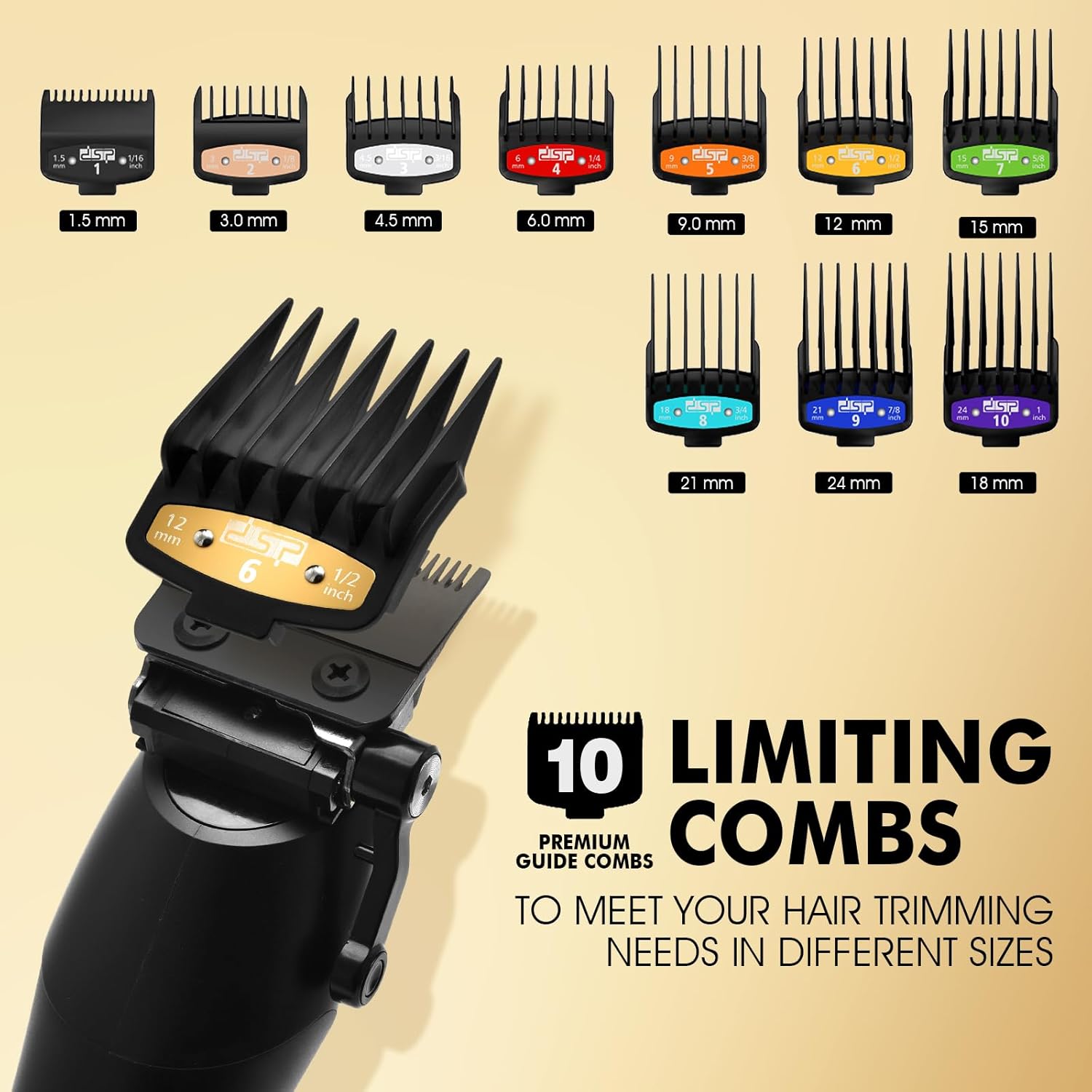
Image: A display of the DSP Hair Clipper along with the 10 included guide combs of various sizes.
Product Features
The DSP Professional Cordless Hair Clipper is engineered with advanced features for precision grooming:
- High-Performance Motor: Equipped with a BFF390 motor, offering five-speed adjustable RPMs from 7000 to 9000 for various hair types.
- DLC Coated Ceramic Blade: Professional-grade blades ensure smooth, precise cuts without pulling or snagging.
- Cordless Operation: Powerful battery provides up to 260 minutes of runtime on a single charge.
- LED Display: Integrated smart features include an LED display showing battery life and current RPM setting.
- Adjustable Blade Spacing: Blade length can be adjusted from 0.8mm to 1.2mm using the side lever.
- Indicator Light: Features a smart indicator light for operational status.

Image: The DSP Hair Clipper being used for beard trimming, haircutting, hair sculpting, and sideburn trimming.

Image: A close-up of the DSP Hair Clipper's LED display, showing the current RPM and available time in minutes, along with control buttons.
Setup
Before using your hair clipper for the first time, please follow these setup steps:
- Unpack: Carefully remove all components from the packaging.
- Initial Charge: Connect the Type-C charging cable to the clipper and a suitable power source (e.g., wall adapter, car charger, USB port). Allow the clipper to fully charge for approximately 4 hours before first use. The LED display will indicate charging status.
- Lubricate Blades: Apply a few drops of the included lubricating oil to the blades. Turn on the clipper for a few seconds to distribute the oil, then wipe off any excess.
Operating Instructions
Familiarize yourself with the clipper's controls and functions:
Power On/Off
- Press the Power Button (bottom button) to turn the clipper ON or OFF.
Adjusting Speed (RPM)
- With the clipper ON, press the Power +/- Button (top button) to cycle through the five-speed settings (7000, 7500, 8000, 8500, 9000 RPM). The current RPM will be displayed on the LED screen.
Adjusting Blade Length
- Use the side lever to adjust the blade length between 0.8mm, 0.9mm, 1.0mm, 1.1mm, and 1.2mm.
Using Guide Combs
- Select the desired guide comb size (1.5mm to 24mm) and securely attach it to the clipper blade. Ensure it clicks into place.
- To remove, gently pull the comb away from the blade.
Light Function
- Press the Light On/Off Button (middle button) to activate or deactivate the integrated indicator light for improved visibility during use.
Video: An official product video demonstrating the features and operation of the DSP Hair Clipper for Men Professional.
Maintenance
Proper maintenance ensures the longevity and performance of your clipper:
- Cleaning Blades: After each use, turn off the clipper and remove any attached guide comb. Use the provided cleaning brush to remove loose hairs from the blades.
- Oiling Blades: Regularly apply a few drops of lubricating oil to the blades. This helps maintain cutting efficiency and prevents rust. Turn on the clipper for a few seconds to distribute the oil, then wipe off excess.
- Storage: Store the clipper in a dry, cool place, away from direct sunlight and moisture. Keep it in its original packaging or a protective case when not in use.
Charging
The DSP Hair Clipper features a long-lasting battery and convenient Type-C charging:
- Charging Time: Approximately 4 hours for a full charge.
- Runtime: Up to 260 minutes of continuous use on a full charge.
- Charging Indicator: The LED display shows the battery level and charging status.
- Charging Methods: Can be charged via home adapter, car charger, or any standard USB port using the Type-C cable.
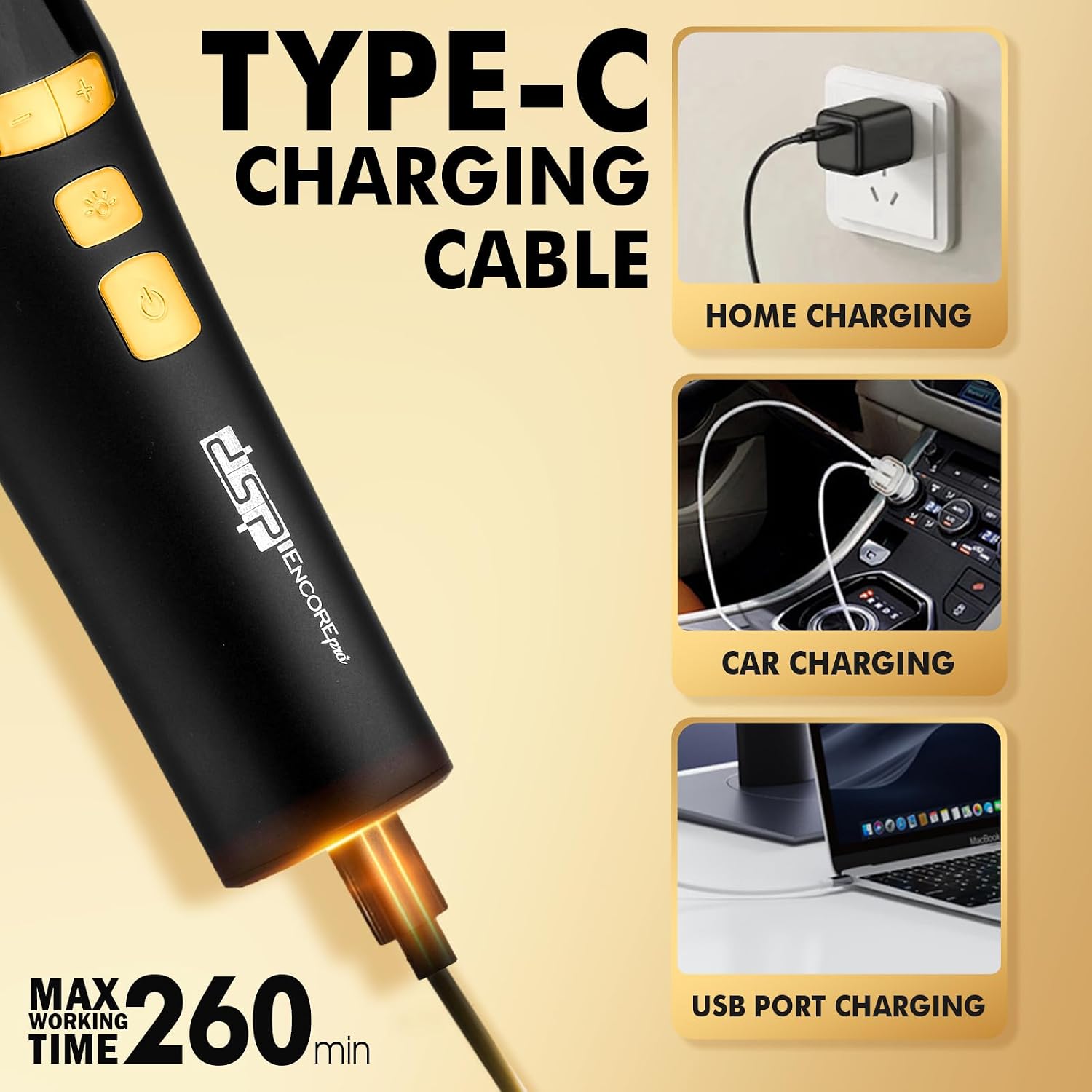
Image: The DSP Hair Clipper connected to a Type-C charging cable, illustrating home, car, and USB port charging options.
Troubleshooting
If you encounter any issues with your DSP Hair Clipper, refer to the table below for common problems and solutions:
| Problem | Possible Cause | Solution |
|---|---|---|
| Clipper does not turn on. | Low battery or no charge. | Charge the clipper for 4 hours. Ensure the charging cable is properly connected. |
| Clipper pulls hair or cuts poorly. | Blades are dull, dirty, or not oiled. | Clean the blades thoroughly and apply lubricating oil. If blades are dull, consider professional sharpening or replacement. |
| Clipper makes unusual noise. | Blades are misaligned or internal issue. | Ensure blades are correctly aligned. If the noise persists, contact customer support. |
| LED display is not working. | Clipper is off or a malfunction. | Turn on the clipper. If still not working, ensure it is charged. Contact customer support if the issue continues. |
Specifications
Technical specifications for the DSP Professional Cordless Hair Clipper:
| Feature | Detail |
|---|---|
| Model Number | 91417 |
| Blade Material | DLC Coated Ceramic |
| Motor Speed | 7000-9000 RPM (Five-speed adjustable) |
| Battery Type | Lithium |
| Charging Time | 4 hours |
| Runtime | 260 minutes |
| Power Source | Battery Powered |
| Adjustable Blade Length | 0.8mm, 0.9mm, 1.0mm, 1.1mm, 1.2mm |
| Included Guide Combs | 10 (1.5mm, 3.0mm, 4.5mm, 6.0mm, 9.0mm, 12mm, 15mm, 18mm, 21mm, 24mm) |
| Package Dimensions | 8.74 x 8.66 x 2.68 inches |
| Weight | 2.2 Pounds |
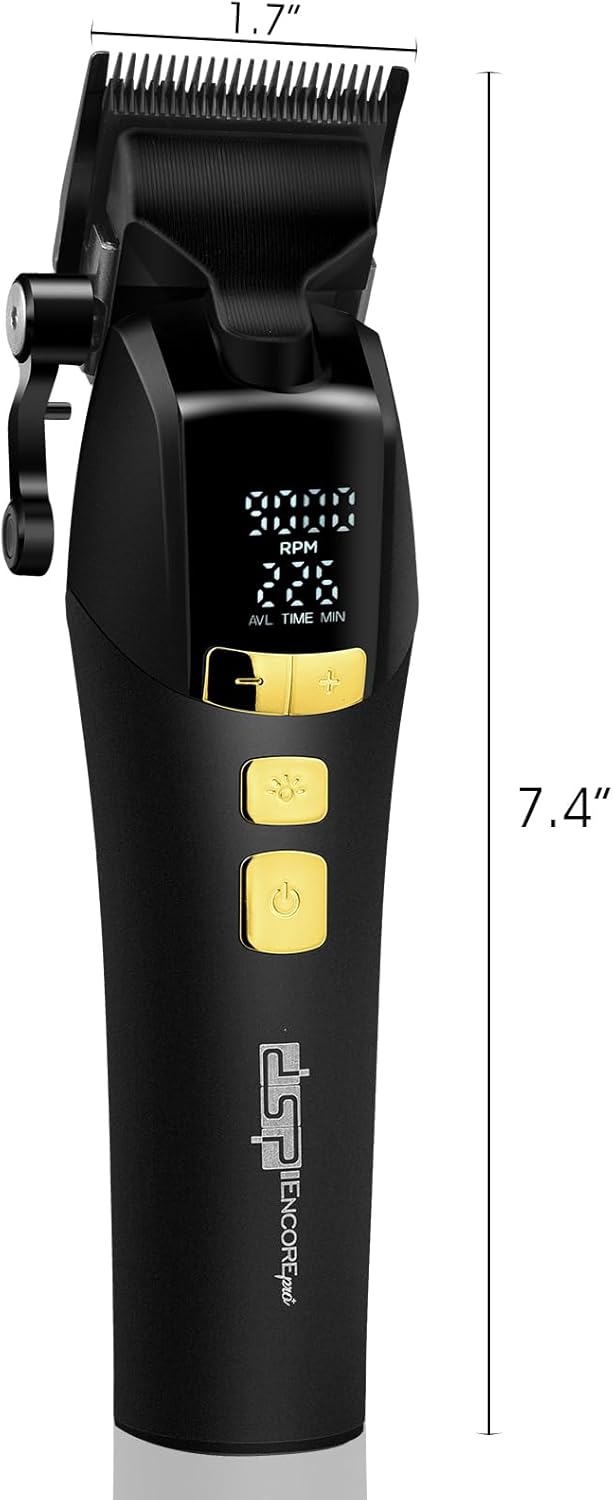
Image: A visual representation of the DSP Hair Clipper's dimensions, showing its length and blade width.
Warranty & Support
DSP provides a 12-month after-sale service for this product. If you have any questions, concerns, or require technical assistance, please contact DSP customer support through the retailer's platform or the official DSP website. Please retain your proof of purchase for warranty claims.