
1. Introduction
The SOOPII 100W 10-Port USB-C Charging Station is designed to efficiently charge up to 10 devices simultaneously, providing a total output of 100W. This multi-device charging station helps organize your electronic devices and eliminate cable clutter, making it ideal for homes, offices, schools, and other environments with multiple gadgets.
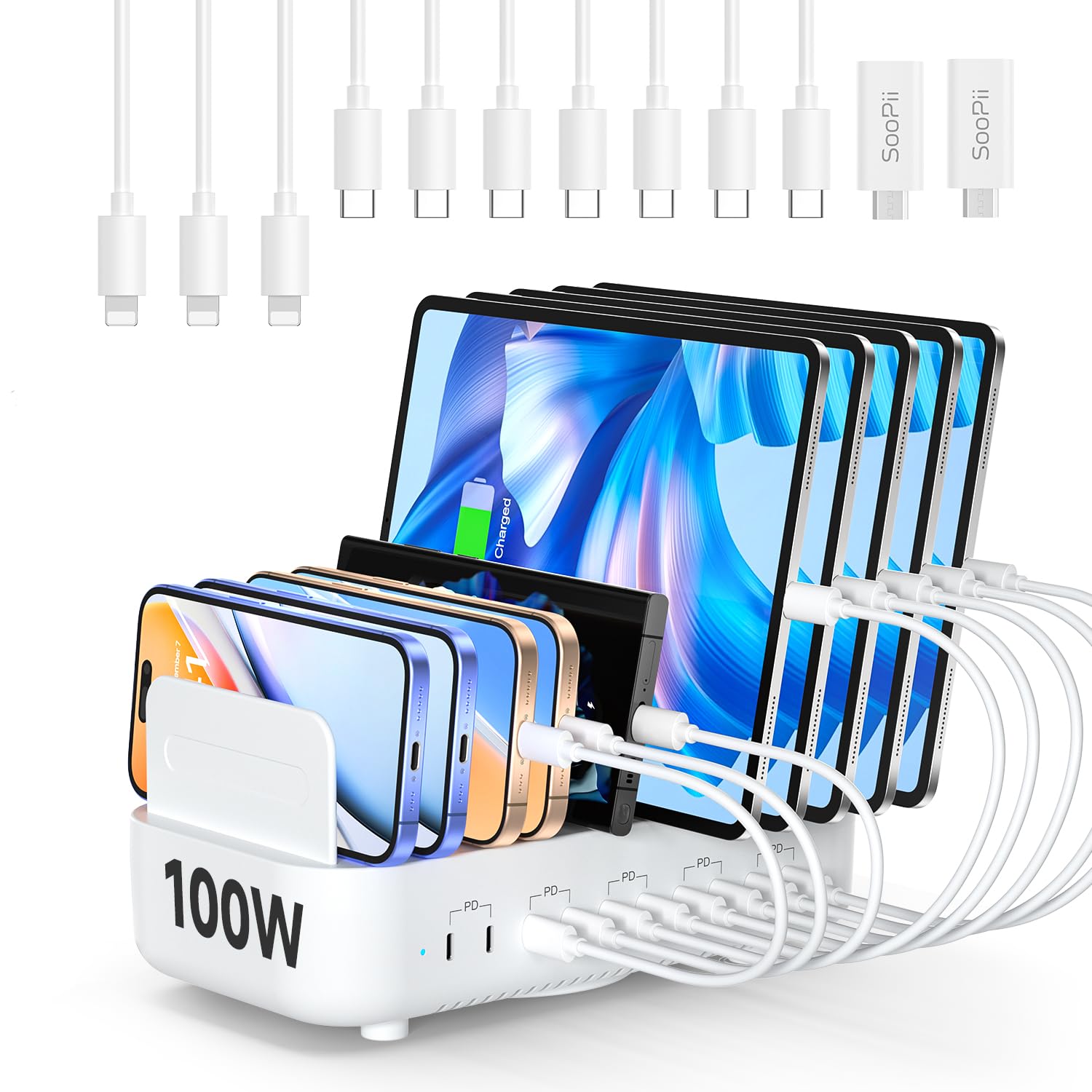
Image: The SOOPII 100W 10-Port USB-C Charging Station in white, showcasing its compact design and multiple charging ports with various devices.
2. Safety Information
Your safety is paramount. This charging station incorporates a robust multi-protection system to ensure safe operation and protect your devices. Please read and follow all safety guidelines.
- Multi-Protection System: Shields against overcharging, over-voltage, and short circuits.
- Fireproof Material: Constructed from fireproof PC material for enhanced safety.
- Internal Cooling Technology: Features cutting-edge internal cooling to prevent overheating.
- 3-Pin Grounded Power Plug: The included 3-pin power plug enhances safety by preventing electric leakage and shock.

Image: Diagram illustrating the internal cooling fan system for effective heat dissipation.

Image: Visual comparison highlighting the safety benefits of a 3-pin grounded plug versus a 2-pin ungrounded plug.
3. Package Contents
Verify that all items are present in your package:
- 1x SOOPII 10-Port USB-C Charging Station (Model CS101)
- 1x AC Power Cord (3-pin grounded)
- 10x Mixed Charging Cables (7x USB-C to USB-C, 3x USB-C to Lightning)
- 2x USB-C Female to Micro USB Male Adapters
- 11x Detachable Baffles (dividers)
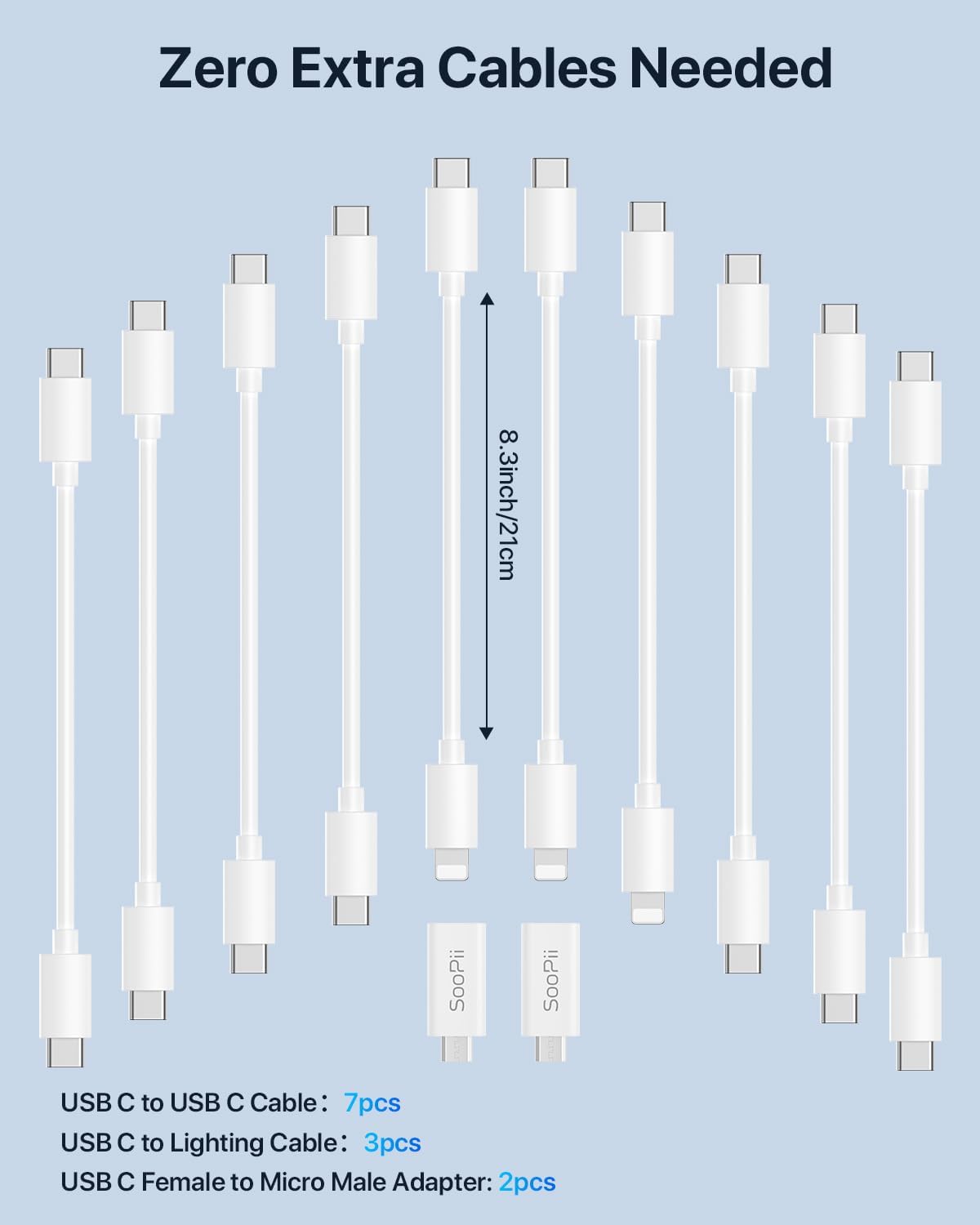
Image: A display of the included 10 mixed charging cables (USB-C to USB-C and USB-C to Lightning) and two USB-C to Micro USB adapters.
4. Setup
- Place the Charging Station: Choose a stable, flat surface for the charging station. Ensure adequate ventilation around the unit.
- Install Detachable Dividers: Insert the provided baffles into the slots on the charging station. Apply firm pressure until each baffle is securely seated. You can adjust the spacing to accommodate various device sizes, including tablets with protective cases.
- Connect Power: Plug the 3-pin AC power cord into the power input port on the back of the charging station, then plug the other end into a standard 110V wall outlet.
- Power On: Locate the power switch on the side of the unit and turn it to the "ON" position. The bright blue LED indicator will illuminate, confirming the unit is powered on and ready for use.

Image: The charging station demonstrating adjustable dividers accommodating different device sizes.

Image: Close-up view of the power button switch for turning the unit on or off.
Video: Official product video demonstrating the setup and use of the SooPii 100W 10-Port USB-C Charging Station.
5. Operating Instructions
- Connect Your Devices: Use the appropriate USB-C charging cables (included or your own) to connect your devices to any of the 10 USB-C ports on the station.
- Fast Charging: Each USB-C port delivers up to 20W of power, supporting fast charging for compatible devices. The smart charger automatically detects connected devices and optimizes current output for the fastest possible charging time.
- Simultaneous Charging: The station can charge up to 10 devices concurrently with a total output of 100W.
- Device Placement: Utilize the adjustable dividers to neatly store and charge your smartphones, tablets, headphones, smartwatches, and other electronics.

Image: Graphic illustrating the faster charging speed of the 20W PD charger compared to a standard original charger.

Image: Diagram detailing the 10 USB-C ports, each capable of 20W max output, contributing to a total 100W max output.
6. Maintenance
- Cleaning: Disconnect the power cord before cleaning. Use a soft, dry cloth to wipe the surface of the charging station. Do not use liquid cleaners or aerosols.
- Storage: When not in use for extended periods, store the charging station in a cool, dry place away from direct sunlight and moisture.
- Cable Management: Regularly check charging cables for any signs of wear or damage. Replace damaged cables immediately to prevent potential hazards.
7. Troubleshooting
- Device Not Charging:
- Ensure the charging station is powered on (blue LED indicator should be lit).
- Verify the power cord is securely plugged into both the station and the wall outlet.
- Check if the charging cable is properly connected to both the device and the charging port.
- Try a different USB-C port or a different charging cable to rule out a faulty port or cable.
- Confirm your device is compatible with USB-C charging.
- Slow Charging:
- Ensure your device supports fast charging via USB-C Power Delivery (PD).
- Check if the cable used is rated for fast charging.
- The charging speed may decrease if many devices are connected simultaneously and drawing high power.
- Dividers are Loose:
- Ensure the detachable baffles are pushed firmly into their slots until they click into place. They are designed for a snug fit to provide stability.
8. Specifications
| Feature | Detail |
|---|---|
| Model Number | CS101 |
| Total USB Ports | 10 (USB Type C) |
| Total Output Power | 100W Max |
| Output Per Port | Up to 20W (5V/3A, 9V/2.22A, 12V/1.67A) |
| Input Voltage | 110 Volts |
| Amperage | 20 Amps |
| Color | White |
| Item Weight | 2.1 pounds |
| Package Dimensions | 10 x 5.63 x 4.13 inches |
| Compatible Devices | Smartphones, iPads, iPhones, E-Book Readers, Tablets, Smartwatches, AirPods, Nintendo Switch, etc. |
9. Warranty & Support
SOOPII provides a 3-year warranty for this product, ensuring peace of mind. For any inquiries, technical assistance, or warranty claims, please contact our dedicated 24/7 support team.
You can find more information and contact details on the official SOOPII website or through your purchase platform.


