
1. Product Overview
The Codnida 4G LTE Cellular Surveillance Camera Cell2T is a versatile outdoor security solution designed for areas without traditional Wi-Fi or power infrastructure. It features 4G LTE connectivity, solar power, 2K HD resolution, color night vision, and Pan/Tilt/Zoom (PTZ) capabilities. The camera is IP65 waterproof, ensuring durability in various weather conditions. It supports two-way audio communication and PIR human motion detection for enhanced security monitoring.

Image 1.1: The Codnida 4G LTE Cellular Surveillance Camera, including the solar panel and a SIM card, demonstrating its wireless capabilities. A smartphone screen shows a live feed of cows in a field.
2. Package Contents
Verify that all components are present in the package:
- 1 x Codnida Security Camera
- 1 x Solar Panel
- 1 x SIM Card (with 7-day unlimited trial traffic)
- 1 x USB Cable
- 1 x Mounting Base
- 2 x Screws
- 1 x User Manual

Image 2.1: All items included in the Codnida 4G LTE Cellular Surveillance Camera package, laid out for inspection. This includes the camera, solar panel, SIM card, mounting hardware, and user manual.
3. Setup Guide
3.1 SIM Card Insertion
The camera operates using a 4G LTE cellular network. Insert the provided SIM card into the designated slot on the camera. Ensure the SIM card is correctly oriented as indicated by the diagram near the slot. The camera comes with a SIM card offering a 7-day unlimited trial. After the trial, subscription plans are available starting from 12.99 €/month. You may also use a compatible third-party SIM card.

Image 3.1: A close-up view of the Codnida camera showing the SIM card slot, with a SIM card being inserted. This illustrates the process for enabling 4G LTE connectivity.
3.2 Solar Panel Connection and Mounting
Connect the solar panel to the camera. The solar panel provides continuous power, making the camera entirely wireless and suitable for locations without electrical outlets. Mount the camera and solar panel in a location that receives ample direct sunlight throughout the day for optimal charging. The camera supports wall mounting using the provided screws and mounting base.

Image 3.2: The Codnida camera and its solar panel are shown mounted on a wooden structure, illustrating a typical installation scenario for solar power generation.
3.3 App Installation and Pairing
- Download the CloudEdge application from your smartphone's app store.
- Create an account within the CloudEdge app.
- Follow the in-app instructions to add a new device. Scan the QR code located on the camera to initiate the pairing process.
- Once paired, the camera will indicate it is operational, and you can begin monitoring.
4. Operating Instructions
4.1 Live View and PTZ Control
Access the live video feed through the CloudEdge app. The camera offers 2K HD resolution for clear images. Utilize the Pan/Tilt/Zoom (PTZ) controls within the app to rotate the camera 355° horizontally and 90° vertically, providing a comprehensive 360° view. A 4x digital zoom is also available.

Image 4.1: The Codnida camera positioned above a field of cows, illustrating its 360-degree pan and tilt capabilities for wide area surveillance.
4.2 Motion Detection and Alerts
The camera features PIR (Passive Infrared) human motion detection. When motion is detected, the camera can trigger an alarm with a siren and flashing lights, and send instant notifications to your smartphone via the CloudEdge app. This allows for immediate awareness of activity in the monitored area.

Image 4.2: The Codnida camera activating its alarm and spotlight feature at night upon detecting a person, with an alert notification displayed on a smartphone.
4.3 Two-Way Audio
Engage in real-time two-way audio communication through the camera. This feature allows you to speak to individuals near the camera and hear their responses, providing an interactive security measure.
4.4 Night Vision
The camera is equipped with intelligent color night vision, providing clear and detailed images even in low-light conditions. The night vision range is up to 10 meters.
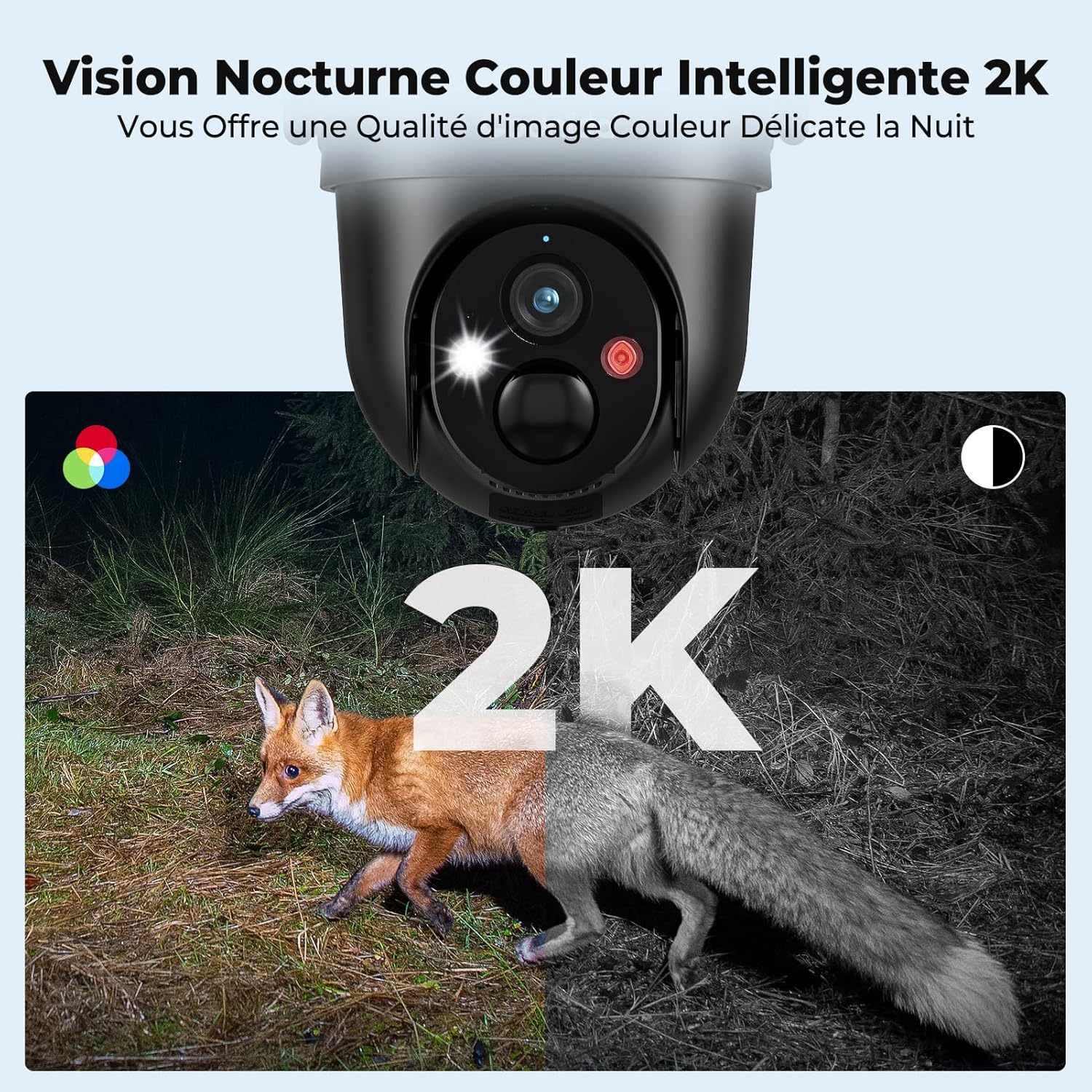
Image 4.3: A demonstration of the camera's 2K color night vision, capturing a fox in a dark environment, alongside a monochrome night vision comparison.
4.5 Storage Options
The camera supports both local and cloud storage. For local storage, a TF (Micro SD) card from 16GB to 256GB (not included) can be used. Cloud storage provides free 6-second video clips for life with the provided SIM card.

Image 4.4: A visual representation of the camera's storage capabilities, highlighting the local SD card slot (supporting 8-256GB Micro SD cards) and cloud storage options.
5. Maintenance
5.1 Weather Resistance
The camera has an IP65 waterproof rating, making it resistant to rain, humidity, and dust. This ensures reliable operation in various outdoor environments.
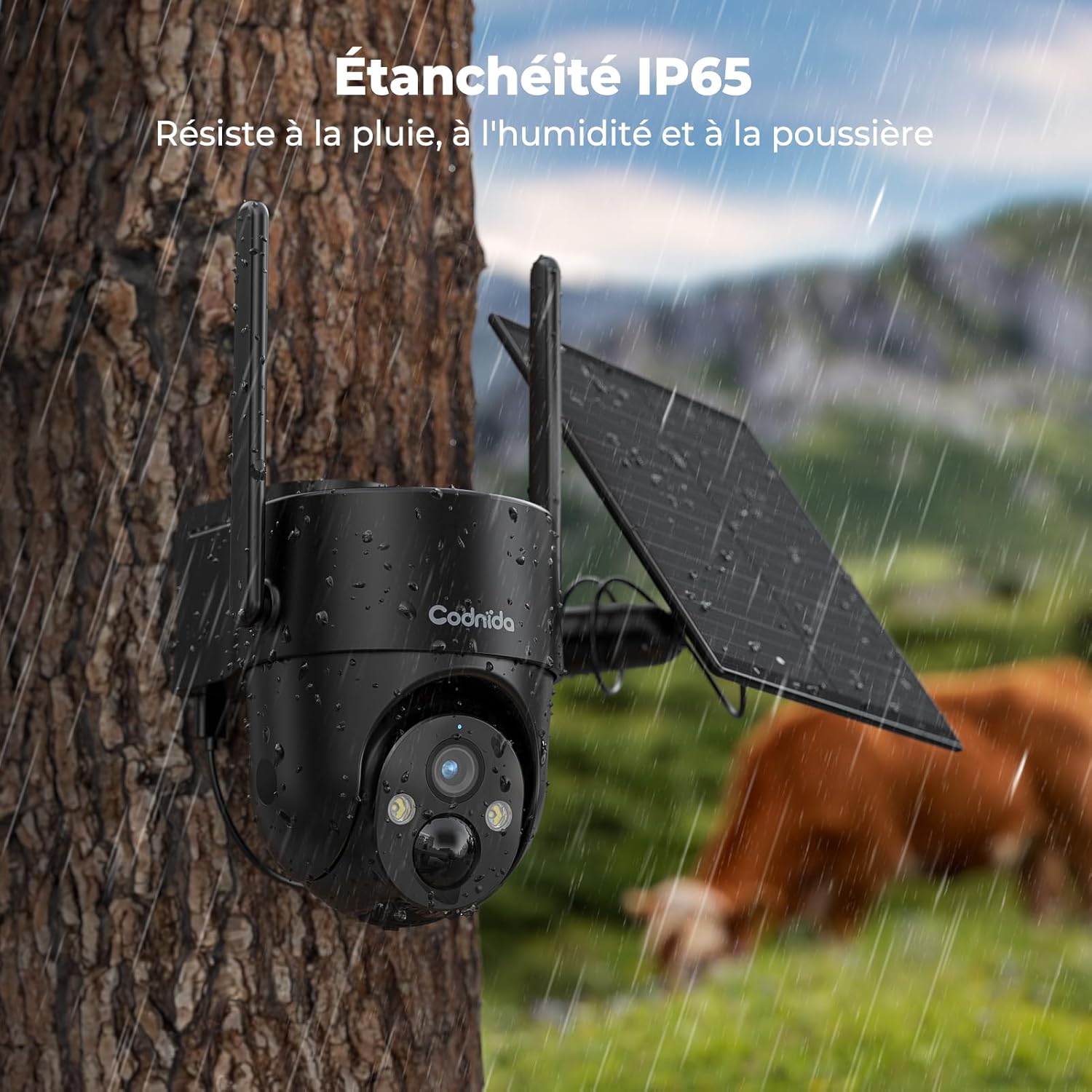
Image 5.1: The Codnida camera mounted on a tree during rainfall, demonstrating its IP65 waterproof design and suitability for outdoor use.
5.2 Solar Panel Performance
For optimal performance, ensure the solar panel is positioned to receive maximum direct sunlight. In periods of prolonged low sunlight or during winter, the solar panel's charging efficiency may decrease. The camera's internal 10400mAh lithium-ion battery provides backup power, but supplementary charging via the USB cable may be necessary if the battery level becomes critically low.
6. Troubleshooting
- No Network Connection: Ensure the SIM card is correctly inserted and activated. Verify that the cellular network in your area is compatible and has sufficient signal strength. Some SIM cards, like KPN, may not be compatible.
- Solar Panel Not Charging: Check that the solar panel is clean and free from obstructions. Reposition the panel to maximize sun exposure. Consider supplementary charging via the USB cable during extended cloudy periods or winter months.
- Antenna Damage: The antennas are crucial for signal reception. Handle them with care during installation and adjustment to prevent breakage.
- False Motion Alerts: Adjust the PIR motion detection sensitivity settings within the CloudEdge app to minimize false alarms caused by environmental factors like moving branches or small animals.
- Image Quality Issues: Ensure the camera lens is clean. Check the network signal strength for optimal 2K streaming.
7. Specifications
| Feature | Detail |
|---|---|
| Model Name | Cell2T (YM-MINI) |
| Brand | Codnida |
| Connectivity Technology | 4G LTE Cellular |
| Power Source | Solar Powered (5V, 4.5W) |
| Battery | 10400mAh Lithium-ion (1 AAA included) |
| Video Recording Resolution | 2K HD |
| Pan/Tilt Angle | 355° Horizontal / 90° Vertical (360° viewing angle) |
| Night Vision Range | 10 Meters (Color Night Vision) |
| Water Resistance Level | IP65 (Waterproof) |
| Special Features | Two-Way Audio, Local Recording, Weather Resistant, HD Resolution, PTZ Technology |
| Local Storage | Supports 16-256GB TF (Micro SD) Card (not included) |
| Material | Plastic |
| Dimensions (L x W x H) | 6 x 6 x 6 cm |
| Weight | 1.31 kg |
| Recommended Use | Outdoor Security |
| Compatible Devices | Smartphone (via CloudEdge App) |
8. Warranty and Support
The Codnida 4G LTE Cellular Surveillance Camera comes with a one-year warranty. Codnida is committed to providing high-quality security cameras and offers lifetime after-sales service. For any product issues, professional customer support is available to assist you within 24 hours. Please refer to the contact information in your package or on the official Codnida website for support.