
Bewinner Bewinner43kixgh8rm-12
Bewinner Open Ear Earbuds User Manual
Model: Bewinner43kixgh8rm-12
Product Overview
The Bewinner Open Ear Earbuds are designed for comfort and clear sound, featuring an open-air conduction design. They are equipped with Bluetooth connectivity and noise-cancelling technology for an enhanced audio experience.

Image: Front view of the Bewinner Open Ear Earbuds, showcasing their unique over-ear design and skin color finish.
Key Features:
- Unique Over-Ear Design: Lightweight and comfortable, designed to be worn over the ear without blocking the ear canal.
- Directional Sound Technology: Utilizes pulse DT4.0 for accurate sound transmission, minimizing sound leakage by 99%.
- ACS Panoramic Surround Sound: Features professional acoustic tuning and a high elasticity composite diaphragm for high-fidelity sound quality and dynamic audio.
- Intelligent Noise Cancelling: Dual microphones with noise-cancelling technology ensure clear voice calls, even during physical activity.
- Smart Battery Display: Equipped with a low-power chip and high-capacity built-in Li battery for extended usage.
Setup Guide
1. Unboxing and Initial Inspection
Carefully remove all components from the packaging. Verify that the earbuds, charging case, and charging cable are present. Inspect for any visible damage.
2. Charging the Earbuds and Case
Before first use, fully charge the earbuds and the charging case. Place the earbuds into the charging case. Connect the charging cable to the case and a compatible USB power source.

Image: The Bewinner charging case and USB charging cable. The case is designed to hold and charge the earbuds.
The charging case has a built-in 300 mAh Li battery, and each earbud has a 90 mAh Li battery. A full charge provides approximately 7-8 hours of battery life for the earbuds.
3. Bluetooth Pairing
- Ensure the earbuds are charged and inside the charging case.
- Open the charging case. The earbuds will automatically enter pairing mode.
- On your device (smartphone, tablet, laptop), navigate to the Bluetooth settings.
- Search for available devices and select "Bewinner Earbuds" (or similar name) from the list.
- Once connected, a confirmation sound or indicator will be heard/seen.

Image: The Bewinner earbuds shown alongside various compatible devices, including a smartphone, laptop, and tablet, illustrating their versatile connectivity.
Operating Instructions
Wearing the Earbuds
Gently place the earbuds over your ears, ensuring the earhooks rest comfortably and securely. The open-ear design allows for situational awareness while enjoying audio.
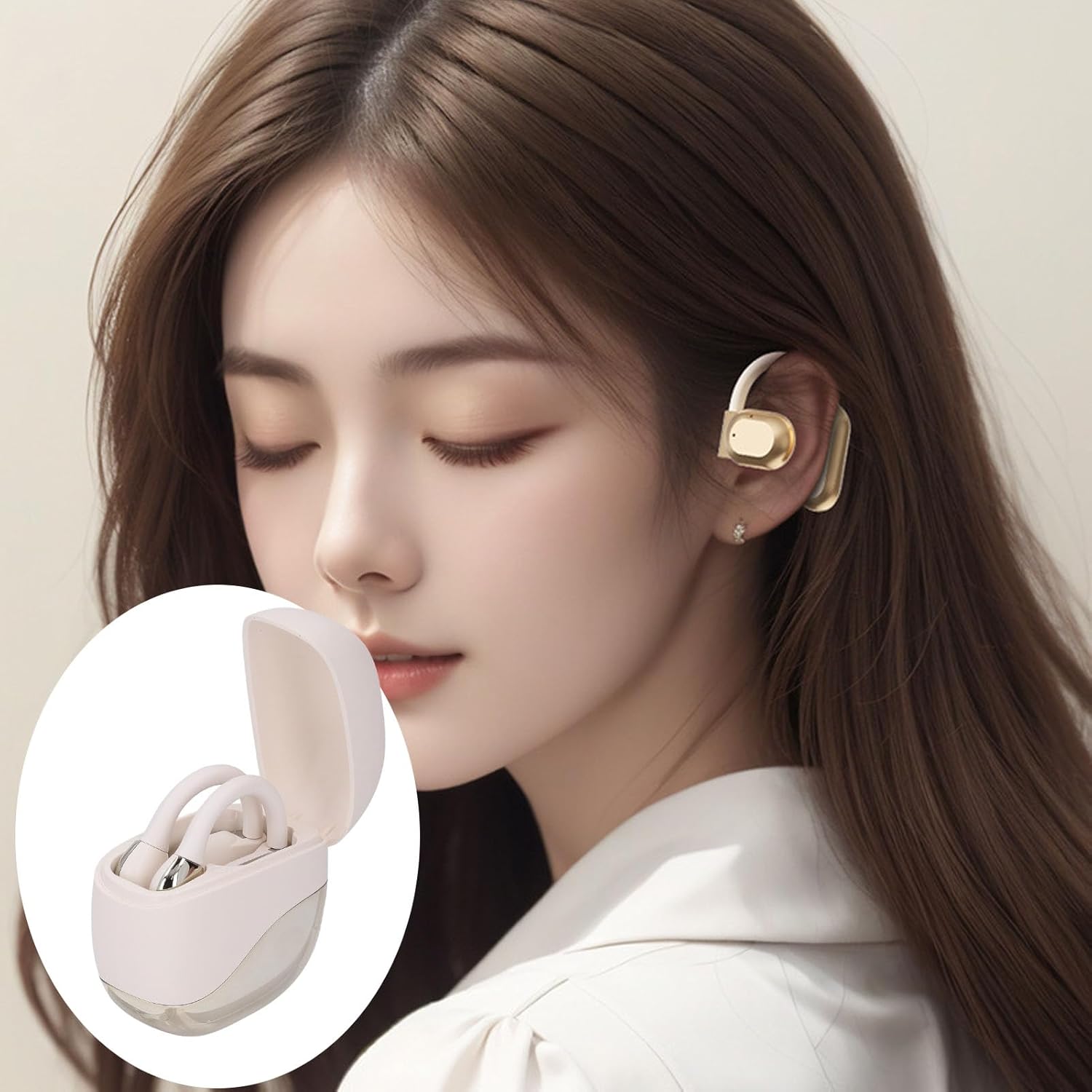
Image: A person wearing the Bewinner Open Ear Earbuds, demonstrating the comfortable and secure fit of the over-ear design.
Basic Controls (Touch Sensitive)
- Play/Pause: Single tap on either earbud.
- Next Track: Double tap on the right earbud.
- Previous Track: Double tap on the left earbud.
- Answer/End Call: Single tap on either earbud during an incoming call.
- Reject Call: Press and hold either earbud for 2 seconds during an incoming call.
- Activate Voice Assistant: Triple tap on either earbud.
Noise Cancelling Function
The intelligent noise-cancelling feature is automatically active during calls, utilizing dual microphones to reduce ambient noise for clearer conversations.
Maintenance and Care
Cleaning
- Use a soft, dry, lint-free cloth to wipe the earbuds and charging case.
- Do not use abrasive cleaners, alcohol, or chemical solvents.
- Avoid getting moisture in any openings.
Storage
When not in use, store the earbuds in their charging case to protect them from dust and damage. Store in a cool, dry place away from direct sunlight and extreme temperatures.
Battery Care
- Charge the earbuds regularly, even if not used frequently, to maintain battery health.
- Avoid fully discharging the battery for extended periods.
- Use only the provided charging cable or a certified equivalent.
Troubleshooting
| Problem | Possible Cause | Solution |
|---|---|---|
| Earbuds not pairing | Earbuds not in pairing mode; device Bluetooth off; out of range. | Ensure earbuds are in pairing mode (open case). Turn device Bluetooth off and on. Move device closer to earbuds. |
| No sound or low volume | Volume too low on device; earbuds not connected; earbud placement. | Increase volume on your device. Reconnect earbuds. Adjust earbud position for optimal sound. |
| Charging issues | Cable or power source faulty; earbuds not seated correctly in case. | Try a different charging cable or power adapter. Ensure earbuds are properly seated in the charging case. Clean charging contacts if necessary. |
| Sound leakage | Volume too high; earbud position. | Reduce volume. Adjust earbud position to ensure proper fit and directional sound alignment. |
Specifications
| Feature | Detail |
|---|---|
| Model Name | Bewinner43kixgh8rm-12 |
| Wireless Communication Technology | Bluetooth V5.46 |
| Bluetooth Distance | 10m / 32.8ft |
| Charging Case Battery Capacity | 300 mAh (Built-in Li Battery) |
| Earbuds Battery Capacity | 90 mAh (Built-in Li Battery) |
| Battery Life (Earbuds) | Approx. 7-8 Hours |
| Material | PC, ABS |
| Color | Skin Color |
| Item Weight | 3.95 ounces |
| Package Dimensions | 4.72 x 3.94 x 1.57 inches |

Image: An exploded view illustrating the internal components of the Bewinner earbud, highlighting the diaphragm and acoustic structure responsible for sound quality.
Warranty and Support
For product support, technical assistance, or warranty inquiries, please refer to the contact information provided with your purchase or visit the official Bewinner website. Keep your proof of purchase for warranty claims.
While specific warranty details are not provided in this manual, Bewinner typically offers support for manufacturing defects. Additional protection plans may be available for purchase separately.
For more information, you may visit the Bewinner Store on Amazon.
Ask a question about this manual
Ask about setup, troubleshooting, compatibility, parts, safety, or missing instructions. Manuals+ will review the question and use this page’s manual context to help answer it.