
1. Introduction to Red Light Therapy
Red light therapy utilizes specific wavelengths of light to support various bodily functions. This device combines 660nm (red light) and 850nm (near-infrared light) to deliver targeted benefits.
1.1 About the Viconor Red Light Therapy Device
The Viconor Red Light Therapy device features 60 dual-chip LEDs, providing a total of 120 light beads. It offers 300W of power and an irradiance of 140mW/cm² at 6 inches. This device is designed for use on the body and face to support recovery, skin health, and overall well-being. It includes a built-in timer and cooling fan for safe and convenient operation.
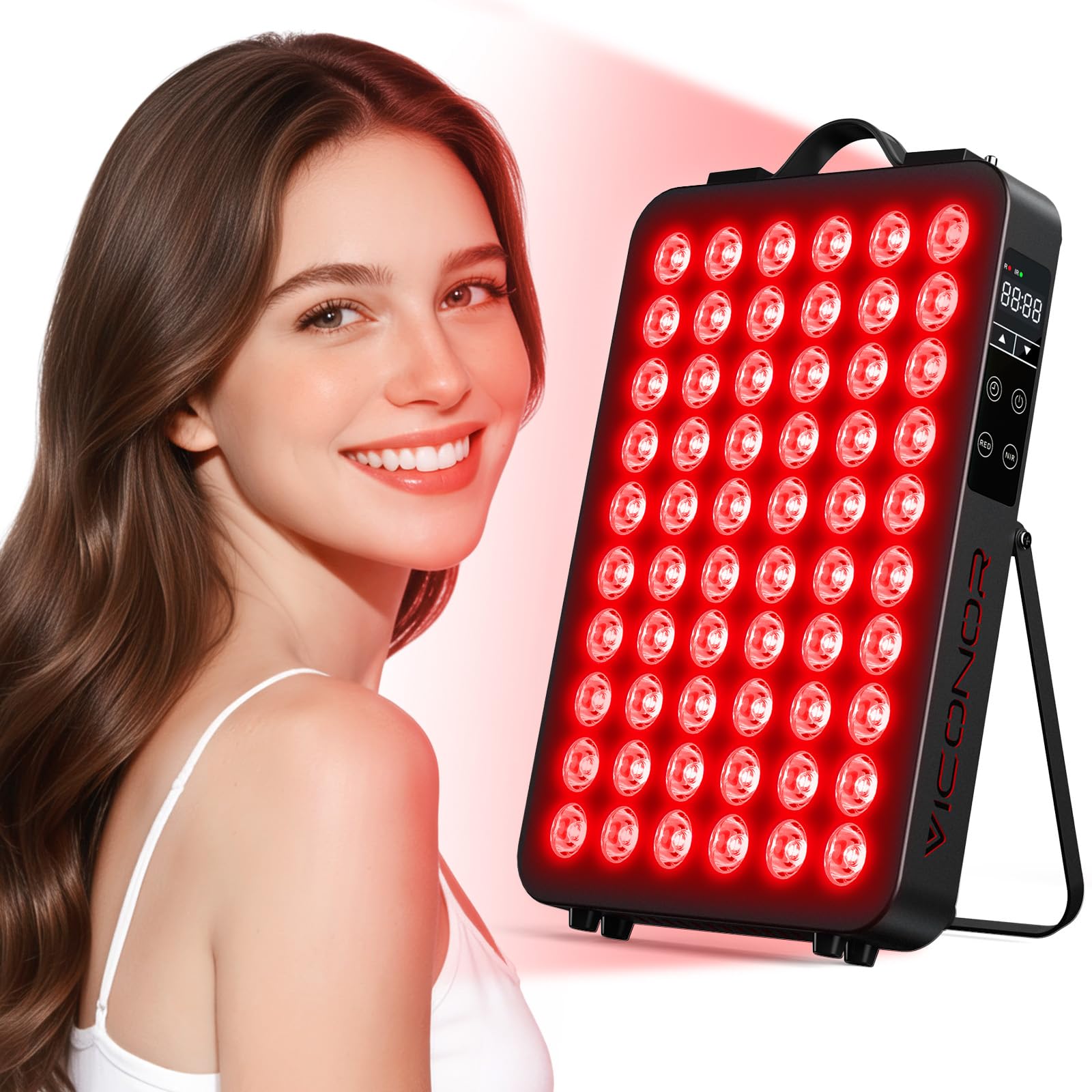
Figure 1: Viconor Red Light Therapy Panel
2. Important Safety Instructions
- Keep the device away from children and pets.
- Do not stare at the light directly for long periods.
- Not recommended for children under 13 or pregnant women.
- Do not use this device if sleeping, unconscious, or drunk.
- Use with caution on skin sensitive to sunlight or red light.
- Keep the red light therapy device away from water, heat, and fire. Do not immerse the device in water or other liquids for cleaning.
- Do not operate if the power cord is damaged. If you notice damage, contact customer service.
- Do not open the device. Please contact customer service if repairs are needed.
- Always pull out the plug in time after use. Never leave it unattended while it is plugged in. This could create an electrical hazard.
- Do not use this device in open wounds.
- Discontinue use and contact customer service if the device overheats or becomes uncomfortably hot to your skin.
- Do not use for over 30 minutes by once treatment.
- Do not attempt to take the device apart. Any modification or attempted service will void the warranty.
- Be sure to remove any metal jewelry and accessories from the area to be treated, including rings and bracelets, before using. Do not use over clothing with metal snaps, zippers, or buttons.

Figure 2: Always wear protective eyewear during use.
3. Package Contents
Your Viconor Red Light Therapy Panel package includes the following items:
- Viconor Red Light Therapy Device
- Power Cord
- User Guide
- Fixed Hook
- Adjustable Length Hook (Hook 1 & Hook 2)
- Eyeglasses (Protective Goggles)

Figure 3: All items included in the package.
Video 1: Unboxing and overview of the Viconor Red Light Therapy Panel and its accessories.
4. Setup Instructions
4.1 Light Sensitivity Test
Before your first full treatment, perform a light sensitivity test:
- Power on your device.
- Expose a small area of skin on your forearm for 3 minutes.
- After 3 minutes, check the exposed area. If the area has turned red and the redness lasts for more than 2 hours, your skin may be light sensitive.
- Discontinue use and contact customer service for a refund during the returns period if you experience adverse reactions.
4.2 Red Light Setup Instructions
The device offers three different light combinations:
- 660nm Red Light (Visible): For superficial skin benefits.
- 850nm Near-Infrared Light (Invisible): For deeper tissue penetration.
- 660nm & 850nm Combination: The recommended combination for comprehensive benefits.

Figure 4: Light source settings and control panel.
5. Operating Instructions
5.1 Power On/Off
- Connect the Viconor Red Light Therapy device to a wall power supply using the provided power cord.
- Turn on the main power switch located on the side of the device. The digital display will illuminate.
5.2 Mode Selection
Use the 'RED' and 'NIR' buttons on the control panel to select your desired light mode:
- Press 'RED' for 660nm Red Light only.
- Press 'NIR' for 850nm Near-Infrared Light only.
- Press both 'RED' and 'NIR' for a combined treatment.
5.3 Timer Settings
The device has a built-in timer (5-30 minutes). Use the up and down arrow buttons to adjust the treatment duration. The device will automatically shut off once the timer expires.

Figure 5: Timer function for setting treatment duration.
5.4 Power Levels
The device offers 5 power levels when both red and near-infrared lights are activated simultaneously:
- Model 1: 75W (25%) - Always Bright
- Model 2: 145W (50%) - Always Bright
- Model 3: 216W (75%) - Always Bright
- Model 4: 300W (100%) - Always Bright
- Model 5: 150W (45%) - Flashing

Figure 6: Available power levels for customized treatment.
6. Usage Guidelines
6.1 Recommended Treatment Distances and Times
The effectiveness of red light therapy varies with distance and duration. Refer to the table below for recommended irradiance and treatment ranges:
| Distance | Irradiance | Range |
|---|---|---|
| 3 in | 205mW/cm² | 15" x 14" |
| 6 in | 140mW/cm² | 20" x 18" |
| 12 in | 85mW/cm² | 26" x 24" |
| 18 in | 68mW/cm² | 32" x 28" |
Warm Tips:
- Turn off the Viconor Red Light Physical Therapy unit and allow it to cool before cleaning or storing.
- When using it, you can sit, lie down, or move around freely without restricting your range of motion.
- We recommend that first-time users begin with treatment sessions of 5-10 minutes per area. Gradually increase treatment time over several weeks to help your body properly adjust to the red light therapy.
- Stop using if temperature is abnormally high. It is recommended to use 1-2 times each time.

Figure 7: Irradiance and treatment range based on distance.
6.2 Placement and Hanging Modes
The Viconor Red Light Therapy Panel offers versatile placement options:
- Directly Placed: Position the device on a flat surface for direct application.
- Adjustable Stand: Use the supplied stand to adjust the angle for targeted treatment.
- Using the First Hanging Hook: Utilize Hook 1 to suspend the device from above, ideal for overhead treatments.
- Using the Second Hanging Hook: Utilize Hook 2 for alternative suspension methods, such as hanging on a door or wall.

Figure 8: Various ways to position your therapy panel.
7. Maintenance and Care
To ensure the longevity and optimal performance of your Viconor Red Light Therapy Panel, follow these maintenance guidelines:
- Always unplug the device from the power outlet before cleaning.
- Use a soft, dry cloth to wipe the surface of the device. Do not use abrasive cleaners, solvents, or harsh chemicals, as these can damage the device.
- Ensure the device is completely dry before plugging it back in or storing.
- Store the device in a cool, dry place away from direct sunlight and moisture.
- Regularly check the power cord for any signs of damage. If damage is found, discontinue use and contact customer support.

Figure 9: High-efficiency cooling system for device longevity.
8. Troubleshooting
If you encounter any issues with your Viconor Red Light Therapy Panel, please refer to the following common troubleshooting steps:
- Device Not Turning On:
- Ensure the power cord is securely plugged into both the device and a working electrical outlet.
- Check if the main power switch on the device is in the 'ON' position.
- Verify that the electrical outlet is functional by plugging in another appliance.
- Lights Not Illuminating:
- After turning on the main power switch, press the 'RED' or 'NIR' buttons on the control panel to activate the lights.
- Ensure the timer is set to a duration greater than 0 minutes.
- Device Overheating:
- Ensure the cooling fans on the device are not obstructed.
- Discontinue use immediately if the device feels excessively hot. Allow it to cool down before attempting to use it again.
- Ensure the device is used in a well-ventilated area.
- Timer Not Functioning:
- Use the up and down arrow buttons to set the desired treatment time.
- If the timer is set but the device does not turn off, contact customer support.
If these steps do not resolve the issue, please contact Viconor customer service for further assistance.
9. Product Specifications
| Feature | Specification |
|---|---|
| Product Name | Viconor Red Light Therapy Device |
| Model | 8.2''x8.2'' |
| LED Wavelengths | 660nm (Red Light) & 850nm (Near-Infrared Light) |
| Number of LED Lights | 60 Dual Chip LEDs (120 total beads) |
| Power | 300W |
| Irradiance (at 6 inches) | 140mW/cm² |
| Timer Function | 5-30 minutes |
| Cooling System | Built-in Cooling Fan |
| Package Dimensions | 17.48 x 11.61 x 2.95 inches |
| Weight | 7.05 Pounds |
| Manufacturer | Viconor |

Figure 10: Product dimensions and key features.
10. Warranty and Customer Support
Viconor is committed to providing high-quality products and customer satisfaction. For any questions, concerns, or warranty claims, please contact our customer service team. We offer 24-hour customer service to assist you with any after-sales problems.
Please refer to the product packaging or the official Viconor website for specific warranty details and contact information.

Figure 11: Viconor Customer Support is available to assist you.