
Introduction
The Monstrum Ares Open Reflex Red Dot Sight is designed for rapid target acquisition on rifles and long guns. This sight offers a wide field of view and enhanced situational awareness compared to enclosed tube red dots. It features a parallax-free reticle with a 2 MOA center dot and a circle cross, along with electronically controlled illumination. The integrated Shake Awake motion sensing technology extends battery life by automatically managing illumination.
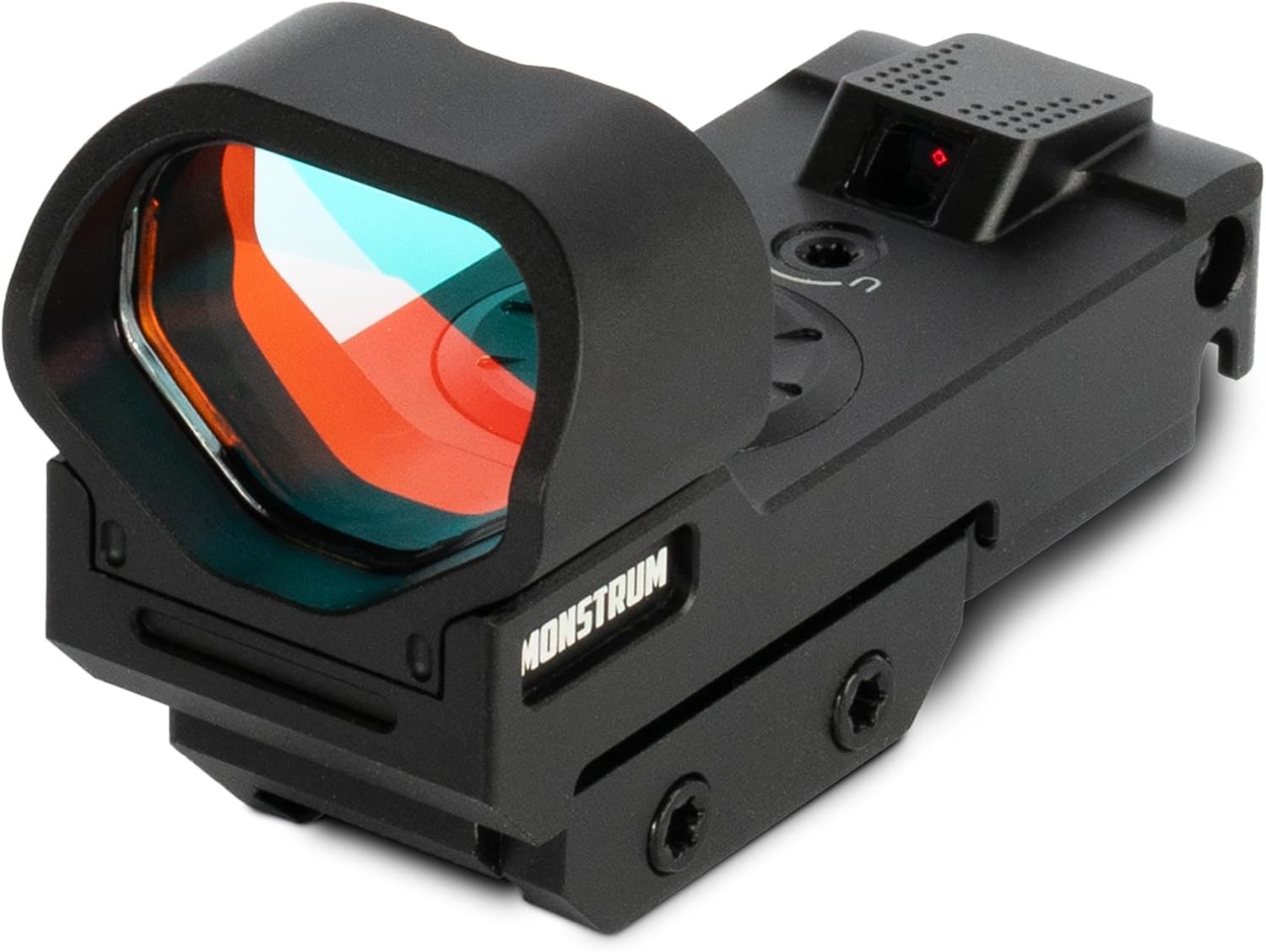
Image: Front view of the Monstrum Ares Open Reflex Red Dot Sight, showing the objective lens and housing.
Package Contents
Verify that all items are present in your package:
- Monstrum Ares Open Reflex Red Dot Sight
- Mounting hardware (screws, wrenches)
- CR2032 Battery
- Cleaning cloth
- Instruction Manual
Setup
1. Battery Installation
The Monstrum Ares sight uses a single CR2032 battery.
- Locate the battery compartment cover on the top of the sight.
- Use a flat-head tool or coin to unscrew the battery cover counter-clockwise.
- Insert the CR2032 battery with the positive (+) side facing upwards.
- Replace the battery cover and tighten it securely clockwise to prevent flickering.

Image: A notice indicating to tighten the battery cover to prevent flickering, showing the battery compartment.

Image: Close-up view of the top-loading battery cover on the Monstrum Ares sight.
2. Mounting the Sight
The Ares Red Dot Sight is designed for picatinny mounting platforms.
- Align the integrated picatinny recoil lugs on the base of the sight with the slots on your rifle's picatinny rail.
- Slide the sight into the desired position on the rail.
- Using the provided wrench, tighten the mounting screws evenly until the sight is securely fastened to the rail. Do not overtighten.

Image: The Monstrum Ares Red Dot Sight shown mounted on a rifle, demonstrating its profile.
Operating Instructions
1. Power On/Off and Illumination Adjustment
The sight features electronically controlled illumination with multiple intensity levels.
- To turn on the reticle, press and hold the "+" button for a few seconds.
- To increase brightness, press the "+" button.
- To decrease brightness, press the "-" button.
- To turn off the reticle, press and hold the "-" button for a few seconds.

Image: View through the Monstrum Ares sight, displaying the crosshair, circle, and dot reticle on target silhouettes.
2. Shake Awake Technology
The Ares Red Dot Sight is equipped with Shake Awake motion sensing technology to conserve battery life.
- Once activated, the illuminated reticle will automatically shut off after approximately one hour of no movement.
- Upon sensing any movement, the reticle will instantly re-activate to its previously set illumination level.
- Shake Awake remains active as long as the reticle is turned on.
- To disable Shake Awake, manually shut off the illumination by pressing and holding the "-" button.

Image: A diagram explaining the functionality of the Shake Awake motion sensing technology, showing the sight activating upon movement.
3. Windage and Elevation Adjustments
Adjustments for windage and elevation are located on the sides and top of the sight.
- Elevation Adjustment: The elevation adjustment dial is typically located on the top of the sight. Turning the dial will move the point of impact up or down. Refer to the markings on the dial for direction.
- Windage Adjustment: The windage adjustment dial is typically located on the side of the sight. Turning the dial will move the point of impact left or right. Refer to the markings on the dial for direction.
Note: Some users have reported that the "Up" marking for elevation adjustment may be reversed. Always verify adjustments by firing test shots and observing the point of impact.
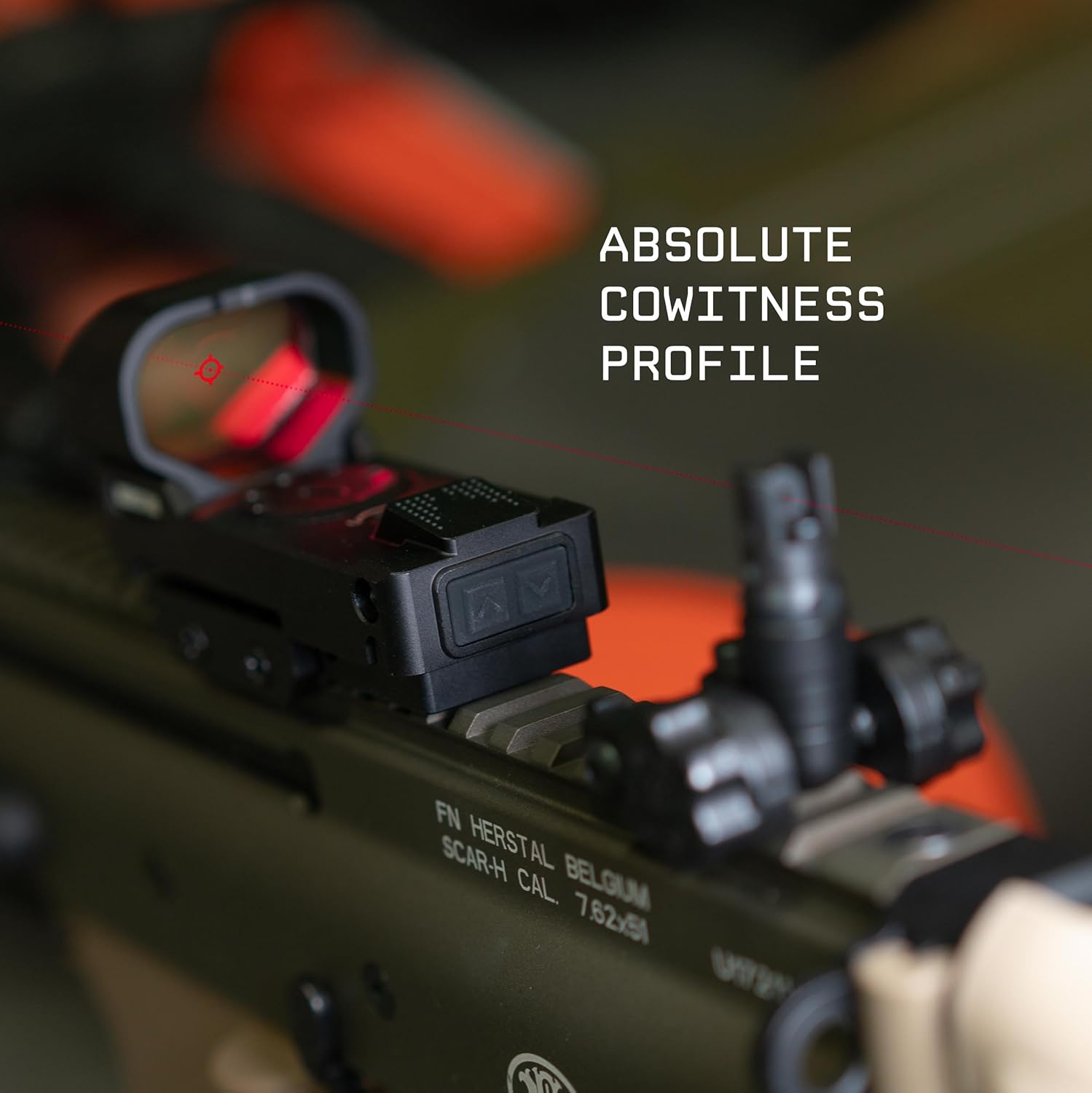
Image: Side view of the Monstrum Ares Red Dot Sight, highlighting the windage adjustment screw with 'L' marking.
Maintenance
Proper maintenance ensures the longevity and performance of your red dot sight.
- Cleaning Lenses: Use the provided cleaning cloth or a soft, lint-free cloth to gently wipe the lenses. For stubborn smudges, use a lens cleaning solution designed for optics. Avoid abrasive materials or harsh chemicals.
- Cleaning Housing: Wipe the exterior housing with a damp cloth. Do not immerse the sight in water.
- Battery Replacement: Replace the CR2032 battery annually or when the reticle illumination dims significantly.
- Storage: Store the sight in a cool, dry place away from direct sunlight and extreme temperatures.
Troubleshooting
| Problem | Possible Cause | Solution |
|---|---|---|
| Reticle does not illuminate | Dead or improperly installed battery | Check battery orientation (+ side up). Replace battery if necessary. Ensure battery cover is tightened securely. |
| Reticle flickers | Loose battery cover | Tighten the battery cover firmly. |
| Reticle appears blurry or distorted | Dirty lens; Astigmatism (user-related) | Clean the lenses with a soft cloth. If blurriness persists, it may be due to individual vision. |
| Point of Impact (POI) shifts | Loose mounting screws; Improper zeroing | Ensure mounting screws are tightened. Re-zero the sight according to standard procedures. |
| Shake Awake not functioning | Reticle manually turned off; Insufficient movement | Ensure the reticle is turned on. Provide a clear movement to activate. |
Specifications
- Model: RD215B
- Reticle Type: Crosshair with 2 MOA Center Dot
- Illumination: Electronically controlled, multiple intensity levels
- Battery: CR2032
- Battery Life: Tens of thousands of hours (with Shake Awake)
- Motion Sensing: Shake Awake Technology
- Mounting Type: Picatinny Mount
- Material: Aluminum
- Weight: 4.16 ounces
- Compatible Devices: Rifles, Long Guns (Not for pistols/handguns)
Warranty and Support
All Monstrum products are backed by a lifetime guarantee. For technical support, warranty claims, or any inquiries, please contact Monstrum customer service. Refer to the official Monstrum website for the most current contact information.
Website: www.monstrumtactical.com