
Introduction
Welcome to the Groovz True Wireless Earbuds user manual. This guide provides detailed instructions for setting up, operating, maintaining, and troubleshooting your new earbuds. Please read this manual carefully to ensure optimal performance and longevity of your device.
The Groovz True Wireless Earbuds (Model GRVZ-CM-LEO) offer high-definition audio, reliable Bluetooth 5.3 connectivity, and a comfortable fit for an enhanced listening experience. Designed with IPx4 water resistance, they are suitable for various activities.
What's in the Box
- Groovz True Wireless Earbuds (Left and Right)
- Charging Case
- USB Charging Cable
- Silicone Ear Tips (Small, Medium, Large)
- User Manual

Image: Contents of the Groovz True Wireless Earbuds package, including the earbuds, charging case, and box.
Product Overview
Earbud Components
- Touch Control Area: For managing music playback, calls, and voice assistant.
- Microphone: Dual microphones for clear call quality.
- Charging Contacts: Connects with the charging case for power.
- Ear Tip: Replaceable silicone tips for a secure and comfortable fit.
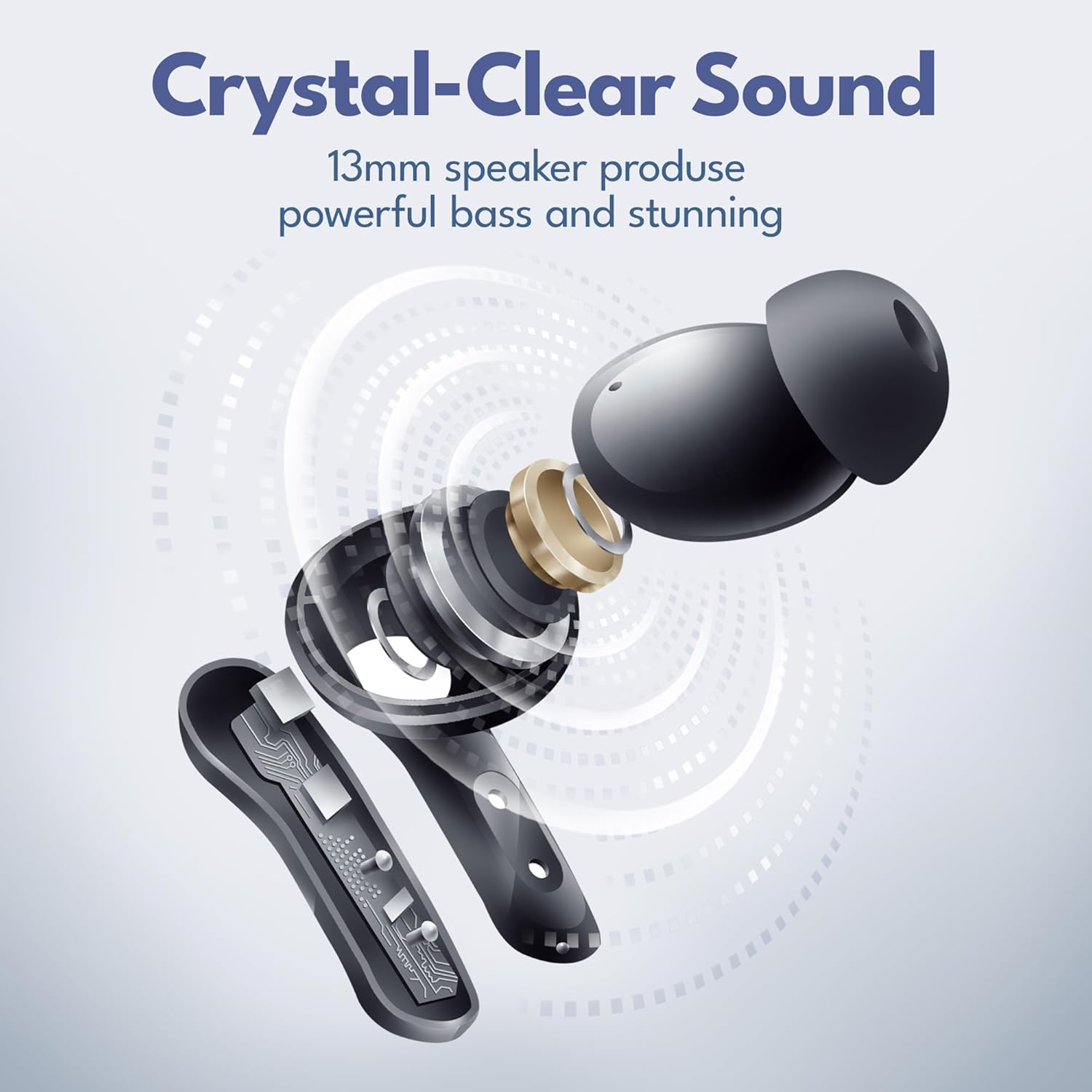
Image: An exploded view of an earbud, illustrating its internal components including the 13mm speaker for powerful bass.
Charging Case Features
- Earbud Slots: Securely holds and charges the earbuds.
- LED Digital Display: Shows the remaining battery percentage of the charging case.
- USB-C Charging Port: For recharging the case.

Image: The Groovz charging case with its digital LED display indicating battery level.
Setup
1. Charging the Earbuds and Case
- Place both earbuds into the charging case. Ensure the charging contacts align.
- Connect the USB charging cable to the charging port on the case and to a power source.
- The LED display on the case will show the charging status. A full charge is indicated by '100' on the display.
A single charge provides approximately 5 hours of earbud playtime. The charging case provides an additional 22 hours, totaling up to 27 hours of combined playtime.

Image: Battery life illustration showing 4 hours on a single charge and 22 hours with the charging case.
2. Pairing with Your Device
- Open the charging case. The earbuds will automatically enter pairing mode.
- On your smartphone or Bluetooth-enabled device, go to the Bluetooth settings.
- Select "Groovz Earbuds" from the list of available devices.
- Once connected, you will hear a confirmation tone, and the earbuds will be ready for use.
The earbuds feature Bluetooth 5.3 for quick and stable connections with both Apple and Android devices.
Operating Instructions
Touch Controls
The Groovz earbuds utilize intuitive touch controls on the outer surface of each earbud.
| Action | Function |
|---|---|
| Single Tap (Left/Right) | Play/Pause Music, Answer/End Call |
| Double Tap (Right) | Next Track |
| Double Tap (Left) | Previous Track |
| Triple Tap (Left/Right) | Activate Voice Assistant |
| Press and Hold (2 seconds) | Reject Incoming Call |
Making and Receiving Calls
The dual microphones with advanced noise reduction ensure clear conversations even in noisy environments.
- Answering a Call: Single tap either earbud.
- Ending a Call: Single tap either earbud.
- Rejecting a Call: Press and hold either earbud for 2 seconds.

Image: Illustration of AI-enhanced calls using the dual microphones.
Maintenance
Cleaning
- Regularly clean the earbuds and charging case with a soft, dry, lint-free cloth.
- Do not use abrasive cleaners, alcohol, or chemical solvents.
- Gently clean the ear tips and charging contacts to prevent debris buildup.
Water Resistance
The earbuds are IPx4 water resistant, meaning they are protected against splashing water from any direction. They are suitable for workouts and light rain but should not be submerged in water.
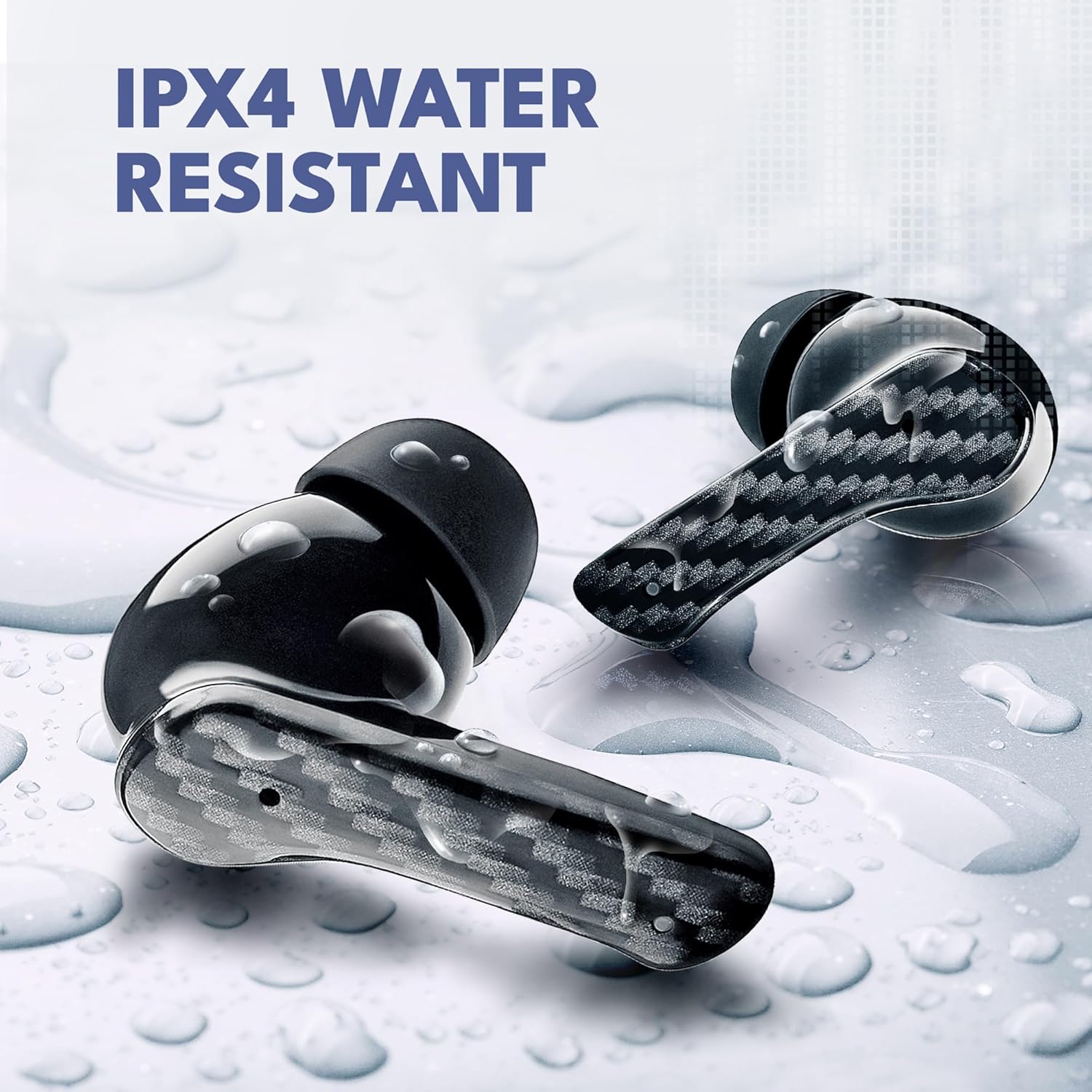
Image: Earbuds shown with water droplets, highlighting their IPX4 water resistance.
Storage
When not in use, store the earbuds in their charging case to protect them and keep them charged. Store in a cool, dry place away from extreme temperatures.
Troubleshooting
| Problem | Possible Solution |
|---|---|
| Earbuds not pairing | Ensure earbuds are charged. Turn off and on Bluetooth on your device. Forget "Groovz Earbuds" in your device's Bluetooth settings and re-pair. |
| Only one earbud working | Place both earbuds back in the case, close the lid, then open again. Ensure both are charged. |
| Low volume or poor sound quality | Adjust volume on your device. Ensure ear tips are correctly sized and sealed in your ear. Clean earbud speakers and ear tips. |
| Charging case not charging | Try a different USB cable and power adapter. Ensure the charging cable is securely connected. |
| Touch controls unresponsive | Ensure your fingers are clean and dry. Restart the earbuds by placing them in the case and taking them out. |
Specifications
- Model Name: GRVZ-CM-LEO
- Connectivity: Wireless (Bluetooth 5.3)
- Compatible Devices: Smartphones (iOS & Android)
- Battery Life: 5 hours (earbuds), up to 27 hours total with charging case
- Water Resistance: IPx4
- Control Method: Touch
- Audio Driver Type: Dynamic Driver
- Frequency Range: 20 Hz - 20,000 Hz
- Microphones: Dual with Noise Reduction
- Item Weight: 5 ounces
- UPC: 850060701139
Warranty and Support
Warranty Information
Groovz True Wireless Earbuds are covered by a 1-Year Limited Warranty from the date of purchase. This warranty covers manufacturing defects and workmanship. It does not cover damage caused by misuse, accidents, unauthorized modifications, or normal wear and tear.
Image: Product packaging indicating a 1-year warranty.
Customer Support
For technical assistance, warranty claims, or further inquiries, please visit the official Groovz website or contact our customer support team. Refer to your purchase documentation for specific contact details.
You can also visit the Groovz Store on Amazon for more product information and support resources.


