
Introduction
Welcome to the Groovz True Wireless Earbuds user manual. These earbuds are designed to provide a high-quality audio experience with convenience and style. This manual will guide you through the setup, operation, and maintenance of your new earbuds.
What's in the Box
- Groovz True Wireless Earbuds (Left and Right)
- Wireless Charging Case
- USB-C Charging Cable
- Ear Tips (Small, Medium, Large)
- User Manual
Product Overview
The Groovz True Wireless Earbuds offer a blend of advanced technology and user-friendly design. Key features include:
- Bluetooth 5.3 Connectivity: Ensures stable and efficient wireless connection.
- High-Definition Audio: Delivers clear and rich sound quality.
- Dual Microphones with Noise Reduction: Provides clear call quality in various environments.
- LED Battery Display: Allows real-time monitoring of the charging case battery level.
- IPx4 Water Resistance: Protects against splashes and sweat, suitable for active use.
- Smart Touch Controls: Manage music playback and calls directly from the earbuds.

Image: Groovz True Wireless Earbuds and their charging case, showcasing the white marble design.

Image: A close-up view of the Groovz charging case, highlighting the LED display that shows the battery percentage.
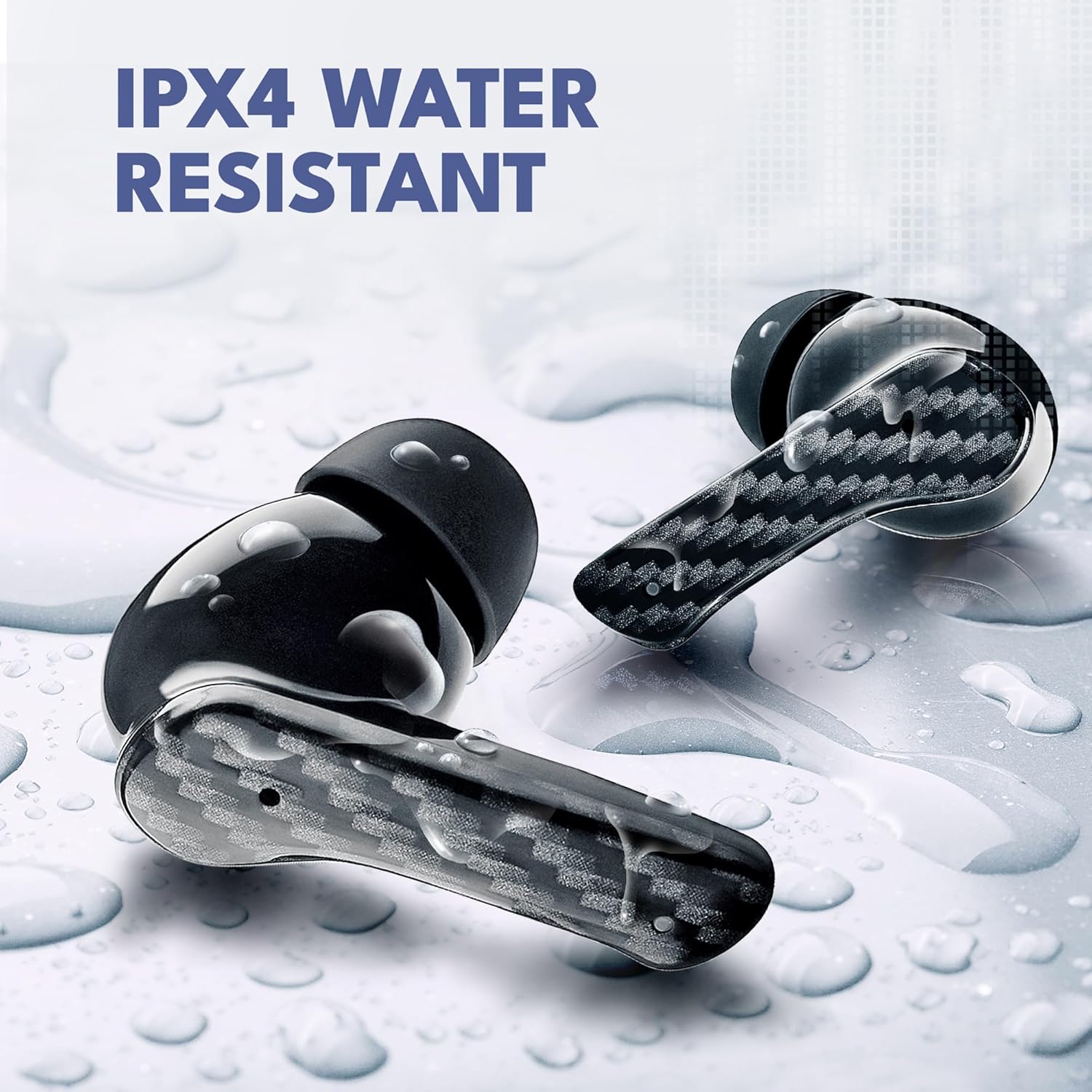
Image: Groovz earbuds with water droplets on them, demonstrating their IPX4 water-resistant feature.
Setup
1. Charging the Earbuds and Case
Before first use, fully charge the earbuds and charging case.
- Place the earbuds into the charging case. Ensure they are correctly seated.
- Connect the USB-C charging cable to the charging port on the case and to a power source.
- The LED display on the case will show the current battery percentage. A full charge is indicated by 100%.
- Charging time for the case is approximately 22 hours for a full charge, providing up to 27 hours of total playtime with the earbuds (5 hours per earbud charge).

Image: The Groovz charging case and earbuds, illustrating the battery life and charging capabilities.
2. Pairing with Your Device
The earbuds support Bluetooth 5.3 for quick and stable pairing.
- Open the charging case. The earbuds will automatically enter pairing mode.
- On your smartphone or Bluetooth-enabled device (compatible with Apple & Android), go to the Bluetooth settings.
- Select "Groovz" from the list of available devices.
- Once connected, you will hear an audio prompt, and the earbuds will be ready for use.
Video: Demonstrates the pairing process of Groovz True Wireless Earbuds with a smartphone.
3. Fitting the Earbuds
For optimal sound quality and comfort, choose the correct ear tip size.
- The Groovz earbuds come with three sizes of ear tips (S, M, L).
- Try each size to find the one that provides a snug and comfortable fit in your ear canal. A good seal enhances bass response and noise isolation.
- Gently insert the earbud into your ear and twist slightly until it feels secure.
Operating Instructions
Smart Touch Controls
The Groovz earbuds feature intuitive touch controls on each earbud:
- Play/Pause: Single tap on either earbud.
- Next Track: Double tap on the right earbud.
- Previous Track: Double tap on the left earbud.
- Answer/End Call: Single tap on either earbud.
- Reject Call: Press and hold either earbud for 2 seconds.
- Activate Voice Assistant (Siri/Google Assistant): Triple tap on either earbud.
Voice Assistant
Your Groovz earbuds are compatible with your device's native voice assistant (Siri for Apple, Google Assistant for Android). Triple tap either earbud to activate the voice assistant and issue commands.
Maintenance
To ensure the longevity and optimal performance of your Groovz True Wireless Earbuds, follow these maintenance guidelines:
- Cleaning: Regularly clean the earbuds and charging case with a soft, dry, lint-free cloth. Do not use harsh chemicals or abrasive materials.
- Ear Tips: Remove ear tips and clean them with mild soap and water if necessary. Ensure they are completely dry before reattaching.
- Charging Contacts: Keep the charging contacts on both the earbuds and inside the case clean and free of debris to ensure proper charging.
- Storage: When not in use, store the earbuds in their charging case to protect them and keep them charged.
- Water Resistance: While IPx4 water-resistant, avoid submerging the earbuds in water or exposing them to heavy rain. Dry them thoroughly if they get wet.
Troubleshooting
| Problem | Solution |
|---|---|
| Earbuds not pairing | Ensure earbuds are charged. Turn off and on your device's Bluetooth. Place earbuds back in case, close, then reopen to re-enter pairing mode. |
| Only one earbud working | Place both earbuds back in the charging case, close the lid, wait a few seconds, then open the lid and try pairing again. Ensure both earbuds are charged. |
| Poor sound quality | Check ear tip fit for a secure seal. Clean ear tips and earbud mesh. Ensure your device's volume is adequate. |
| Charging case not charging | Verify the USB-C cable is securely connected to both the case and the power source. Try a different cable or power adapter. Clean the charging port. |
| Touch controls unresponsive | Ensure your fingers are clean and dry. Restart the earbuds by placing them in the case and taking them out again. |
Specifications
| Feature | Detail |
|---|---|
| Model Name | GRVZ-CM-WMAR |
| Item Model Number | RM |
| Connectivity Technology | Wireless (Bluetooth) |
| Bluetooth Version | 5.3 |
| Water Resistance Level | IPx4 Water Resistant |
| Battery Life (Earbuds) | Up to 5 hours |
| Battery Life (with Charging Case) | Up to 27 hours (22 hours from case) |
| Charging Time (Case) | 22 Hours (for full case charge) |
| Control Method | Touch |
| Noise Control Features | Noise Cancellation |
| Included Components | Wireless Charging Case |
| Material | Plastic |
| Item Weight | 5 ounces |
| Color | White Marble |
Warranty and Support
Groovz products are designed and engineered in the USA with a focus on quality and customer satisfaction. For specific warranty information, please refer to the documentation included with your purchase or visit the official Groovz store.
For further assistance, troubleshooting, or to explore other Groovz products, please visit the Groovz Store on Amazon.


