Introduction
This manual provides instructions for the Nine West Women's Mesh Bracelet Watch, model NW/3176RGRG. Please read these instructions carefully before using your watch to ensure proper operation and care.
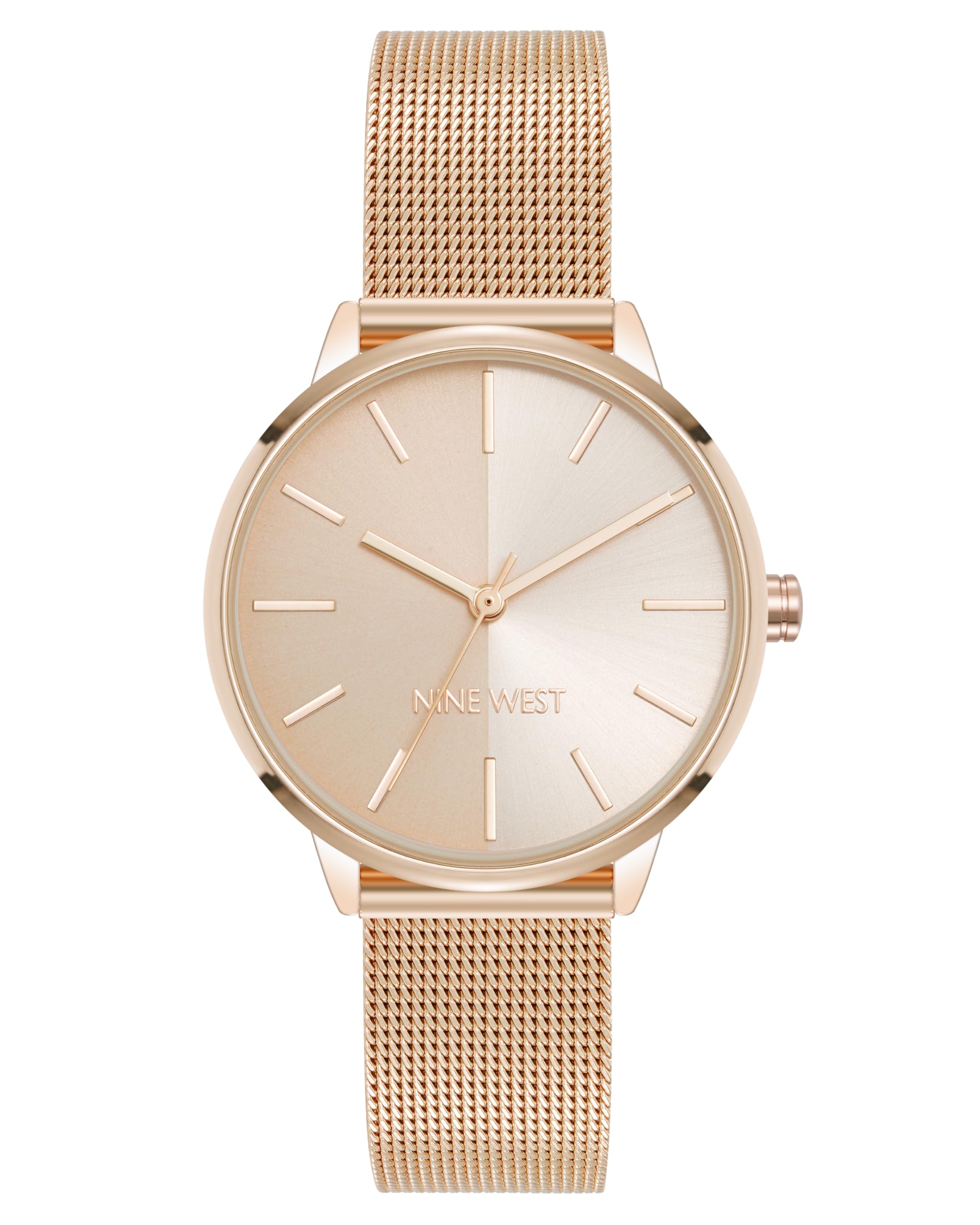
Image: Front view of the Nine West Women's Mesh Bracelet Watch in Rose Gold, showcasing its elegant design and mesh band.
Package Contents
Verify that all items are present in the package:
- Nine West Women's Mesh Bracelet Watch (Model NW/3176RGRG)
- Instruction Manual (this document)
- Watch Box

Image: The Nine West Women's Mesh Bracelet Watch presented inside its white box, ready for unboxing.
Setup and Initial Adjustment
Adjusting the Mesh Bracelet
The mesh bracelet features an adjustable sliding buckle closure. Proper adjustment ensures comfort and prevents the watch from slipping.
- Locate the Clasp: Identify the sliding buckle clasp on the mesh bracelet.
- Open the Locking Mechanism: Use a small, flat tool (like a small screwdriver or a sturdy paperclip) to gently lift the locking plate on the clasp. This plate secures the buckle in place.
- Slide to Adjust: Once the locking plate is open, slide the buckle along the mesh band to achieve the desired fit on your wrist.
- Secure the Clasp: Press the locking plate back down firmly until it clicks into place. Ensure it is fully closed to prevent accidental opening.

Image: Rear view of the watch, highlighting the adjustable mesh bracelet and its sliding buckle clasp mechanism.
Operating Instructions
Setting the Time
To set the correct time on your Nine West watch:
- Pull out the Crown: Gently pull the crown (the small knob on the side of the watch case) outwards to the time-setting position.
- Adjust the Time: Rotate the crown clockwise or counter-clockwise to move the hour and minute hands to the desired time.
- Push in the Crown: Once the time is set, push the crown back into its original position. This will start the watch movement.

Image: Side view of the watch, illustrating the position of the crown used for setting the time.
Maintenance
Cleaning Your Watch
To maintain the appearance of your watch:
- Wipe the watch case and crystal with a soft, dry cloth.
- For the mesh bracelet, a slightly damp cloth can be used, followed by immediate drying.
- Avoid using harsh chemicals or abrasive materials, as these can damage the finish.
Battery Replacement
When the watch stops running, the battery may need replacement. This should be performed by a qualified watch technician to prevent damage to the watch movement and maintain its integrity.
Water Resistance
Important: This watch is NOT water resistant. Avoid all contact with water, including showering, swimming, or exposure to rain. Water damage is not covered under warranty.
Troubleshooting
| Problem | Possible Cause | Solution |
|---|---|---|
| Watch not running | Battery depleted; Crown not pushed in | Replace battery (professional service recommended); Push crown fully into position. |
| Time is inaccurate | Crown accidentally pulled out; Watch exposed to strong magnetic fields | Ensure crown is fully pushed in; Keep watch away from strong magnets. |
| Bracelet feels loose/tight | Improper band adjustment | Refer to "Adjusting the Mesh Bracelet" section for proper adjustment. |
Specifications
- Model Number: NW/3176RGRG
- Movement: Quartz
- Lens Material: Mineral Crystal
- Dial Finish: Rose gold split dial (half matte, half sunray)
- Bracelet Material: Rose gold-tone mesh
- Clasp Type: Adjustable sliding buckle closure
- Water Resistance: Not water resistant
- Package Dimensions: 4.41 x 3.15 x 2.83 inches
- Item Weight: 6.56 ounces
- Manufacturer: Nine West
Warranty and Support
Nine West watches are manufactured to high-quality standards. For warranty information or technical support, please refer to the official Nine West website or contact their customer service department. Keep your purchase receipt as proof of purchase.
For further assistance, you may visit the Nine West Store on Amazon.


