
Introduction
Thank you for choosing the Care Bears Wireless LED Headphones. These headphones are designed to provide a fun and engaging audio experience with wireless Bluetooth connectivity, light-up ears, and comfortable wear. This manual provides essential information for setup, operation, maintenance, and troubleshooting to ensure optimal use of your headphones.
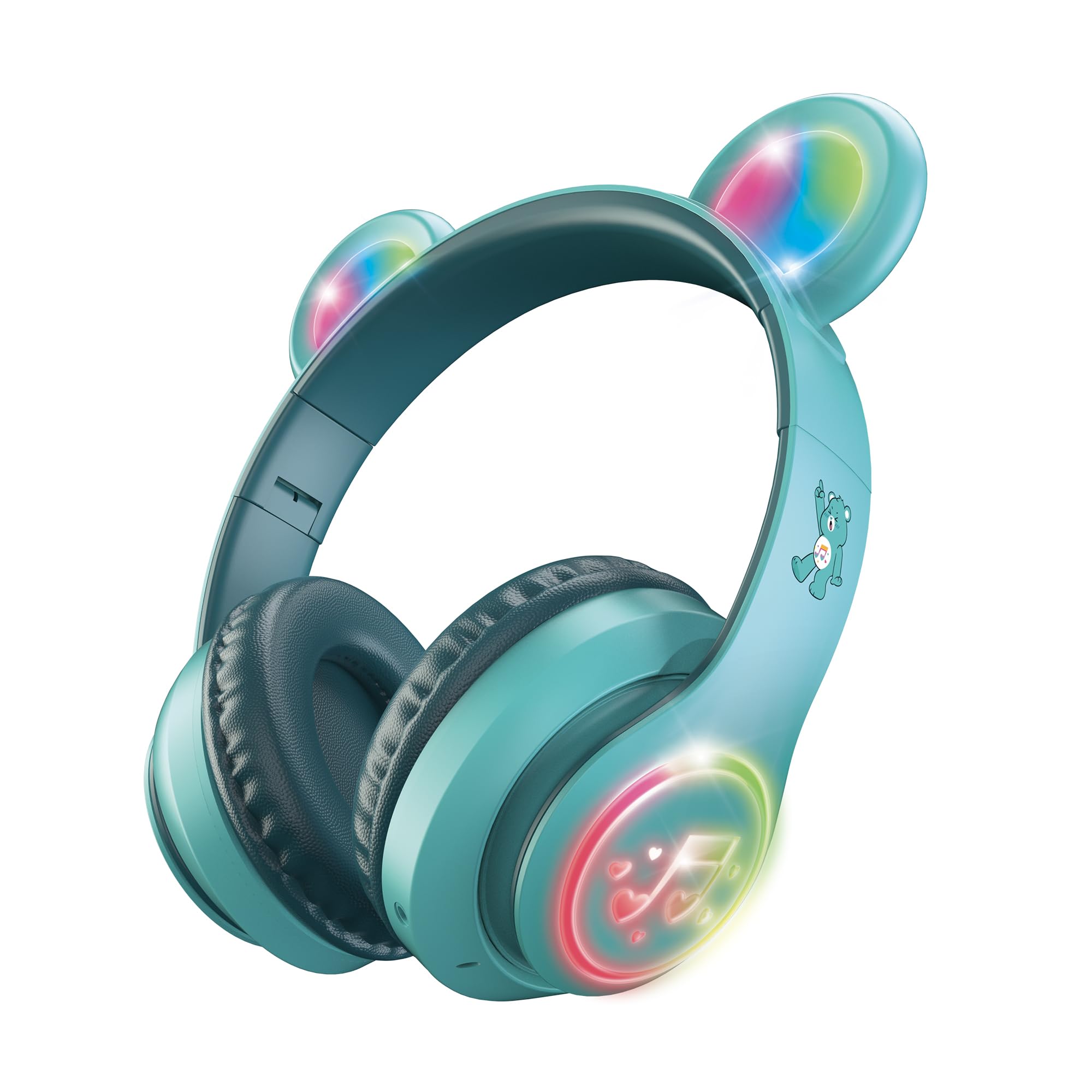
Image: Front view of the turquoise Care Bears Wireless LED Headphones, showcasing the earcups and adjustable headband.
Setup
1. Charging the Headphones
Before first use, fully charge the headphones. Connect the provided charging cable to the charging port on the headphones and to a USB power source (e.g., computer, wall adapter). The LED indicator will show charging status and turn off or change color when fully charged. A full charge provides up to 8 hours of continuous use.
2. Adjusting the Headband
The headband is adjustable to ensure a comfortable fit. Gently slide the earcups up or down along the headband until they rest comfortably over your ears.

Image: The Care Bears Wireless LED Headphones with the headband extended, demonstrating its adjustable feature for a comfortable fit.
3. Bluetooth Pairing
- Power On: Press and hold the Power button on the headphones until the LED indicator flashes, indicating pairing mode.
- Activate Bluetooth: On your device (smartphone, tablet, computer), go to the Bluetooth settings and ensure Bluetooth is enabled.
- Select Device: Look for "Care Bears Headphones" or a similar name in the list of available devices and select it to connect.
- Confirmation: Once successfully paired, the LED indicator on the headphones will stop flashing or show a solid light, and you may hear an audible confirmation.
Operating Instructions
1. Power On/Off
- To Power On: Press and hold the Power button until the LED indicator lights up.
- To Power Off: Press and hold the Power button until the LED indicator turns off.
2. Light-Up Ears and Earcups
The headphones feature multicolor LED lights on the ears and earcups. These lights activate automatically when the headphones are powered on. There may be a dedicated button to cycle through light modes or turn them off, refer to the controls section.

Image: Angled view of the turquoise Care Bears Wireless LED Headphones, showing the vibrant multicolor LED lights illuminated on both the bear ears and the earcups.
3. On-Ear Control Panel
The headphones are equipped with an on-ear control panel for easy management of audio and calls. Specific button functions are typically located on one of the earcups.
- Play/Pause: Press the Play/Pause button once to play or pause audio.
- Volume Up/Next Track: Press the Volume Up button briefly to increase volume. Press and hold to skip to the next track.
- Volume Down/Previous Track: Press the Volume Down button briefly to decrease volume. Press and hold to go to the previous track.
- Answer/End Call: Press the Play/Pause button once to answer an incoming call or end an ongoing call.
- Reject Call: Press and hold the Play/Pause button to reject an incoming call.

Image: Side view of the turquoise Care Bears Wireless LED Headphones, highlighting the on-ear control buttons and the Care Bear character graphic on the headband.
4. Hands-Free Calls
When connected to a smartphone, you can make and receive calls directly through the headphones using the built-in microphone and on-ear controls.
Video Demonstration of Controls
Video: A demonstration showing how to use the power, play/pause, and track control buttons on the Care Bears Wireless LED Headphones.
Maintenance
- Cleaning: Use a soft, dry cloth to clean the headphones. Do not use abrasive cleaners or solvents.
- Storage: Store the headphones in a cool, dry place away from direct sunlight and extreme temperatures.
- Water Exposure: These headphones are not waterproof. Avoid exposure to water or excessive moisture.
Troubleshooting
| Problem | Solution |
|---|---|
| Headphones do not power on. | Ensure the headphones are fully charged. Connect to a power source and allow time to charge. |
| Cannot pair with a device. |
|
| No sound or low volume. |
|
| LED lights are not working. | Ensure the headphones are powered on. Check if there's a dedicated button to activate/deactivate the lights. |
Specifications
- Brand: Care Bears
- Model Number: CBHPLEDLS101-MFN
- Connectivity: Bluetooth Wireless
- Bluetooth Range: Up to 33 feet (10 meters)
- Battery Life: Up to 8 hours (continuous use)
- Ear Placement: On Ear
- Features: Light-Up Ears and Earcups (Multicolor LED), Adjustable Headband, Hands-Free Calls, On-Ear Control Panel
- Material: Plastic (Outer Shell), Fabric (Headband and Ear Cups)
- Age Range: Kid
Warranty Information
These Care Bears Wireless LED Headphones come with a 30 Day Limited Warranty from the date of purchase. This warranty covers manufacturing defects under normal use. It does not cover damage caused by misuse, accidents, unauthorized modifications, or normal wear and tear. Please retain your proof of purchase for warranty claims.
Customer Support
For further assistance, technical support, or warranty inquiries, please refer to the contact information provided with your product packaging or visit the official Care Bears product support website. Ensure you have your model number (CBHPLEDLS101-MFN) and proof of purchase ready when contacting support.
You can also visit the Care Bears Store on Amazon for more product information.