Introduction
Thank you for purchasing the PRUNUS J-618BTE Portable Radio. This versatile device combines AM/FM radio functionality with Bluetooth earphone connectivity, Bluetooth speaker capabilities, and an MP3 player. Featuring a long-lasting 2000mAh rechargeable battery and a convenient sleep timer, it is designed for portable and enjoyable listening experiences. This manual provides detailed instructions for setup, operation, maintenance, and troubleshooting to ensure optimal use of your new radio.
What's in the Box
- PRUNUS J-618BTE Radio
- USB-C Charging Cable
- Lanyard
- Owner's Manual (this document)
Product Overview
Familiarize yourself with the various components of your PRUNUS J-618BTE Portable Radio.

Image: Front view of the PRUNUS J-618BTE Portable Radio, showing the LCD display, control buttons, and speaker grille. The display shows "90.50 MHz" and battery level.
Controls and Ports:
- LCD Display: Shows frequency, battery level, and mode.
- Power/Mode Button: Turns the radio on/off and switches between FM/AM/Bluetooth/MP3 modes.
- Volume Up/Down Buttons: Adjusts audio volume.
- Scan Button: Automatically scans and saves radio stations.
- M+/M- Buttons: Navigates through preset stations or tracks.
- Play/Pause Button: Controls playback in MP3/Bluetooth modes.
- Sleep Timer Button: Activates and sets the sleep timer.
- USB-C Charging Port: For charging the internal battery.
- TF Card Slot: For inserting a Micro SD card for MP3 playback.
- 3.5mm Headphone Jack: For wired headphone connection.
- Telescopic Antenna: For improved FM reception.
Setup
Charging the Battery
The PRUNUS J-618BTE comes with a built-in 2000mAh rechargeable lithium battery. Before first use, it is recommended to fully charge the device.
- Connect the included USB-C charging cable to the USB-C port on the radio.
- Connect the other end of the cable to a standard USB power adapter (not included) or a computer's USB port.
- The battery indicator on the LCD display will show charging status. It will indicate full charge when complete.
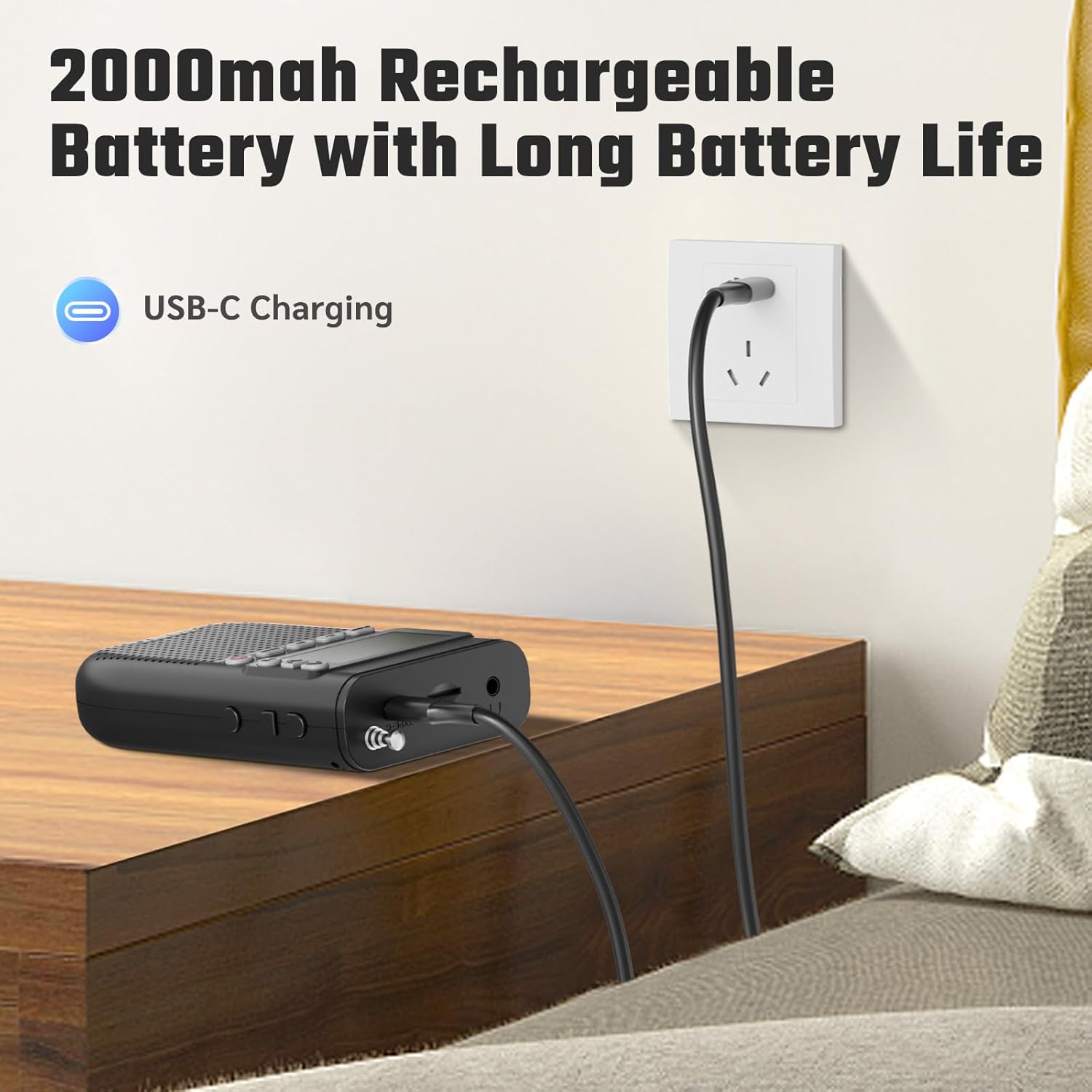
Image: The PRUNUS J-618BTE radio connected to a wall charger via a USB-C cable, illustrating the charging process.
Inserting a TF Card (Micro SD Card)
To use the MP3 player function, insert a TF card (Micro SD card) loaded with audio files.
- Locate the TF card slot on the side of the radio.
- Gently insert the TF card with the metal contacts facing down until it clicks into place.
- To remove, push the card inward until it springs out.
Operating Instructions
Power On/Off and Mode Selection
- Power On: Press and hold the Power/Mode button.
- Power Off: Press and hold the Power/Mode button again.
- Change Mode: Short press the Power/Mode button to cycle through FM, AM, Bluetooth, and TF Card (MP3) modes.
Radio Operation (AM/FM)
- Ensure the radio is in FM or AM mode. Extend the telescopic antenna for better reception.
- Automatic Scan: Press the SCAN button to automatically scan and save available stations. The radio can store up to 99 stations.
- Manual Tuning: Use the M+ and M- buttons to manually tune to specific frequencies or navigate through saved presets.
Bluetooth Headphone Connection
This radio can connect to Bluetooth headphones for private listening.
- Switch the radio to Bluetooth mode. The display will show "BT" and the Bluetooth icon will flash, indicating it's in pairing mode.
- Put your Bluetooth headphones into pairing mode (refer to your headphone's manual).
- The radio will automatically search for and connect to nearby Bluetooth headphones. Once connected, the Bluetooth icon on the radio's display will stop flashing.
- You can now listen to AM/FM radio, TF card music, or audio from a connected phone (via Bluetooth speaker function) through your headphones.

Image: An illustration showing two individuals enjoying audio from the PRUNUS J-618BTE radio through wireless Bluetooth headphones, highlighting the wireless listening capability.
Bluetooth Speaker Function
The radio can also act as a Bluetooth speaker for your smartphone or other Bluetooth-enabled devices.
- Switch the radio to Bluetooth mode. The display will show "BT" and the Bluetooth icon will flash.
- On your smartphone or device, enable Bluetooth and search for "J-618BTE" in the list of available devices.
- Select "J-618BTE" to pair. Once connected, the Bluetooth icon on the radio's display will stop flashing.
- You can now play audio from your device through the radio's speaker.

Image: The PRUNUS J-618BTE radio on a table, wirelessly connected to a smartphone via Bluetooth, demonstrating its use as a Bluetooth speaker and MP3 player with a TF card.
MP3 Player (TF Card)
If a TF card with audio files is inserted, the radio will automatically switch to MP3 mode or you can select it via the Mode button.
- Play/Pause: Press the Play/Pause button to start or pause playback.
- Next/Previous Track: Use the M+ and M- buttons to skip tracks.
- The radio supports single-song repeat, playlist looping, and shuffle play.
Sleep Timer Function
The sleep timer allows the radio to automatically turn off after a set period.
- Press the SLEEP button.
- Repeatedly press the SLEEP button to cycle through available timer settings: 90, 60, 45, 30, 15, or 10 minutes.
- The radio will automatically power off after the selected time.

Image: The PRUNUS J-618BTE radio on a bedside table, with an overlay illustrating the sleep timer options (10, 15, 30, 45, 60, 90 minutes) and a person sleeping peacefully.
Using the 3.5mm Headphone Jack
For wired private listening, connect any standard 3.5mm headphones (not included) to the headphone jack on the radio.
Maintenance
- Keep the radio dry. Avoid exposure to water or high humidity.
- Clean the radio with a soft, dry cloth. Do not use abrasive cleaners or solvents.
- Avoid dropping the radio or subjecting it to strong impacts.
- Store the radio in a cool, dry place when not in use for extended periods.
Troubleshooting
| Problem | Possible Cause | Solution |
|---|---|---|
| Radio does not turn on. | Low battery. | Charge the radio fully using the USB-C cable. |
| Poor radio reception (AM/FM). | Weak signal; antenna not extended. | Fully extend the telescopic antenna. Try repositioning the radio for better signal. Perform an auto-scan. |
| Cannot connect Bluetooth headphones/speaker. | Radio not in pairing mode; headphones/speaker not in pairing mode; too far apart. | Ensure radio is in Bluetooth mode and flashing "BT". Put headphones/speaker in pairing mode. Keep devices within 10 meters (33 feet). Turn off and on both devices. |
| TF card not playing. | Card not inserted correctly; unsupported file format; no audio files. | Reinsert the TF card. Ensure audio files are in a supported format (e.g., MP3). Verify files are present on the card. |
| Sound distortion or low volume. | Volume too low; poor signal; speaker obstruction. | Adjust volume. Improve radio reception. Ensure speaker grille is not blocked. |
Specifications
| Feature | Detail |
|---|---|
| Brand | PRUNUS |
| Model | J-618BTE |
| Product Dimensions | 6.8 x 2.6 x 11.6 cm |
| Item Weight | 145 g |
| Battery | 2000mAh Rechargeable Lithium Ion |
| Charging Interface | USB Type C |
| Tuner Technology | FM (87-108MHz), AM (520-1710KHz) |
| Speaker Output Power | 5 Watts |
| Connectivity | Bluetooth, 3.5mm Headphone Jack, TF Card Slot |
| Special Features | Sleep Timer, Preset Function (up to 99 stations), Bluetooth Headset Connectivity, Bluetooth Speaker Function, Micro SD Card Shuffle Play |
| Display Type | LCD |
| Material | Plastics |
| Country of Origin | China |
Warranty and Support
For any pre-sale queries, post-purchase quality issues, or return/exchange related concerns, please feel free to contact us:
Email: prunus-in@hotmail.com
Please provide your product model (J-618BTE) and a detailed description of your issue when contacting support.