Introduction
Thank you for choosing the VIANIS Motion Sensor Outdoor Post Light. This fixture is designed to provide reliable and energy-efficient outdoor lighting with advanced motion detection and dusk-to-dawn capabilities. Please read this manual thoroughly before installation and use to ensure proper operation and safety.
Important Safety Information
WARNING: Risk of electric shock. Disconnect power at the fuse or circuit breaker before installing or servicing. All electrical connections must be in accordance with local and National Electrical Code (NEC) standards. If you are unfamiliar with proper electrical wiring connections, consult a qualified electrician.
- Do not install near combustible materials.
- Ensure the fixture is securely mounted.
- Do not exceed the maximum wattage specified for the bulb.
- This product is designed for outdoor use and is weather-resistant. However, avoid submerging it in water.
- Keep children away from the installation area.
Package Contents
Verify that all components are present before beginning installation.
- VIANIS Motion Sensor Outdoor Post Light Fixture
- Pier Mount Base
- Mounting Hardware (screws, wire nuts)
- Instruction Manual
- Note: E26 bulb is not included.
Setup & Installation
This fixture is hardwired and requires a 120V AC power source. It is not solar-powered. Installation should be performed by a qualified individual if you are unsure about electrical wiring.
Mounting Options
The VIANIS Motion Sensor Outdoor Post Light offers two primary mounting methods:
- Pier Mount: The included pier mount base allows for installation on flat surfaces such as pillars or columns.
- Post Mount: The fixture can also be mounted on top of a standard 3-inch outer diameter light pole.
Installation Steps (General Guide)
- 1. Disconnect Power: Turn off power at the circuit breaker before starting.
- 2. Prepare Mounting Surface: Ensure the mounting surface is clean, dry, and structurally sound.
- 3. Attach Mounting Bracket/Base: Secure the pier mount base or the fixture directly to the 3-inch pole using the provided hardware.
- 4. Wire Connections: Connect the fixture's wires to your household wiring (Black to Black, White to White, Ground to Ground) using wire nuts. Ensure all connections are secure.
- 5. Secure Fixture: Attach the light fixture to the mounting bracket/base.
- 6. Install Bulb: Screw in an E26 base bulb (max 100W) into the socket. (Bulb not included).
- 7. Restore Power: Turn power back on at the circuit breaker.

Image: The VIANIS outdoor post light is hardwired for reliable 120V AC power, not solar-powered. This image illustrates the fixture's design, emphasizing its electrical connection requirement.
Operating Instructions
The VIANIS Motion Sensor Outdoor Post Light features intelligent motion detection and dusk-to-dawn sensors for automated operation.
Dusk-to-Dawn Sensor
The built-in photocell sensor automatically controls the light based on ambient brightness:
- Auto-Off (Daytime): The light will automatically turn off when ambient brightness exceeds 100 lux.
- Auto-On (Nighttime): The light will automatically turn on when ambient brightness falls below 20 lux.
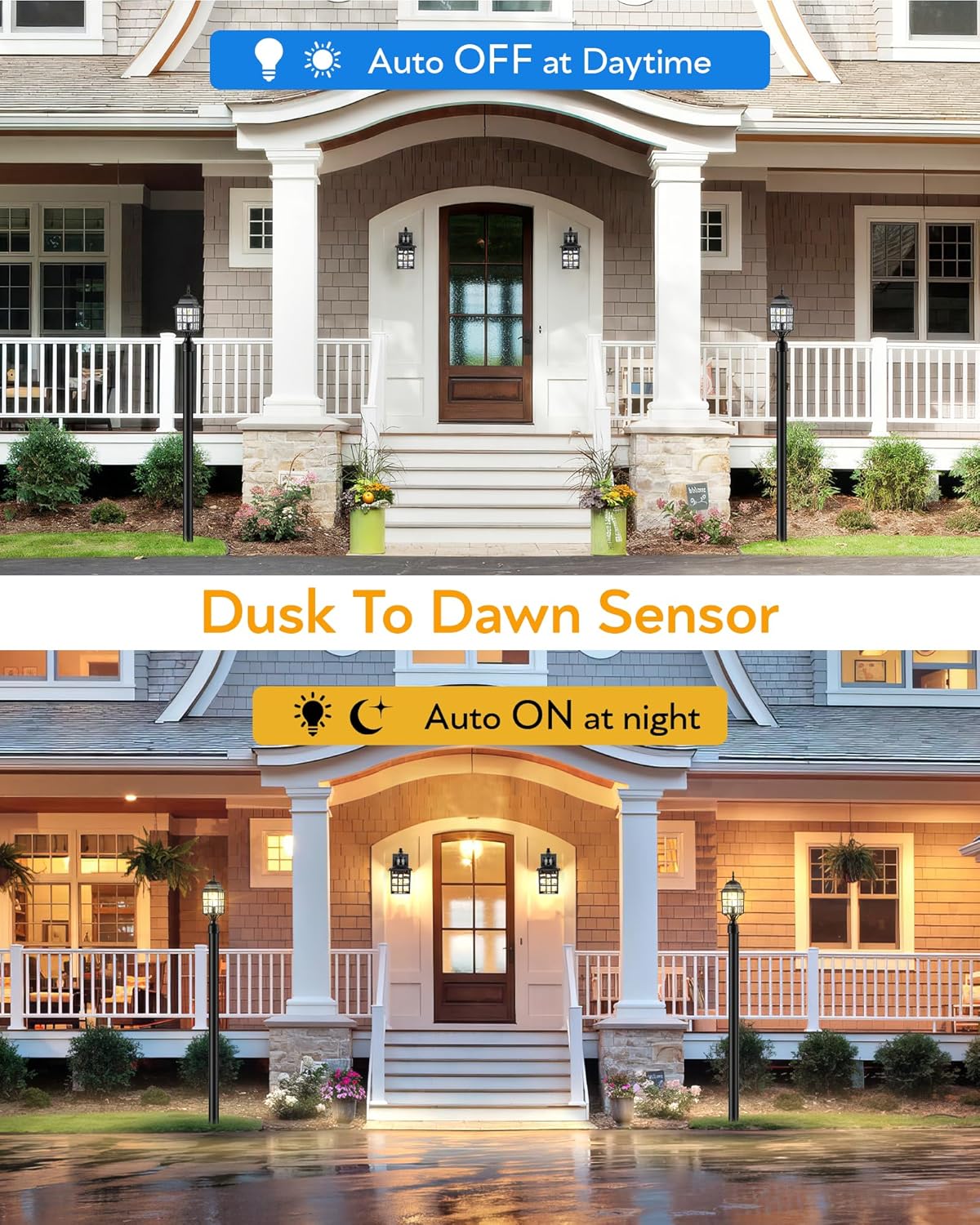
Image: Illustration of the dusk-to-dawn sensor functionality, showing the light automatically turning off during the day and on at night.
Motion Sensor Modes
The fixture offers two standby modes, which can be switched with a single button press. The light will remember your last setting.

Image: Diagram showing the "One-click Mode Switching" button and the two available modes: DIM Mode and ECO+ Mode.
- DIM Mode:
- At sunset, the light enters standby at 30% brightness.
- When motion is detected, the light activates to 100% brightness.
- After motion ceases, the light reverts to 30% brightness.
- ECO+ Mode:
- At sunset, the light remains off (full off standby).
- When motion is detected, the light activates to 100% brightness.
- After motion ceases, the light reverts to full off.
In both modes, the light will automatically turn off during the dawn hours.
Motion Sensor Detection Range
The advanced PIR motion sensor provides a super wide range for detection:
- Detection Distance: Up to 40 feet.
- Detection Angle: 220 degrees wide.
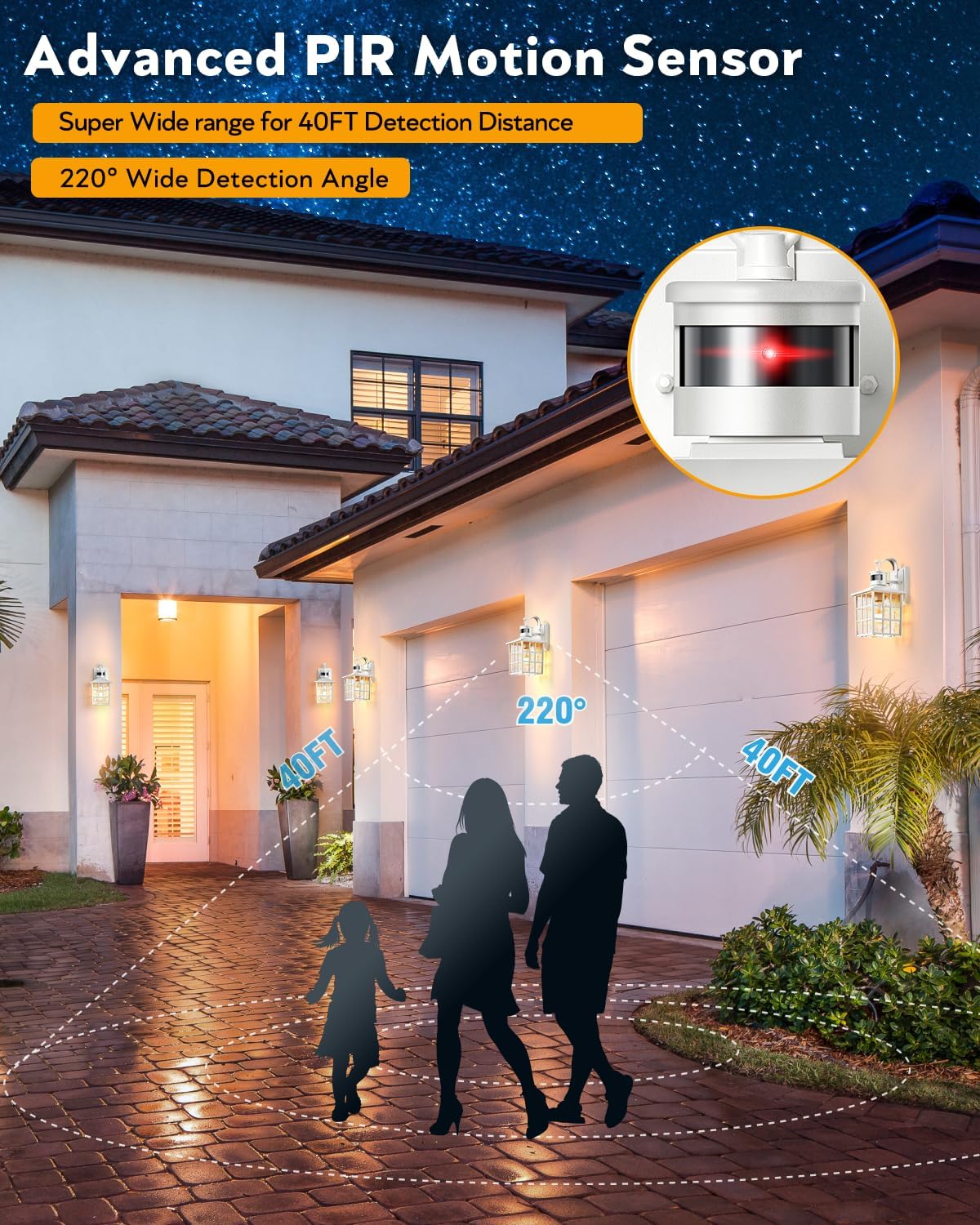
Image: Visual representation of the PIR motion sensor's 40-foot detection distance and 220-degree wide detection angle.
Adjusting Brightness (DIM Mode Only)
When in DIM Mode, you can adjust the standby brightness level (10%-50% illumination) by long-pressing the mode switch button.

Image: A hand long-pressing the sensor area to adjust the standby brightness, with indicators for 10%, 30%, and 50% brightness levels.
Maintenance
- Cleaning: To clean the fixture, ensure power is off. Wipe with a soft, damp cloth. Do not use abrasive cleaners or solvents.
- Bulb Replacement: Ensure power is off before replacing the bulb. Allow the old bulb to cool before removing. Use only E26 base bulbs with a maximum wattage of 100W.
- Inspection: Periodically inspect the fixture for any signs of damage, loose wiring, or corrosion.
Troubleshooting
| Problem | Possible Cause | Solution |
|---|---|---|
| Light does not turn on at night. |
|
|
| Light stays on during the day. |
|
|
| Motion sensor not detecting movement. |
|
|
| Light flickers. |
|
|
Specifications
| Brand | VIANIS |
| Model | Motion Sensor Outdoor Post Light |
| ASIN | B0DLKTY11X |
| Power Source | Hardwired, 120V AC |
| Bulb Base | E26 (Bulb Not Included) |
| Max Wattage | 100W |
| Motion Detection Distance | Up to 40 feet |
| Motion Detection Angle | 220 degrees |
| Dusk-to-Dawn Sensor | Automatic On/Off (below 20 lux / above 100 lux) |
| Mounting Options | Pier Mount Base, 3-inch Outer Diameter Post Mount |
| Material | Die-cast aluminum, tempered water glass |
| Weather Resistance | Waterproof, Sunproof, Snowproof, Stormproof |
| Date First Available | October 31, 2024 |
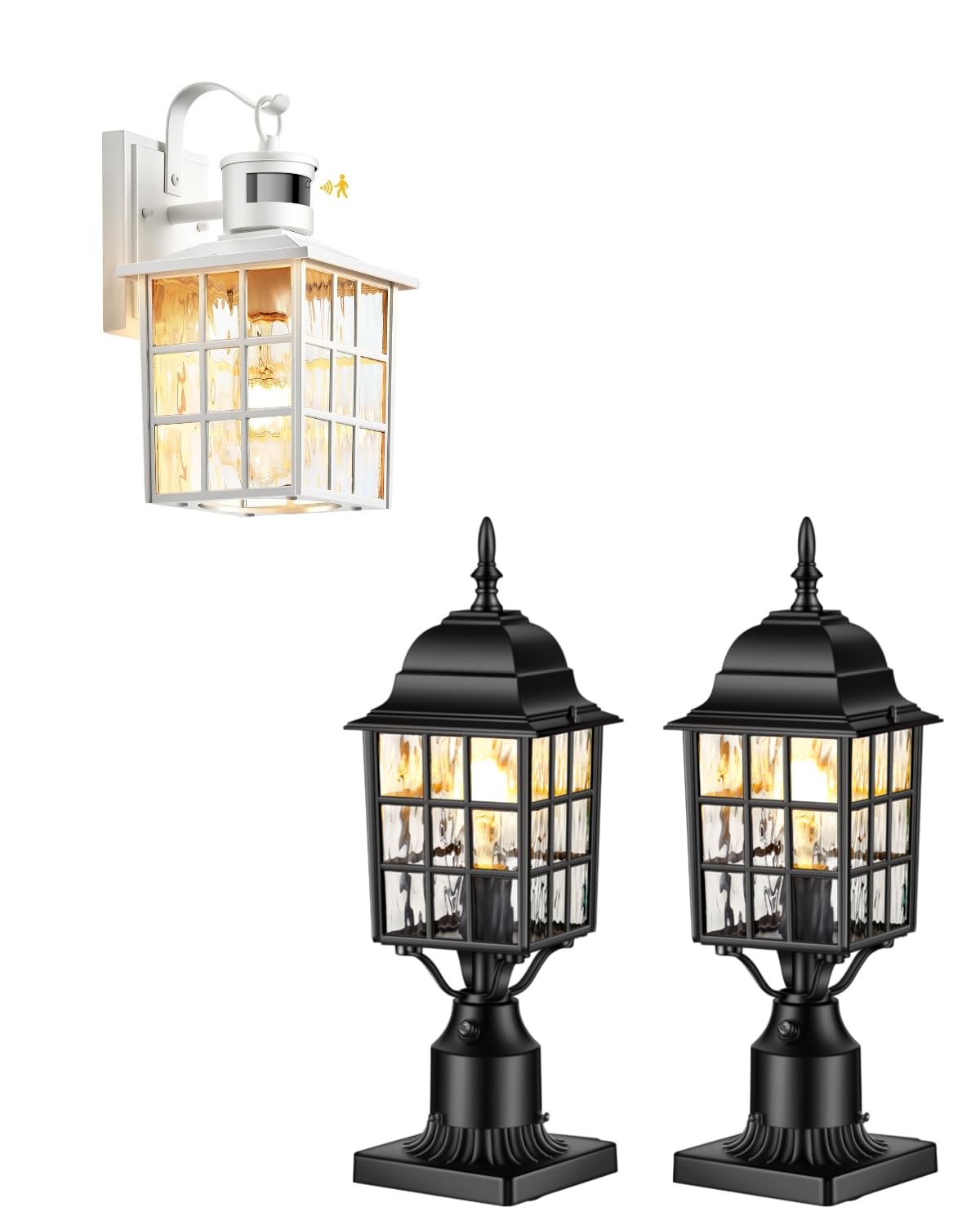
Image: The VIANIS outdoor post light, highlighting its weather-resistant construction, including waterproof, sunproof, snowproof, and stormproof capabilities, along with anti-rust die-cast aluminum.
Warranty Information
The manufacturer warrants this lighting fixture to be free from defects in materials and quality for 1 year from the date of purchase. This warranty applies only to the original consumer purchaser and only to products used in regular use and service.
If this product is found to be defective, the manufacturer’s only obligation, and your exclusive remedy, is the repair or replacement of the product at the manufacturer’s discretion, provided that the product has not been damaged through misuse, abuse, accident, modifications, alterations, neglect, or mishandling.
What Is Not Covered:
- Products improperly installed, set up, or used not by the instructions.
- Failures resulting from accident, misuse, abuse, negligence, alteration, or faulty installation.
- Finish on any portion of the product, such as surface and weathering, considered normal wear and tear.
The manufacturer expressly disclaims any liability for consequential or incidental loss or damage, including labor/expense costs involved in replacement or repair.

Image: A visual representation of the 1-year warranty guarantee provided with the product.
Customer Support
For technical assistance, warranty claims, or further inquiries, please contact VIANIS customer support through the retailer's platform or visit the official VIANIS website for contact information.