
1. Introduction
Thank you for choosing the QIAO Q64 22kW 32A 3-Phase Type 2 Portable EV Charging Adapter. This adapter is designed to provide a flexible and efficient charging solution for your electric vehicle. It is compatible with QIAO Q9, Q20, and Q21 EV charger models, offering high-power, fast, and reliable charging. Its portable design ensures convenience whether you are charging at home, at public stations, or in emergency situations.
2. Safety Information
- Always ensure the charging adapter and your EV charger are free from damage before use.
- Do not use the adapter if any part is wet or submerged in water.
- Keep children and pets away from the charging area during operation.
- Avoid touching the charging pins directly.
- Ensure proper ventilation during charging to prevent overheating.
- Do not attempt to modify or disassemble the adapter. Contact support for any issues.
- Always follow your vehicle manufacturer's charging guidelines.
3. Product Overview
The QIAO Q64 adapter is a robust and versatile Type 2 EV charging connector. It features a replaceable design to accommodate various plug types, ensuring broad compatibility. Its durable construction is designed to withstand outdoor conditions, including wind and rain, providing reliable performance in diverse environments.
Key Features:
- Compatibility: Seamlessly integrates with QIAO Q9, Q20, and Q21 EV charger models.
- Fast Charging: Equipped with a 22kW, 32A, 3-phase Type 2 basic EU adapter for rapid EV charging.
- Portable Design: Compact and lightweight for convenient transport and use on the go.
- Durable Construction: Made from high-quality materials for repeated use and long-lasting performance, suitable for outdoor conditions.

Figure 3.1: The QIAO Q64 adapter features a replaceable design, allowing connection to various plug types to suit different charging scenarios.
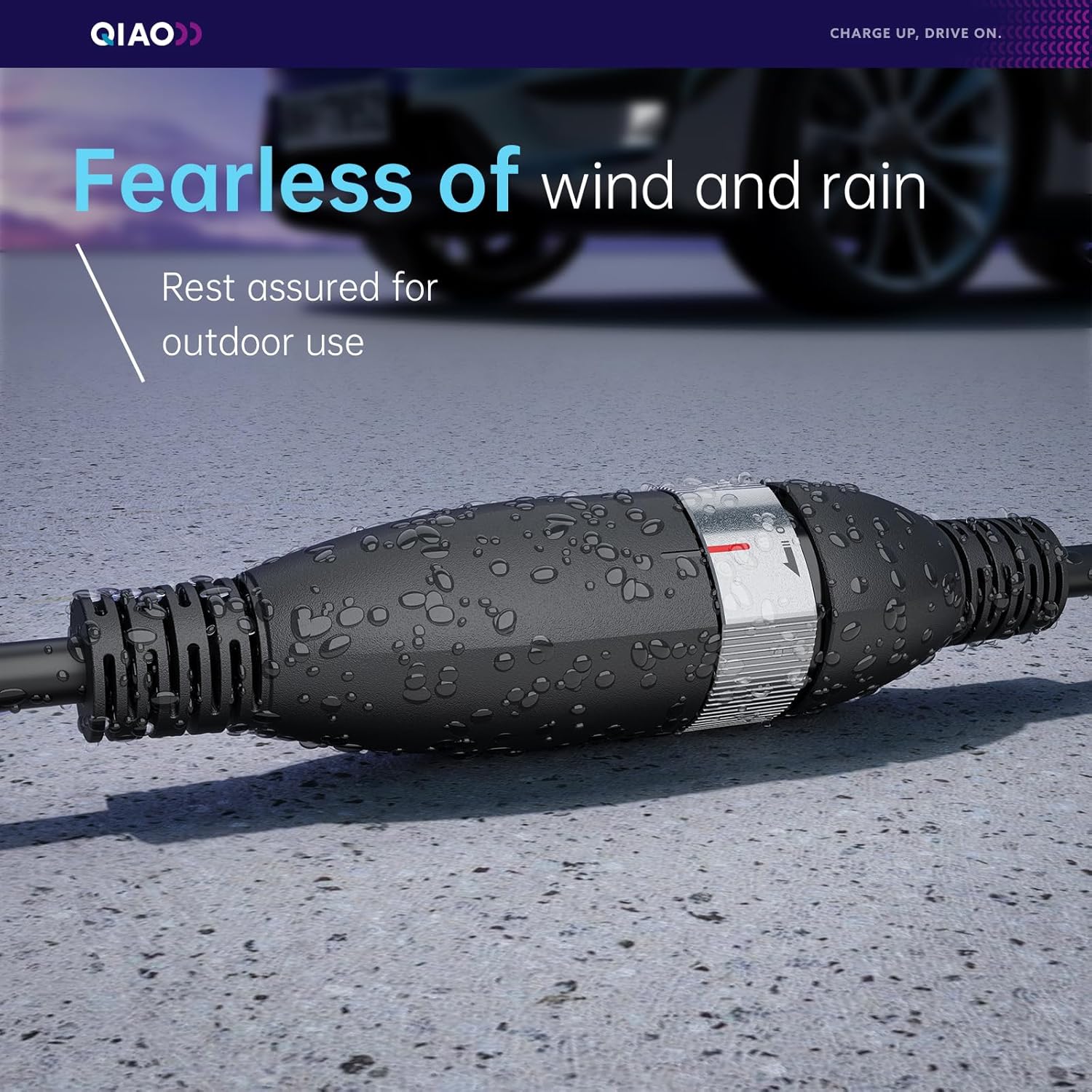
Figure 3.2: The QIAO Q64 adapter is designed to be water-resistant, ensuring reliable operation even in windy and rainy outdoor conditions.
4. Setup
The QIAO Q64 adapter is designed for ease of use with no complex installation required. You do not need an electrician for setup, saving you time and money.
Connecting the Adapter:
- Ensure your QIAO Q9, Q20, or Q21 EV charger is powered off or in a safe state.
- Align the Q64 adapter with the corresponding port on your QIAO EV charger.
- Simply insert the adapter firmly until it clicks into place.
- To remove, rotate the connector clockwise as indicated on the adapter, then pull it out.
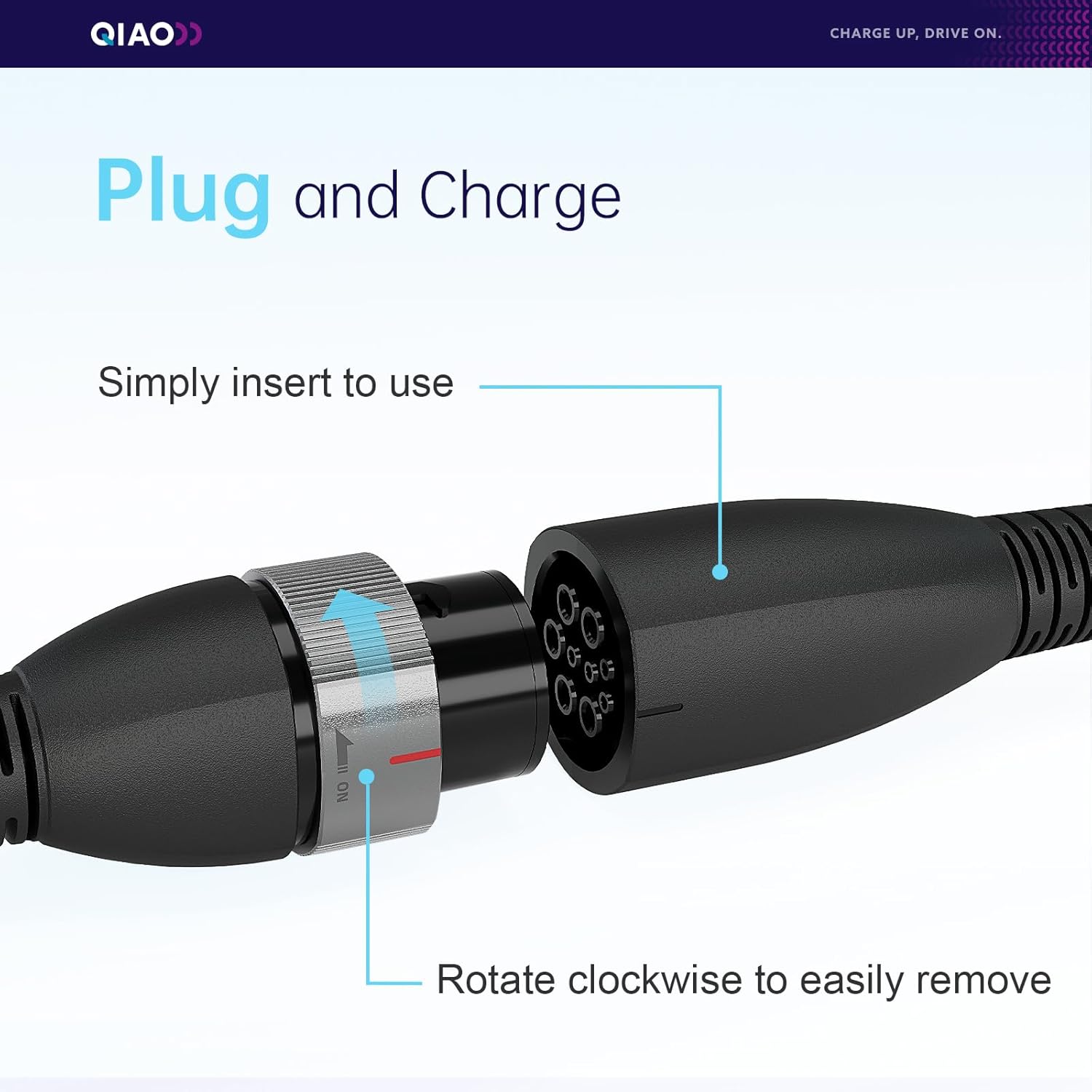
Figure 4.1: The 'Plug and Charge' mechanism. Simply insert the adapter to connect, and rotate clockwise to easily remove it.
5. Operating Instructions
The QIAO Q64 adapter allows for immediate charging from various outlets, thanks to its intelligent technology that detects each plug and adjusts for optimal performance.
Charging Your EV:
- Connect the Q64 adapter to your QIAO Q9, Q20, or Q21 EV charger as described in the Setup section.
- Connect the other end of your QIAO EV charger to your electric vehicle's charging port.
- Ensure all connections are secure.
- Initiate charging according to your QIAO EV charger's instructions and your vehicle's charging system.
- The adapter can be used as a wall charging base at home or as a Type 2 charging cable at public charging stations.
- In emergency situations, the adapter can facilitate car-to-car charging assistance (ensure both vehicles and chargers support this function safely).

Figure 5.1: A typical home charging setup for an electric vehicle using the QIAO Q64 adapter.
6. Maintenance
To ensure the longevity and optimal performance of your QIAO Q64 adapter, follow these maintenance guidelines:
- Regularly inspect the adapter for any signs of wear, damage, or corrosion.
- Clean the adapter's exterior with a dry, soft cloth. Do not use harsh chemicals or abrasive materials.
- Ensure the charging pins are clean and free of debris. Use compressed air if necessary.
- Store the adapter in a cool, dry place when not in use, away from direct sunlight and extreme temperatures.
- Avoid bending or kinking the cable excessively.
7. Troubleshooting
If you encounter issues with your QIAO Q64 adapter, refer to the following common problems and solutions:
| Problem | Possible Cause | Solution |
|---|---|---|
| Charging not initiating | Loose connection, charger/vehicle error, power supply issue | Ensure all connections are secure. Check your QIAO charger and vehicle for error messages. Verify power supply to the charger. |
| Slow charging speed | Power supply limitation, vehicle settings, adapter not fully engaged | Check the power output of your source. Verify vehicle charging settings. Re-seat the adapter firmly. |
| Adapter feels hot | Normal operation (slight warmth), excessive load, poor ventilation | A slight warmth is normal. If it's excessively hot, disconnect immediately. Ensure adequate ventilation around the adapter and charger. |
| Adapter not fitting | Incorrect orientation, debris in port | Ensure correct alignment. Check for any obstructions in the port. Do not force the connection. |
If the problem persists after trying these solutions, please contact QIAO customer support.
8. Specifications
| Specification | Detail |
|---|---|
| Manufacturer | QIAO |
| Brand | QIAO |
| Model | Q64 |
| Item Model Number | Q64 |
| Part Number | Q64 |
| Dimensions | 23.5 x 22.9 x 7.7 cm |
| Item Weight | 800 g |
| ASIN | B0DLKPCW7T |
| First Available Date | February 16, 2025 |
9. Warranty and Support
For warranty information, please refer to the documentation provided with your original purchase or visit the official QIAO website. If you require technical assistance, have questions about your product, or need to report an issue, please contact QIAO customer support through their official channels.