
1. Product Overview
The COMHOMA CH153 Ergonomic Office Chair is designed for comfort and support during long periods of sitting. It features adjustable lumbar support, a 3D headrest, and a 3-level tilt function to adapt to various working and resting postures. Constructed with a modern design and robust materials, this chair prioritizes user health and ergonomic needs.
- Adjustable Lumbar Support: Provides targeted support to the lower back.
- Versatile 3D Headrest: Offers 3 inches of height adjustment and a 45° tilt for neck and head comfort.
- Adjustable Armrests: Arms adjust 3 inches up and down to suit different desk heights and user preferences.
- Multi-Level Tilt Function: Allows for 90-130° tilt lock, enabling users to switch between working, reading, and resting modes.
- High-Density Mesh Cushion: Ensures all-day comfort and support, with a breathable mesh back and seat for air circulation.
- Waterfall-Edge Design: Promotes healthy leg blood circulation.
- High Weight Capacity: Supports up to 350 lbs.
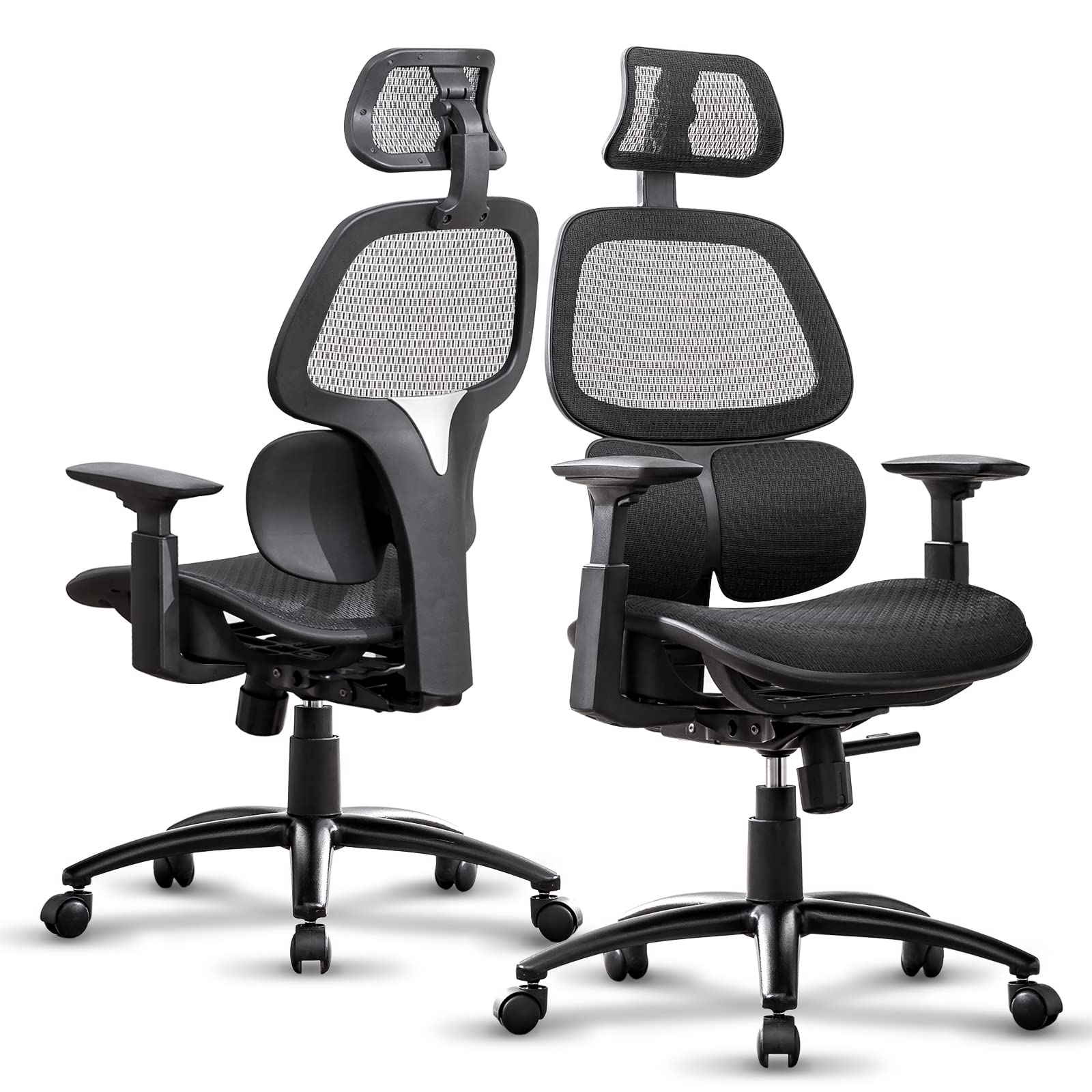
Image 1.1: The COMHOMA CH153 Ergonomic Office Chair in a typical office environment, showcasing its design and presence.
2. Safety Information
Please read and understand all safety instructions before assembling and using the chair.
- Always assemble the chair according to the provided instructions.
- Do not exceed the maximum weight limit of 350 lbs (158 kg). Exceeding this limit may cause damage to the chair or personal injury.
- Improper use or assembly may lead to back injury or other physical harm.
- Keep the chair away from heat sources, open flames, and sharp objects to prevent damage to the mesh material and other components.
- Ensure all screws and bolts are tightened securely before use and periodically check for any loosening.
- Do not stand on the chair or use it as a ladder.
3. Setup Instructions
Follow these steps to assemble your COMHOMA CH153 Ergonomic Office Chair. It is recommended to have a clear, flat workspace and to follow the detailed assembly guide included in the packaging.
- Unpack Components: Carefully remove all parts from the packaging and lay them out on a clean, soft surface to prevent scratches. Verify all components are present against the parts list in your included manual.
- Attach Casters to Base: Insert the five casters into the holes at the end of each leg of the chair base. Push firmly until they click into place.
- Install Gas Lift: Place the gas lift cylinder into the center hole of the chair base.
- Assemble Seat Mechanism: Attach the seat mechanism to the underside of the seat cushion using the provided screws. Ensure the front of the mechanism aligns with the front of the seat.
- Connect Seat to Gas Lift: Carefully place the assembled seat onto the gas lift cylinder.
- Attach Backrest: Secure the backrest to the seat mechanism using the designated screws.
- Install Armrests: Attach the armrests to the sides of the seat using the provided screws. Ensure they are oriented correctly.
- Mount Headrest: Slide the headrest into the designated slots at the top of the backrest.
- Final Check: Once assembled, sit on the chair to engage the gas lift and test all adjustment functions to ensure proper operation and stability.

Image 3.1: Illustration of the chair's robust weight-bearing pedestal, sleek and silent rolling casters, and high-quality SGS certified gas lift, essential components for assembly.
4. Operating Instructions
Your COMHOMA CH153 chair offers several adjustable features to customize your seating experience.
4.1. Seat Height Adjustment
To adjust the seat height, locate the lever on the right side under the seat. Pull the lever upwards while taking your weight off the seat to raise it. To lower the seat, pull the lever upwards while remaining seated. Release the lever at your desired height.
4.2. Back Saving Lumbar Support
The chair features an adjustable lumbar support integrated into the backrest. This support automatically adjusts to your back's curve, providing optimal support to the lumbar spine. No manual adjustment is typically needed for this feature.
4.3. Adjustable Armrests
The armrests can be adjusted vertically. Press the button located on the side of each armrest and move the armrest up or down to your preferred height. Release the button to lock it in place.
4.4. Back Tilt and Lock Function
To recline the backrest, pull the lever on the left side outwards to unlock the tilt mechanism. Lean back to your desired angle (between 90° and 130°). Push the lever inwards to lock the backrest in position. To adjust the tension of the tilt, rotate the tension knob located under the seat.

Image 4.1: Visual representation of the chair's 90° working mode, 110° reading mode, and 130° rest mode, along with instructions for tilt lock and tension adjustment.
4.5. 3D Adjustable Headrest
The headrest can be adjusted for height and angle. To adjust the height, slide the headrest up or down. To adjust the angle, rotate the headrest forward or backward to find the most comfortable position for your neck and head.

Image 4.2: This image highlights the ergonomic design, showing how the headrest properly aligns with the cervical spine, the backrest conforms to the thoracic spine, and the lumbar support firmly supports the lumbar spine.
4.6. 360° Swivel and Casters
The chair is equipped with a 360° swivel function for easy movement and access to your workspace. The smooth-rolling casters allow for effortless mobility on hard floors.
Video 4.3: This video demonstrates the various adjustable features of the COMHOMA Ergonomic Office Chair, including seat height, lumbar support, armrests, back tilt, and headrest rotation.
5. Maintenance
Proper maintenance will extend the life and appearance of your office chair.
- Cleaning: Wipe clean with a damp cloth. For mesh areas, use a mild soap solution and a soft brush, then wipe with a clean, damp cloth and allow to air dry. Avoid harsh chemicals or abrasive cleaners.
- Inspection: Periodically check all bolts and screws to ensure they are tight. Re-tighten if necessary.
- Caster Care: Keep casters free of hair, dust, and debris to ensure smooth rolling.
- Avoid Overloading: Do not exceed the maximum weight capacity of 350 lbs.
6. Troubleshooting
If you encounter any issues with your COMHOMA CH153 chair, refer to the following common problems and solutions.
- Chair Sinks or Does Not Stay Up:
Solution: The gas lift may be faulty. Contact customer support for a replacement. Ensure the height adjustment lever is fully engaged. - Chair is Wobbly or Unstable:
Solution: Check all assembly bolts and screws. Re-tighten any loose connections. Ensure the chair base is properly seated on the gas lift. - Casters Do Not Roll Smoothly:
Solution: Inspect casters for trapped debris (hair, lint, etc.). Clean them thoroughly. If damaged, casters may need replacement. - Backrest Does Not Tilt or Lock:
Solution: Ensure the tilt lock lever is correctly engaged or disengaged. Check the tension knob under the seat; it might be too tight or too loose. - Squeaking Noises:
Solution: Apply a small amount of silicone lubricant to moving parts, especially where metal components meet. Check and tighten all bolts.
7. Specifications
| Feature | Detail |
|---|---|
| Brand | COMHOMA |
| Model Name | CH153 Ergonomic Office Chair |
| Color | Ergo-black |
| Material | Nylon, High Density Mesh |
| Product Dimensions (D x W x H) | 19.29" x 19.88" x 40" |
| Seat Depth | 19.2 inches |
| Arm Height | 25.78 Inches |
| Maximum Weight Recommendation | 350 Pounds |
| Back Style | S-shaped Back |
| Special Features | 3D Headrest, Adjustable Lumbar, Reclining (3 positions) |
| Movement | Swivel |
| UPC | 810170302893 |
| Item Weight | 40 pounds |

Image 7.1: Detailed dimensional drawing of the COMHOMA CH153 Ergonomic Office Chair, including height, width, and depth measurements.
8. Warranty and Support
COMHOMA is committed to your satisfaction. This product comes with comprehensive support and warranty coverage.
- Return Policy: A 30-day replacement or refund policy is provided from the date of purchase.
- Repair Service: Enjoy a 1-year repair service for manufacturing defects.
- Extended Protection Plans: Optional 2-Year and 3-Year Protection Plans are available for purchase to extend coverage beyond the standard warranty.
- Customer Service: For any questions, concerns, or warranty claims, please contact our customer service team. Our team is ready to provide effective and timely after-sales support.
Contact Information:
Website: COMHOMA Official Store
Email: support@comhoma.com (Example email, please refer to your product packaging for actual contact details)
Phone: 1-800-XXX-XXXX (Example phone, please refer to your product packaging for actual contact details)


