
1. Introduction
Thank you for purchasing the HiPlay ZD Toys 1/10 Iron Man MK24 Action Figure. This manual provides essential information for the proper setup, operation, and maintenance of your collectible figure. Please read these instructions carefully to ensure the best experience and to preserve the quality of your figure.
This action figure is designed for collectors aged 15 years and older. It is not a toy and contains small parts that may pose a choking hazard to young children.
2. Package Contents
Carefully unpack the box and ensure all the following items are present:
- 1x Iron Man MK24 Action Figure (approximately 7 inches / 18 cm tall)
- 4x Pairs of Replacement Hands (various poses)
- 4x Flame Effect Parts
- 1x Themed Display Stand

Image 2.1: The Iron Man MK24 action figure displayed with its full set of accessories, including multiple hand gestures and flame effects.

Image 2.2: A detailed view of the Iron Man MK24 figure alongside its replacement hands, flame effects, and display stand.
3. Setup
3.1 Attaching Replacement Hands
- Gently pull the existing hand from the figure's wrist joint.
- Select the desired replacement hand.
- Align the peg on the replacement hand with the hole in the wrist joint.
- Carefully push the hand into place until it is secure. Do not force it.
3.2 Attaching Flame Effects
- Identify the small holes on the figure's feet and hands (if applicable for repulsor blast effects).
- Insert the peg of the flame effect part into the corresponding hole.
- Ensure the flame effect is firmly seated.
3.3 Using the Display Stand
- Assemble the display stand by connecting the base, arm, and claw.
- Adjust the stand's arm and claw to securely hold the figure around its waist or back.
- Position the figure on the stand for dynamic poses, especially when utilizing the flame effects for flight simulation.

Image 3.1: The Iron Man MK24 figure posed on its display stand, showcasing the attached flame effects for a flying stance.
4. Operating (Articulation and Posing)
The Iron Man MK24 figure features multiple points of articulation, allowing for a wide range of dynamic poses. Exercise caution when manipulating joints to prevent damage.
- Head: Can rotate and tilt.
- Shoulders: Ball joints allow for rotation and outward movement.
- Elbows: Double-jointed for extensive bending.
- Wrists: Pegs allow for rotation and some pivot.
- Torso: Features articulation at the chest and waist for bending and twisting.
- Hips: Ball joints for forward, backward, and outward leg movement.
- Knees: Double-jointed for deep bending.
- Ankles: Allow for pivot and rotation to assist with stable standing poses.
When posing, apply gentle, even pressure. Avoid excessive force, especially on stiff joints, as this may cause breakage.

Image 4.1: The Iron Man MK24 figure positioned in a combat-ready stance, demonstrating its articulation.
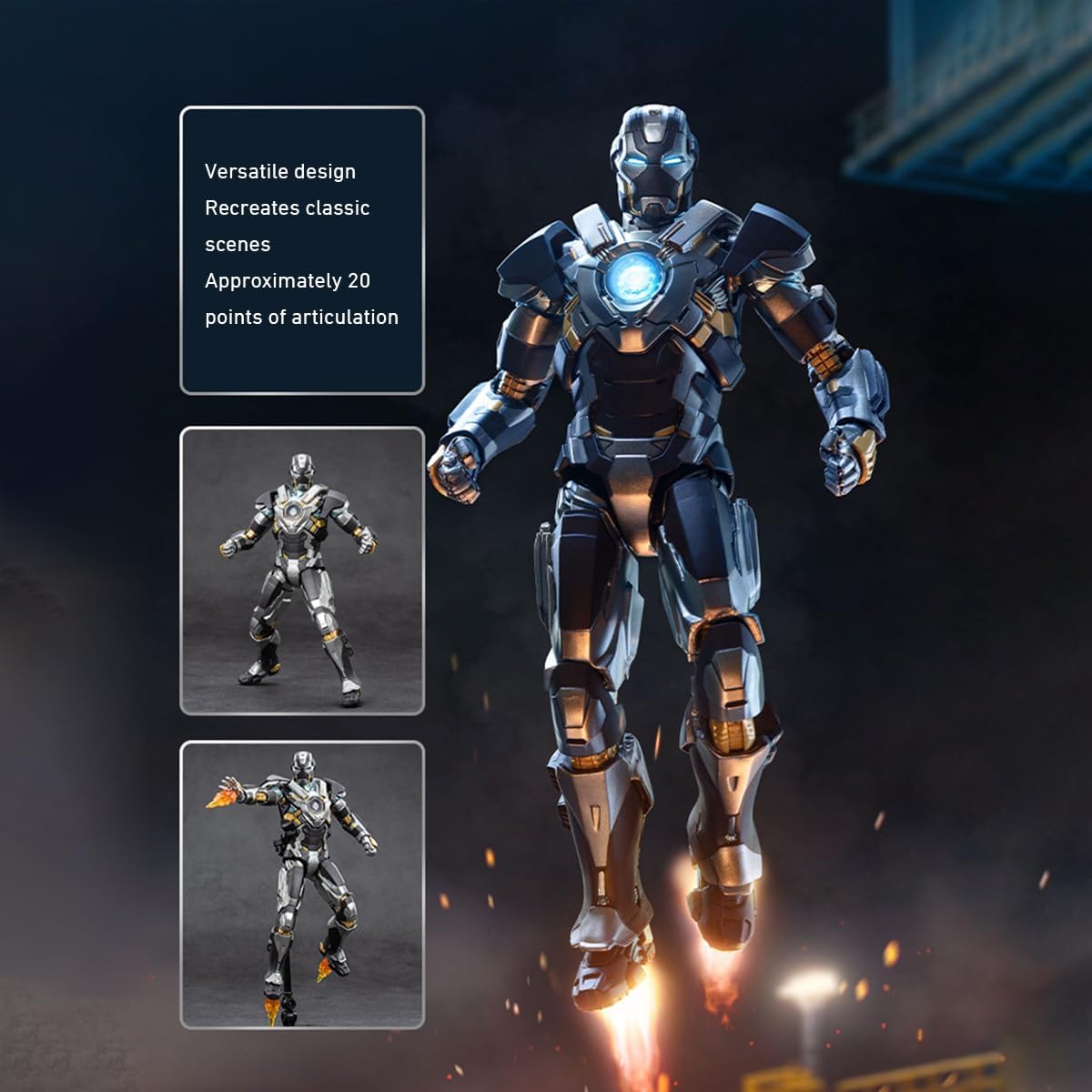
Image 4.2: A detailed view of the Iron Man MK24 figure in a classic heroic pose, highlighting its intricate design.

Image 4.3: The Iron Man MK24 figure depicted in a mid-flight pose, showcasing its versatility with the included flame effects.
5. Maintenance
5.1 Cleaning
- To clean the figure, use a soft, dry cloth to gently wipe away dust.
- For stubborn dirt, lightly dampen the cloth with water. Avoid harsh chemicals or abrasive cleaners, as these can damage the paint finish.
- Ensure the figure is completely dry before storing or displaying.
5.2 Storage
- Store the figure away from direct sunlight, extreme temperatures, and high humidity to prevent discoloration or material degradation.
- Keep the figure in its original packaging or a display case to protect it from dust and accidental damage.
- If storing for extended periods, consider removing any attached accessories to reduce stress on joints.
6. Troubleshooting
6.1 Stiff Joints
If a joint feels stiff, gently warm the area with a hairdryer on a low setting for a few seconds. This can make the plastic more pliable, allowing for easier movement. Do not overheat the figure.
6.2 Loose Joints
For slightly loose joints, a small amount of clear nail polish or a specialized joint-tightening fluid can be applied to the joint peg. Allow it to dry completely before moving the joint.
6.3 Difficulty Attaching Parts
Ensure that the pegs and holes are correctly aligned. If a part is difficult to attach, check for any excess plastic or debris that might be obstructing the connection. Do not force parts together, as this can cause breakage.
7. Specifications
| Parameter | Detail |
|---|---|
| Product Dimensions | 1.97 x 1.97 x 6.89 inches (5 x 5 x 17.5 cm) |
| Item Weight | 1 pound (0.45 kg) |
| Scale | 1/10 Scale |
| Material | High-quality ABS and PVC |
| Model Number | 1906-24 |
| Manufacturer | ZD Toys |
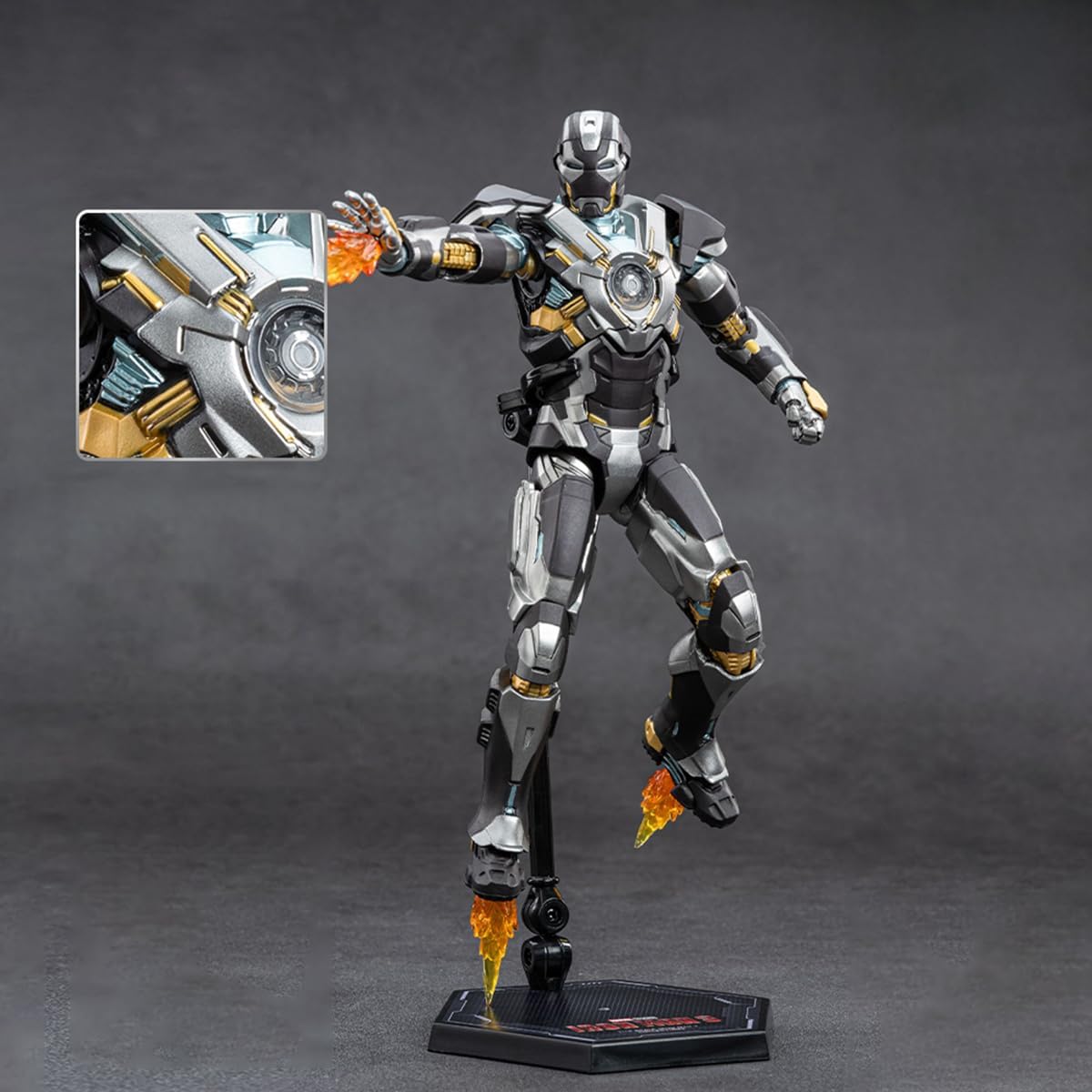
Image 7.1: Visual representation of product specifications and included accessories.

Image 7.2: The Iron Man MK24 figure displayed alongside its packaging, indicating overall dimensions.
8. Warranty and Support
HiPlay stands by the quality of its products. While specific warranty details are not provided in this manual, please retain your proof of purchase. For any manufacturing defects or issues not covered by the troubleshooting section, please contact the retailer or HiPlay customer support directly.
For further assistance or to explore other products, visit the official HiPlay store: HiPlay Store on Amazon.