
1. Introduction
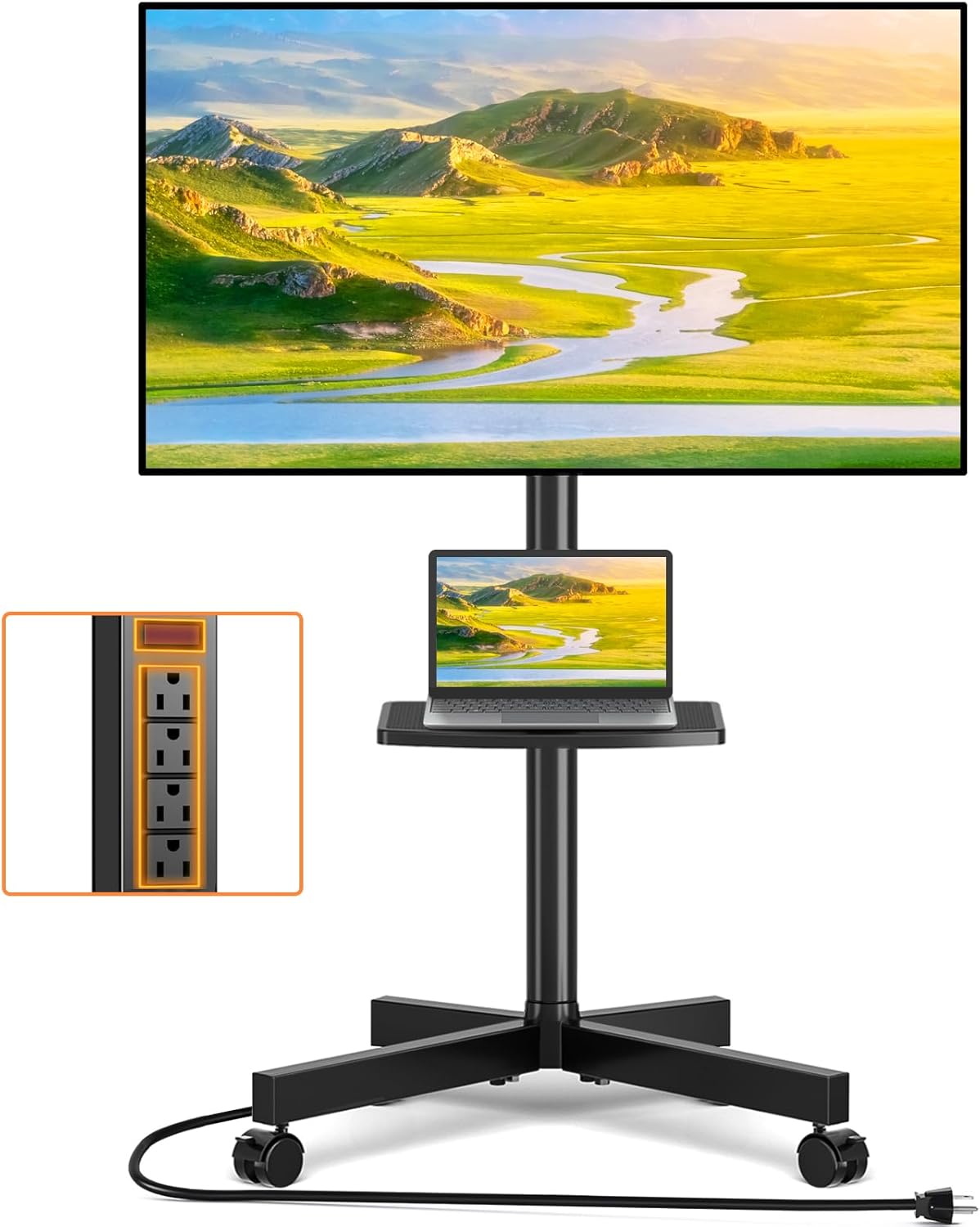
Thank you for choosing the TVON Mobile TV Stand. This product is designed to provide a versatile and portable solution for mounting your television, offering features such as height adjustment, tilt functionality, and an integrated power outlet. This manual provides essential information for safe assembly, operation, and maintenance of your TV stand. Please read it thoroughly before installation and retain it for future reference.
2. Safety Information
Please observe the following safety precautions to prevent personal injury or product damage:
- Read all instructions: Ensure you understand all assembly and operating instructions before use.
- Weight Capacity: Do not exceed the maximum weight capacity of 88 lbs (40 kg) for the TV and 22 lbs (10 kg) for the media shelf. Overloading can cause instability and potential injury.
- TV Size: This stand is compatible with TVs from 23 to 60 inches. Ensure your TV's VESA pattern is within the supported range (100x100mm to 400x400mm).
- Assembly: Assemble the product strictly according to the instructions. Improper assembly can lead to product failure.
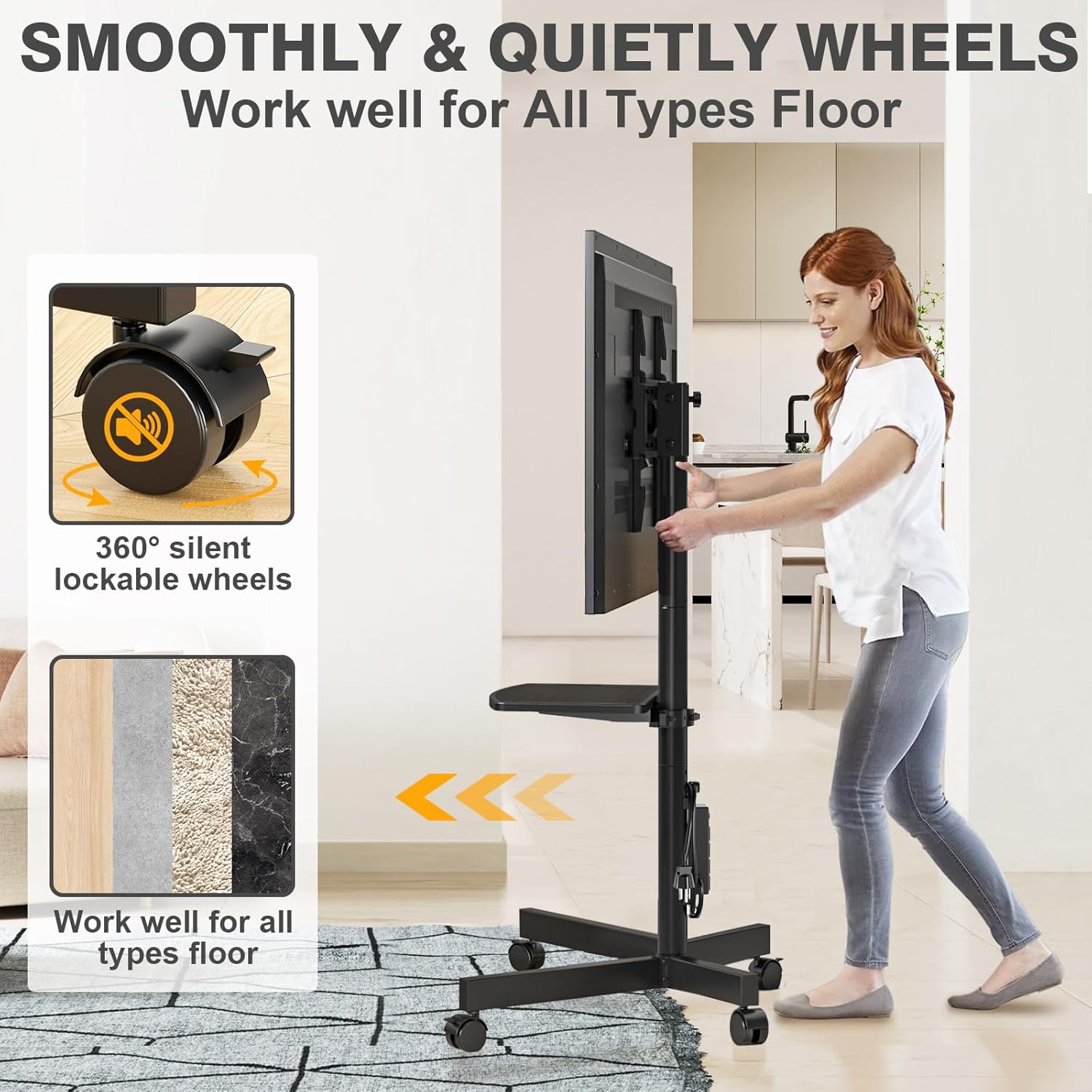
- Stability: Always ensure all bolts and screws are securely tightened. When moving the stand, do so slowly and carefully, especially on uneven surfaces. Lock the wheels when the stand is stationary.
- Power Outlet: The integrated power strip has a maximum current carrying capacity of 12A. Do not overload the power strip. Ensure the master switch is off when not in use or when connecting/disconnecting devices.
- Children and Pets: Keep children and pets away from the stand during assembly and ensure the TV is securely mounted to prevent tipping.
- Environment: Do not use this product outdoors or in wet environments.
3. Package Contents
Verify that all components are present and undamaged before beginning assembly. If any parts are missing or damaged, please contact customer support.
- Base Assembly (X-shaped base with wheels)
- Main Support Pole
- TV Mounting Brackets
- Media Shelf
- Integrated Power Strip with 6.5ft Power Cord
- Hardware Kit (various screws, washers, spacers for TV mounting and stand assembly)
- Assembly Tools (e.g., Allen wrench, small wrench)
- Instruction Manual
4. Assembly Instructions (Setup)
Assembly typically takes about 15 minutes. Follow these steps carefully:
- Attach Wheels to Base: Securely fasten the 360-degree lockable wheels to the X-shaped base using the provided hardware. Ensure all wheels are firmly attached.
- Assemble Base and Pole: Connect the main support pole to the assembled X-shaped base. Use the designated screws and tighten them to ensure a stable connection.
- Install Media Shelf: Slide the media shelf onto the main support pole at your desired height. Secure it in place with the locking mechanism or screws provided.
- Mount Power Strip: Attach the integrated power strip to the main support pole in the designated area. Ensure it is securely fastened and the power cord is routed safely.
- Attach TV Brackets to TV: Identify the correct screws and spacers for your TV's VESA mounting holes. Attach the TV mounting brackets to the back of your television. Ensure the brackets are level and securely tightened.
- Hang TV on Stand: With assistance, carefully lift your TV and hook the mounting brackets onto the TV plate on the stand. Ensure the TV is centered and level.
- Secure TV: Engage the safety bracket locks on the TV mounting brackets to prevent the TV from accidentally dislodging. Double-check all connections for security.


5. Operating Instructions
5.1. Height Adjustment
The TV stand allows for height adjustment of the TV screen. To adjust the height, loosen the locking mechanism on the main support pole, carefully raise or lower the TV to your desired viewing height (between 54.5" and 56.5"), and then securely tighten the locking mechanism. Always ensure the TV is stable after adjustment.

5.2. Tilt Adjustment
The TV mounting brackets allow for tilt adjustment to reduce glare and optimize viewing angles. You can tilt the TV up by 8 degrees or down by 2 degrees. Locate the tilt adjustment knobs or levers on the TV mounting brackets, loosen them, adjust the TV to the desired angle, and then firmly tighten the knobs/levers to secure the tilt.

5.3. Mobility and Locking Wheels
The TV stand is equipped with 360-degree lockable wheels for easy movement. To move the stand, unlock all four wheels. To secure the stand in a stationary position, press down on the locking mechanism on each wheel until it clicks into place. Always lock the wheels when the stand is not being moved to ensure stability.
5.4. Using the Integrated Power Outlet
The stand features a power strip with 4 AC outlets and a master switch. Plug the stand's power cord into a wall outlet. Use the master switch to turn the power strip on or off. Connect your TV and other devices (e.g., laptop, gaming console) to the AC outlets. Do not exceed the total current capacity of 12A for all connected devices.


5.5. Cable Management
Utilize the integrated cable management system to route and organize all cables from your TV and connected devices. This helps maintain a tidy appearance and prevents tripping hazards.
6. Maintenance
To ensure the longevity and proper functioning of your TV stand, follow these maintenance guidelines:
- Cleaning: Wipe the stand with a soft, dry cloth. For stubborn marks, a slightly damp cloth can be used, followed by immediate drying. Avoid harsh chemicals or abrasive cleaners.
- Check Connections: Periodically check all screws and bolts to ensure they remain tight, especially after moving the stand or making adjustments.
- Wheel Care: Keep the wheels free of debris to ensure smooth movement.
7. Troubleshooting
If you encounter any issues with your TV stand, refer to the following common problems and solutions:
- Stand is unstable:
- Ensure all assembly screws and bolts are fully tightened.
- Verify the TV weight does not exceed 88 lbs and the shelf weight does not exceed 22 lbs.
- Ensure the stand is on a flat, level surface.
- TV cannot be tilted:
- Check that the tilt adjustment knobs/levers are loosened before attempting to adjust.
- Ensure no cables are obstructing the tilt mechanism.
- Wheels are not rolling smoothly or locking:
- Check for debris (hair, dust) caught in the wheels and clean them.
- Ensure the locking mechanism is fully disengaged for rolling and fully engaged for locking.
- Power outlet is not working:
- Ensure the stand's power cord is securely plugged into a functioning wall outlet.
- Verify the master switch on the power strip is in the 'ON' position.
- Check if the wall outlet itself is working by plugging in another device.
- Do not exceed the 12A current limit of the power strip.
8. Specifications
| Feature | Specification |
|---|---|
| Brand | TVON |
| Model Name | Mobile TV Stand |
| Compatible TV Sizes | 23 - 60 inches |
| Max TV Weight Capacity | 88 lbs (40 kg) |
| Max Shelf Weight Capacity | 22 lbs (10 kg) |
| VESA Compatibility | 100x100mm to 400x400mm |
| Height Adjustment Range | 54.5" to 56.5" |
| Tilt Adjustment | Up 8°, Down 2° |
| Power Outlet | 4 AC Outlets, 125V/12A, Master Switch, 6.5ft 16AWG Power Cord |
| Material | Alloy Steel |
| Product Dimensions | 21.8 x 16.6 x 56.6 inches (L x W x H) |
| Item Weight | 14.4 pounds |
| Color | Black |
9. Warranty and Support
TVON stands behind the quality of its products. For warranty information, technical support, or to report missing/damaged parts, please refer to the contact information provided with your purchase or visit the official TVON website. Please have your model number and purchase date ready when contacting support.
