
Introduction
Thank you for choosing the ThunderX3 CORE Smart MESH Gaming Chair. This manual provides essential information for the assembly, operation, maintenance, and troubleshooting of your new ergonomic chair. Designed for comfort and support during extended sessions, the CORE Smart features automatic lumbar support, a synchronized mechanism, and adjustable components to enhance your seating experience.
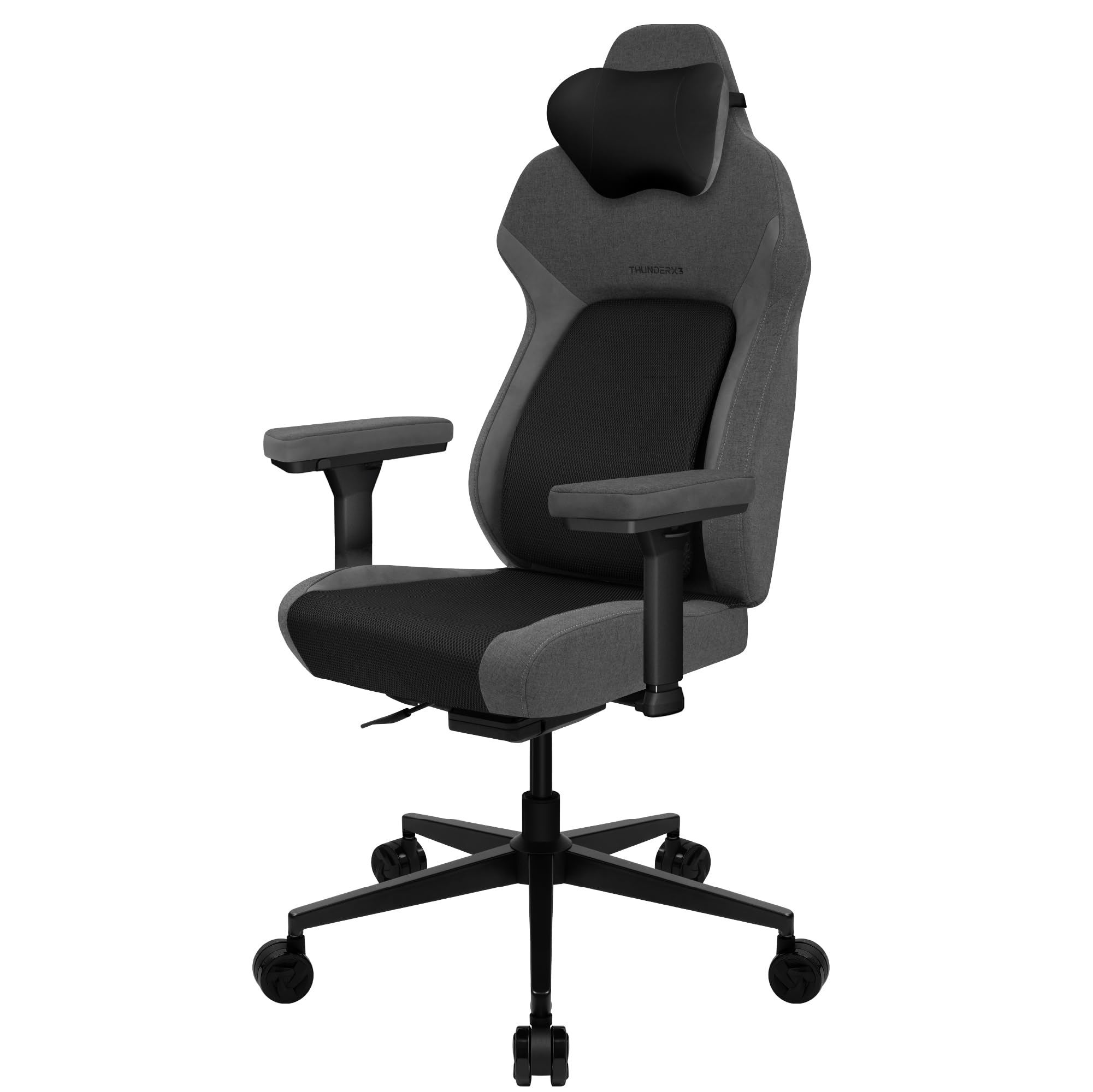
Image: The ThunderX3 CORE Smart MESH Gaming Chair in black and dark grey, showcasing its ergonomic design.
Safety Information
Please read and follow all instructions carefully before assembly and use. Retain this manual for future reference.
- Weight Capacity: This chair is designed to support users up to 125 kg (approximately 275 lbs). Do not exceed this weight limit to ensure stability and safety.
- Assembly: Ensure all components are correctly assembled and tightened according to the instructions. Periodically check all screws and bolts to ensure they remain secure.
- Adjustments: Be cautious when making adjustments to avoid pinching fingers or other body parts. Adjustments should be made smoothly and deliberately.
- Stability: Do not stand on the chair. Avoid leaning excessively to one side or backward, especially when the chair is reclined, to prevent tipping.
- Children: Keep children away from the chair during assembly. This chair is intended for adult use.
- Environment: Use the chair indoors on a flat, stable surface. Avoid exposure to direct sunlight or extreme temperatures.
Setup and Assembly
The ThunderX3 CORE Smart MESH Gaming Chair requires assembly. Detailed step-by-step instructions and all necessary tools are typically included in the product packaging. Please refer to the separate assembly guide provided with your chair for specific instructions.
General Assembly Steps:
- Unpack all components and verify against the parts list in your assembly guide.
- Attach the casters to the chair base.
- Insert the gas lift cylinder into the center of the chair base.
- Assemble the seat and backrest components, securing them with the provided hardware.
- Attach the armrests to the seat base.
- Mount the assembled seat and backrest onto the gas lift cylinder.

Image: An illustration of the ThunderX3 chair, representing the various components that require assembly.
Operating Instructions
Your ThunderX3 CORE Smart chair offers multiple adjustment features for personalized comfort.
Automatic Lumbar Support (CORE.RDY Technology)
The CORE.RDY self-adjusting lumbar support system automatically adapts to your posture, providing continuous support to your lower back. This feature helps align your spine, reduce strain, and promote optimal posture without manual adjustment.

Image: A close-up of the chair's backrest, illustrating the CORE.RDY self-adjusting lumbar support system.
Synchronized Mechanism (SYNC5)
The SYNC5 multi-functional mechanism allows for synchronized adjustment of the backrest and seat. When you recline, the seat and backrest move together at an optimal ratio, providing ergonomic support for your entire body. This mechanism offers five levels of adjustability for a tailored seating experience.

Image: A user demonstrating the synchronized tilt mechanism, where the seat and backrest adjust together.
3D Cushioned Armrests
The armrests can be adjusted in three directions (height, forward/backward, and pivot) to provide optimal support for your arms and shoulders. This flexibility helps reduce strain during long periods of use.
- Height Adjustment: Use the button on the side of the armrest to raise or lower it.
- Forward/Backward Adjustment: Slide the armrest pad forward or backward to find your preferred position.
- Pivot Adjustment: Rotate the armrest pad inward or outward.

Image: A close-up of the chair's armrest, showing arrows to indicate its three-dimensional adjustability.
Adjustable Seat Depth
The seat depth can be adjusted to accommodate different leg lengths, ensuring proper thigh support and circulation. To adjust, locate the lever under the seat and slide the seat forward or backward to your desired position, then lock it in place.
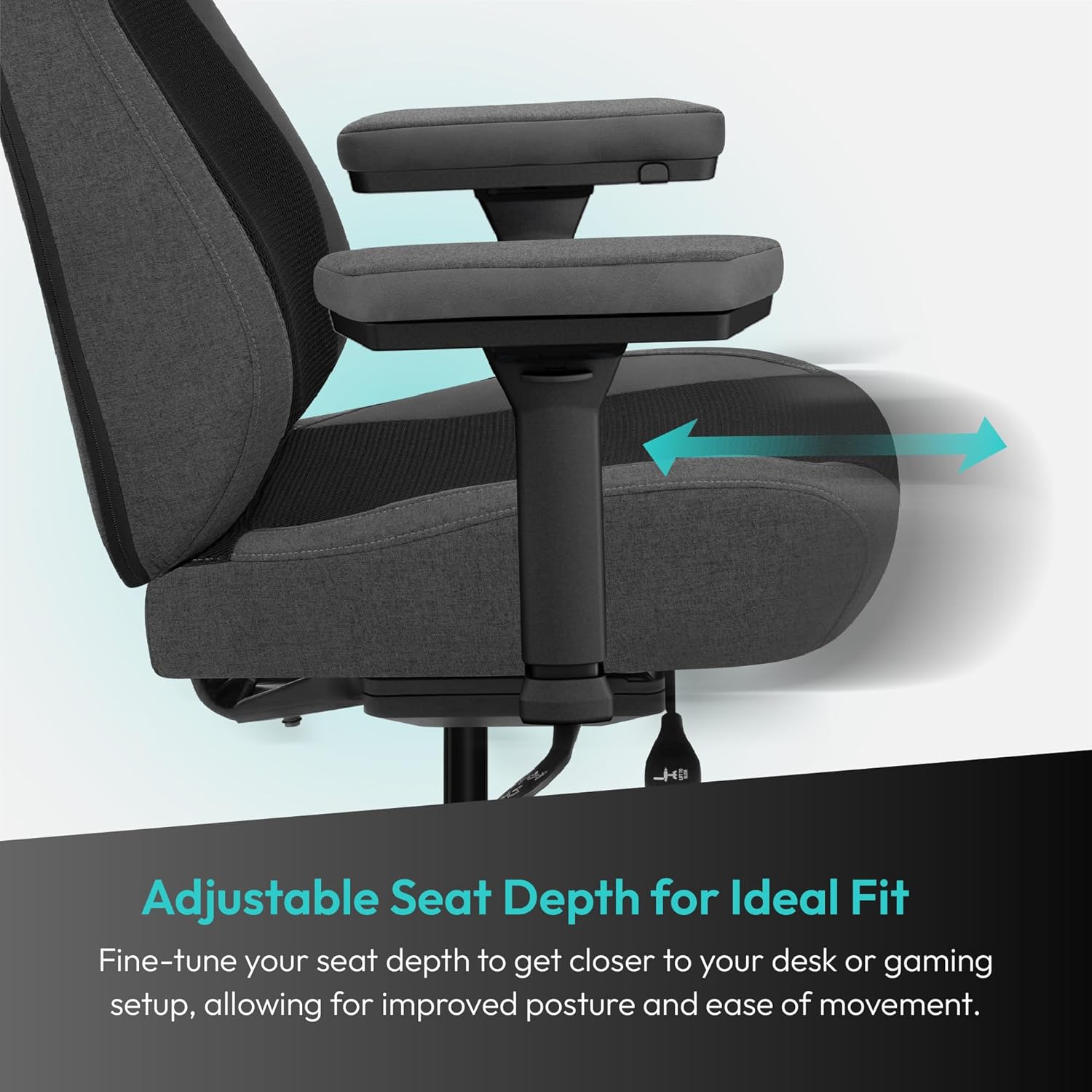
Image: The chair's seat, with an arrow illustrating the adjustable seat depth feature.
Ergonomic Headrest with Side Support
The cushioned headrest provides full neck and head comfort, supporting you from all sides to alleviate muscle tension and enhance relaxation. The headrest is designed to complement the natural curve of your spine.
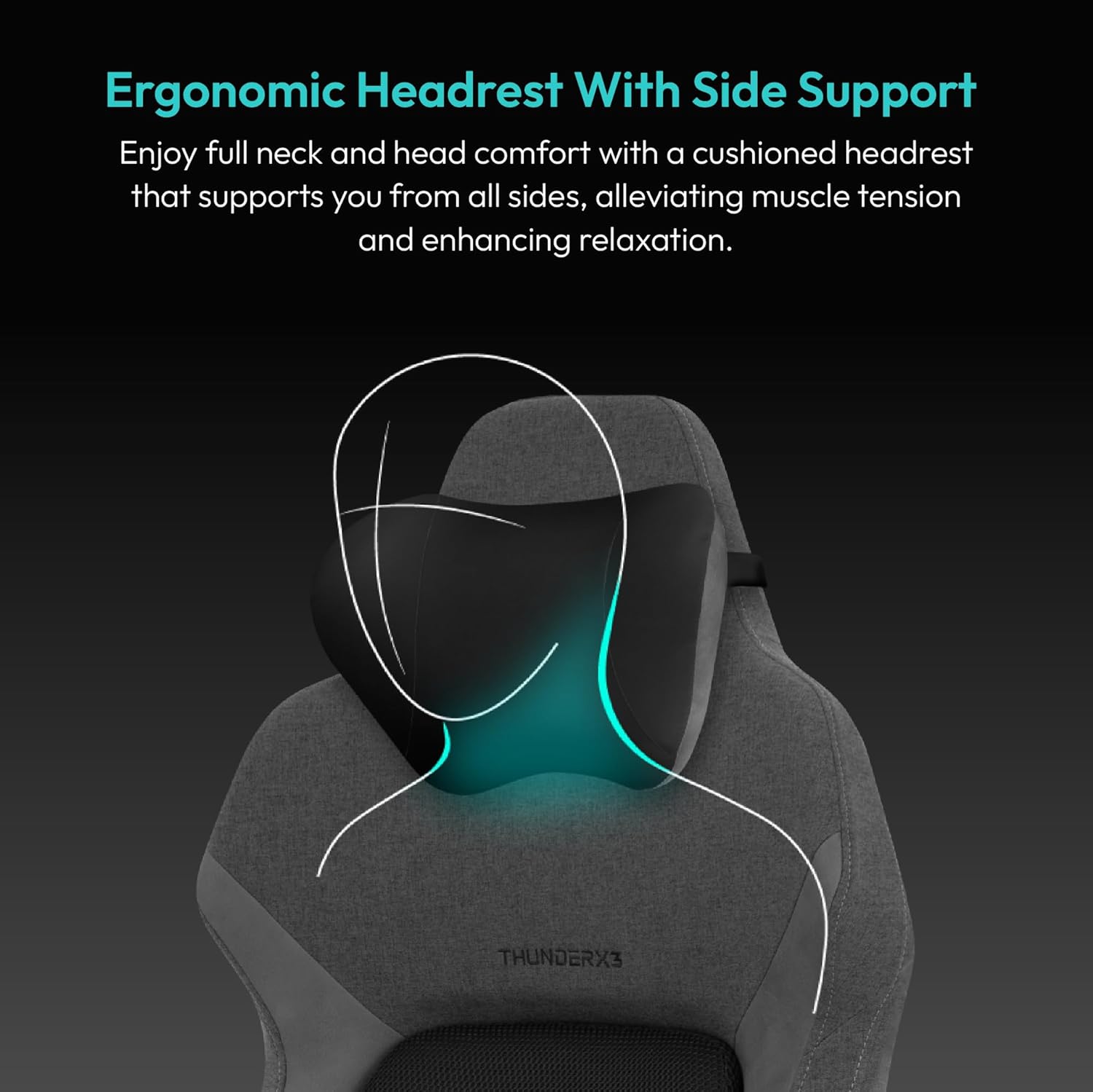
Image: A diagram highlighting the ergonomic headrest and its side support for the head and neck.
Maintenance
Regular maintenance will prolong the life and appearance of your chair.
- Cleaning: For the breathable mesh and fabric areas, use a soft cloth dampened with mild soap and water. Avoid harsh chemicals or abrasive cleaners. For the frame and plastic parts, wipe with a damp cloth.
- Inspection: Periodically check all bolts and screws to ensure they are tight. Re-tighten if necessary.
- Casters: Keep casters clean and free of debris (hair, dust) to ensure smooth movement.
- Avoid Overloading: Do not place excessive weight on the chair or its components.

Image: A detailed view of the chair's breathable mesh fabric, emphasizing its texture and design.
Troubleshooting
If you encounter issues with your chair, refer to the following common problems and solutions:
| Problem | Possible Cause | Solution |
|---|---|---|
| Chair does not adjust height | Gas lift malfunction or lever not engaged. | Ensure the height adjustment lever is fully engaged. If the issue persists, the gas lift may need replacement. |
| Chair squeaks or wobbles | Loose bolts or components. | Check and tighten all assembly bolts and screws. Apply a small amount of silicone lubricant to moving parts if necessary. |
| Casters do not roll smoothly | Debris caught in casters. | Remove any hair, dust, or debris from the caster wheels. Clean with a damp cloth. |
| Lumbar support feels inconsistent | Chair not positioned correctly or mechanism obstruction. | Ensure you are seated correctly. Check for any obstructions behind the backrest that might impede the lumbar mechanism. |
Specifications
Below are the key specifications for the ThunderX3 CORE Smart MESH Gaming Chair:
- Brand: ThunderX3
- Model Name: CORE Smart
- Model Number: TEGC-2072101.11
- Color: Breathable Mesh, Black
- Material: Polyethylene (Frame), Memory Foam (Fill), Breathable Mesh (Seat)
- Product Dimensions (D x W x H): 27.6" x 27.6" x 50.8" (70cm x 70cm x 129cm)
- Item Weight: 55.8 Pounds (25.3 kg)
- Maximum Weight Recommendation: 125 Kilograms (275 lbs)
- Required Assembly: Yes
- Back Style: Mesh Back
- Arm Style: Pillow-Top, 3D Adjustable
- Additional Features: Ergonomic, Automatic Lumbar Support, Synchronized Tilt, Adjustable Seat Depth
Warranty and Support
Your ThunderX3 CORE Smart MESH Gaming Chair comes with a Limited Warranty. Please refer to the warranty card included in your product packaging for specific terms, conditions, and duration of coverage.
For technical support, warranty claims, or replacement parts, please contact ThunderX3 customer service through their official website or the contact information provided in your product documentation. When contacting support, please have your model number (TEGC-2072101.11) and proof of purchase readily available.