
Introduction
Thank you for choosing the SUPERJARE 31.5-inch White Bakers Rack. This versatile storage solution is designed to enhance your kitchen or living space with its functional design, including integrated power outlets, adjustable shelving, and convenient S-shaped hooks. This manual provides detailed instructions for assembly, operation, and maintenance to ensure safe and optimal use of your new rack.

Figure 1: The SUPERJARE 31.5-inch White Bakers Rack in a typical kitchen setup.
Safety Information
- Anti-Tip Device: Always install the included anti-tip device to secure the rack to the wall. This prevents accidental tipping, especially in households with children or pets.
- Power Outlets: The integrated power strip features 3 AC outlets and 1 safe switch. Ensure the rack is plugged into a grounded outlet. Do not overload the power strip.
- Weight Capacity: Do not exceed the recommended weight capacity for each shelf. Distribute weight evenly to maintain stability.
- Placement: Place the rack on a flat, stable surface. Use the adjustable feet to compensate for uneven floors.
- Cord Management: Route power cords safely to avoid tripping hazards and ensure they are not pinched or damaged.
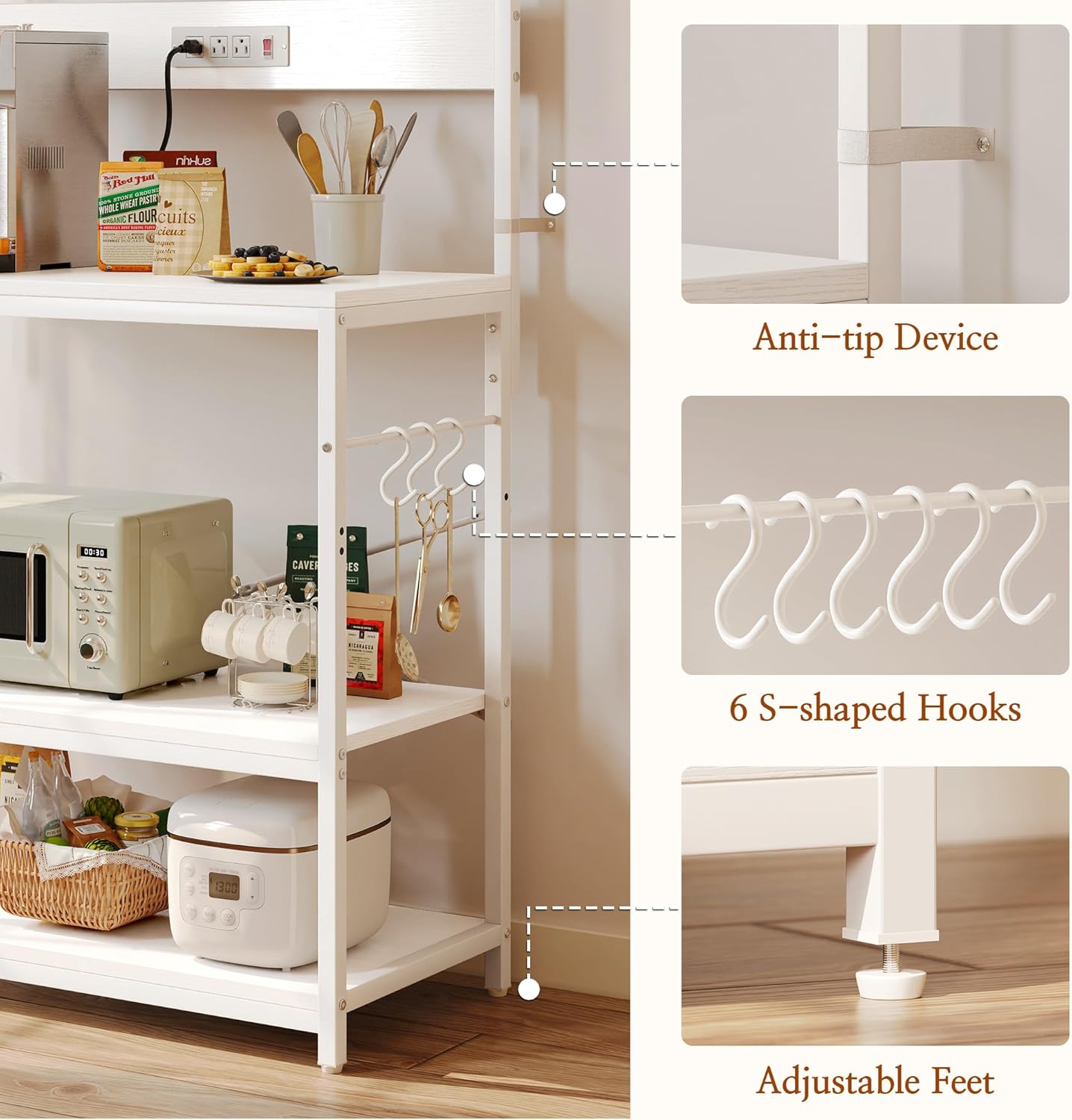
Figure 2: Detail of the anti-tip device, S-shaped hooks, and adjustable feet for enhanced safety and stability.
Parts List
Before assembly, verify that all parts are present and undamaged. Refer to the included hardware pack for specific component identification.
- Metal Frame Components
- Engineered Wood Shelves (4 total, including desktop and adjustable middle shelf)
- Integrated Power Strip with 3 AC Outlets and 1 Safety Switch
- Power Cord (6.5 feet)
- S-Shaped Hooks (6 pieces)
- Adjustable Feet (4 pieces)
- Anti-Tip Device
- Assembly Hardware (screws, Allen wrench, etc.)
Assembly Instructions
Assembly is designed to be straightforward. Follow the numbered instructions and diagrams provided in your product packaging. Do not fully tighten screws until all components are in place to allow for adjustments.
- Unpack and Identify: Carefully unpack all components and lay them out. Match each part to the corresponding label in the parts list.
- Assemble Frame: Begin by connecting the metal frame components using the provided hardware. Ensure all connections are secure but not fully tightened.
- Attach Shelves: Secure the engineered wood shelves to the frame. The middle shelf is adjustable; choose your desired height before fully tightening.
- Install Power Strip: Mount the integrated power strip to the designated area on the rack.
- Attach Hooks and Feet: Place the S-shaped hooks on the side bars as desired. Screw in the adjustable feet at the bottom of the frame.
- Final Tightening: Once all parts are assembled and aligned, fully tighten all screws.
- Install Anti-Tip Device: Securely attach the anti-tip device to the top of the rack and to a wall stud using appropriate hardware.
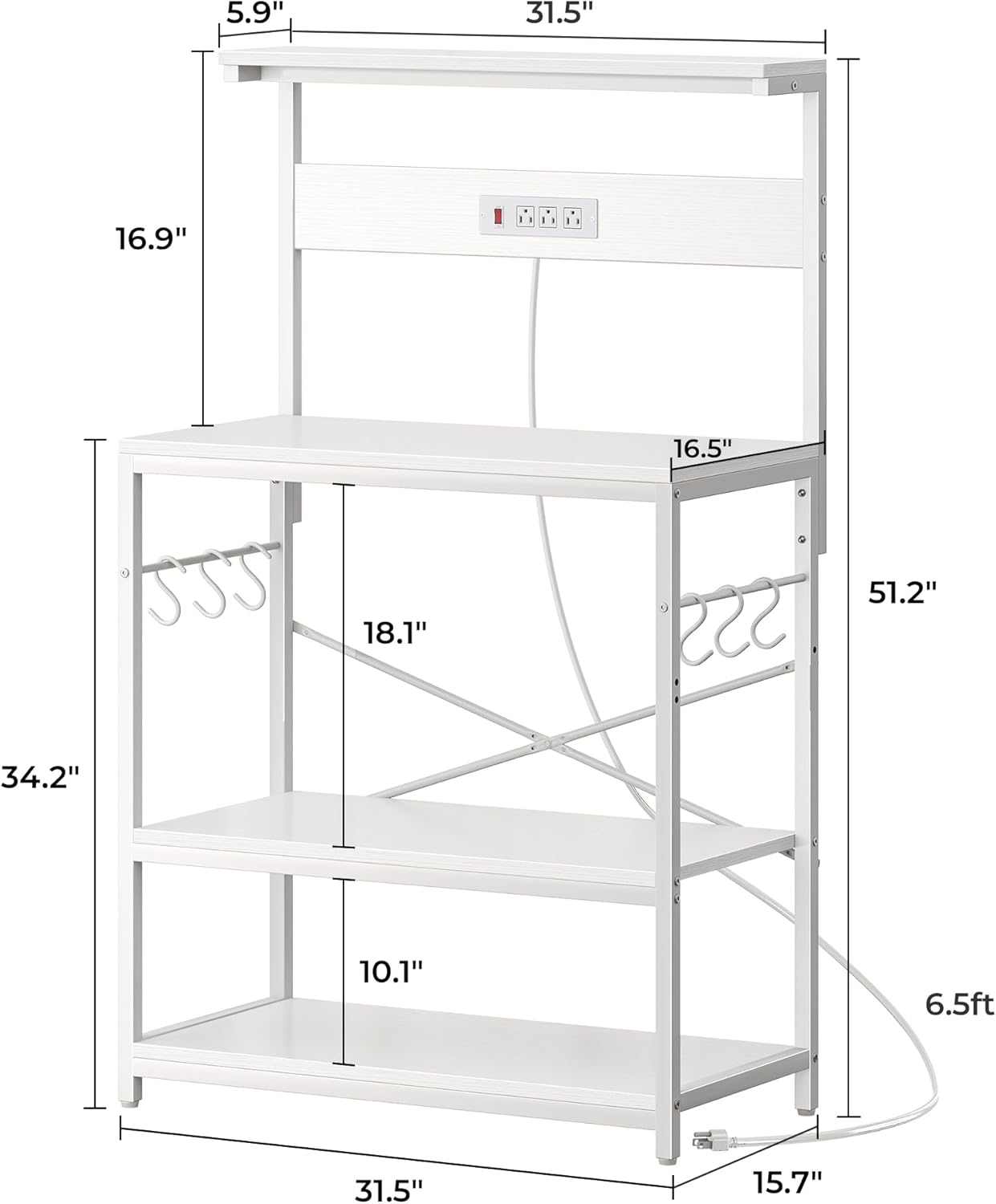
Figure 3: Detailed dimensions and component layout for assembly reference.
Operating Instructions
Using the Power Outlets
The bakers rack is equipped with a convenient power strip to power your kitchen appliances directly.
- Plug In: Connect the rack's main power cord (6.5 feet) to a grounded wall outlet.
- Activate Power: Flip the red safety switch on the power strip to the 'ON' position to supply power to the 3 AC outlets.
- Connect Appliances: Plug your coffee machine, blender, microwave, or other kitchen appliances into the available outlets.
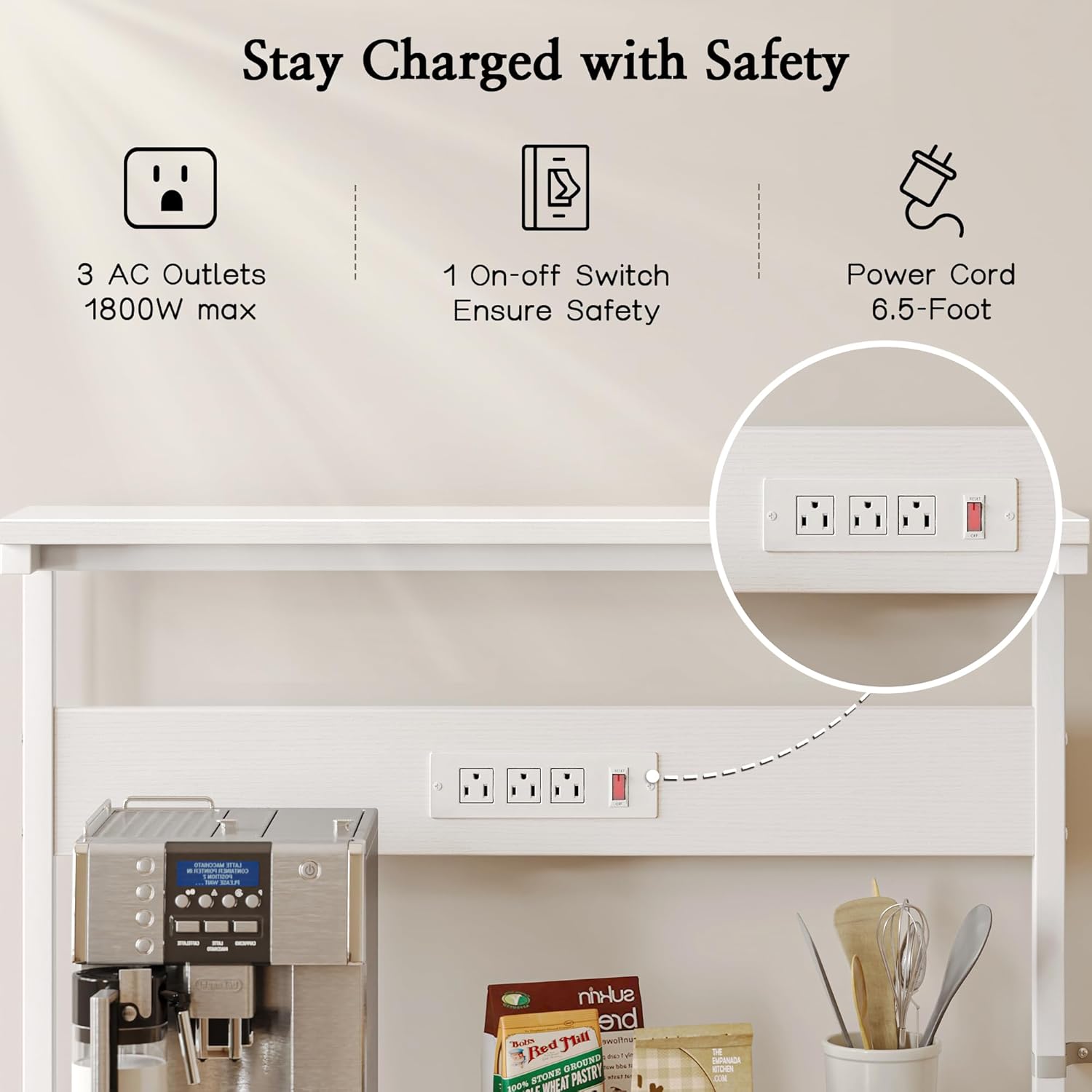
Figure 4: Detail of the power outlets and safety switch.
Adjusting the Middle Shelf
The middle shelf can be adjusted to two different height levels to accommodate various items.
- Empty Shelf: Remove all items from the middle shelf.
- Loosen Fasteners: Loosen the screws or fasteners securing the middle shelf to the frame.
- Reposition: Carefully lift and reposition the shelf to the desired height, aligning it with the pre-drilled holes.
- Secure Shelf: Re-tighten all fasteners to ensure the shelf is stable and secure before placing items back on it.

Figure 5: The adjustable middle shelf allows for flexible storage configurations.
Utilizing S-Shaped Hooks
The included 6 S-shaped hooks can be placed on the side bars of the rack to hang kitchen tools, mugs, towels, or other small items, keeping them within easy reach.
Maintenance
- Cleaning: Wipe down the engineered wood surfaces with a soft, damp cloth. Avoid harsh chemicals or abrasive cleaners that may damage the finish. For metal parts, use a mild detergent and dry thoroughly.
- Inspection: Periodically check all screws and connections to ensure they remain tight. Re-tighten if necessary to maintain stability.
- Spills: Clean up spills immediately to prevent staining or damage to the wood surfaces.
Specifications
| Feature | Detail |
|---|---|
| Brand | SUPERJARE |
| Model | 31.5-inch White Bakers Rack |
| Material | Engineered Wood, Metal |
| Color | White |
| Product Dimensions (D x W x H) | 16.5"D x 31.5"W x 52.4"H |
| Desktop Dimensions | 31.5" x 16.5" |
| Number of Shelves | 4 (including top shelf and desktop) |
| Adjustable Shelf | Yes, 2 level positions for middle shelf |
| Power Outlets | 3 AC Outlets, 1 Safety Switch |
| Power Cord Length | 6.5 feet |
| Special Features | Heavy Duty, Power Outlets, 6 S-Shaped Hooks, Anti-Tip Device, Adjustable Feet |
| Mounting Type | Freestanding |
| Item Weight | 14.52 Kilograms |
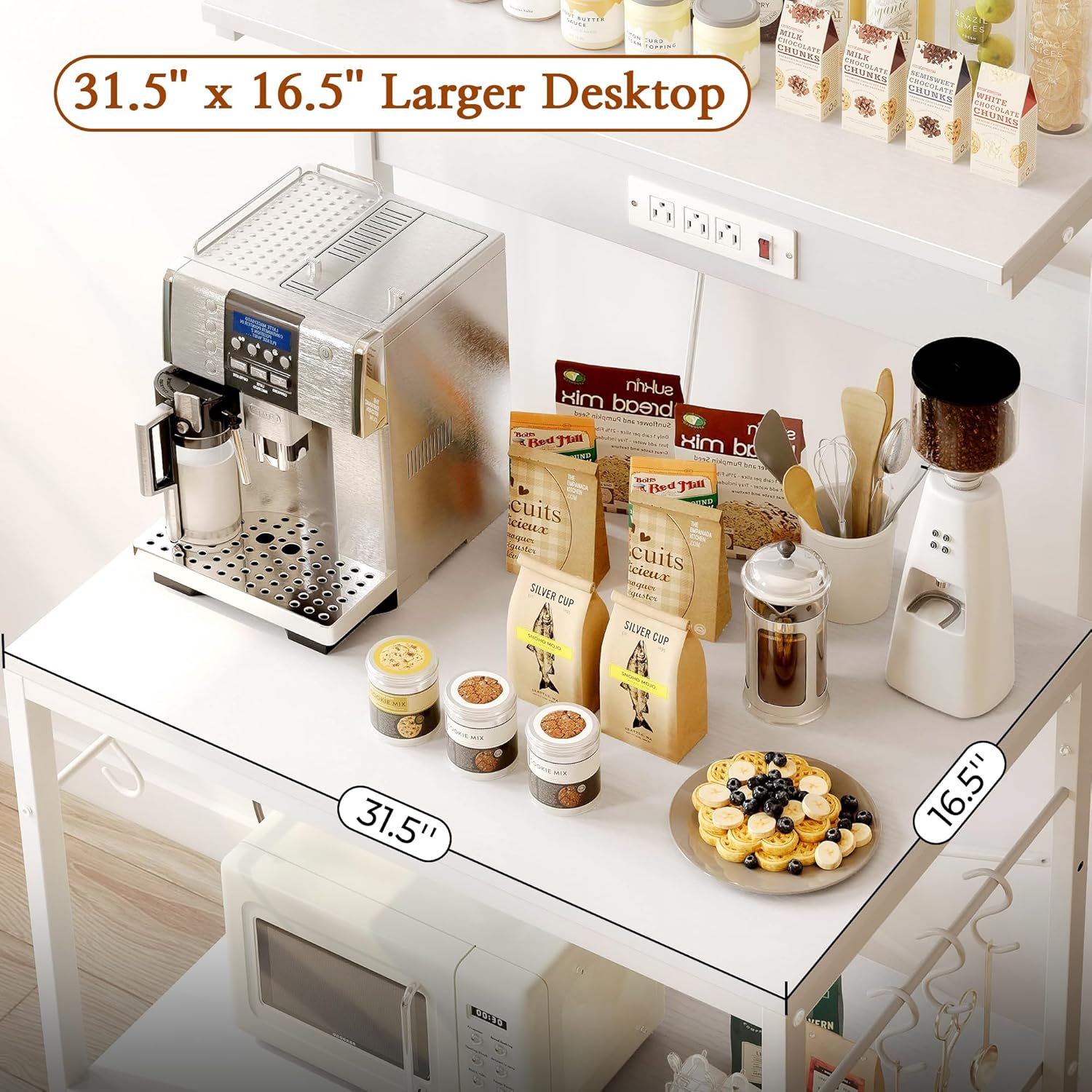
Figure 6: The spacious desktop provides ample room for appliances.