1. Introduction
Thank you for choosing the MOCREO ST7-CL Bluetooth Temperature Controller. This device is designed for precise temperature management, offering both heating and cooling control. It features a replaceable sensor probe, a loud alarm, and easy configuration via a dedicated mobile application. This manual provides essential information for safe and effective use of your temperature controller.
2. Safety Information
- Ensure the device is plugged into a 100-240V AC power outlet.
- Do not overload the controller. Maximum load is 10A, 1100W.
- Ensure the sensor probe cable is fully plugged in and positioned correctly to monitor the desired temperature.
- Keep the device and probe away from water or excessive moisture unless specified for waterproof use.
- Do not attempt to disassemble or repair the device yourself. Contact support for assistance.
3. Package Contents
- MOCREO ST7-CL Bluetooth Temperature Controller Unit
- Temperature Sensor Probe
- User Manual
4. Product Overview
The MOCREO ST7-CL is a compact plug-in device with an integrated temperature sensor probe. It allows for precise temperature control and monitoring via a Bluetooth-connected mobile application.

Figure 1: MOCREO ST7-CL Bluetooth Temperature Controller connected to a mobile application for real-time monitoring.
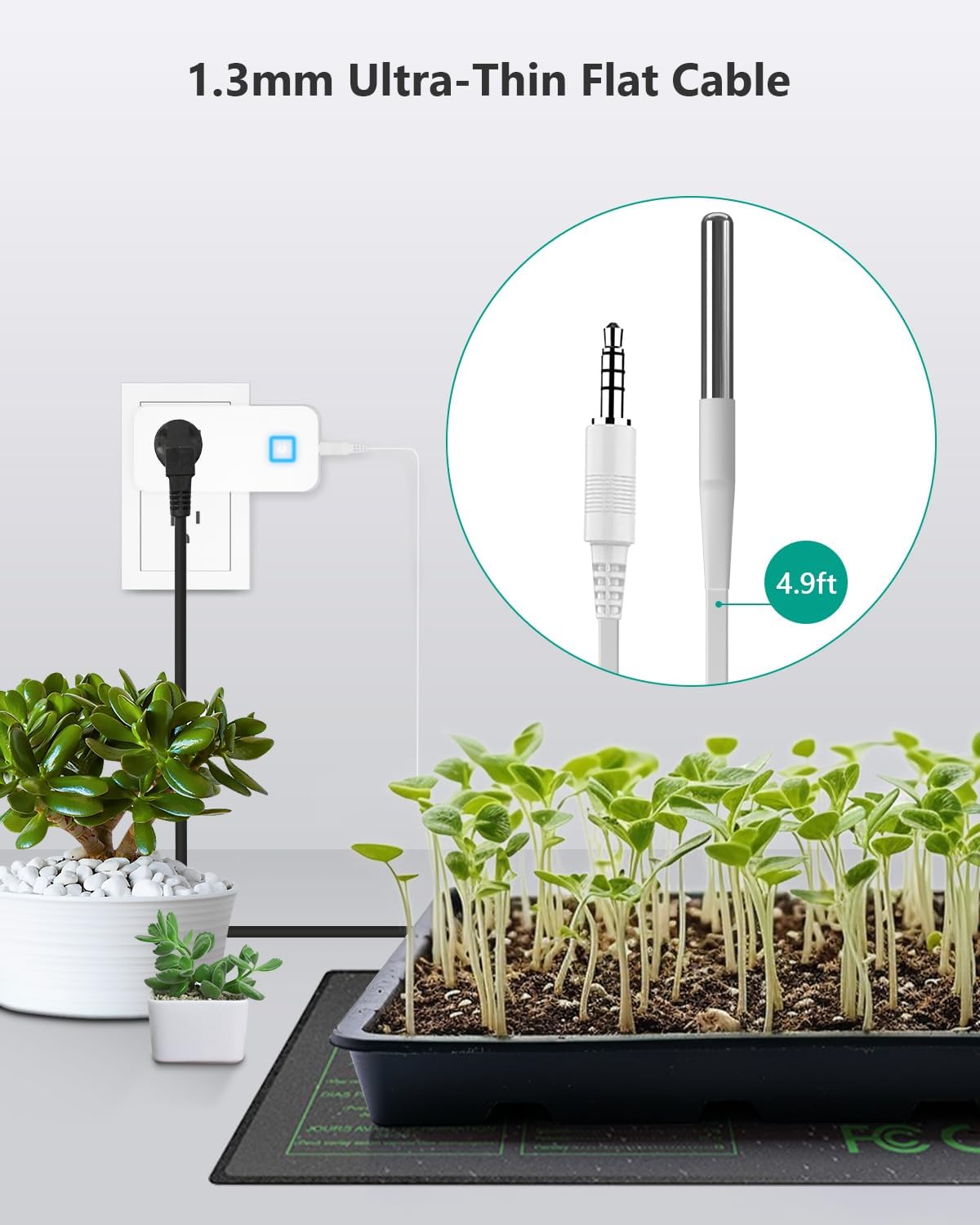
Figure 2: The ultra-thin flat cable of the temperature sensor probe, designed for easy placement without obstructing doors or seals.
5. Setup Instructions
- Plug in the Controller: Insert the MOCREO ST7-CL into a standard 100-240V AC power outlet.
- Connect Heating/Cooling Device: Plug your heating or cooling appliance into the outlet on the MOCREO controller.
- Connect Sensor Probe: Ensure the audio jack on the probe cable is fully plugged in and positioned correctly to monitor the desired temperature.
- Download the MOCREO App: Search for 'MOCREO' in your mobile device's app store (iOS or Android) and install the application.
- Pair via Bluetooth: Open the MOCREO App and follow the on-screen instructions to connect to your ST7-CL controller via Bluetooth.
6. Operating Instructions
The MOCREO ST7-CL operates primarily through its mobile application, allowing for flexible temperature control and monitoring.
- Setting Temperature Thresholds: Within the app, you can set the desired 'turn-on' and 'turn-off' temperatures for both heating and cooling modes.
- Cooling Mode: Set the turn-on temperature lower than the turn-off temperature. The device will activate when the temperature rises above the turn-off threshold and deactivate when it drops below the turn-on threshold.
- Heating Mode: Set the turn-on temperature higher than the turn-off temperature. The device will activate when the temperature drops below the turn-on threshold and deactivate when it rises above the turn-off threshold.
- Alarm Settings: Configure the 90dB loud alarm within the app to alert you when the temperature exceeds or falls below your specified range.
- Real-time Monitoring: View the current temperature and device status directly from the MOCREO App within Bluetooth range.

Figure 3: Intuitive app interface for configuring working modes and alarm settings.
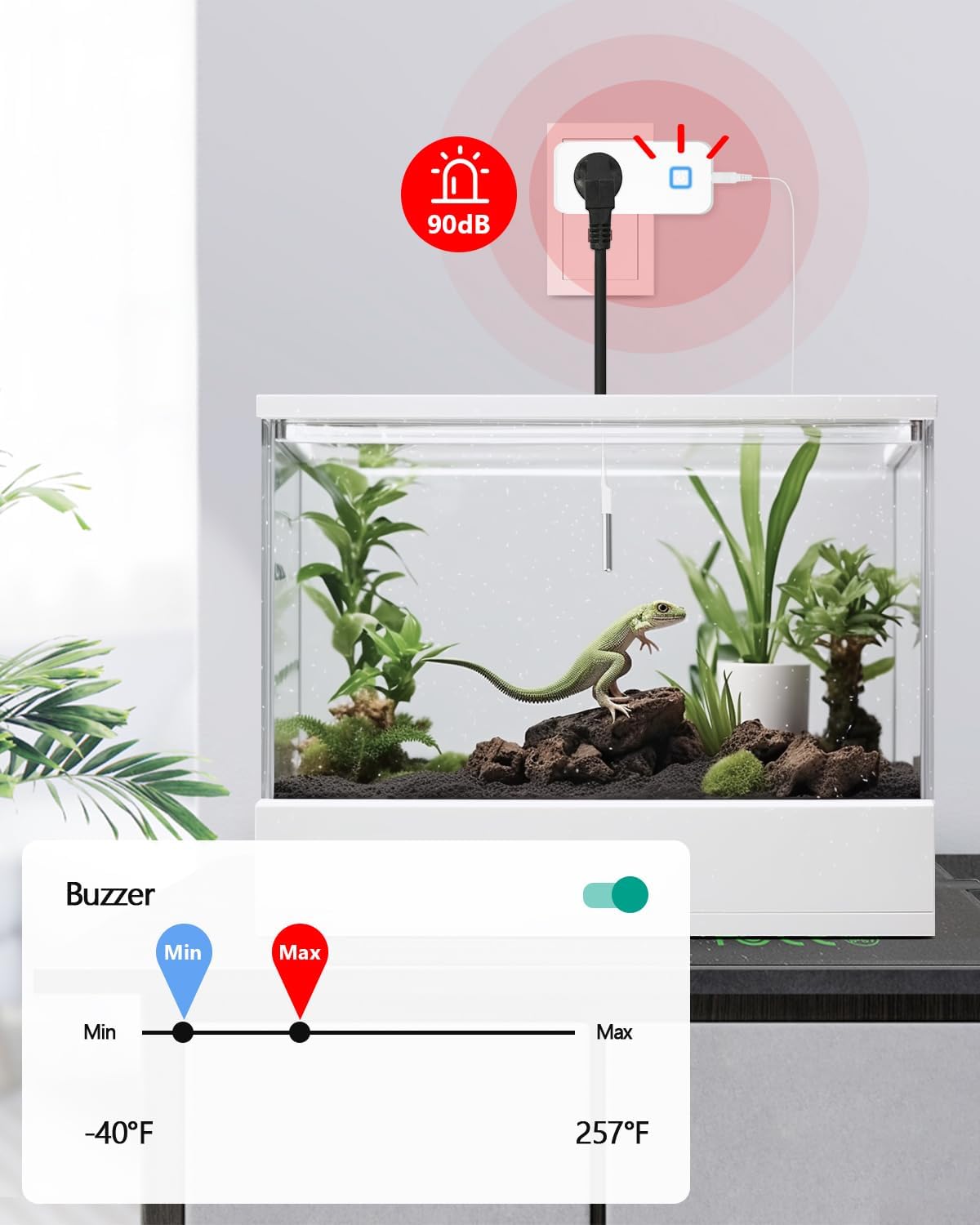
Figure 4: The 90dB alarm provides audible alerts for temperature deviations.
7. Applications
The MOCREO ST7-CL is versatile and can be used in various environments requiring precise temperature control:
- Reptile Heat Pads & Terrariums
- Greenhouse Heaters & Grow Tents
- Homebrew Fermentation
- Aquariums
- Chicken Coop Heat Lamps
- Freezers & Refrigerators

Figure 5: Examples of environments where the MOCREO temperature controller can be effectively utilized.
8. Troubleshooting
- Device Not Activating: Ensure the probe cable is securely connected and the power outlet is functioning. Check app settings for correct temperature thresholds.
- Bluetooth Connectivity Issues: Ensure your mobile device is within the 50ft Bluetooth range of the controller. Restart the app and the controller if necessary.
- Inaccurate Temperature Readings: Verify the sensor probe is correctly positioned and not obstructed. Ensure the probe is clean and undamaged.
- Alarm Not Triggering: Check the alarm settings in the app to ensure thresholds are correctly set and notifications are enabled.
9. Specifications
| Brand | MOCREO |
| Model Number | ST7-CL |
| Controller Type | App Control |
| Connectivity Technology | Bluetooth |
| Temperature Control Type | Cooling/Heating |
| Temperature Range | -40°F ~ 257°F (-40°C ~ 125°C) |
| Temperature Accuracy | ±0.9°F |
| Voltage | 100-240V |
| Maximum Load | 10A, 1100W |
| Special Features | Auto-Scheduling, Programmable, 90dB Loud Alarm |
| Material | Acrylonitrile Butadiene Styrene (ABS) |
| Product Dimensions | 3 x 2.05 x 1.4 inches |
| Item Weight | 4.2 ounces |
10. Warranty and Support
MOCREO is committed to providing reliable and easy-to-use products. For any inquiries or support, please refer to the following:
- Satisfaction Guarantee: 90-Day 100% Satisfaction Guarantee with money-back and free return options.
- Product Warranty: 1 Year Warranty.
- Customer Support: 24/7 Online Support 1-on-1.
For further assistance, please visit the MOCREO Store or contact our support team directly.


