
Introduction
This manual provides comprehensive instructions for the installation, operation, maintenance, and troubleshooting of your STARLEAD 40"x32" LED Bathroom Mirror. Please read this manual thoroughly before installation and use to ensure safe and optimal performance of your product.
Important Safety Information
Handle with care due to sharp edges. Always follow manufacturer's instructions for safe installation. Avoid hardwiring if not confident in your electrical abilities. Keep the mirror away from heat sources and high humidity areas to prevent damage.
Product Features
Explosion-Proof Design
Made of toughened glass, this mirror is sturdy and impact-resistant. Its enhanced explosion-proof performance minimizes the risk of injury.

Figure 1: Comparison of tempered glass (left) and traditional glass (right) under impact, highlighting the safety of the explosion-proof design.
Built-in Dual Bluetooth Speakers
Equipped with dual Bluetooth speakers, the mirror delivers 360-degree surround sound. Easily pair with your phone to listen to music or podcasts.

Figure 2: The mirror's integrated Bluetooth speakers allow for audio streaming while using the mirror.
Anti-Fog Function
Features an innovative anti-fog film. Press the demist button to activate and keep the mirror clear after a shower.
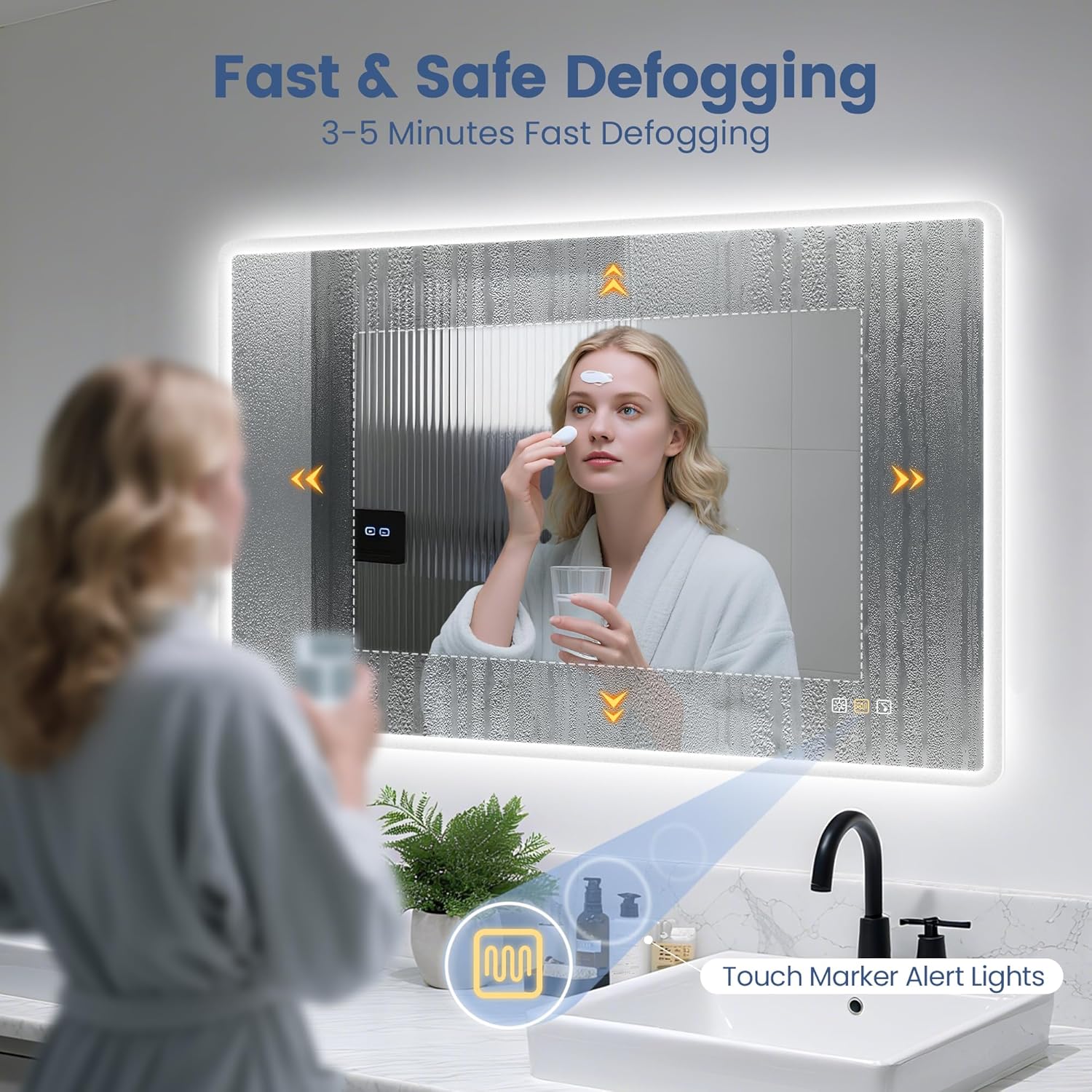
Figure 3: The anti-fog feature ensures a clear reflection even in steamy bathroom conditions.
Customized Lighting & Adjustable Brightness
Offers three color temperatures: 3000K warm light, 4000K natural light, and 6500K cool light, suitable for any occasion or mood. Long-press the touch sensor to control brightness, achieving stepless dimming from 5% to 100%.

Figure 4: The mirror provides three distinct color temperatures for various lighting needs.
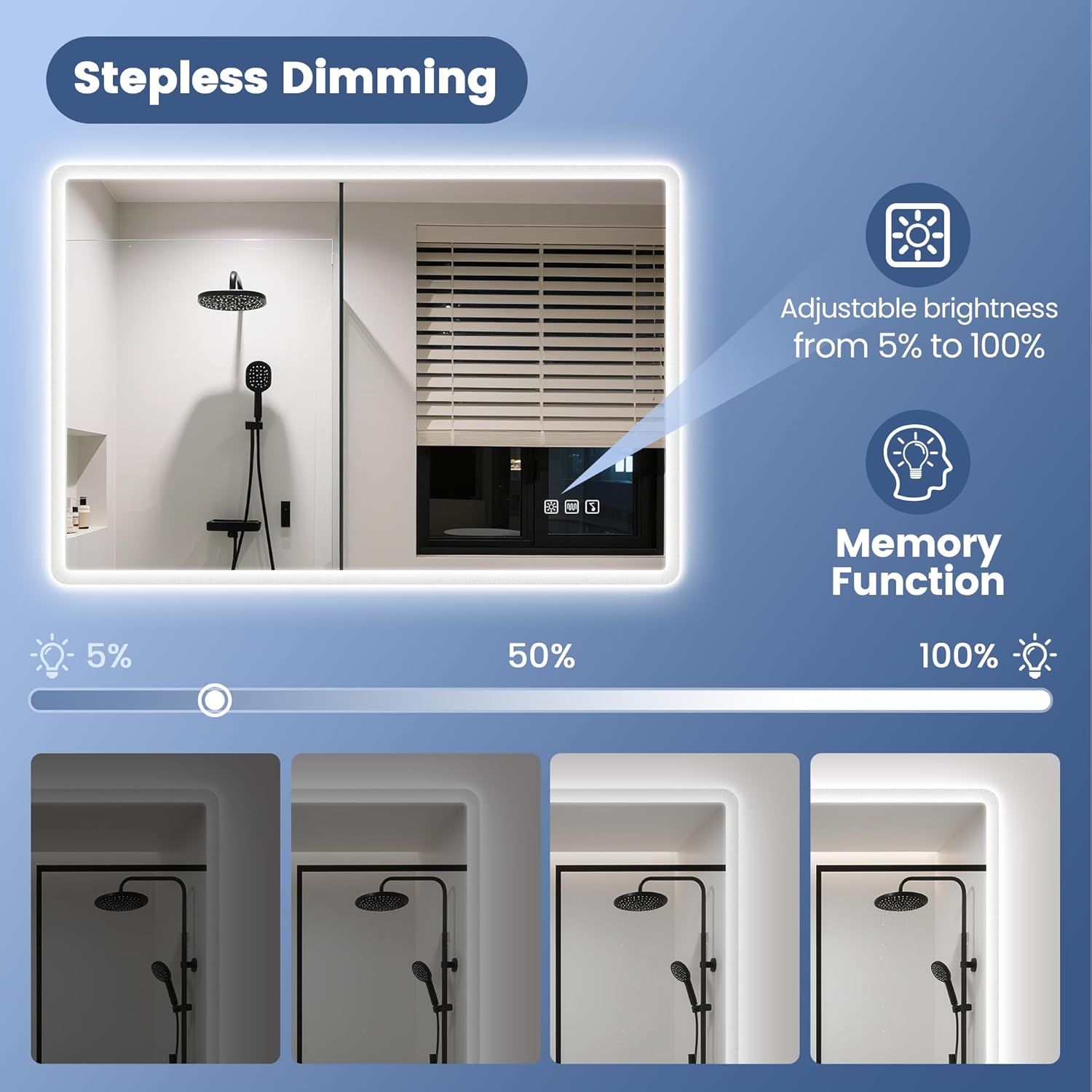
Figure 5: Stepless dimming allows precise control over the mirror's light intensity.
Intelligent Memory Function
The mirror remembers your preferred light brightness and color temperature settings, retaining these settings after shutdown and restart.
Flexible Installation Options
Can be installed vertically or horizontally. Choose between hardwiring or plug-in connection based on your preference.
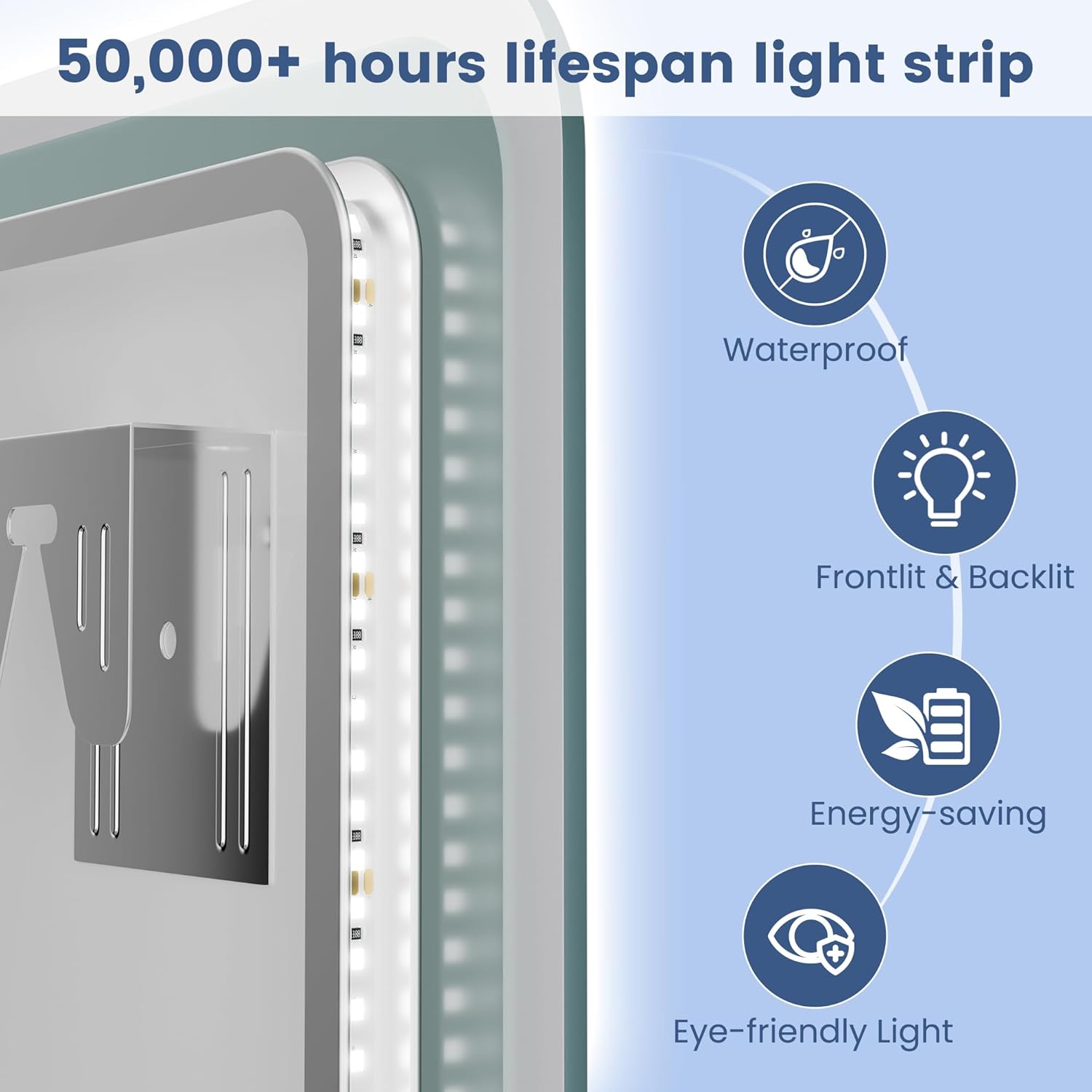
Figure 6: The mirror's design supports both vertical and horizontal mounting.
Setup Instructions
1. Unpacking and Inspection
- Carefully remove the mirror from its packaging.
- Inspect the mirror and all components for any signs of damage. Do not proceed with installation if damage is found.
- Ensure all listed parts are present before beginning installation.
2. Choosing Installation Method (Hardwire vs. Plug-in)
Determine whether you will hardwire the mirror directly into your electrical system or use the plug-in option. Hardwiring should only be performed by a qualified electrician.
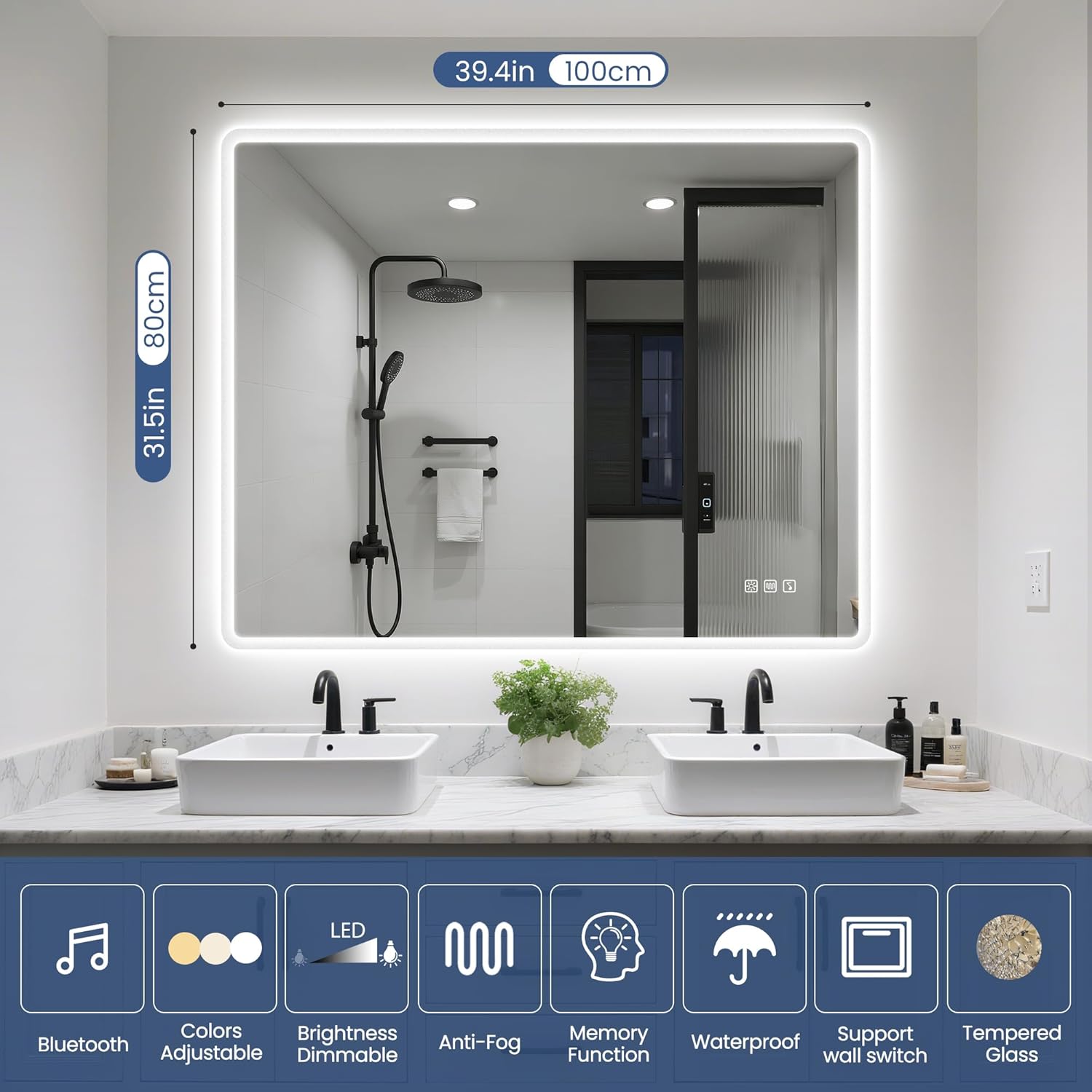
Figure 7: The mirror supports both touch sensor control and external wall switch integration.
3. Mounting the Mirror
- Select a suitable location on the wall, ensuring it can support the mirror's weight (approximately 27.5 pounds).
- Mark the desired mounting points on the wall, considering vertical or horizontal orientation.
- Drill pilot holes and insert appropriate wall anchors if necessary.
- Secure the mounting brackets to the wall.
- Carefully lift the mirror and hang it onto the installed mounting brackets.
4. Electrical Connection
- For Plug-in: Plug the mirror's power cord into a grounded electrical outlet.
- For Hardwire: Turn off power at the circuit breaker. Connect the mirror's wiring to the household electrical wiring according to local electrical codes. Consult a professional if unsure.
Operating Instructions
The mirror features intuitive touch controls located on the mirror surface.
1. Power On/Off and Color Temperature Adjustment
- Power: Tap the power icon (usually the leftmost icon) to turn the mirror lights on or off.
- Color Temperature: With the lights on, tap the power icon repeatedly to cycle through the three color temperatures: 3000K (warm light), 4000K (natural light), and 6500K (cool light).
2. Brightness Dimming
- Stepless Dimming: Long-press the power icon to adjust the brightness. The brightness will cycle from 5% to 100%. Release your finger when the desired brightness is reached.
3. Anti-Fog Function
- Activate Anti-Fog: Tap the anti-fog icon (often depicted as steam or waves) to activate the demist function. The indicator light for this function will illuminate.
- Deactivate Anti-Fog: Tap the anti-fog icon again to turn off the function.
4. Bluetooth Speaker Operation
- Pairing: Tap the Bluetooth icon on the mirror. The mirror will enter pairing mode. On your mobile device, search for "STARLEAD Mirror" (or similar name) in your Bluetooth settings and connect.
- Audio Playback: Once paired, audio played on your device will be routed through the mirror's speakers.
5. Memory Function
The mirror automatically saves your last used brightness and color temperature settings. When the mirror is turned on again, it will recall these settings.
Maintenance
1. Cleaning the Mirror Surface
- Always turn off the mirror and disconnect power before cleaning.
- Use a soft, lint-free cloth and a non-abrasive glass cleaner.
- Spray the cleaner onto the cloth, not directly onto the mirror, to prevent liquid from seeping into electrical components.
- Wipe the surface gently until clean and dry.
- Avoid using harsh chemicals, abrasive cleaners, or sharp objects that could scratch the glass or damage the finish.
2. Electrical Components Care
- Ensure all electrical connections remain secure.
- Do not attempt to repair or modify the electrical components yourself. Contact a qualified technician if issues arise.
Troubleshooting
| Problem | Possible Cause | Solution |
|---|---|---|
| Mirror lights do not turn on. | No power supply; loose connection; faulty switch. | Check power outlet/circuit breaker. Ensure all wiring connections are secure. Tap the touch switch firmly. |
| Anti-fog function not working. | Function not activated; internal issue. | Ensure the anti-fog button is pressed and its indicator light is on. Allow a few minutes for the function to take effect. If problem persists, contact support. |
| Bluetooth not connecting or poor sound. | Mirror not in pairing mode; device too far; interference. | Ensure Bluetooth is activated on the mirror and your device. Move your device closer to the mirror. Disconnect other Bluetooth devices. |
| Brightness or color temperature not changing. | Incorrect operation; touch sensor issue. | Ensure you are long-pressing for brightness and tapping for color temperature. Clean the touch sensor area. |
Specifications
| Specification | Detail |
|---|---|
| Brand | STARLEAD |
| Model Number | USM3017 |
| Product Dimensions | 32"L x 40"W |
| Shape | Rectangular |
| Frame Material | Tempered Glass |
| Mounting Type | Wall Mount |
| Color Temperatures | 3000K (Warm), 4000K (Natural), 6500K (Cool) |
| Brightness Adjustment | Stepless dimming (5% to 100%) |
| Special Features | Bluetooth Speaker, Anti-Fog, Dimmable, Memory Function |
| Item Weight | 27.5 pounds |
Warranty and Support
For any warranty inquiries, technical support, or assistance with your STARLEAD LED Bathroom Mirror, please contact STARLEAD customer service. Refer to your purchase documentation for specific warranty terms and contact details.
You can also visit the official STARLEAD store for more information and support: STARLEAD Store on Amazon.


