
Safety Information
Always secure the table to the wall using the anti-tip device to prevent tipping. Do not overload the table as it may cause instability. Always follow the assembly instructions carefully to ensure safe use.
Product Overview
The SUPERJARE 78.7 Inch Console Table with Outlet is designed to provide a functional and space-saving surface for various areas in your home. It features a built-in charging station for convenience.
- Integrated Charging Station: Equipped with 2 standard AC outlets (125V/12A), 1 USB Port (5V-3A), and 1 Type-C port (5V-3A) to meet your charging needs.
- Versatile Placement: Ideal for use behind a sofa, in a narrow hallway, as an entryway table, or even as a plant table under a window.
- Durable Construction: Constructed from sturdy P2 Particleboard and a strong metal frame for long-lasting stability.
- Adjustable Features: Includes adjustable feet for stability on uneven floors and an anti-tip device for enhanced safety.
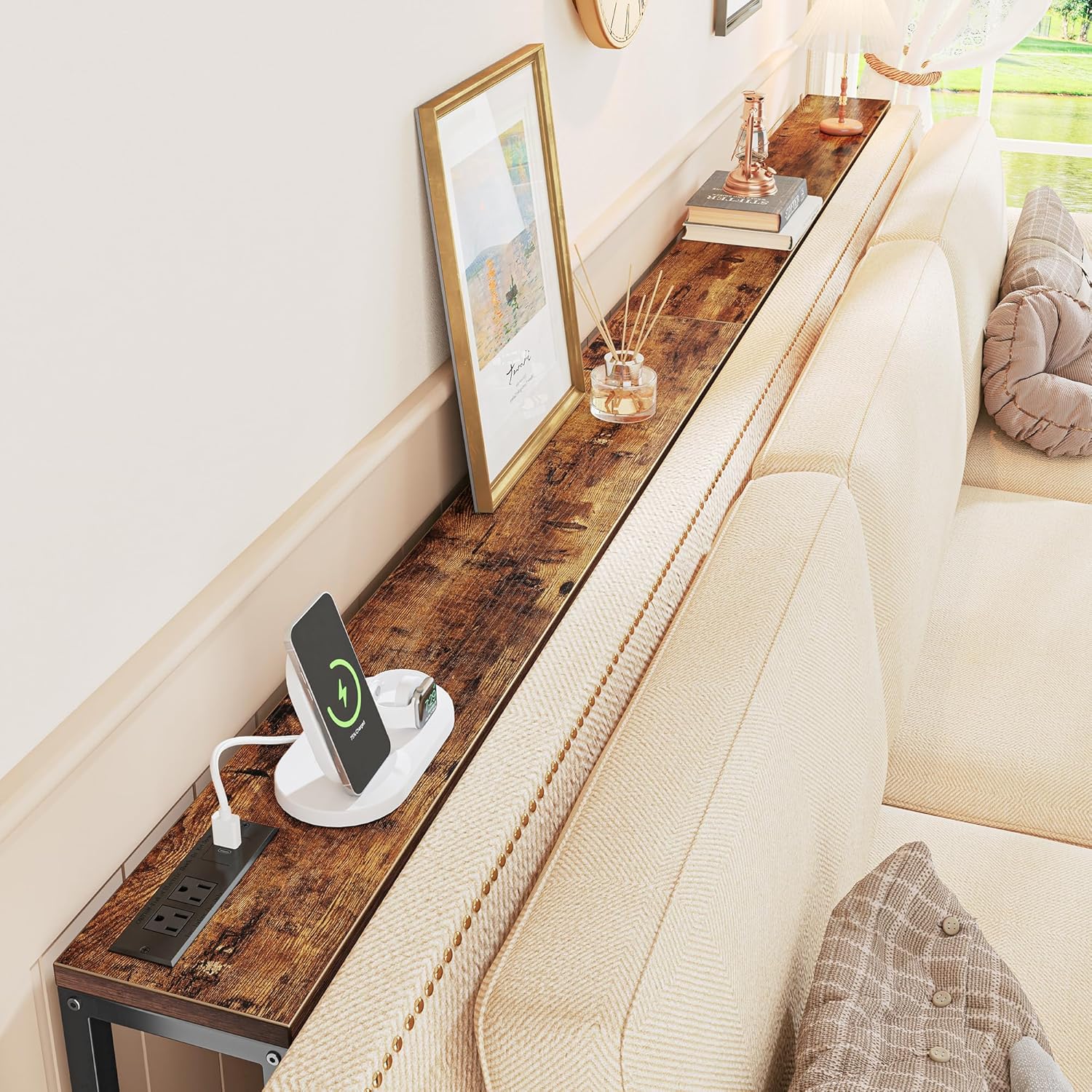
Image: The SUPERJARE 78.7 Inch Console Table positioned behind a sofa, showcasing its length and utility for holding decorative items and charging devices.
Setup and Assembly
Assembly of your SUPERJARE Console Table is designed to be straightforward. All necessary parts are numbered, and tools are included in the package. Follow the clear instructions provided to ensure correct and safe assembly.
- Unpack all components and verify against the parts list in the instruction manual.
- Assemble the metal frame components using the provided screws and hexagonal wrench.
- Attach the P2 Particleboard tabletop to the assembled frame.
- Install the power outlet module into the designated slot on the tabletop. The module can be placed on the side or in the middle based on your preference.
- Adjust the leveling feet to ensure the table is stable and does not wobble.
- Secure the table to the wall using the anti-tip device for added safety, especially in households with children or pets.

Image: A diagram illustrating the overall dimensions of the console table, including its length, depth, and height.

Image: Visual representation of two assembly choices for the charging station, allowing it to be positioned either on the side or in the middle of the tabletop.
Video: This video demonstrates the features of a narrow console table with a power outlet, highlighting its design and functionality.
Operating Instructions
The SUPERJARE Console Table is designed for ease of use and versatility. Once assembled and placed, it serves multiple functions:
- Charging Devices: Utilize the 2 AC outlets, 1 USB port, and 1 Type-C port to power and charge your electronic devices such as lamps, phones, tablets, and laptops. Ensure devices are compatible with the provided voltage and amperage.
- Surface for Items: Use the tabletop to display decorative items, hold beverages, or keep essential items within reach.
- Placement: Position the table behind your sofa to create a convenient surface for drinks and remotes, in a hallway for keys and mail, or under a window for plants.
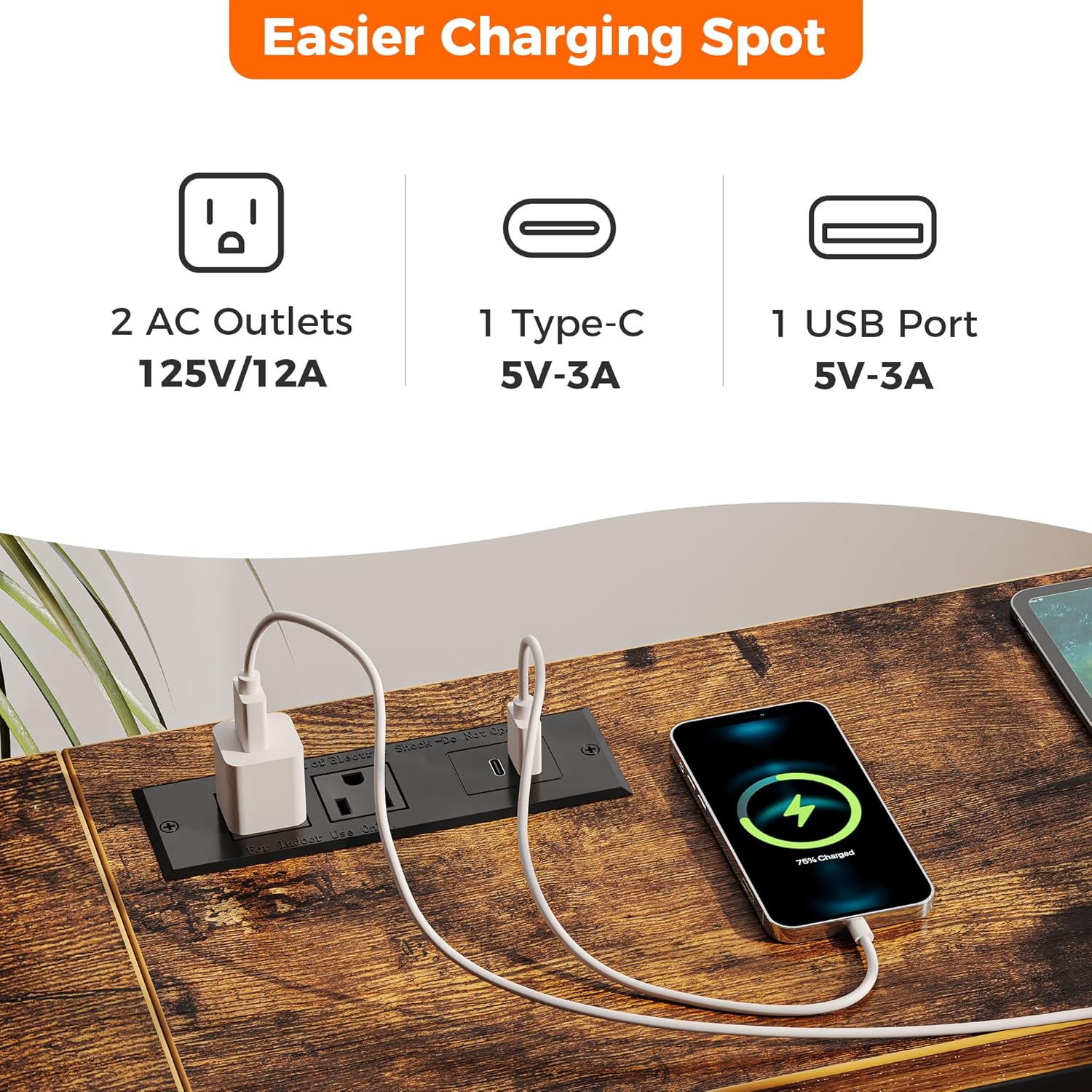
Image: A detailed view of the integrated charging station, showing the two AC outlets, one USB port, and one Type-C port.

Image: Close-up of the table's adjustable feet for leveling and the anti-tip device for securing it to a wall.
Maintenance
To maintain the appearance and longevity of your console table, simply wipe it with a damp cloth. Avoid using harsh chemicals or abrasive cleaners that could damage the finish.
Troubleshooting
If you encounter any issues with your SUPERJARE Console Table, please refer to the following common solutions:
- Charging Ports Not Working: Ensure the table's main power cord is securely plugged into a functional wall outlet. Check if the power outlet itself is receiving power.
- Table Wobbles: Adjust the leveling feet at the bottom of the table legs until stability is achieved. Ensure all assembly screws are tightened.
- Tipping Hazard: Always install the provided anti-tip device to secure the table to the wall, especially if it is placed in an area where it could be bumped or pulled.
Product Specifications
| Specification | Detail |
|---|---|
| Brand | SUPERJARE |
| Model Number | c0cd950e-62c2-4362-8753-aa4529c2c8bd |
| Product Dimensions | 7.9"D x 78.7"W x 31.5"H |
| Item Weight | 15.84 Pounds |
| Color | Rustic Brown |
| Frame Material | Metal |
| Top Material Type | Engineered Wood (P2 Particleboard) |
| AC Outlets | 2 (125V/12A) |
| USB Port | 1 (5V-3A) |
| Type-C Port | 1 (5V-3A) |
| Recommended Number of People for Assembly | 1 |
| Includes All Assembly Tools | Yes |
Warranty and Support
For warranty information or technical support regarding your SUPERJARE 78.7 Inch Console Table with Outlet, please contact SUPERJARE customer service through the retailer where the product was purchased. Keep your purchase receipt for proof of purchase.