1. Introduction
Thank you for choosing the Enzemit Customizable Bluetooth LED Glasses. These glasses feature a vibrant LED display that can be customized via a smartphone application, allowing for personalized text, patterns, and animations. Designed for various events, they offer a unique way to express yourself. Please read this manual carefully to ensure proper use and maintenance of your new LED glasses.
2. Package Contents
Verify that all items are present in your package:
- 1 x Enzemit LED Glasses
- 1 x USB Charging Cable
- 1 x Instruction Manual (this document)
3. Product Overview
The Enzemit LED Glasses are constructed from Acrylonitrile Butadiene Styrene (ABS) material, ensuring durability. They feature 200 energy-saving, high-power, long-life LED lamp beads for bright and clear displays. The design includes silicone anti-slip nose pads for comfort and ventilation holes to prevent fogging. The glasses are equipped with a power switch and a transparent viewing area.
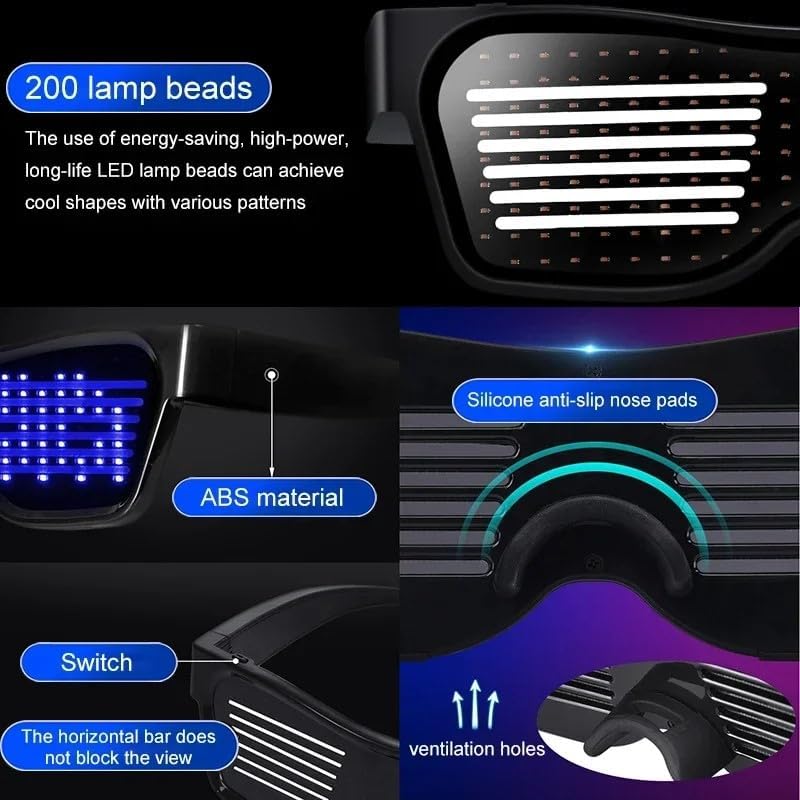
Image: Detailed view of the LED glasses highlighting key components such as the 200 LED lamp beads, durable ABS material, comfortable silicone nose pads, the power switch, and integrated ventilation holes.

Image: The LED glasses with labels pointing to the ON/OFF switch, the transparent lens area, and the LED dots, emphasizing Bluetooth connectivity for app control.
4. Setup
4.1 App Download
To unlock the full customization features of your LED glasses, you need to download the companion application. Search for "Funky Glasses+" in your smartphone's app store (available for both iOS and Android devices).
4.2 Bluetooth Pairing
- Ensure your LED glasses are charged and powered on. The power switch is typically located on the frame.
- Enable Bluetooth on your smartphone.
- Open the "Funky Glasses+" application.
- The app will automatically search for nearby LED glasses. Select your device from the list to establish a Bluetooth connection.
- Once connected, the app will display options for customization.
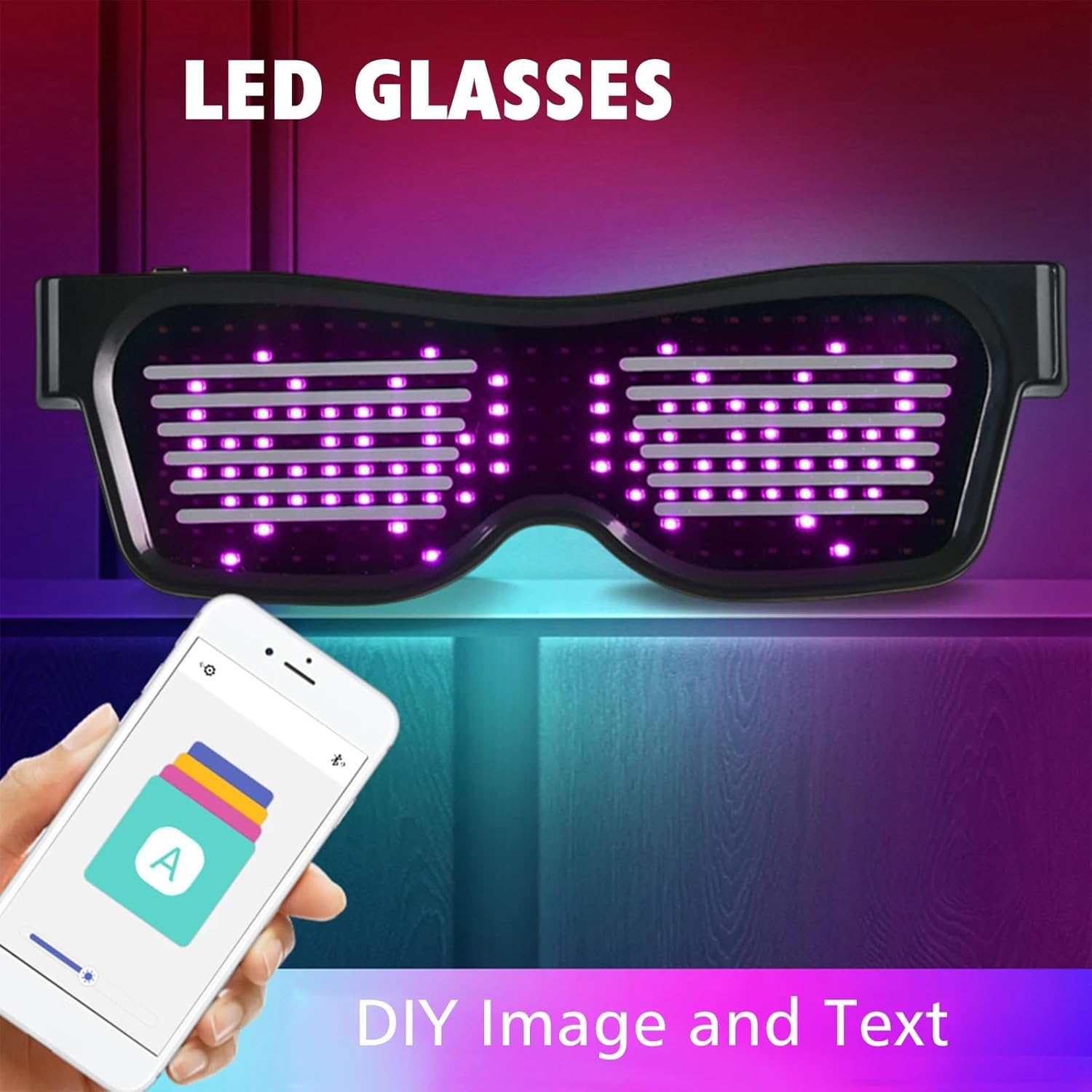
Image: The LED glasses displaying a custom pattern, alongside a smartphone screen illustrating the user interface of the companion app for creating DIY images and text.
5. Operating Instructions
The "Funky Glasses+" app provides various modes for customizing your LED glasses:
5.1 Text Mode
In Text Mode, you can enter custom messages to be displayed on the glasses. The app allows you to adjust text speed, movement direction, and brightness. The glasses support multi-national text editing.
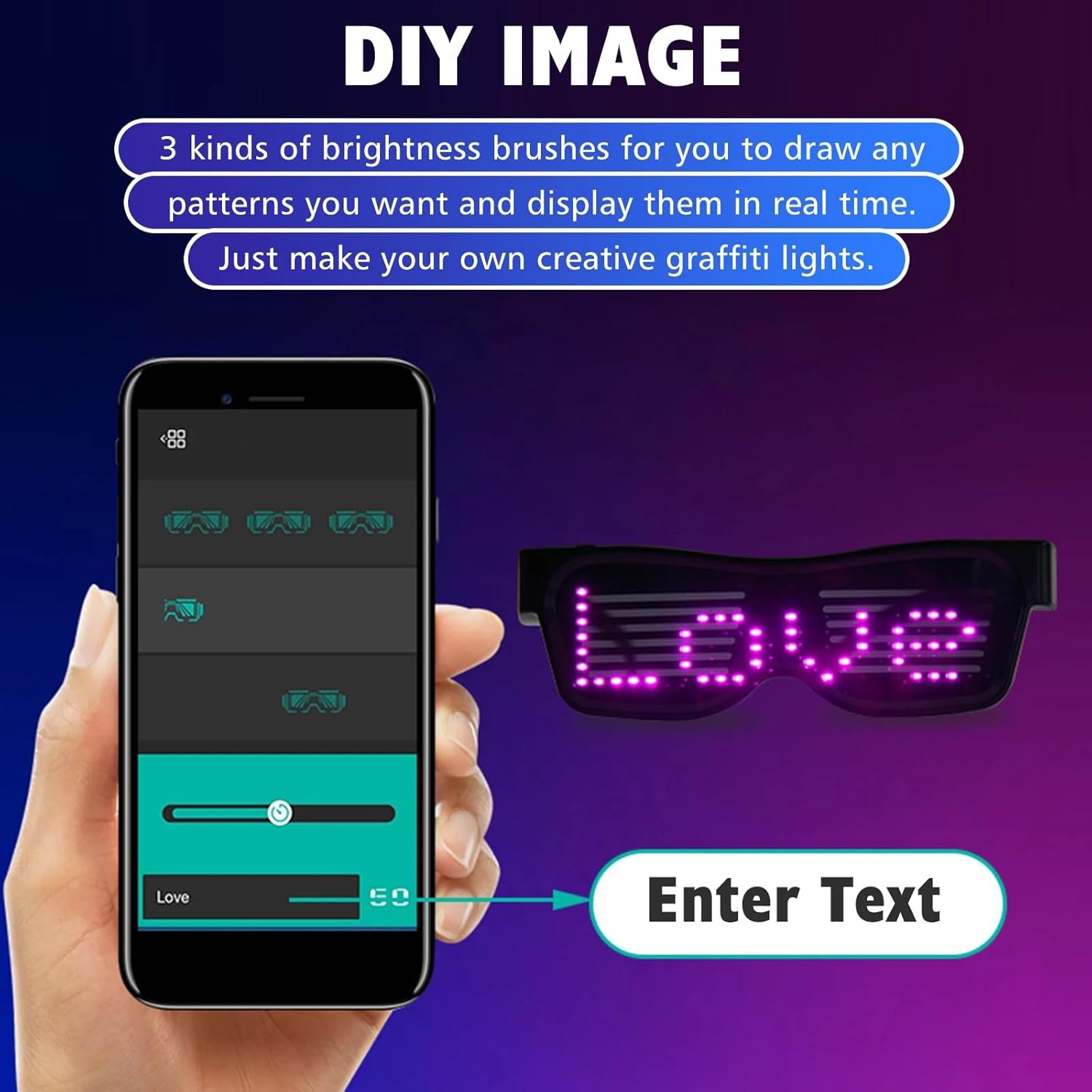
Image: The app interface for DIY image creation and text input, demonstrating how to enter text like 'LOVE' which is then displayed on the LED glasses.
5.2 Animation Mode
Choose from a selection of pre-programmed animations and patterns. The app typically offers a variety of dynamic displays to suit different moods or events.

Image: A comparison of the app's 'Text Mode' for custom messages and 'Animation Mode' displaying various pre-set patterns like hearts and letters.
5.3 Music Rhythm Mode
In Music Rhythm Mode, the glasses can react to external sounds, such as music, to create dynamic lighting effects that synchronize with the beat. This mode enhances the experience at parties or concerts.

Image: The LED glasses in Music Rhythm Mode, showing blue light patterns that respond to sound, with a guitar player in the background.
5.4 DIY Image
The app allows you to draw your own patterns using different brightness brushes. These custom designs are displayed in real-time on the glasses, offering a unique creative outlet.
Video: This video demonstrates various dynamic patterns and text displays on the Enzemit LED Glasses, showcasing the customization capabilities.
6. Charging
The LED glasses are rechargeable. Use the provided USB charging cable to connect the glasses to a compatible USB power source (e.g., computer, wall adapter). A full charge typically provides several hours of use. The glasses require 1 Lithium Ion battery.
7. Maintenance and Care
- Cleaning: Hand wash only. Avoid machine washing. Use a soft, dry cloth to gently clean the lenses and frame. Do not use abrasive cleaners or solvents.
- Storage: Store the glasses in a cool, dry place away from direct sunlight and extreme temperatures.
- Handling: Handle the glasses with care to prevent damage to the LED display or internal components. Avoid dropping them or applying excessive force.
8. Troubleshooting
| Problem | Possible Cause | Solution |
|---|---|---|
| Glasses do not turn on | Low battery; Power switch off | Charge the glasses fully; Ensure the power switch is in the 'ON' position. |
| Cannot connect via Bluetooth | Bluetooth not enabled; App issue; Glasses too far | Ensure Bluetooth is on; Restart the app and glasses; Move closer to the glasses. |
| Display is dim or inconsistent | Low battery; Brightness setting too low | Charge the glasses; Adjust brightness settings in the app. |
| Custom patterns/text not saving | App connectivity issue; App not updated | Ensure stable Bluetooth connection; Update the 'Funky Glasses+' app to the latest version. |
9. Specifications
| Feature | Detail |
|---|---|
| Model Number | Customizable Bluetooth LED Glasses |
| Material | Acrylonitrile Butadiene Styrene (ABS) |
| Battery Type | 1 Lithium Ion battery (required) |
| Package Dimensions | 8.66 x 4.92 x 1.97 inches |
| Item Weight | 5.93 ounces |
| Color Options | Blue, Red, Green, White (LED display colors) |
| Connectivity | Bluetooth (App Control) |
10. Warranty and Support
10.1 Warranty Information
The Enzemit Customizable Bluetooth LED Glasses come with a 1-year warranty from the date of purchase. This warranty covers manufacturing defects under normal use. It does not cover damage caused by misuse, accidents, unauthorized modifications, or improper care.
10.2 Customer Support
For any questions, technical assistance, or warranty claims, please contact Enzemit customer support through the retailer where you purchased the product or visit the official Enzemit brand store for contact information.