
BelFone OG200
Contents
BelFone Long Range Walkie Talkie User Manual
Model: OG200 | Brand: BelFone
1. Introduction
The BelFone Long Range Walkie Talkie is a professional two-way radio designed for reliable communication across various environments. Featuring 20 channels, IP54 waterproof rating, and a robust design, it is ideal for adults, outdoor enthusiasts, and group activities. This manual provides essential information for setting up, operating, and maintaining your device to ensure optimal performance and safety.
Key features include:
- Long-range communication up to 5 miles (unobstructed)
- 20 preset channels with VOX voice control
- IP54 dustproof, waterproof, and showerproof durability
- Integrated LED bright flashlight, stopwatch, countdown timer, and FM radio
- Built-in mechanical compass on the back-clip
- SOS alarm function for emergencies
- Analog dual-channel reception for efficient calls
2. What's in the Box
Upon opening your BelFone Walkie Talkie package, please verify that all the following items are included:
- 1 x BelFone Walkie Talkie Unit
- 1 x Charger
- 1 x USB Cable
- 1 x Belt Clip
- 1 x User's Manual (this document)
- 1 x Li-ion Battery

Figure 2.1: Package Contents (Note: Image may show multiple units, actual quantity as per product variant)
3. Product Overview
Familiarize yourself with the various components and controls of your BelFone Walkie Talkie:

Figure 3.1: Walkie Talkie Components
- Fast Grouping Button: For quick channel synchronization.
- PTT (Push-to-Talk) Button: Press and hold to transmit your voice.
- Belt Clip: Attaches the radio to your belt or gear.
- Power On/Off Button: Turns the device on or off.
- SOS Button: Activates the emergency alarm function.
- Earpiece Hole: For connecting compatible headsets.
- LED Light: Functions as a bright flashlight.
- Up/Down Buttons: Navigate menus and adjust settings like channel or volume.
- Function Keys (MENU, OK, Lock, Bell, Flash): Access various features and settings.
- Talk Key: Primary button for voice transmission.
- USB Port: For charging the device.
4. Setup
4.1 Battery Installation and Charging
Your BelFone Walkie Talkie comes with an 1800mAh rechargeable Li-ion battery. It can also be powered by 3 dry batteries for added convenience during extended outdoor use.
- Ensure the walkie talkie is powered off.
- Locate the battery compartment on the back of the unit.
- Insert the Li-ion battery, ensuring proper alignment of the contacts. Close the compartment securely.
- To charge, connect the provided USB cable to the walkie talkie's USB port and then to the charger. Plug the charger into a power outlet. The battery indicator on the display will show charging status.
- Alternatively, for dry battery use, insert 3 compatible dry batteries into the compartment.
4.2 Initial Power On
Press and hold the Power On/Off button until the display lights up. The device will show the current channel number.
5. Operating Instructions
5.1 Channel Selection and Communication
Your walkie talkie has 20 preset channels. To communicate with another device, both walkie talkies must be tuned to the same channel.
- Use the Up/Down buttons to select your desired channel.
- To transmit, press and hold the PTT (Push-to-Talk) button or the Talk key. Speak clearly into the microphone.
- Release the PTT button or Talk key to listen for a response.

Figure 5.1: Long-Range Communication Features
5.2 VOX Function (Voice Operated Exchange)
The VOX function allows for hands-free communication. When activated, the radio will automatically transmit when it detects your voice, eliminating the need to press the PTT button.
- Access the MENU to find the VOX setting.
- Enable VOX and adjust sensitivity as needed.
5.3 Dual-Channel Monitoring
The analog dual-channel feature allows the walkie talkie to receive messages from two different channels simultaneously without manual switching. This ensures you don't miss critical information.
- If a signal is received on either channel, you can quickly reply to the last active channel by pressing any PTT button within the specified time (default three seconds).
5.4 SOS Alarm Function
For enhanced safety, especially in outdoor or emergency situations, the SOS alarm function can alert others to your location.
- Press the dedicated SOS button to activate the alarm. This will transmit an alert signal.
5.5 Integrated Tools: Flashlight, Stopwatch, Countdown Timer, FM Radio, and Compass
Your BelFone Walkie Talkie is equipped with several practical tools for outdoor use:
- LED Bright Flashlight: Activate via the dedicated function key (often marked with a lightbulb icon) for illumination.
- Stopwatch & Countdown Timer: Access these functions through the MENU to time activities or set countdowns.
- FM Radio: Tune into FM radio stations for entertainment or news.
- Mechanical Compass: A physical compass is integrated into the back-clip, providing a navigational tool.
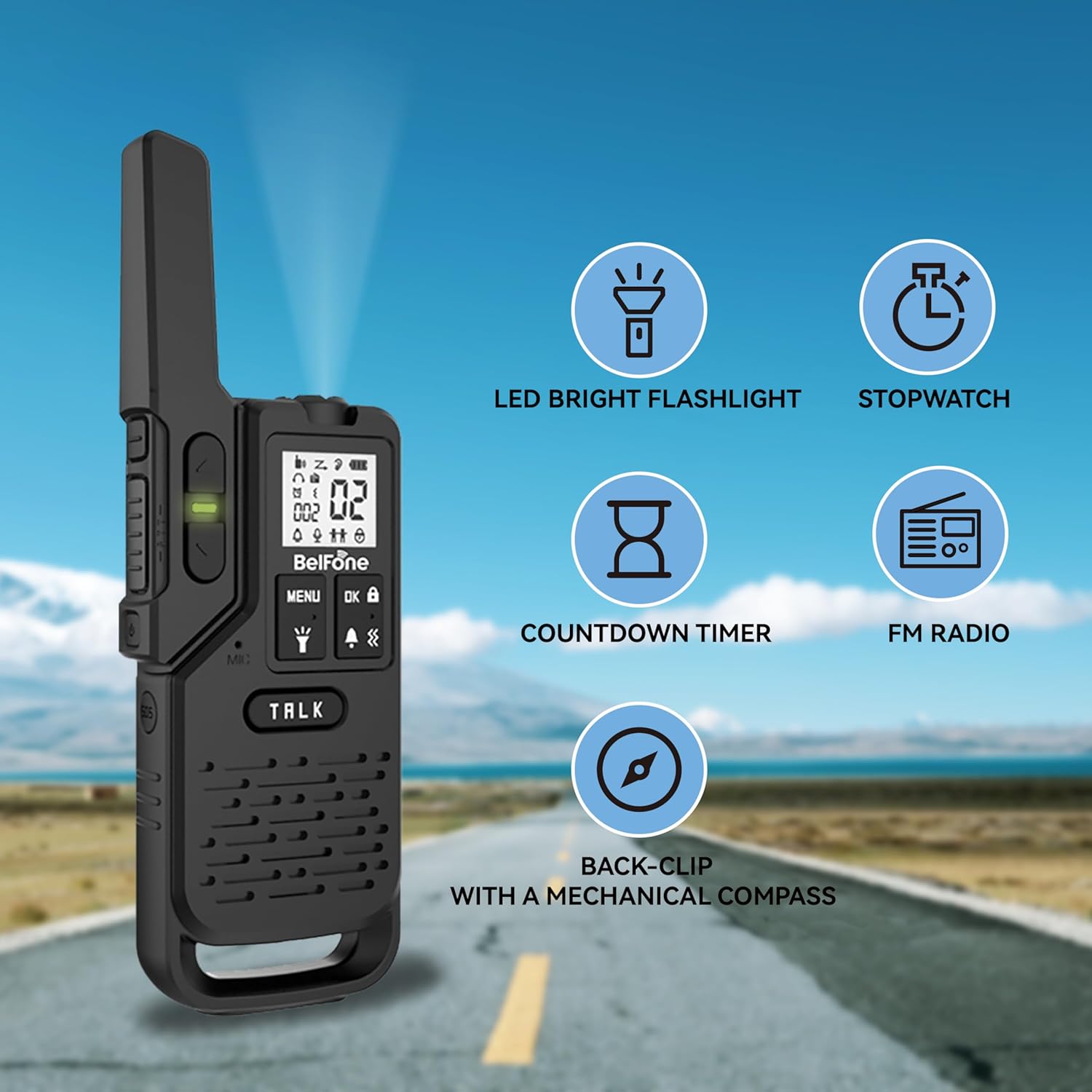
Figure 5.2: Multi-functional Features
5.6 One-Click Fast Teaming
This feature allows for quick synchronization of channels between multiple walkie talkies, making it convenient for groups to establish communication.

Figure 5.3: Fast Teaming Feature
5.7 Official Product Videos
Video 5.1: BelFone Walkie Talkies Overview. This video provides a comprehensive overview of the BelFone walkie talkies, demonstrating their features and capabilities.
Video 5.2: Walkie Talkies Long Range Demonstration. This short video demonstrates the long-range communication capabilities of the BelFone walkie talkies.
6. Maintenance
To ensure the longevity and optimal performance of your BelFone Walkie Talkie, follow these maintenance guidelines:
- Waterproof and Dustproof: The device has an IP54 rating, making it dustproof, waterproof, and showerproof. While it can withstand various weather conditions, avoid submerging it in water for extended periods.
- Durable Construction: Made from ABS PC fabric shell, the walkie talkie is designed to cope with harsh environments.
- Port Protection: Ensure the headphone hole and charging port are covered by their well-sealed dust plugs when not in use to prevent water and dust ingress.
- Cleaning: Use a soft, damp cloth to clean the exterior of the device. Do not use harsh chemicals or abrasive cleaners.
- Storage: Store the walkie talkie in a cool, dry place away from direct sunlight and extreme temperatures when not in use.

Figure 6.1: IP54 Waterproof and Charging Options
7. Troubleshooting
If you encounter issues with your BelFone Walkie Talkie, please refer to the following common problems and solutions:
| Problem | Possible Cause | Solution |
|---|---|---|
| No power | Low battery or incorrect battery installation. | Charge the battery or replace with fresh dry batteries. Ensure battery is correctly inserted. |
| Cannot communicate with other radios | Different channels or out of range. | Ensure all radios are on the same channel. Move closer to the other radio. |
| Poor audio quality | Weak signal, interference, or microphone/speaker obstruction. | Move to an area with fewer obstructions. Check for debris blocking microphone or speaker. |
| Incompatibility with other walkie-talkies | Using non-BelFone accessories or different frequency bands. | Ensure the frequency range (462-467mhz) is compatible. Use BelFone accessories for best performance. |
If the issue persists after attempting these solutions, please contact BelFone customer support for further assistance.
8. Specifications
| Feature | Detail |
|---|---|
| Item Weight | 12.6 ounces |
| Package Dimensions | 8.7 x 5.79 x 2.44 inches |
| Country of Origin | China |
| Item Model Number | OG200 |
| Batteries | 1 Lithium Ion battery required (included) |
| Color | Black |
| Number of Channels | 22 (20 preset channels mentioned in features) |
| Special Feature | Long Range, Dust Proof, Shockproof |
| Frequency Range | 462-467mhz |
| Talking Range Maximum | 5 Mile (unobstructed) |
| Tuner Technology | UHF |
| Voltage | 3.7 Volts |
| Water Resistance Level | Waterproof (IP54) |
| Manufacturer | Fujian BelFone Communications Technology Co., Ltd. |
9. Warranty & Support
Your BelFone Walkie Talkie comes with a 2-Year Warranty from the date of purchase, as specified in the product details.
For any questions, technical support, or warranty claims, please contact BelFone customer service. We are committed to providing prompt assistance and will reply to your inquiries within 24 hours.
Please refer to your purchase documentation for specific contact information or visit the official BelFone website.
Documents and downloads
Ask a question about this manual
Ask about setup, troubleshooting, compatibility, parts, safety, or missing instructions. Manuals+ will review the question and use this page’s manual context to help answer it.