
1. Introduction
The Newentor CO2 Monitor Model C1 is an indoor air quality meter designed to accurately measure carbon dioxide (CO2) concentration, temperature, and humidity. It features a large display with a voice alert system and an integrated alarm clock, making it suitable for various environments including homes, RVs, and grow tents. This manual provides detailed instructions for the proper setup, operation, and maintenance of your device.
2. Key Features
- High-precision CO2 Sensor: Utilizes Swiss Sensirion's PASens technology for accurate and reliable CO2 measurements (400-5000 ppm range).
- Customizable CO2 Concentration Alerts: Set personalized alert values for CO2 levels to ensure a safe environment.
- Temperature and Humidity Monitoring: Real-time display of temperature and humidity, crucial for comfort and specific environmental needs.
- Clock, Calendar, and Alarm Clock: Functions as a daily clock, calendar, and alarm clock for added convenience.
- Versatile Applications: Ideal for agricultural planting, greenhouses, production warehouses, offices, homes, and more.
3. Product Overview
Familiarize yourself with the components and display elements of your Newentor CO2 Monitor.

This image shows the front display of the Newentor CO2 Monitor with various labeled components. These include (1) Light Button, (2) Ventilation Alert, (3) CO2 Value, (4) CO2 Level indicator, (5) Temperature & Humidity display, (6) Maximum / Minimum Temperature & Humidity, (7) Alarm indicator, and (8) Calendar.

The rear view of the Newentor CO2 Monitor illustrates its power options: USB to DC Powered via a cable and Batteries Powered by AAA batteries. The image also highlights the data refresh rates for each power method.
4. Setup
4.1 Powering the Device
The Newentor CO2 Monitor can be powered using either the provided USB to DC cable or AAA batteries.
- USB Power: Connect the USB to DC cable to the device and a compatible USB power adapter (not included). This provides continuous power and updates data every 6 seconds.
- Battery Power: Insert 3 AAA batteries into the battery compartment on the back of the device. When running on batteries, data is updated with each press of the "DETECT" button to conserve power.
4.2 Initial Calibration
For optimal accuracy, it is recommended to perform an initial calibration outdoors in fresh air. Refer to the detailed instructions in the included quick start guide for specific calibration steps.
5. Operation
5.1 Reading the Display
The large display provides clear readings of CO2 concentration, temperature, humidity, time, and date.

This image illustrates how the Newentor CO2 Monitor displays different CO2 concentration ranges (400-650ppm Good, 651-900ppm Normal, 901-1650ppm Bad, 1651-2400ppm Very Bad) with corresponding visual cues and smiley face icons for easy interpretation of air quality.
5.2 CO2 Concentration Alerts
The device features a customizable alert system for CO2 levels. When the CO2 concentration exceeds the preset limit, the device will provide a visual and/or audible warning, prompting you to ventilate the area.

This image shows the Newentor CO2 Monitor displaying a high CO2 reading (1680 PPM) along with a flashing ventilation alert icon (fan and speaker) and a "Very Bad" indicator, signifying poor air quality and the need for ventilation.
5.3 Adjusting Display Brightness
The display brightness can be adjusted to suit your environment. Tap the light button (usually located at the top of the device) to cycle through brightness levels or to dim/turn off the display, especially useful for nighttime use.

This image demonstrates how to adjust the display brightness of the Newentor CO2 Monitor by touching the top sensor area. The display can be dimmed or turned off completely, with an indicator showing the brightness level from 100% to 0%.
5.4 Sensirion SCD41 Sensor Technology
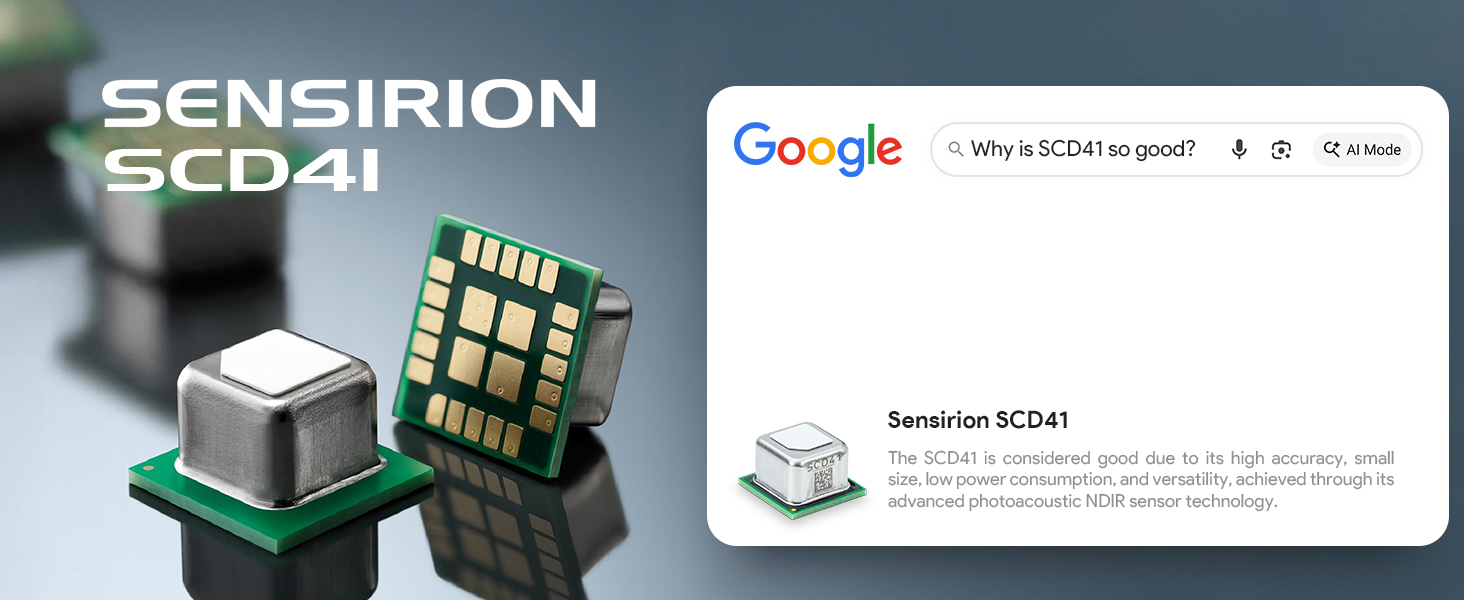
The Newentor CO2 Monitor incorporates the Swiss Sensirion SCD41 sensor, known for its high accuracy, compact size, low power consumption, and versatility. This advanced photoacoustic NDIR (Non-Dispersive Infrared) technology ensures precise CO2 measurements.

A detailed view of the Sensirion SCD41 high-precision CO2 sensor, highlighting its compact design and advanced technology for accurate environmental monitoring.
6. Placement
The Newentor CO2 Monitor offers flexible placement options to suit your needs.
- Tabletop Placement: Use the integrated kickstand to place the monitor on any flat surface, such as a desk, shelf, or nightstand.
- Wall Mounting: The device can also be mounted on a wall using the designated mounting hole on the back. Ensure it is placed in an area with good air circulation and away from direct heat sources or vents.
This image demonstrates the two primary ways to place the Newentor CO2 Monitor: mounted on a wall for a permanent fixture or standing on a tabletop using its built-in kickstand for portability.
7. Specifications
Detailed technical specifications for the Newentor CO2 Monitor Model C1.
| Feature | Specification |
|---|---|
| Brand | Newentor |
| Model Number | C1 |
| Color | Black |
| Product Dimensions | 8"D x 6"W x 1.2"H |
| Item Weight | 0.45 Kilograms |
| CO2 Sensor Technology | Swiss Sensirion PASens (Photoacoustic NDIR) |
| CO2 Measurement Range | 400 - 5000 ppm |
| Power Source | USB to DC (continuous) or 3x AAA Batteries (intermittent) |
8. Maintenance
To ensure the longevity and accuracy of your Newentor CO2 Monitor, follow these maintenance guidelines:
- Cleaning: Wipe the device with a soft, dry cloth. Do not use abrasive cleaners or solvents.
- Environment: Avoid placing the device in areas with extreme temperatures, high humidity, or direct sunlight.
- Battery Replacement: Replace AAA batteries when the low battery indicator appears on the display.
- Recalibration: If you suspect inaccurate readings, perform a recalibration outdoors in fresh air as per the initial setup instructions.
9. Troubleshooting
If you encounter issues with your Newentor CO2 Monitor, refer to the following common troubleshooting steps:
- No Display/Power: Ensure the USB cable is securely connected to a power source or that fresh AAA batteries are correctly inserted.
- Inaccurate CO2 Readings: Perform an outdoor calibration. Ensure the device is not placed near vents, windows, or sources of CO2 (e.g., exhaled breath, burning candles).
- Alarm Not Sounding: Check the alarm settings to ensure it is enabled and the volume is set appropriately.
- Display Too Dim: Tap the light button on top of the device to adjust brightness levels.
For persistent issues, please contact customer support.
10. Warranty and Support
Newentor is committed to providing reliable products and excellent customer service.
- 365-Day Replacement: Your Newentor CO2 Monitor is covered by a 365-day replacement policy.
- Lifetime Support: Newentor offers lifetime customer support for your product.
For any inquiries or support needs, please refer to the contact information provided in your product packaging or visit the official Newentor website.
