
1. Introduction
This manual provides essential instructions for the safe and effective use of your Dalmbox DL-FHX-BDC Portable Metal Safe. Please read this manual thoroughly before operating the safe and retain it for future reference. This portable safe is designed to secure your valuables with a digital code lock and offers fire-retardant properties.
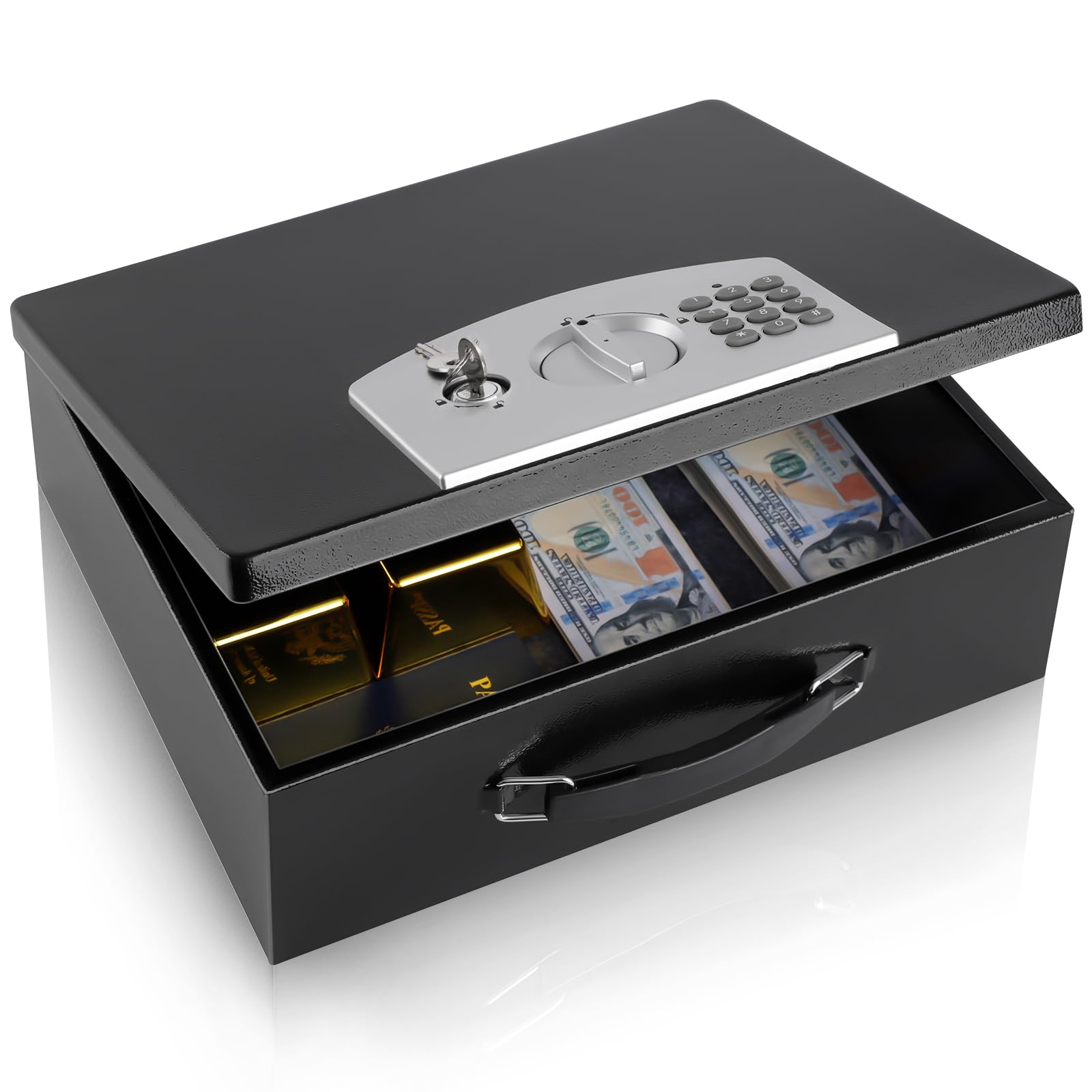
Image 1.1: Dalmbox Portable Metal Safe (Closed)
The safe features a robust metal construction, a digital keypad for secure access, and includes emergency override keys. Its portable design with a sturdy handle makes it suitable for various environments, including home, office, and travel.

Image 1.2: The safe features a convenient handle for easy portability.
2. Package Contents
Upon unpacking, please ensure all the following items are present:
- 1 x Dalmbox DL-FHX-BDC Portable Metal Safe
- 2 x Emergency Override Keys
- 1 x Instruction Manual (this document)
Note: Four AA batteries are required for the electronic lock and are not included. Please prepare them before setup.
3. Setup
3.1. Installing Batteries
- Locate the battery compartment on the inside of the safe's lid.
- Open the battery compartment cover.
- Insert four (4) AA batteries, ensuring correct polarity (+/-).
- Close the battery compartment cover securely.
3.2. Setting Your Digital Code
The safe comes with a factory default code (usually '159'). It is highly recommended to change this to a personal code immediately after battery installation.
- With the safe open, locate the red reset button on the inside of the safe door, near the battery compartment.
- Press the red reset button. You will hear a beep, and the indicator light on the keypad will flash.
- Within 5 seconds, enter your desired 3-8 digit code on the keypad.
- Press the '#' button to confirm your new code. You will hear a confirmation beep.
- Test your new code with the safe door open before closing it. Enter your new code, then press '#'. The lock should retract.
Important: Do not store the emergency override keys inside the safe.
4. Operating Instructions
Your Dalmbox safe offers two methods for opening: using the digital code or the emergency override key.
4.1. Opening with Digital Code
- Ensure the emergency key is in the locked position (turned clockwise).
- Enter your 3-8 digit personal code on the keypad.
- Press the '#' button. If the code is correct, the green indicator light will illuminate, and you will hear a beep.
- Within 5 seconds, turn the middle knob counter-clockwise to the unlock position and open the safe door.
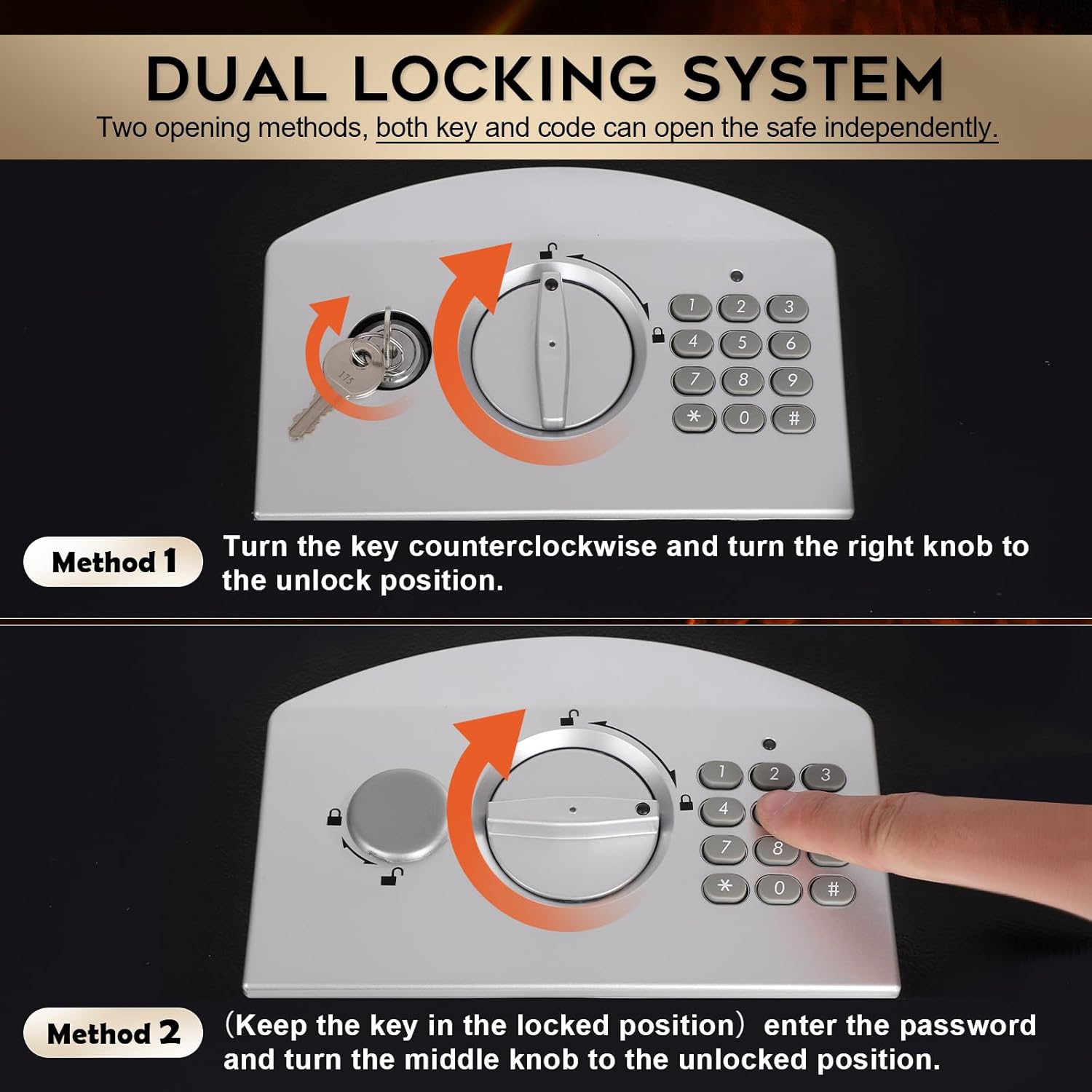
Image 4.1: Dual Locking System. Method 2 illustrates opening with the digital code.
4.2. Opening with Emergency Override Key
This method is used if you forget your digital code, the batteries are depleted, or the electronic system malfunctions.
- Insert the emergency override key into the keyhole on the keypad panel.
- Turn the key counter-clockwise to the unlock position.
- Simultaneously, turn the middle knob counter-clockwise to the unlock position and open the safe door.

Image 4.2: Dual Locking System. Method 1 illustrates opening with the emergency key.
4.3. Locking the Safe
To lock the safe, simply close the door and turn the middle knob clockwise to the locked position. The electronic lock will automatically engage. Ensure the emergency key is also in the locked position if it was used.
5. Maintenance
5.1. Battery Replacement
When the batteries are low, the red indicator light on the keypad will flash or remain lit after entering a code. Replace all four AA batteries promptly to ensure continued operation. Follow the steps in Section 3.1.
5.2. Cleaning
Wipe the exterior of the safe with a soft, damp cloth. Avoid using abrasive cleaners or solvents, as these can damage the finish and electronic components.
5.3. Storage
Store the safe in a dry environment, away from extreme temperatures and humidity. Do not store the emergency keys inside the safe.
6. Troubleshooting
-
Safe does not open with digital code:
- Ensure batteries are correctly installed and not depleted. Replace if necessary.
- Verify you are entering the correct code.
- Ensure the emergency key is in the locked position.
- If the issue persists, use the emergency override key to open the safe and reset the digital code (refer to Section 3.2).
-
Red indicator light flashes or stays on:
- This indicates low battery power. Replace all four AA batteries immediately.
-
Lost emergency override keys:
- Contact Dalmbox customer support with your product model number and proof of purchase for assistance with key replacement.
7. Specifications
| Feature | Detail |
|---|---|
| Brand | Dalmbox |
| Model Number | DL-FHX-BDC |
| Product Dimensions (L x W x H) | 27.94 x 33.02 x 12.95 cm (11 x 13 x 5.1 inches) |
| Item Weight | 4.81 Kilograms (10.6 lbs) |
| Material | Metal |
| Lock Type | Key, Electronic Combination Lock |
| Special Feature | Fire Retardant |
| Color | Black Digital Keypad Lock |
| Power Source | 4 x AA Batteries (not included) |

Image 7.1: Product Dimensions Overview
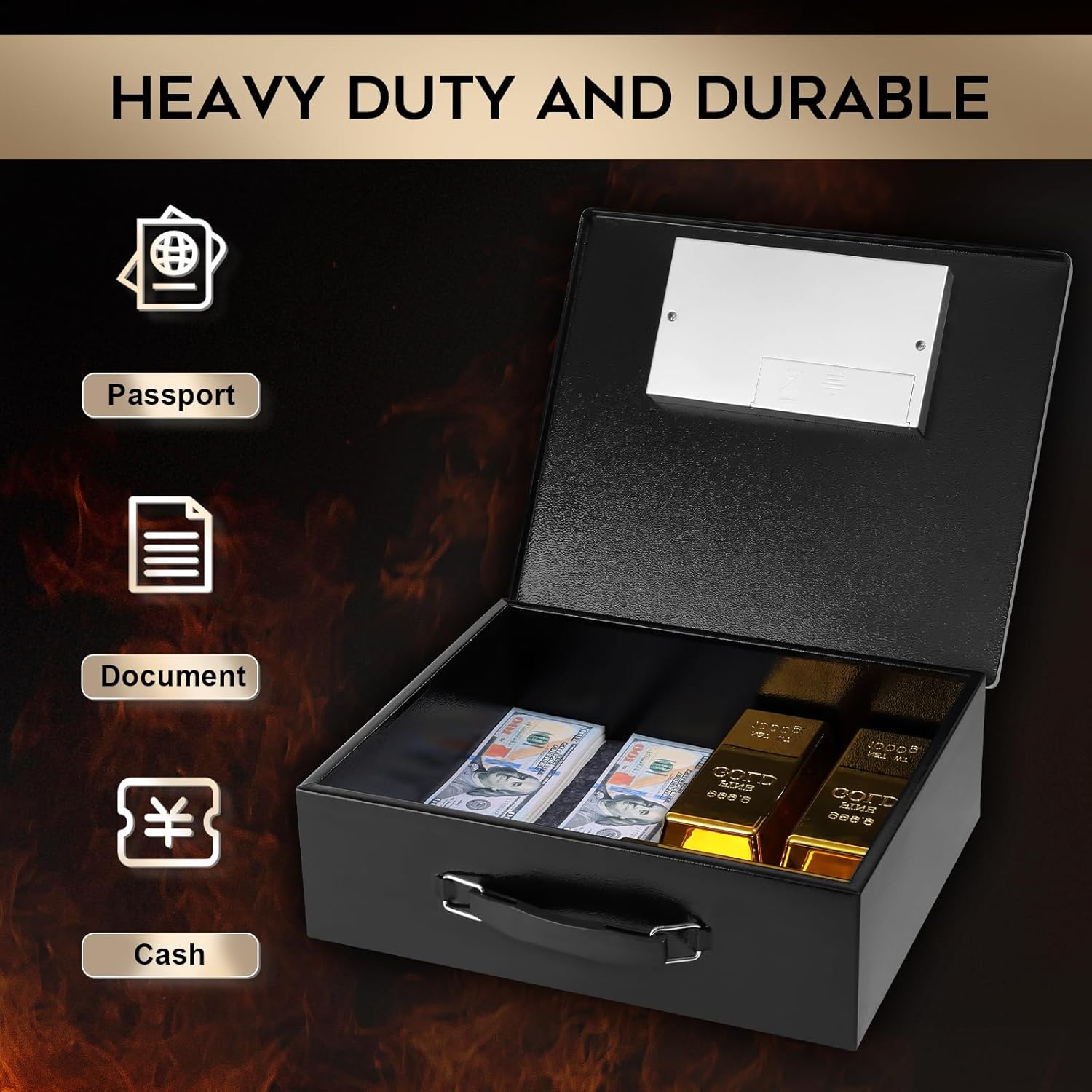
Image 7.2: Interior capacity suitable for documents, passports, and cash.
8. Customer Support
Customer satisfaction is a priority for Dalmbox. If you have any questions, concerns, or require assistance with your Dalmbox DL-FHX-BDC Portable Metal Safe, please do not hesitate to contact our support team.
Please refer to your product packaging or the retailer's website for the most current contact information.