
Introduction
The 8Bitdo Ultimate 2C Bluetooth Controller is a versatile gaming accessory designed for enhanced gameplay on Nintendo Switch and Switch 2 consoles. Featuring Hall Effect Joysticks for precision, remappable L4/R4 bumpers, 6-axis motion control, rumble vibration, and a turbo function, this controller offers a responsive and customizable gaming experience. This manual provides detailed instructions for setup, operation, and maintenance to ensure optimal performance.
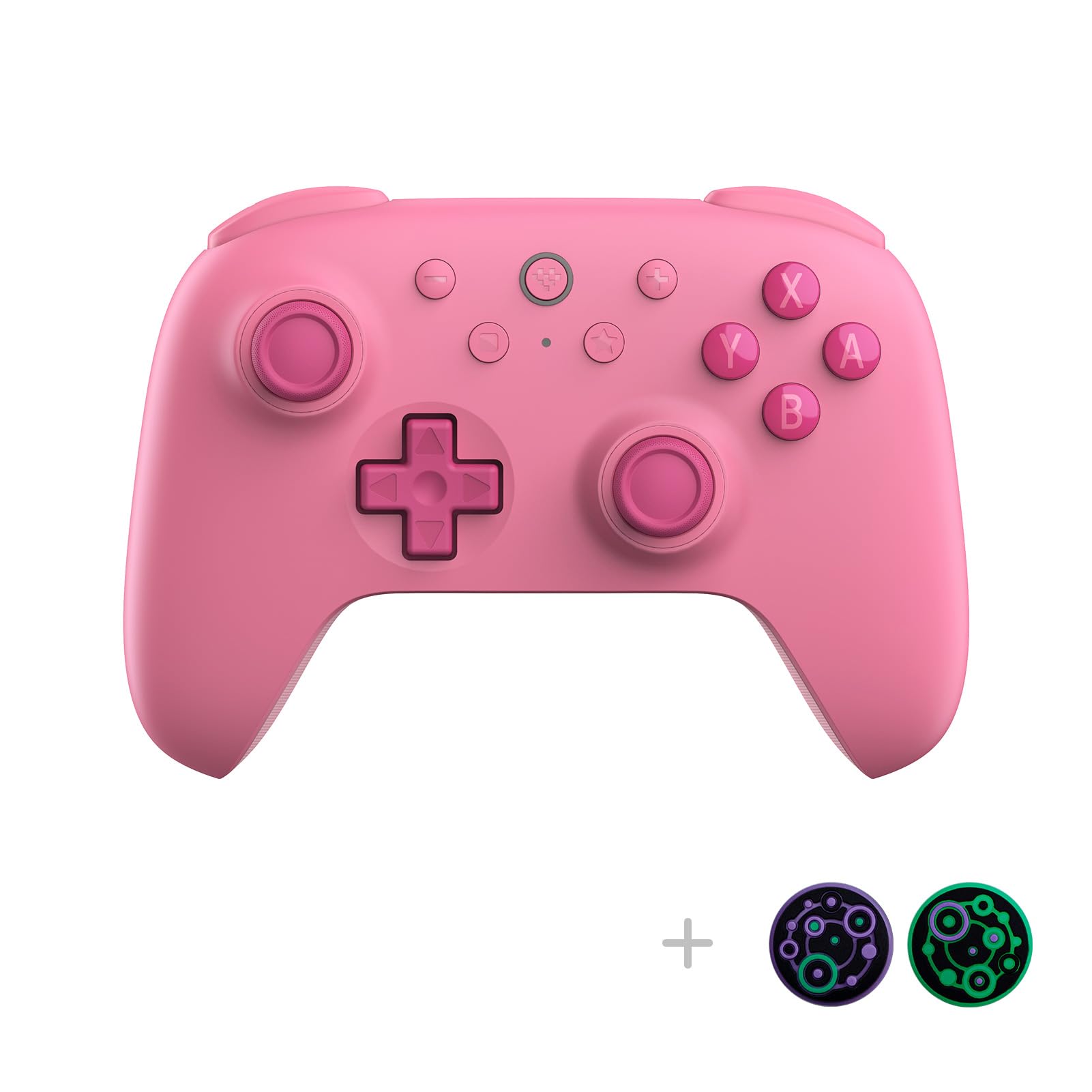
Front view of the 8Bitdo Ultimate 2C Pink Bluetooth Controller, showcasing its ergonomic design and button layout.
Package Contents
- 8Bitdo Ultimate 2C Bluetooth Controller
- USB-C Charging Cable
- Instruction Manual
Controller Layout
Familiarize yourself with the key components of your 8Bitdo Ultimate 2C controller:
- Hall Effect Joysticks: Located on the left and right, offering high precision and durability.
- D-pad: Refined for a tactile and smooth feel, positioned on the left.
- Action Buttons (A, B, X, Y): Standard layout on the right.
- Shoulder Buttons (L1, R1) & Triggers (L2, R2): Located on the top edge.
- Remappable Bumpers (L4, R4): Extra buttons on the underside for personalized configurations.
- USB-C Port: For charging and wired connection.
- Indicator Lights: Display connection status and battery level.

Back view of the 8Bitdo Ultimate 2C Pink Bluetooth Controller, showing the product label and screw placements.

Bottom view of the 8Bitdo Ultimate 2C Pink Bluetooth Controller, highlighting the remappable L4 and R4 buttons.
Setup
1. Bluetooth Pairing with Nintendo Switch/Switch 2
- Ensure your Nintendo Switch/Switch 2 is powered on and updated to the latest system software.
- On your Switch, navigate to 'Controllers' > 'Change Grip/Order'.
- Press and hold the pairing button on the top of your 8Bitdo Ultimate 2C controller for 3 seconds until the indicator lights begin to flash.
- The controller will appear on your Switch screen. Select it to complete the pairing process.
- Important: For Switch 2 compatibility, the controller and adapter may require a firmware update. Refer to the 'Firmware Update' section for instructions.
- The 'Wake-on-shake' feature allows you to wake your Switch by shaking the controller after successful pairing. This feature is not supported on Switch 2.
Video demonstrating the physical appearance and basic pairing process of the 8Bitdo Ultimate 2C Pink controller with a MacBook.
2. Wired Connection
Connect the 8Bitdo Ultimate 2C controller to your Nintendo Switch/Switch 2 using the provided USB-C cable. The controller will automatically be recognized and ready for use.
Operating Instructions
Remappable L4/R4 Bumpers
The L4 and R4 buttons on the underside of the controller can be remapped for personalized configurations without the need for software. This allows for quick button mapping to enhance your reaction time in games.

A close-up view of the turbo and mapping buttons, indicating their functionality for quick adjustments.
6-axis Motion Control
The controller supports 6-axis motion control, providing immersive and precise input for games that utilize motion sensing capabilities on the Nintendo Switch/Switch 2.
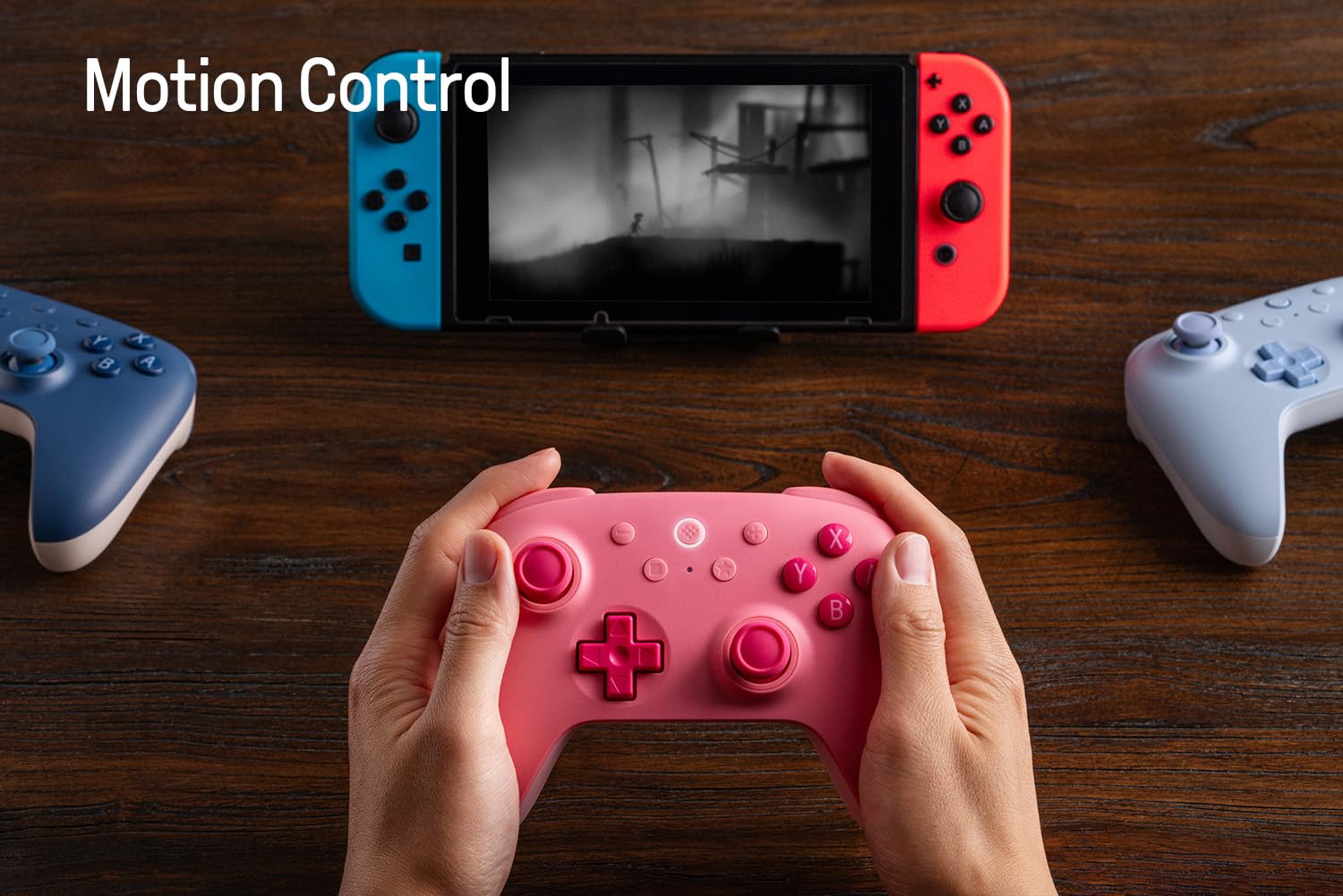
A user's hands holding the 8Bitdo Ultimate 2C Pink controller while playing a game on a Nintendo Switch console, demonstrating active use.
Rumble Vibration
Experience enhanced feedback with the built-in rumble vibration feature, adding another layer of immersion to your gaming sessions.
Turbo Function
Activate the turbo function for rapid, continuous button presses, giving you an edge in fast-paced games. Consult the included quick start guide for specific button combinations to enable/disable turbo mode.
Firmware Update
To ensure optimal performance and compatibility, especially with newer console versions like the Switch 2, it is recommended to regularly update your controller's firmware. This process typically involves connecting the controller to a computer and using the official 8Bitdo Ultimate Software.
- Visit the official 8Bitdo support website (support.8bitdo.com) to download the latest Ultimate Software for your operating system.
- Install and launch the software.
- Connect your 8Bitdo Ultimate 2C controller to your computer using the USB-C cable.
- Follow the on-screen prompts within the Ultimate Software to check for and install any available firmware updates.
Video tutorial on how to update the firmware of the 8BitDo Ultimate 2C Controller for Switch 2 compatibility, emphasizing the importance of this step.
Maintenance
- Cleaning: Use a soft, dry cloth to clean the controller. Avoid abrasive cleaners or solvents.
- Storage: Store the controller in a cool, dry place away from direct sunlight and extreme temperatures.
- Battery Care: To prolong battery life, avoid fully discharging the controller frequently. Charge it regularly, even if not in constant use.
Troubleshooting
- Controller Not Connecting: Ensure the controller is charged. Re-attempt the pairing process. Check for any obstructions or interference.
- Buttons Unresponsive: Verify the controller is properly connected. If using wirelessly, check battery level. If wired, ensure the cable is securely connected.
- Firmware Update Issues: Ensure a stable internet connection and that the USB cable is connected directly to your computer, not through a hub. Try a different USB port.
- Wake-on-shake not working on Switch 2: This feature is not supported on Switch 2.
Specifications

An overview of the 8Bitdo Ultimate 2C Controller's compatibility, connectivity, special features, and included items.
| Feature | Detail |
|---|---|
| Compatibility | Switch 3.0.0 or above, Switch 2 (with latest firmware) |
| Connectivity | Bluetooth, Wired USB |
| Special Features | Refined D-pad and bumpers, Extra bumpers (R4 and L4), Hall Effect joysticks, Fast button mapping, 6-axis motion control, Rumble vibration, Enhanced grip, Turbo function |
| Includes | 8Bitdo Ultimate 2C Bluetooth Controller, USB cable, Instruction manual |
| Item Weight | 1.17 pounds |
| Batteries | 1 Lithium Polymer battery (included) |
| Release Date | December 8, 2024 |
Warranty and Support
For warranty information, technical support, or further assistance, please visit the official 8Bitdo website or contact their customer service. Keep your proof of purchase for any warranty claims.
Official 8Bitdo Support: support.8bitdo.com


