
Fockety Focketyfwvet1p6yc
Cordless Doorbell Instruction Manual
Brand: Fockety
Model: Focketyfwvet1p6yc
Product Overview
The Fockety Cordless Doorbell system provides a convenient and reliable solution for home, school, apartment, or office use. This kit includes a battery-operated doorbell transmitter and a plug-in receiver, designed for ease of installation and versatile application.
- Wide Coverage: Operates effectively up to 262ft (80m) in open areas, ensuring timely notifications.
- Customizable Melodies: Features 38 distinct ringtones and 4 adjustable volume levels, ranging from 20db to 110db, including a silent mode.
- Simple Installation: Can be set up quickly using either adhesive stickers or screws, offering flexible placement options.
- Versatile Application: Suitable for various environments beyond residential homes, such as schools and offices.
- Modern Design: Combines a sleek appearance with practical functionality, including a glowing halo on the main doorbell for visual indication.
Setup and Installation
The Fockety Cordless Doorbell is designed for quick and straightforward installation. Follow these steps to set up your doorbell system:
Package Contents
Before beginning, ensure all components are present:
- 1 x Doorbell Transmitter (push button unit)
- 1 x Receiver (plug-in unit)
- 1 x 23A 12V Dry Battery (for transmitter)
- 1 x Double-Sided Adhesive Tape
- 2 x Screws

Figure 1: Included components of the Fockety Cordless Doorbell kit, showing the receiver, transmitter, battery, adhesive tape, and mounting screws.
Transmitter Battery Installation
- Locate the battery compartment on the back of the doorbell transmitter unit.
- Open the compartment and insert the provided 23A 12V dry battery, ensuring correct polarity (+/-).
- Close the battery compartment securely.
Mounting the Transmitter
Choose a suitable location for the transmitter, typically near your front door. Ensure the surface is clean and dry.
- Using Adhesive Tape:
- Peel off one side of the double-sided adhesive tape and firmly attach it to the back of the transmitter.
- Peel off the other side of the tape and press the transmitter firmly onto the desired mounting surface for at least 30 seconds.
- Using Screws:
- Mark the positions for the screw holes on your desired mounting surface using the transmitter as a guide.
- Drill pilot holes if necessary.
- Secure the transmitter to the surface using the provided screws.
Receiver Placement
Plug the receiver unit into any standard electrical outlet within the desired listening range. For optimal performance, avoid placing the receiver near large metal objects or other electronic devices that may cause interference.

Figure 2: The doorbell receiver and transmitter units, ready for installation.
Operating Instructions
Once installed, the Fockety Cordless Doorbell is ready for use. Here's how to operate it:
Basic Operation
When the doorbell transmitter button is pressed, it sends a wireless signal to the receiver. The receiver will then play the selected melody and illuminate its glowing halo, providing both auditory and visual notification.

Figure 3: Demonstrating the use of the doorbell transmitter and receiver.
Changing Melodies
The receiver unit features a button (often on the side) to cycle through the 38 available melodies. Press this button repeatedly until you find your preferred chime.
Adjusting Volume
The receiver also has a volume control button, typically located near the melody selection button. Press this button to cycle through the 4 volume levels (20db to 110db), including a silent mode, to suit your environment.
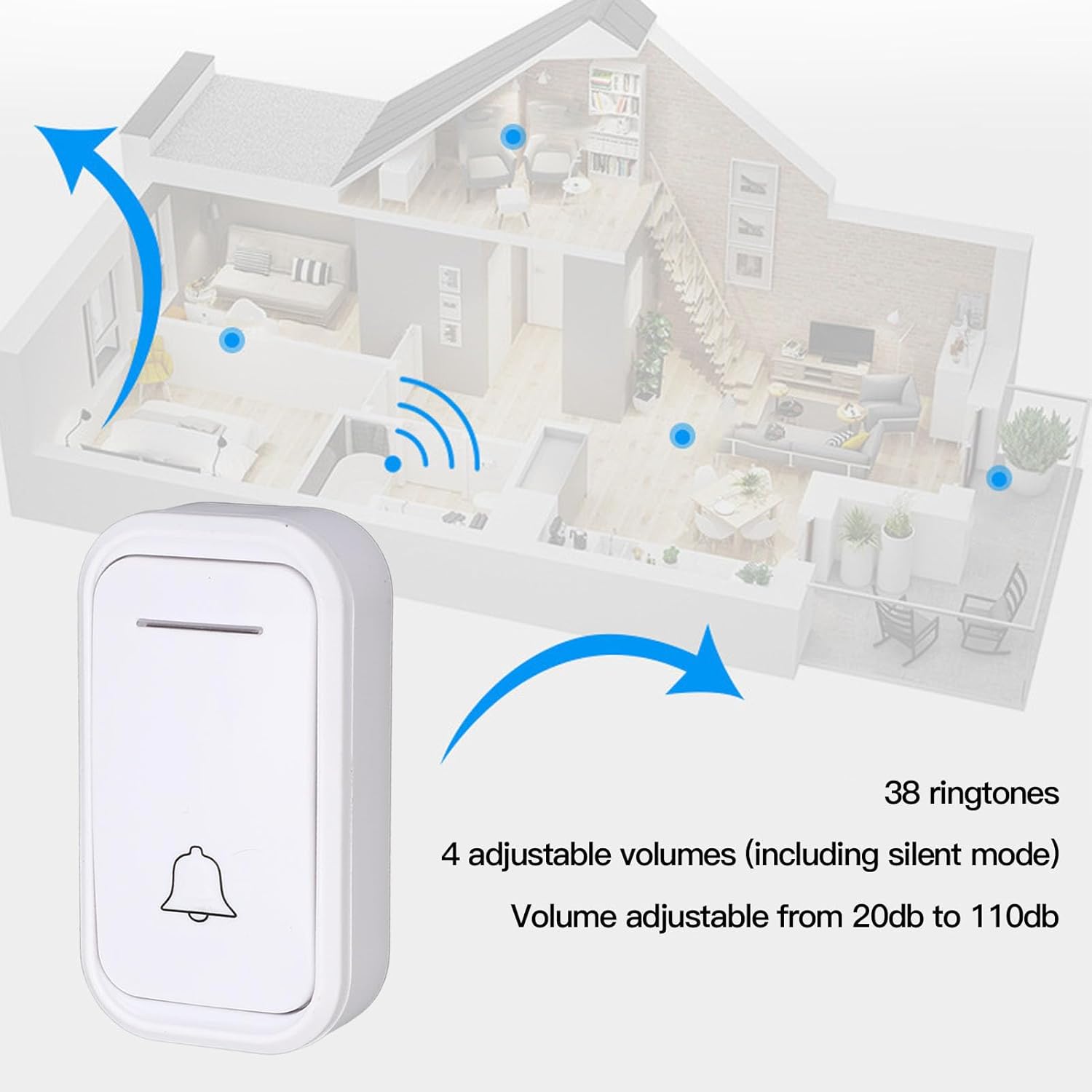
Figure 4: Visual representation of the doorbell's range and sound customization options.
Important Note on Pressing
If you need to press the doorbell button multiple times in quick succession, please allow the current ringing cycle to complete before pressing the button again. Continuous rapid pressing may prevent the doorbell from registering subsequent presses correctly.
Maintenance
To ensure the longevity and optimal performance of your Fockety Cordless Doorbell, consider the following maintenance tips:
- Cleaning: Wipe the doorbell transmitter and receiver units with a soft, dry cloth. Avoid using abrasive cleaners or solvents, which can damage the surface.
- Battery Replacement: If the transmitter's range decreases or it stops functioning, the 23A 12V dry battery may need replacement. Replace it with a new battery of the same type.
- Environmental Protection: While the transmitter is designed for outdoor use, extreme weather conditions (heavy rain, direct prolonged sunlight, extreme temperatures) can affect its lifespan. Consider placing it in a sheltered location if possible.
Troubleshooting
If you encounter issues with your Fockety Cordless Doorbell, refer to the following common problems and solutions:
| Problem | Possible Cause | Solution |
|---|---|---|
| Doorbell does not ring. |
|
|
| Ringtone is too quiet or too loud. | Volume setting is not optimal. | Press the volume control button on the receiver to cycle through the 4 volume levels until desired loudness is achieved. |
| Doorbell rings intermittently or with delay. |
|
|
Product Specifications
Detailed specifications for the Fockety Cordless Doorbell system:
| Feature | Specification |
|---|---|
| Working Distance | Approx. 80m / 262ft (in open area) |
| Ringtones | 38 selectable melodies |
| Volume Levels | 4 levels (20db to 110db), including silent mode |
| Transmitter Battery | 1 x 23A 12V Dry Battery (included) |
| Receiver Power | Plug-in (AC powered) |
| Product Dimensions (Receiver) | 91mm x 55mm x 21mm (3.6 x 2.2 x 0.8 inches) |
| Product Dimensions (Transmitter) | 78mm x 42mm x 21mm (3.1 x 1.7 x 0.8 inches) |
| Item Weight | 5.1 ounces (total kit) |
| Material | ABS |
| Model Number | Focketyfwvet1p6yc |

Figure 5: Detailed dimensions of the doorbell receiver and transmitter units.
Warranty Information
This product is covered by a standard manufacturer's warranty. For specific details regarding warranty duration and terms, please refer to the packaging or contact the manufacturer directly. Keep your purchase receipt as proof of purchase for any warranty claims.
Customer Support
If you have any questions, require technical assistance, or need further support regarding your Fockety Cordless Doorbell, please contact the seller or manufacturer through the platform where the product was purchased. Provide your model number (Focketyfwvet1p6yc) and a detailed description of your issue for faster service.
Ask a question about this manual
Ask about setup, troubleshooting, compatibility, parts, safety, or missing instructions. Manuals+ will review the question and use this page’s manual context to help answer it.