
1. Introduction
Thank you for choosing the Overade LIFE Helmet. This manual provides essential information for the safe and effective use of your helmet. The LIFE helmet is designed to enhance your safety and visibility while cycling or scootering, featuring powerful integrated lighting and a remote control for turn signals.
Please read this manual thoroughly before using the helmet and retain it for future reference.
2. Safety Information
Your safety is paramount. Always wear your helmet correctly and ensure it is properly fitted before each ride.
- The Overade LIFE Helmet is certified to EN1078 and CPSC standards, ensuring it meets rigorous safety requirements for bicycle and scooter helmets.
- Always ensure the helmet fits snugly and the chin strap is securely fastened.
- Do not modify the helmet in any way, as this may compromise its protective capabilities.
- In the event of an impact, even if there is no visible damage, the helmet's protective structure may be compromised. It is recommended to replace the helmet after any significant impact.
- The integrated lights are for visibility and signaling; they do not replace the need for standard bicycle lights required by local regulations.
- Keep the helmet away from extreme temperatures and harsh chemicals.
3. Package Contents
Verify that all items are present in your package:
- Overade LIFE Helmet
- Oximote Flashing Remote Control
- USB-C Charging Cable
- User Manual (this document)
4. Setup
4.1. Fitting the Helmet
The Overade LIFE Helmet is designed as one size fits all, accommodating head circumferences from 55cm to 61cm.
- Place the helmet on your head, ensuring it sits level and covers your forehead.
- Adjust the fit using the thumbwheel at the rear of the helmet. Turn the wheel clockwise to tighten and counter-clockwise to loosen until the helmet feels snug but comfortable, without excessive pressure points.
- Fasten the innovative magnetic buckle under your chin. The buckle can be locked and unlocked with one hand, even while wearing gloves. Adjust the straps so they form a 'V' shape just below your ears and the buckle is centered under your chin. Ensure there is enough room to fit one finger between the strap and your chin.

Image: Close-up of the helmet's comfort features, including the padded chin strap and magnetic buckle.
4.2. Initial Charging
Before first use, fully charge your Overade LIFE Helmet.
- Locate the USB-C charging port on the helmet.
- Connect the provided USB-C cable to the helmet and to a compatible USB power source (e.g., computer, wall adapter).
- Charging takes approximately 2 hours to reach 80% capacity and 4.5 hours for a full 100% charge.

Image: Internal view of the helmet showing the USB-C charging port.
4.3. Oximote Remote Control
The Oximote remote control is typically pre-paired with your helmet. No application is required for pairing products within the OXI Wireless range.
5. Operating Instructions
5.1. Integrated Lighting System
The LIFE helmet features powerful front and rear lights with a 360° beam angle, offering up to 1000 lumens of output for exceptional visibility.

Image: Overade LIFE helmet demonstrating its powerful front and rear lights.
Light Modes and Runtime:
| Mode | Lumens (Front/Rear) | Runtime |
|---|---|---|
| 1. Steady Night | 20 / 80 | 20h |
| 2. Steady Day | 50 / 150 | 7h |
| 3. Pulse | 50 / 150 | 13h |
| 4. Flash Night | 10 / 80 | 48h |
| 5. Flash Day | 150 / 150 | 10h |
To switch between light modes, use the designated button on the helmet or Oximote remote control.
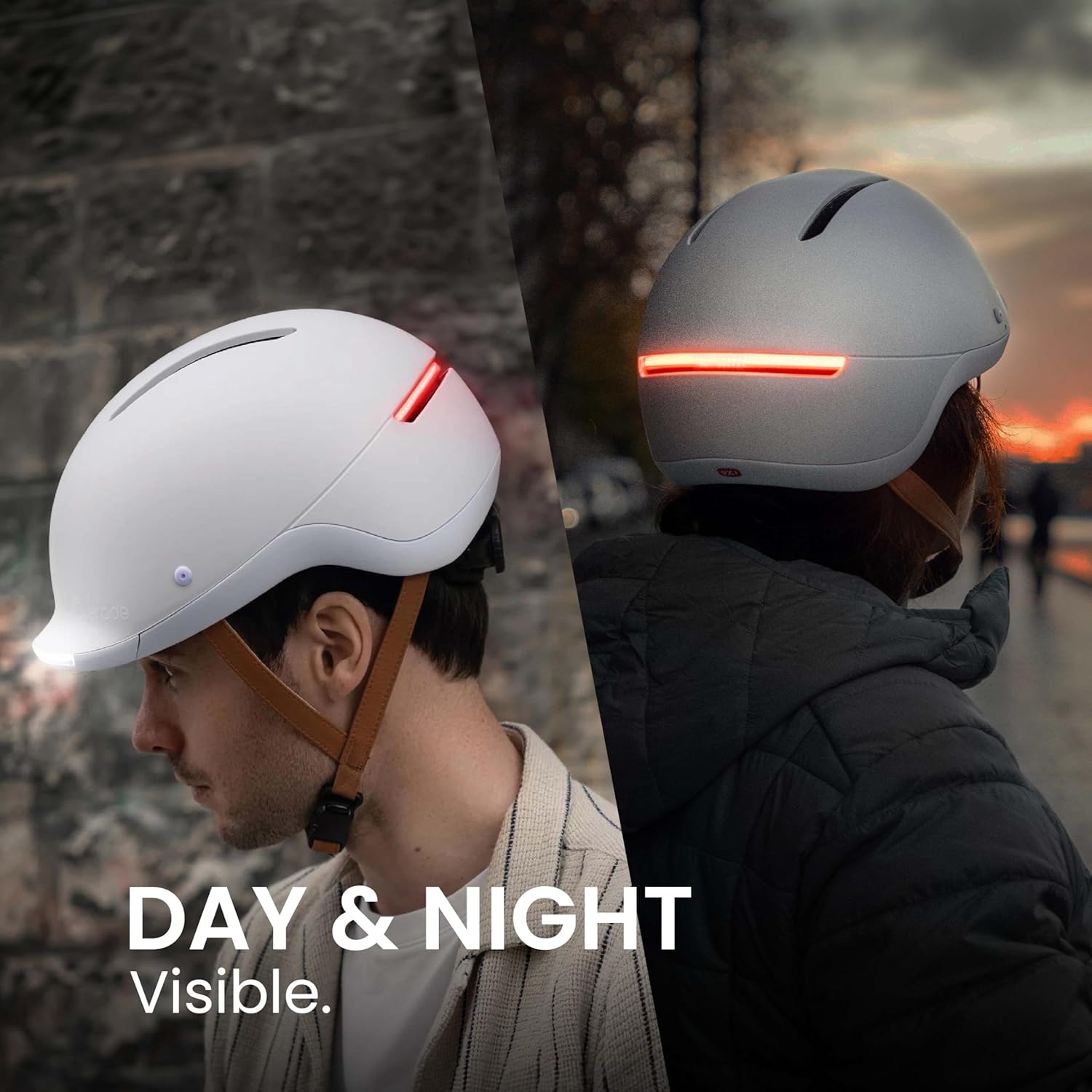
Image: Helmet visibility during day and night.
5.2. Using Turn Indicators
The LIFE helmet features front and rear turn indicators, controlled by the Oximote remote control. This allows you to signal your direction without removing your hands from the handlebars.
- Press the left button on the Oximote to activate the left turn indicator.
- Press the right button on the Oximote to activate the right turn indicator.
- An audible reminder (which can be deactivated) and a light on the Oximote will alert you when indicators are active.
- To activate warning mode (hazard lights), press both buttons on the Oximote simultaneously.
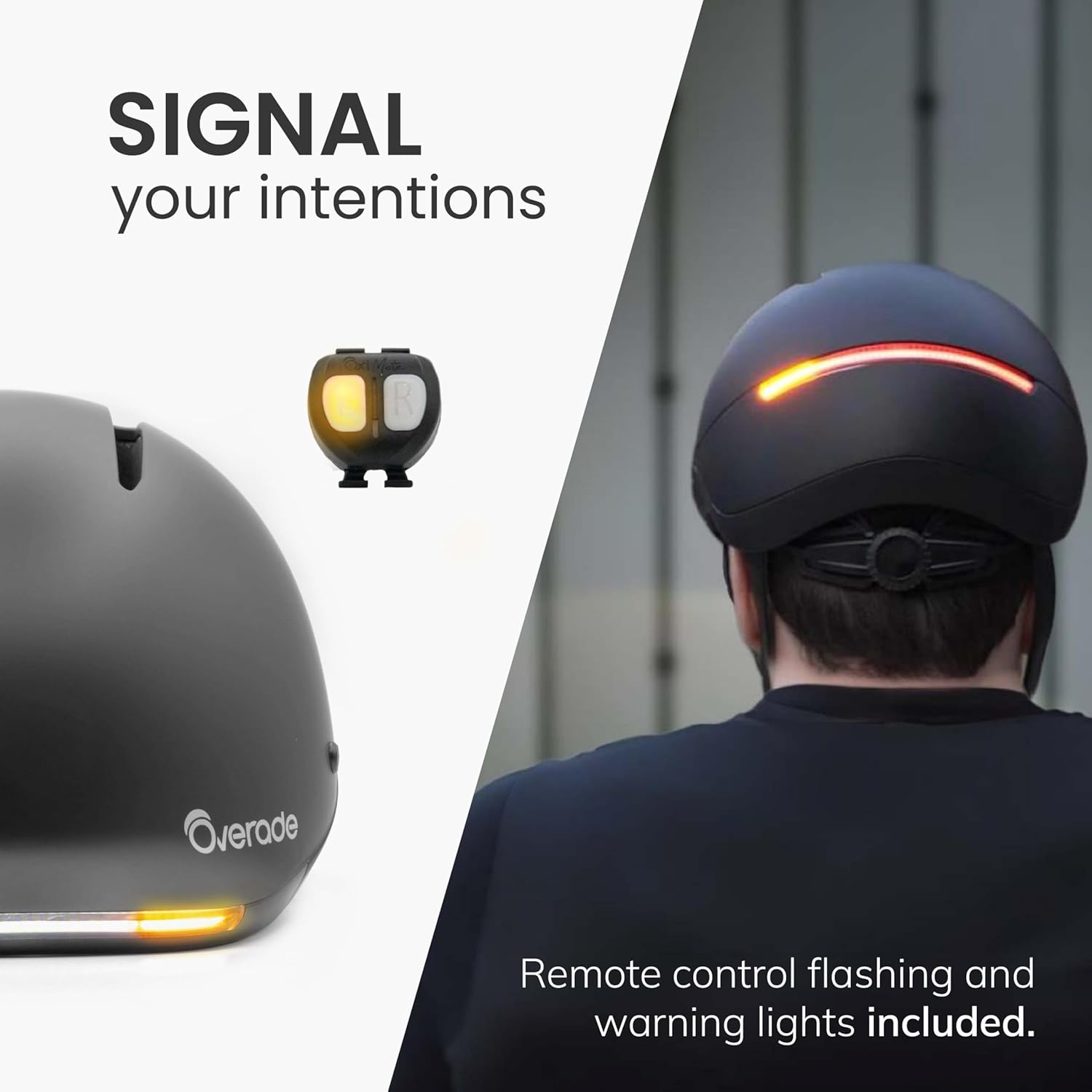
Image: Signaling intentions with the Oximote remote control.
5.3. Optional OxiBrake Accessory (Brake Light & Headlamp Flash)
For enhanced safety, the LIFE helmet is compatible with the optional OxiBrake accessory (included in premium variations or sold separately).
- Brake Light Function: When the OxiBrake accessory is installed and you apply your bicycle's brakes, the helmet's rear light intensifies to alert following vehicles.
- Headlamp Flash Function: With the OxiBrake accessory, you can activate a headlamp flash function. Press the button on the OxiBrake, and the helmet's front lights will flash twice.

Image: Optional OxiBrake accessory for brake light functionality.
5.4. OXI Wireless Ecosystem
The OXI Wireless ecosystem allows you to expand your visibility by pairing additional compatible lights (such as LUM or TURN lights) to your Oximote remote control. These additional lights can be attached to your bike, bag, or other accessories, and will synchronize with your helmet's indicators, brake light, and headlight functions.
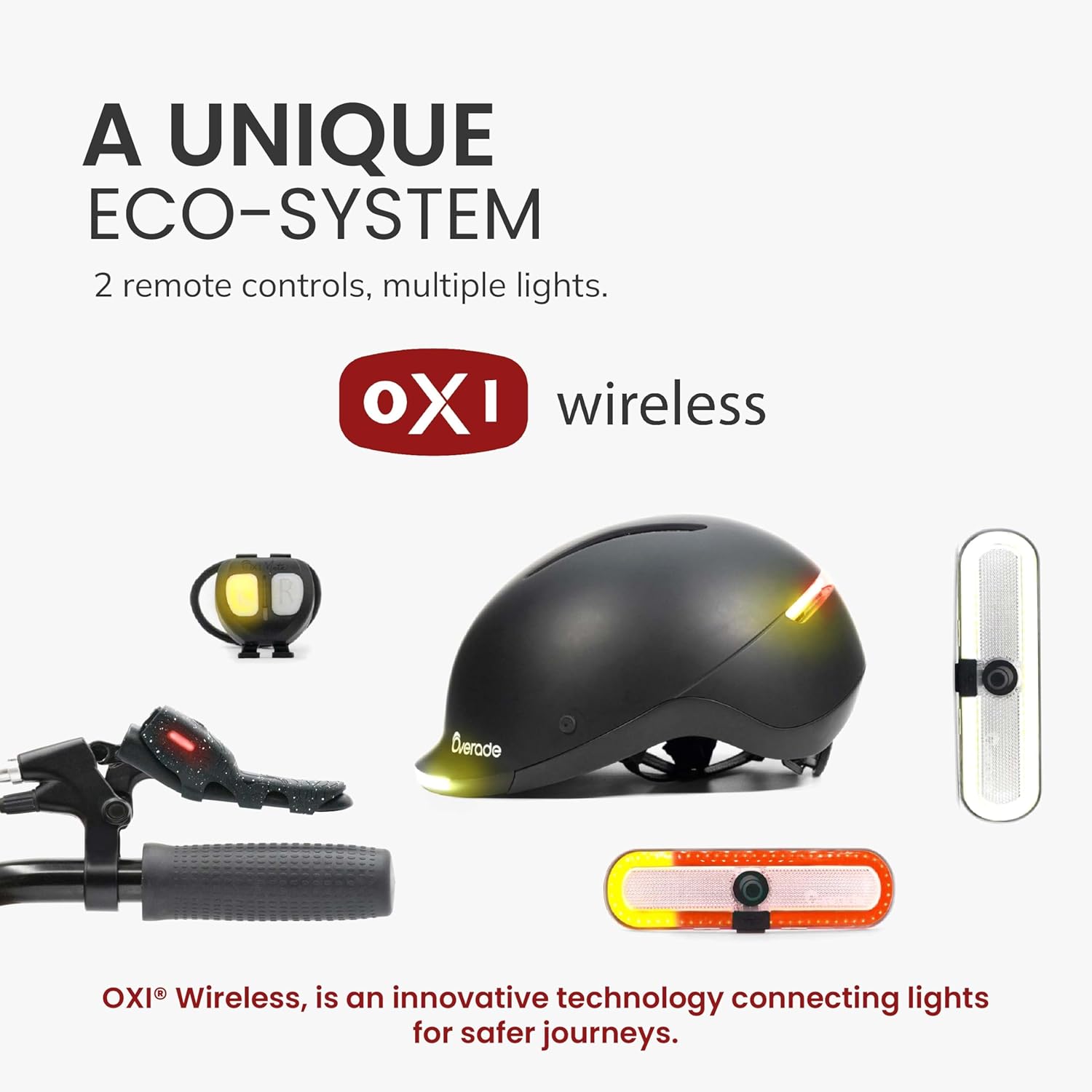
Image: The OXI Wireless ecosystem with compatible accessories.
6. Maintenance
6.1. Cleaning
- Clean the helmet's exterior with a soft, damp cloth and mild soap. Avoid abrasive cleaners or solvents.
- The internal padding can be removed for cleaning. Hand wash with mild soap and water, then air dry completely before reinserting.
6.2. Battery and Electronics Replacement
The Overade LIFE helmet is designed for durability and repairability.
- The helmet features a fully removable design, allowing for easy access to internal components.
- The battery is replaceable, extending the lifespan of your helmet.
- In the event of an impact or fall, the electronics are also replaceable. Contact Overade support for guidance on replacement parts and procedures.

Image: Helmet's removable components for maintenance and repair.
7. Troubleshooting
If you encounter issues with your Overade LIFE Helmet, refer to the following common solutions:
| Problem | Possible Cause | Solution |
|---|---|---|
| Lights not turning on | Low battery; Helmet not powered on; Malfunction | Charge the helmet fully; Ensure power button is pressed; Contact support if issue persists. |
| Oximote remote not controlling lights/indicators | Oximote battery low; Not paired; Obstruction | Replace Oximote battery; Re-pair Oximote (refer to Oximote manual if needed); Ensure clear line of sight. |
| Helmet not charging | Faulty cable/charger; Port obstruction; Battery issue | Try a different USB-C cable and charger; Check charging port for debris; Contact support for battery replacement. |
| Audible indicator reminder is too loud/quiet | Volume setting; Deactivation setting | Refer to Oximote instructions for adjusting or deactivating the audible reminder. |
For further assistance, please contact Overade customer support.
8. Specifications
| Feature | Detail |
|---|---|
| Model Name | LIFE |
| Size | One Size (55cm to 61cm head circumference) |
| Weight | Approximately 1100 Grams |
| Outer Material | Acrylonitrile Butadiene Styrene (ABS) |
| Inner Material | Foam (EPS) |
| Lighting Output | Up to 1000 Lumens (Headlight Flash) |
| Battery Capacity | 1600 mAh |
| Charging Port | USB-C |
| Water Resistance | IP64 waterproof |
| Certifications | EN1078, CPSC |
| Included Components | Remote control |
9. Warranty
The Overade LIFE Helmet comes with a 2-year manufacturer's warranty from the date of purchase. This warranty covers defects in materials and workmanship under normal use. It does not cover damage resulting from misuse, accidents, unauthorized modifications, or normal wear and tear.
To make a warranty claim, please retain your proof of purchase and contact Overade customer support.
10. Support
For additional support, technical assistance, or inquiries regarding your Overade LIFE Helmet, please visit the official Overade website or contact our customer service team.
- Website: www.overade.com (Please replace with actual support link if available)
- Email: support@overade.com (Please replace with actual support email if available)
