
1. Introduction
Thank you for choosing the GROWNEER Submersible Water Pump. This manual provides essential information for the safe and efficient operation, installation, and maintenance of your pump. Please read these instructions carefully before use and retain them for future reference.
This pump is designed for various applications including aquariums, ponds, fountains, statuary, and hydroponic systems. It features a powerful motor, quiet operation, and multiple nozzle options for versatile water flow.
2. Safety Instructions
- Always disconnect the power supply before performing any maintenance, installation, or cleaning.
- Ensure the voltage and frequency of the power supply match the specifications on the pump label.
- Do not operate the pump dry. Ensure the pump is fully submerged in water during operation to prevent overheating and damage.
- Do not lift the pump by its power cord.
- This pump is designed for water only. Do not use it for flammable, corrosive, or abrasive liquids.
- Keep children and pets away from the pump during operation.
- Regularly inspect the power cord for any damage. If damaged, do not use the pump and contact customer support.
3. Product Components
The GROWNEER Submersible Water Pump package includes the following items:
- Submersible Water Pump Unit
- 4 Interchangeable Nozzles (0.51", 0.62", 0.75", 0.98")
- 4 Suction Cups (pre-attached or separate)
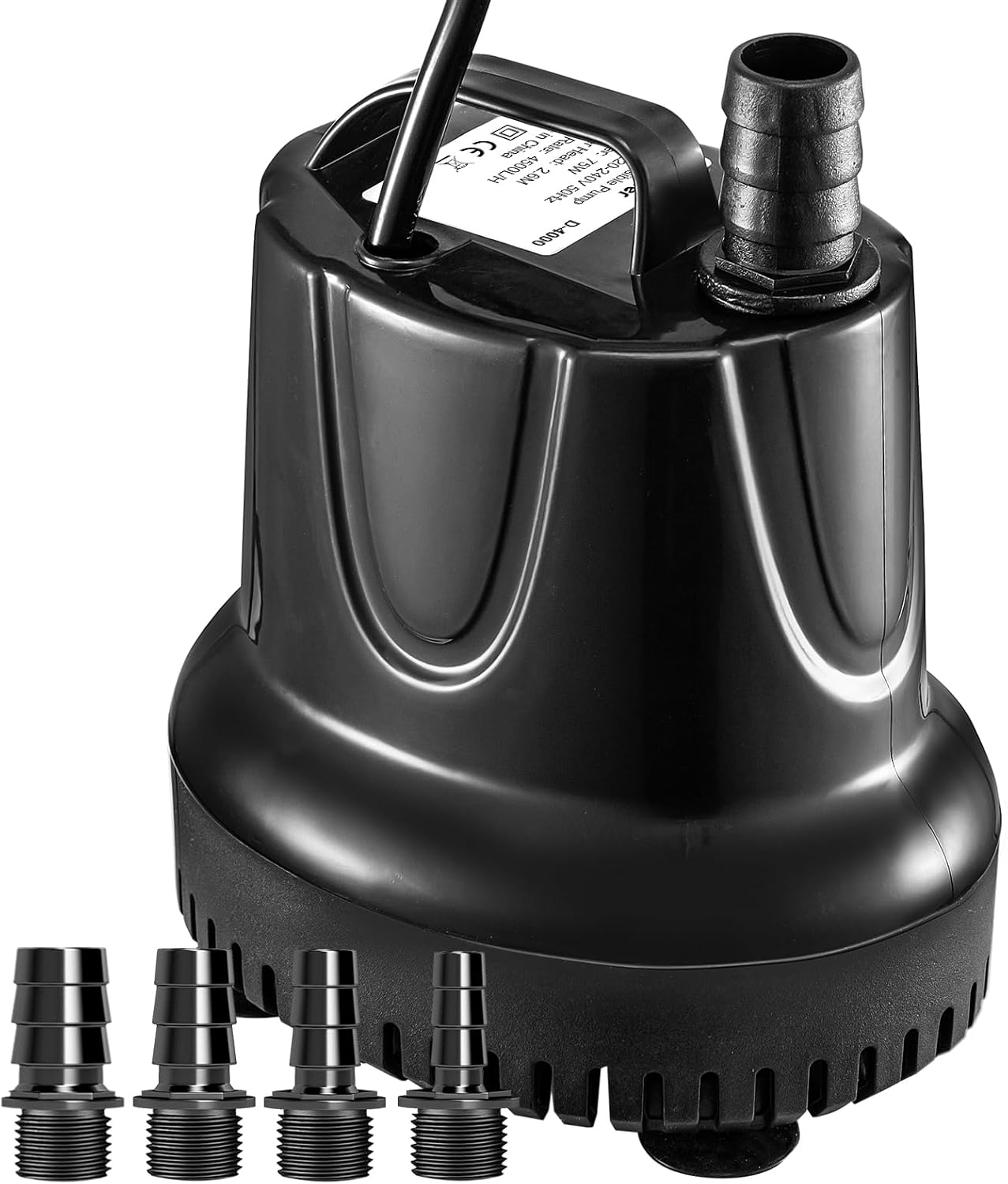
Image 3.1: The GROWNEER Submersible Water Pump unit shown with its four included threaded nozzles.

Image 3.2: Close-up view of the four interchangeable nozzles, providing different water flow options.
4. Setup and Installation
Follow these steps to set up your GROWNEER Submersible Water Pump:
- Choose a Nozzle: Select one of the four provided nozzles (0.51", 0.62", 0.75", 0.98") based on your desired water flow rate and connect it securely to the pump's outlet. Ensure the connection is tightly sealed to achieve the specified lift height.
- Connect Tubing (Optional): If using tubing, attach it to the selected nozzle.
- Position the Pump: Place the pump in the desired location within your aquarium, pond, or fountain. Ensure it is fully submerged in water.
- Secure with Suction Cups: The pump is equipped with 4 powerful suction cups on its base. These allow for stable horizontal or vertical installation. Press the pump firmly against a clean, smooth surface to secure it in place.

Image 4.1: Illustration demonstrating how the four suction cups allow for both horizontal and vertical pump installation.

Image 4.2: The GROWNEER pump installed and operating in an aquarium, circulating water.
5. Operating Instructions
- Submerge the Pump: Ensure the pump is completely submerged in water before connecting to power.
- Connect to Power: Plug the pump into a suitable electrical outlet. The pump will start operating immediately.
- Monitor Operation: Observe the water flow. The pump is designed for ultra-quiet operation, ensuring a peaceful environment.
- Adjust Flow (if applicable): The flow rate is determined by the chosen nozzle. To change flow, disconnect power, remove the pump, and swap nozzles.
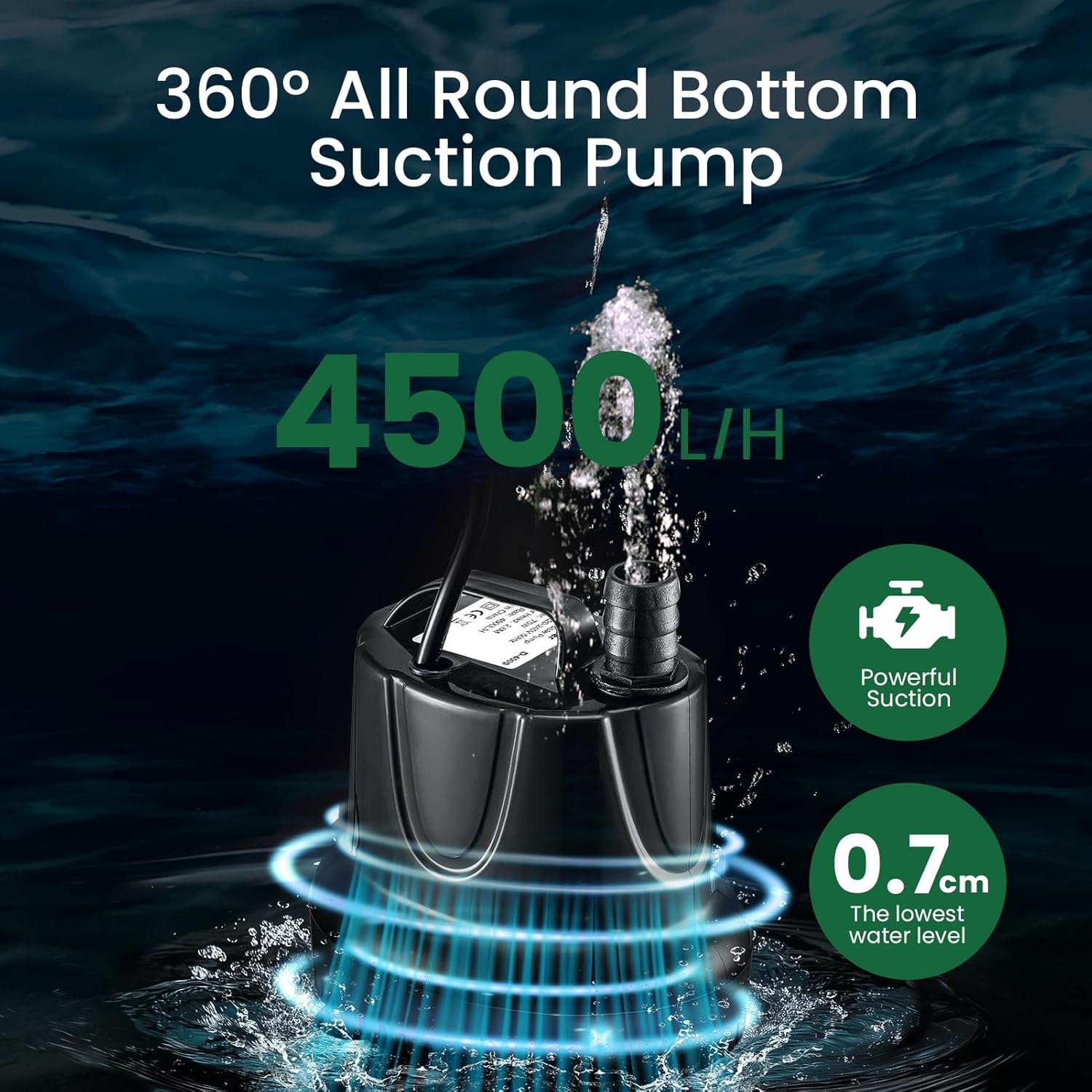
Image 5.1: The pump features 360-degree all-round bottom suction, capable of operating at a low water level of 0.7cm and delivering 4500L/H flow.
6. Maintenance
Regular maintenance ensures optimal performance and extends the lifespan of your pump.
- Disconnect Power: Always unplug the pump from the power source before any maintenance.
- Clean the Impeller: Over time, debris can accumulate around the impeller, reducing performance. The pump is detachable for easy cleaning. Carefully remove the front cover and impeller assembly. Clean any debris from the impeller and its housing with a soft brush and clean water.
- Clean Nozzles and Tubing: Ensure nozzles and any connected tubing are free from blockages.
- Inspect Power Cord: Periodically check the power cord for any signs of wear or damage.
- Reassemble: After cleaning, reassemble the pump components securely.
7. Troubleshooting
| Problem | Possible Cause | Solution |
|---|---|---|
| Pump does not start | No power supply Impeller jammed Damaged motor | Check power connection and outlet Disconnect power, clean impeller Contact customer support |
| Reduced water flow | Clogged intake/nozzle Impeller dirty Low water level | Disconnect power, clean intake/nozzle Disconnect power, clean impeller Ensure pump is fully submerged |
| Excessive noise | Impeller obstructed Pump not stable Air in pump | Disconnect power, clean impeller Secure pump with suction cups Ensure pump is fully submerged and free of air pockets |
8. Specifications
| Feature | Detail |
|---|---|
| Model | 75W 4500L/H |
| Power | 75 Watts |
| Voltage | 230 Volts (AC) |
| Max Flow Rate | 4500 Liters Per Hour |
| Max Lift Height | 2.6 meters (8.5 feet) |
| Nozzle Sizes | 0.51", 0.62", 0.75", 0.98" |
| Material | Plastic |
| Color | Black |
| Power Cord Length | 3 meters (9.8 feet) |
| Item Weight | 2 kg |

Image 8.1: Visual representation of the pump's essential specifications and dimensions.
9. Warranty and Support
For warranty information or technical support, please refer to the product packaging or contact GROWNEER customer service through your retailer or the official GROWNEER website. Please have your model number (75W 4500L/H) and purchase details ready when contacting support.