
Introduction
This instruction manual provides essential information for the safe and effective use of your UpBright AC/DC Adapter. This adapter is designed to provide reliable power to compatible VTech VM series video baby monitors. Please read this manual thoroughly before use and retain it for future reference.
Product Overview
The UpBright AC/DC Adapter is a global power supply unit featuring a wide input voltage range (100-240VAC). It is equipped with multiple protection mechanisms to ensure safe operation for your devices.
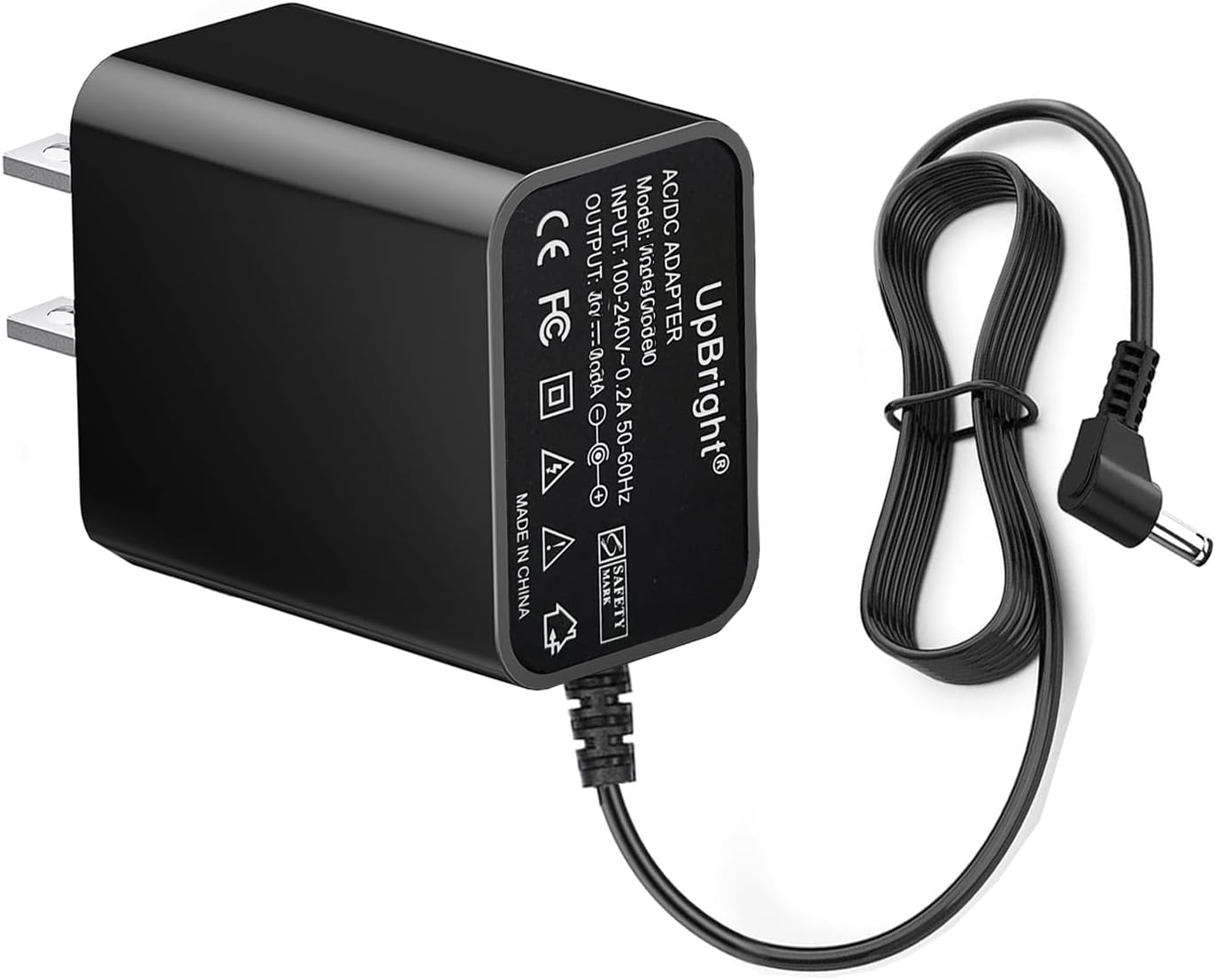
Image: The UpBright AC/DC Adapter, showing the main unit with product labels and the attached power cord terminating in a barrel connector.
Compatibility
This UpBright AC/DC Adapter is specifically designed to be compatible with the following VTech VM series video baby monitors and their associated units:
- VTech VM5255 5" Pan Scan and Night Light Video Baby Monitor (BU Unit Digital Camera, PU Parent LCD)
- VTech VM5255-2 (VM52552) 5" Pan Scan and Night Light Video Baby Monitor (BU Unit Digital Camera, PU Parent LCD)
- VTech VM5263 5" High Definition Pan & Tilt Night Light Video Baby Monitor (BU Unit Camera, PU Parent LCD)
- VTech VM5263-2 (VM52632) 5" Pan & Tilt Video Baby Monitor (BU Unit Camera, PU Parent LCD)
- VTech VM5266 5" Night Light Video Baby Monitor (BU Unit Digital Camera, PU Parent LCD)
- VTech VM5266-2 (VM52662) 5" Night Light Video Baby Monitor (BU Unit Digital Camera, PU Parent LCD)

Image: The UpBright AC Adapter shown with a VTech VM5255 baby monitor parent unit and camera unit, illustrating compatibility.

Image: The UpBright AC Adapter shown with a VTech VM5263 baby monitor parent unit and two camera units, illustrating compatibility.

Image: The UpBright AC Adapter shown with a VTech VM5266 baby monitor parent unit and camera unit, illustrating compatibility.
Setup
- Unpack: Carefully remove the UpBright AC/DC Adapter from its packaging.
- Identify Device Port: Locate the power input port on your VTech baby monitor's parent unit or camera unit. This is typically a circular port designed for a barrel connector.
- Connect Adapter: Insert the barrel connector of the UpBright AC/DC Adapter firmly into the power input port of your VTech device. Ensure a snug fit.
- Plug into Outlet: Plug the AC prongs of the adapter into a standard wall power outlet (100-240VAC, 50/60Hz).
- Power On Device: Once connected, your VTech baby monitor should power on automatically or can be turned on using its power button.
Note: Always ensure the adapter is fully inserted into both the device and the wall outlet before use.
Operating Instructions
The UpBright AC/DC Adapter functions as a direct power source for your compatible VTech baby monitor. Once connected, it provides continuous power, allowing the monitor to operate without relying on its internal battery (if applicable) or to charge its internal battery.
- Continuous Power: The adapter provides stable power for extended operation of your baby monitor.
- Battery Charging: If your VTech monitor has a rechargeable battery, the adapter will charge it while connected and powered.
- Protection Features: The adapter incorporates Over Voltage Protection (OVP), Over Current Protection (OCP), and Short Circuit Protection (SCP) to safeguard both the adapter and your connected device from electrical anomalies.
Maintenance
Proper care and maintenance will extend the life of your UpBright AC/DC Adapter.
- Cleaning: Disconnect the adapter from the power outlet and the device before cleaning. Use a soft, dry cloth to wipe the surface. Do not use liquid cleaners or abrasive materials.
- Storage: When not in use, store the adapter in a cool, dry place away from direct sunlight and extreme temperatures. Avoid tightly winding the cable to prevent damage.
- Handling: Do not drop, disassemble, or attempt to repair the adapter. Avoid exposing it to water or excessive moisture.
- Cable Care: Regularly inspect the power cord for any signs of damage, such as fraying or cuts. If damage is observed, discontinue use immediately.
Troubleshooting
| Problem | Possible Cause | Solution |
|---|---|---|
| Device not powering on/charging. |
|
|
| Adapter feels unusually hot. |
|
|
| Intermittent power to device. |
|
|
Specifications
| Brand | UPBRIGHT |
| Model Number | VTech VM5255 Power Supply (Compatible with various VTech VM series models) |
| Input Voltage | 100-240VAC, 50/60Hz (World Wide Input) |
| Connector Type | Barrel Connector |
| Included Components | 1 x AC Adapter |
| Special Features | OVP (Over Voltage Protection), OCP (Over Current Protection), SCP (Short Circuit Protection) |
| Product Dimensions | Approximately 4 x 3 x 2 inches |
| Item Weight | Approximately 3 ounces |

Image: Diagram illustrating the internal protection features of the UpBright AC/DC Adapter, including Short-Circuit, Over-Temp, Over-Voltage, and Overcurrent Protection.
Warranty and Support
UpBright products are manufactured to high standards and undergo rigorous testing to ensure quality and reliability.
- Refund Policy: UpBright offers a 30-day refund policy from the date of purchase.
- Exchange Policy: The product is covered by a 24-month exchange policy.
- Contact Support: For any questions, technical assistance, or warranty claims, please refer to the contact information provided with your purchase or visit the official UpBright store on Amazon.
Note: Keep your purchase receipt or order details as proof of purchase for warranty purposes.
