1. Product Overview
The PeiDog KK-82MS-B/KK-82MS-D is a versatile scientific calculator integrated with a 4.4-inch LCD writing tablet. This device is designed to support various mathematical and scientific calculations while providing a convenient platform for note-taking.
Key features include:
- Integrated LCD Writing Tablet: A 4.4-inch tablet with a stylus allows for real-time note-taking and quick erasure.
- 240 Scientific Functions: Comprehensive functionality for mathematics, algebra, fractions, statistics, and accounting.
- Dual-Line Display: Enhances readability for complex calculations.
- Durable Design: Features a sliding protective cover and soft plastic buttons for comfortable use and protection.
- Portable: Compact and lightweight for easy transport.
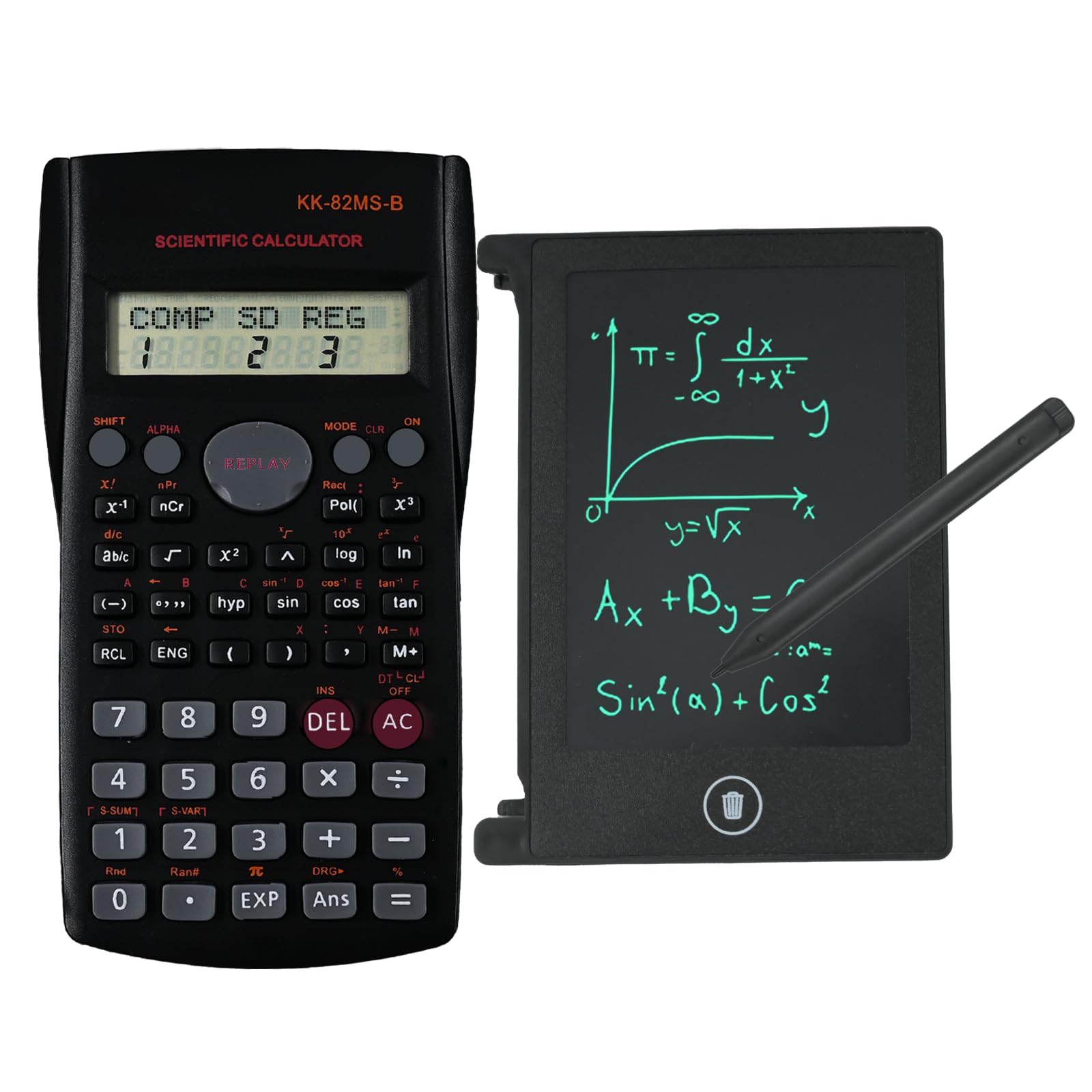
Image 1: Front view of the PeiDog Scientific Calculator with its integrated LCD writing tablet, showing overall dimensions.
2. Setup
2.1 Battery Installation
The calculator comes with pre-installed lithium-ion batteries. No initial battery installation is required for immediate use. If battery replacement becomes necessary, refer to the Maintenance section.
2.2 Powering On/Off
- To power on the calculator, press the ON button.
- To power off the calculator, press SHIFT followed by AC (which functions as OFF when SHIFT is pressed).
2.3 Using the Stylus
The included stylus is stored in a slot on the side of the LCD writing tablet. Gently pull it out for use. After use, return the stylus to its slot to prevent loss.
3. Operating Instructions
3.1 Calculator Functions
The calculator features a dual-line display and 240 functions. Input numbers and operations using the keypad. The upper line displays the input expression, and the lower line displays the result.

Image 2: Detailed view of the calculator's key layout, highlighting the Extra Large Display, Shift Key, Function Keys, Cursor Control Keys, Mode Key, Delete Key, and Last Answer Key.
- Basic Operations: Use the numeric keys (0-9), decimal point (.), and arithmetic operators (+, -, ×, ÷).
- Scientific Functions: Access functions like sin, cos, tan, log, ln, powers, roots, and more. Many functions are accessed by pressing the SHIFT key first, indicated by secondary labels above the buttons.
- Mode Key: Press MODE to select different calculation modes (e.g., COMP for basic arithmetic, SD for standard deviation, REG for regression).
- Cursor Control Keys: Use the arrow keys to navigate and edit input expressions on the display.
- DEL Key: Deletes the last entered character.
- AC Key: Clears all calculations and resets the display.
- ANS Key: Recalls the last calculated answer.
3.2 LCD Writing Tablet Operation
The 4.4-inch LCD writing tablet allows for quick notes, sketches, or temporary calculations.

Image 3: Close-up view of the LCD writing tablet, showing the delete key, stylus, and the dual-line display of the calculator.
- Writing: Use the provided stylus to write directly on the LCD surface.
- Erasing: Press the circular Delete Key located below the writing tablet to clear all content from the screen.
4. Maintenance
4.1 Cleaning
To clean the calculator and writing tablet, use a soft, dry cloth. For stubborn marks, a slightly damp cloth with mild soap can be used, ensuring no liquid enters the device. Avoid abrasive cleaners or solvents.
4.2 Battery Replacement
The calculator uses lithium-ion batteries. When the display becomes dim or the device fails to power on, it may be time to replace the batteries. Consult a qualified technician or refer to the specific battery compartment instructions if available. Ensure proper battery type and polarity are used.
4.3 Storage
Store the calculator in a cool, dry place away from direct sunlight and extreme temperatures. Use the sliding protective cover to shield the keypad and screen from dust and damage.
5. Troubleshooting
- Calculator does not power on:
- Ensure the batteries are correctly installed and have sufficient charge.
- Press the ON button firmly.
- LCD writing tablet does not erase:
- Press the Delete Key firmly.
- If the issue persists, the tablet's internal battery (separate from the calculator's main battery) might be low. This typically requires professional service.
- Incorrect calculation results:
- Verify the input expression and the selected calculation mode (e.g., degrees vs. radians for trigonometric functions).
- Press AC to clear all previous operations and start a new calculation.
6. Specifications
| Feature | Detail |
|---|---|
| Brand | PeiDog |
| Model | KK-82MS-B/KK-82MS-D (PPP03_JiSuanQi_Hei_PaintPad4.4Inch_2in1) |
| Product Dimensions | Approximately 1 x 2 x 0.1 cm (10L x 20l mm) |
| Weight | Approximately 10 g |
| Power Source | Battery Powered (1 Lithium Ion battery included) |
| Display Type | LCD (Dual-line for calculator) |
| Material | Plastic |
| LCD Writing Tablet Size | 4.4 inches |
| Number of Functions | 240 |
7. Warranty and Support
Specific warranty information for this product is not provided in the available documentation. Please refer to the retailer or point of purchase for details regarding warranty coverage.
For technical support or further assistance, please contact the retailer or the manufacturer, PeiDog, through their official channels if available.


