
Introduction
This manual provides essential instructions for the safe and effective use of your Homedics Modulair Compression Wrist Wrap Massager. Please read all instructions carefully before operation and retain this manual for future reference. The Modulair Compression Wrist Wrap is designed to provide targeted compression therapy to the wrist area, aiding in recovery and comfort.
Important Safety Information
Always adhere to the following safety guidelines:
- Always read the instruction manual before use.
- Do not use on broken skin or areas with inflammation.
- Avoid use on the neck, head, or genitals.
- Keep away from water and other liquids.
- Do not use while sleeping or unconscious.
- Consult a doctor before use if you have a medical condition or are pregnant.
- Keep out of reach of children.
- Unplug the device when not in use.
What's in the Box
- Homedics Modulair Compression System Wrist Wrap
- Instruction Bulletin
- 2-Year Limited Warranty Information
Note: The universal controller (battery) required to operate this wrist wrap is sold separately.
Product Overview
The Homedics Modulair Compression Wrist Wrap Massager provides air compression therapy with customizable settings. It features 4 distinct air compression massage programs, adjustable intensity levels, and 3 soothing heat settings. The system is powered by a universal controller (sold separately) which utilizes SMRTflex chip technology for efficient operation and offers approximately 5 hours of runtime.

Figure 1: Homedics Modulair Compression Wrist Wrap Massager.
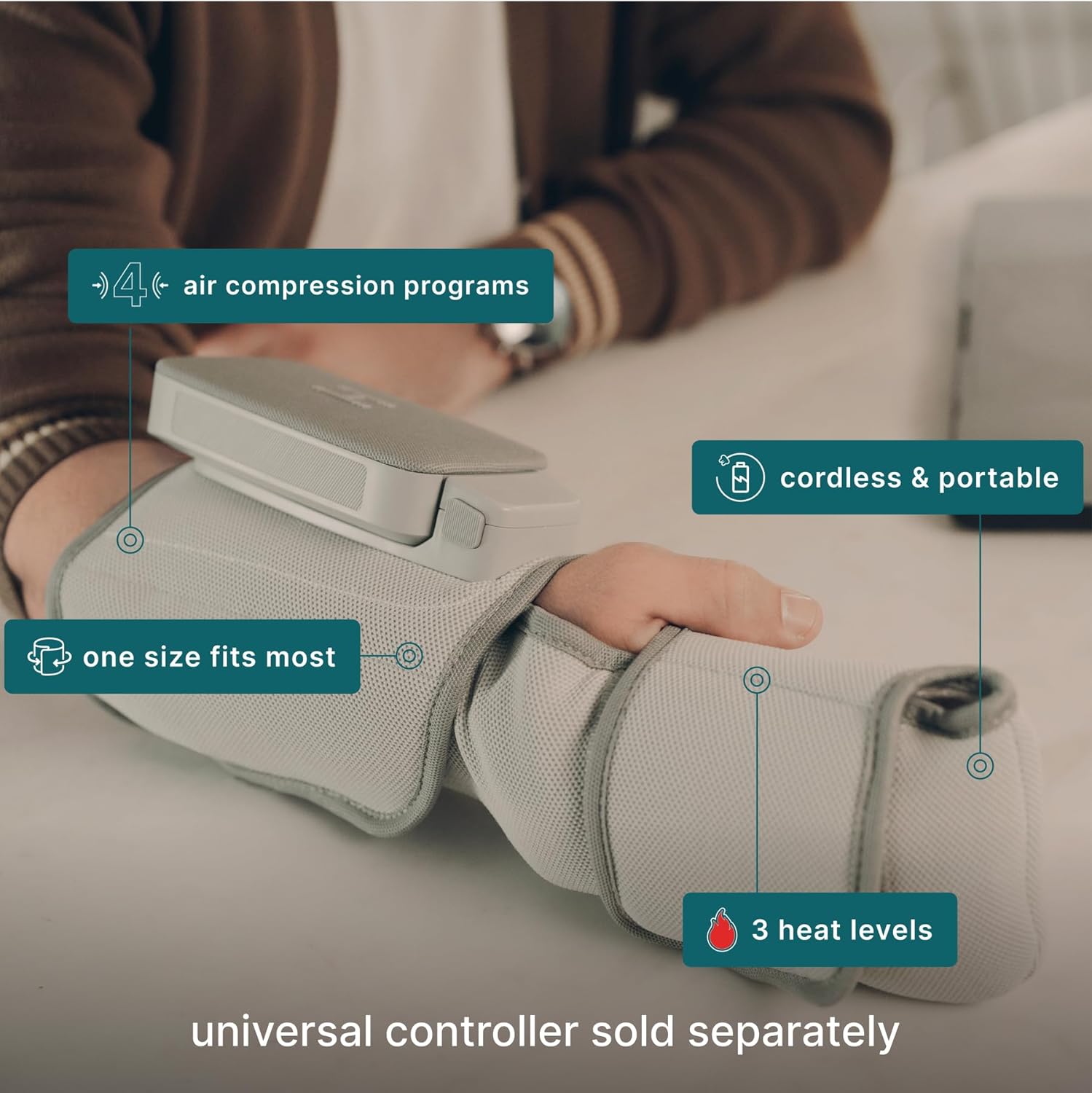
Figure 2: Key features of the Modulair Compression Wrist Wrap, including 4 air compression programs, portability, and 3 heat levels. The universal controller is sold separately.
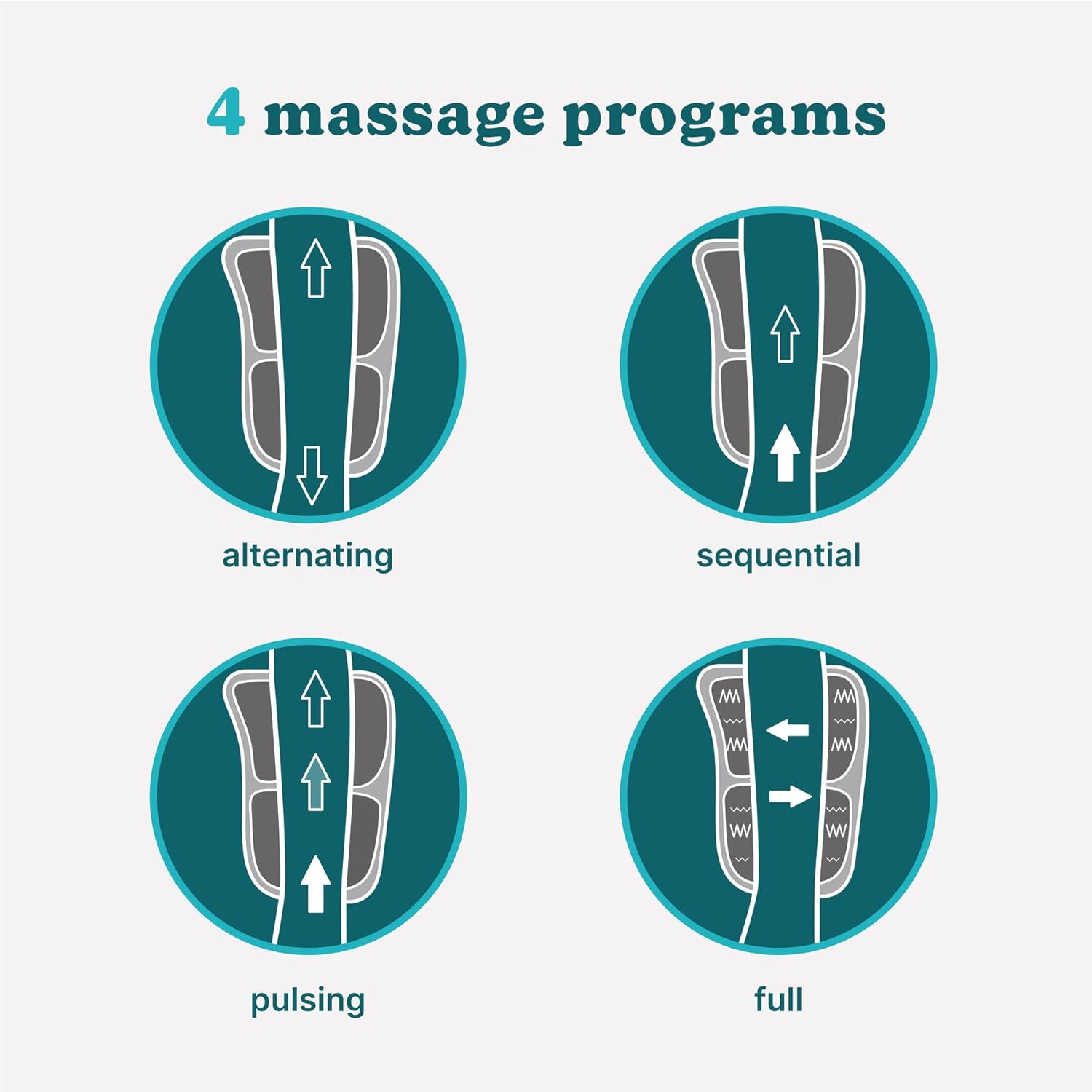
Figure 3: Visual representation of the four available massage programs: Alternating, Sequential, Pulsing, and Full.
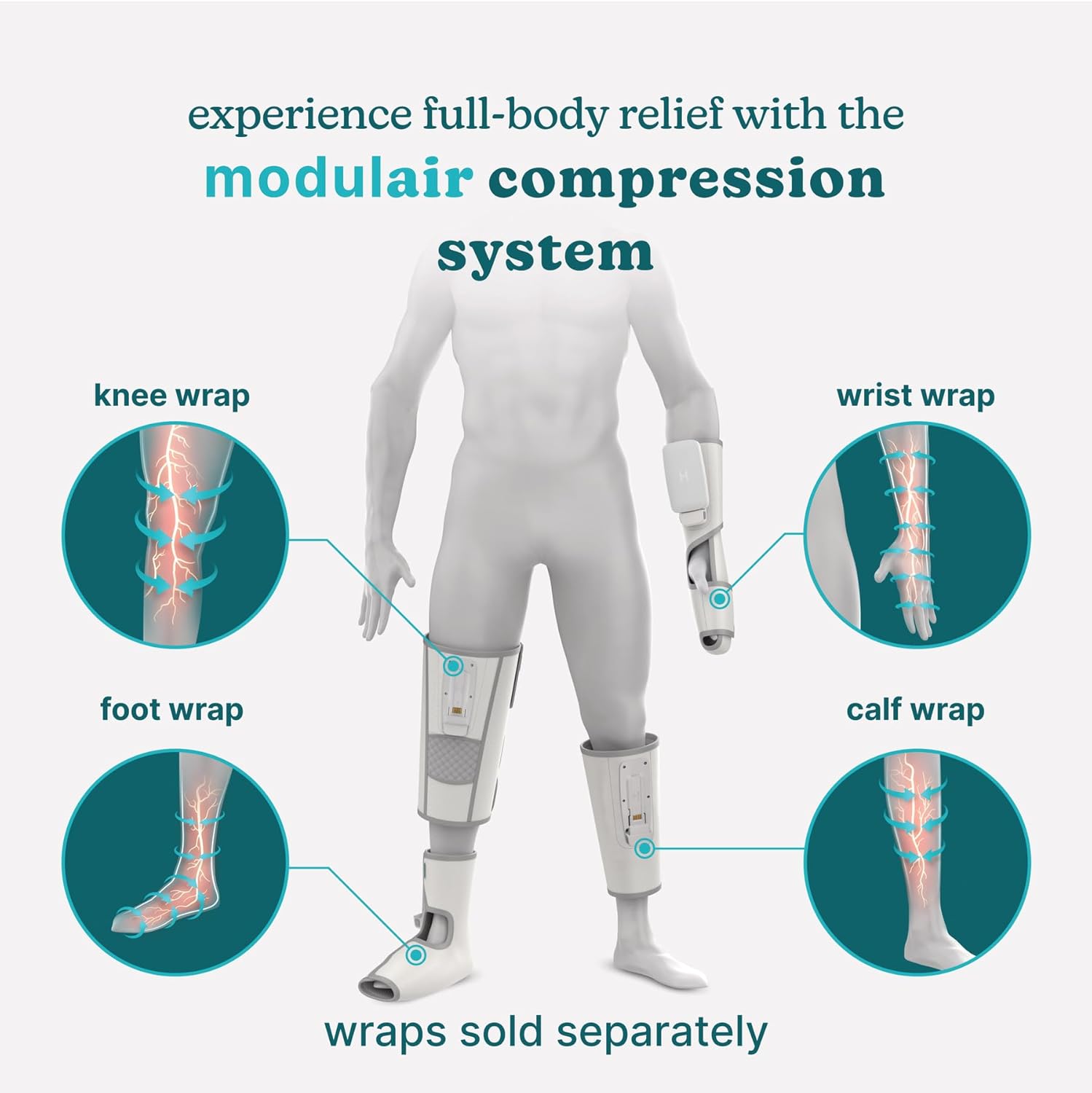
Figure 4: The Modulair system offers various wraps for different body parts (knee, foot, calf, wrist), all powered by the same universal controller. Each wrap is sold separately.
Product Demonstration Video
Video 1: Official Homedics video demonstrating the Modulair Compression System, showcasing its benefits for recovery, swelling reduction, circulation improvement, and pain relief across various body parts including wrists, knees, and feet. It highlights the universal battery, 4 massage programs, 3 heat levels, and 5 intensity levels.
Setup
- Charge the Universal Controller (Sold Separately): Ensure your Modulair universal controller is fully charged before first use. Refer to the controller's specific instruction manual for charging details.
- Attach the Universal Controller: Locate the designated attachment point on the wrist wrap. Align the universal controller with the attachment point and firmly click it into place. Ensure it is securely fastened.
- Wear the Wrist Wrap: Place the wrist wrap around your wrist, ensuring a comfortable and secure fit. Adjust the fasteners as needed to achieve optimal compression coverage without being too tight.

Figure 5: Illustrates how to securely attach the universal controller to the wrist wrap.
Operating Instructions
- Power On: Press and hold the power button on the universal controller to turn on the device. The indicator lights will illuminate.
- Select Massage Program: Use the program selection button (often labeled with arrows or letters A, B, C, D) to cycle through the 4 available massage programs: Alternating, Sequential, Pulsing, and Full. Choose the program that best suits your preference.
- Adjust Intensity: Use the '+' and '-' buttons to increase or decrease the compression intensity. The device offers 5 intensity levels. Start with a lower intensity and gradually increase to a comfortable level.
- Activate Heat Function: Press the heat button (often indicated by a wavy lines icon) to activate the heat function. Cycle through the 3 heat settings (low, medium, high) by pressing the button repeatedly. The heat indicator light will change accordingly.
- Session Duration: A full inflation and deflation cycle typically takes 20-30 seconds. The device is designed for use in 15-minute sessions.
- Power Off: To turn off the device, press and hold the power button until the indicator lights turn off.
Care and Maintenance
- Cleaning: Disconnect the universal controller from the wrist wrap. Wipe the exterior of the wrist wrap with a soft, damp cloth. Do not immerse the wrap or controller in water or any other liquid. Do not use abrasive cleaners or harsh chemicals.
- Storage: Store the device in a cool, dry place, away from direct sunlight and extreme temperatures. Ensure the wrap is clean and dry before storage.
- Battery Care: For optimal battery life, charge the universal controller regularly, even if not in frequent use.
Troubleshooting
| Problem | Possible Cause | Solution |
|---|---|---|
| Device does not turn on. | Universal controller is not charged or not properly attached. | Ensure the universal controller is fully charged. Re-attach the controller securely to the wrist wrap. |
| No compression or weak compression. | Incorrect program selected, intensity too low, or wrap not properly secured. | Adjust the intensity level. Ensure the wrap is snugly fitted around your wrist. Select a different massage program. |
| Heat function not working. | Heat setting not activated or too low. | Press the heat button to cycle through the heat settings. Ensure the heat indicator light is on. |
| Universal controller is missing or not included. | The universal controller is sold separately and is not included with the wrist wrap. | Purchase the Homedics Modulair universal controller separately to operate the wrist wrap. |
Specifications
- Model Number: SR-CMH10H
- Product Dimensions: 2.5 x 15.75 x 7 inches
- Item Weight: 0.41 Kilograms (14.46 ounces)
- Material: Fabric, Plastic
- Power Source: Battery Powered (via universal controller, sold separately)
- Use For: Wrist
Warranty and Support
The Homedics Modulair Compression Wrist Wrap Massager comes with a 2-Year Limited Warranty. For detailed warranty information, please refer to the included warranty bulletin.
For technical support, troubleshooting assistance, or warranty claims, please contact Homedics Customer Service. Contact information can typically be found on the Homedics official website or in the warranty documentation.


