
1. Introduction
Thank you for choosing the WALI Rolling TV Stand. This mobile TV stand is designed to provide a versatile and convenient viewing experience for your television. With its robust construction, height adjustability, integrated power hub, and smooth-rolling wheels, it offers an ideal solution for homes, offices, and presentations. Please read this manual carefully before assembly and use to ensure safe and proper operation.
2. Safety Information
- Weight Capacity: Do not exceed the maximum weight capacity of 88 lbs (40 kg) for the TV stand and 11 lbs (5 kg) for the media shelf. Overloading can cause instability and lead to serious injury or property damage.
- TV Size Compatibility: This stand is suitable for TVs from 23 to 65 inches. Ensure your TV's VESA pattern is within the supported range (100x100mm to 400x400mm).
- Stability: Always ensure the stand is on a flat, stable surface. Lock the wheels when the stand is in a stationary position to prevent accidental movement.
- Assembly: Follow all assembly instructions carefully. Do not use power tools for tightening screws unless explicitly stated, as over-tightening can strip threads or damage components.
- Children: Keep children away from the stand during assembly. Do not allow children to climb on or play with the stand or attached TV.
- Electrical Safety: The built-in power hub is rated for 125V/12A (AC outlets) and 5V/2.1A (USB ports). Do not overload the power hub. Ensure all connected devices are compatible with these specifications.
- Cable Management: Route cables neatly to prevent tripping hazards and ensure they do not interfere with the stand's movement or adjustments.
3. Package Contents
Please verify that all components are present and undamaged before beginning assembly. If any parts are missing or damaged, please contact WALI customer support.
- Base with Wheels
- Main Support Pole
- TV Mounting Bracket
- Height-Adjustable Media Shelf
- Integrated Power Outlet Unit
- All Necessary Hardware (screws, washers, spacers, nuts)
- Assembly Tools (e.g., Allen wrench, small wrench)
4. Setup and Assembly Instructions
Follow these steps carefully for proper assembly. It is recommended to have two people for certain steps, especially when mounting the TV.
- Assemble the Base: Attach the main support pole to the base. Ensure all screws are securely tightened. The base features smooth-rolling wheels for mobility and a robust design for stability.

Figure 4.1: Assembling the base and main support pole.
- Install the Media Shelf: Slide the media shelf onto the main support pole. Adjust its height to your desired position and secure it using the provided fasteners. This shelf is ideal for laptops, streaming devices, or other accessories.

Figure 4.2: Attaching the media shelf.
- Attach the Power Hub: Secure the integrated power outlet unit to the designated slot on the main support pole. This unit includes 3 AC outlets (125V/12A) and 2 USB ports (5V/2.1A Max) with a 5.9-foot power cord for convenient device charging and power.

Figure 4.3: Installing the integrated power hub.
- Prepare the TV Mounting Bracket: Attach the vertical mounting arms to the back of your TV using the appropriate screws and spacers from the hardware kit. Ensure the VESA pattern (distance between mounting holes) matches the stand's compatibility (100x100mm to 400x400mm).

Figure 4.4: VESA compatibility and stand dimensions.
- Mount the TV: Carefully lift your TV and hook the mounting arms onto the horizontal bracket on the stand. Secure the TV to the bracket using the safety screws or locking mechanisms provided. Ensure the TV is centered and level.
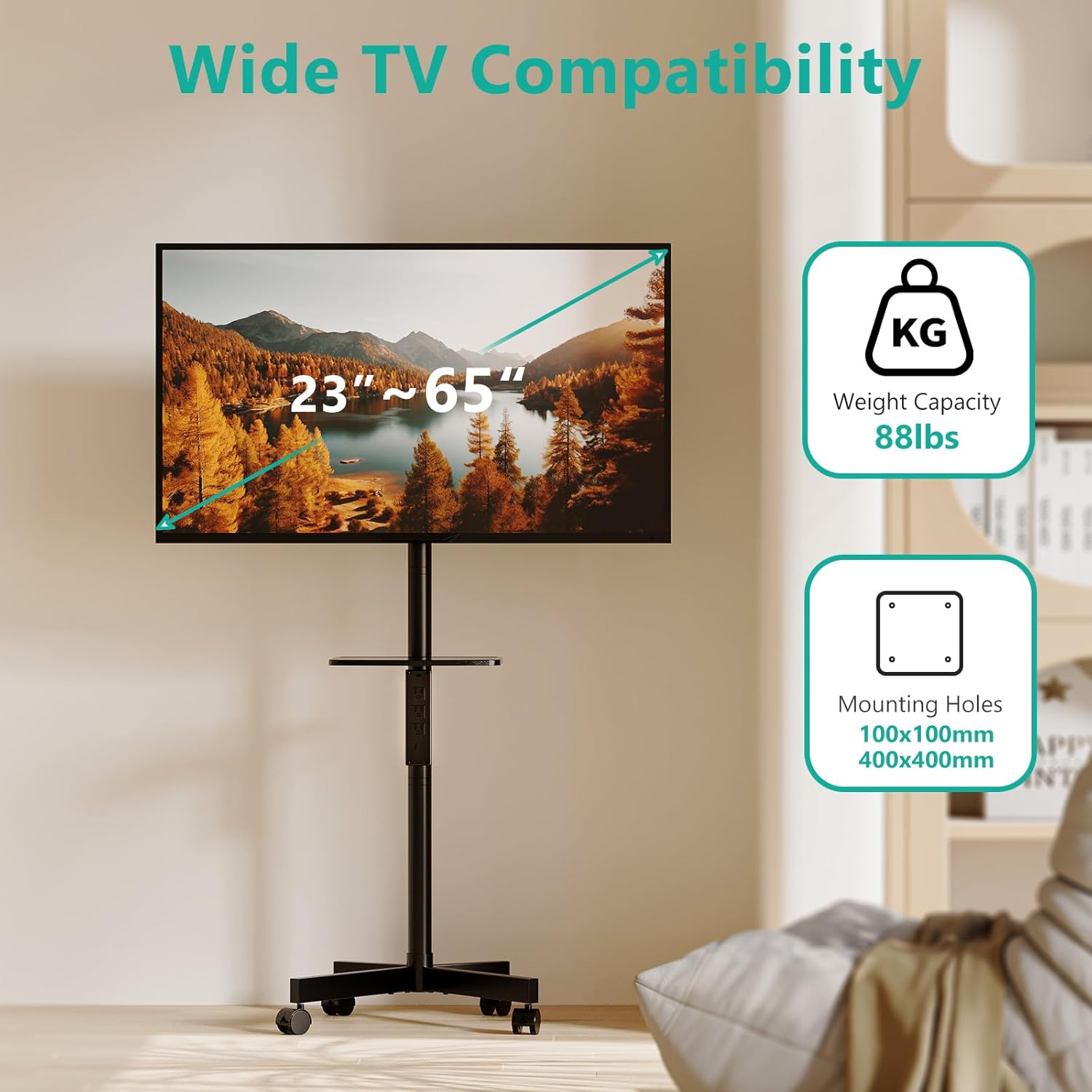
Figure 4.5: Mounting the TV onto the stand.
5. Operating Instructions
- Adjusting TV Height: The TV mounting bracket can be adjusted along the main support pole to achieve your desired viewing height, up to a maximum of 63 inches (54.2 inches to the center of the TV). Loosen the securing bolts, slide the bracket to the new position, and re-tighten firmly.

Figure 5.1: Adjusting the TV height.
- Adjusting Media Shelf Height: The media shelf can also be adjusted independently. Loosen its securing mechanism, slide to the desired height, and re-secure.
- Moving the Stand: Unlock the wheels on the base to move the stand. The 360-degree rotating wheels allow for effortless mobility and flexible positioning. Always lock the wheels once the stand is in its desired location to ensure stability.
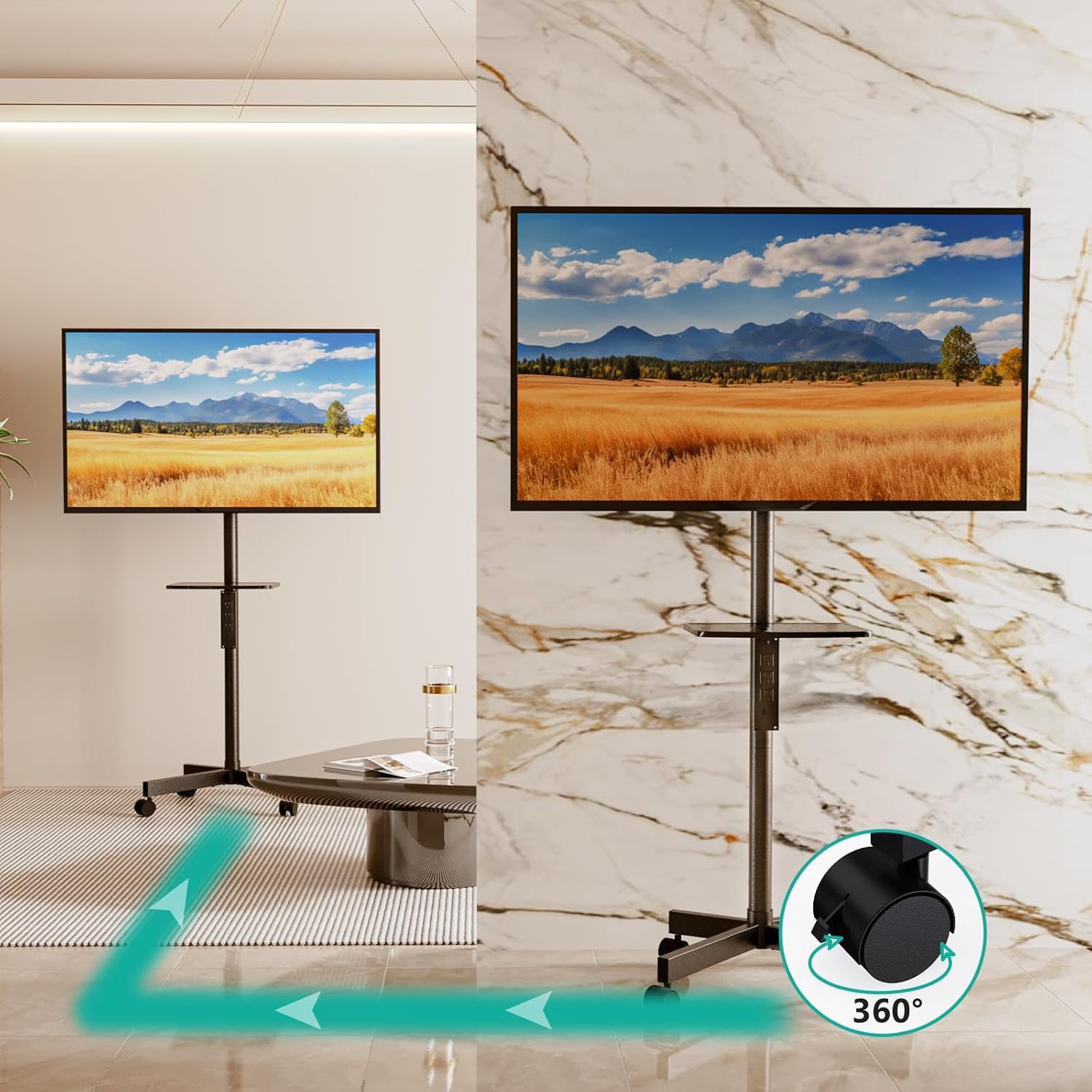
Figure 5.2: Mobility and 360-degree rotation.
- Using the Power Hub: Plug the stand's power cord into a wall outlet. You can then use the 3 AC outlets and 2 USB ports on the integrated power hub to power your TV, streaming devices, and charge mobile devices.
6. Maintenance
- Cleaning: Wipe the stand with a soft, dry cloth. Do not use abrasive cleaners or solvents, as they may damage the finish.
- Regular Checks: Periodically check all screws and connections to ensure they remain tight and secure. Re-tighten if necessary.
- Wheel Maintenance: Keep the wheels free of dust and debris to ensure smooth movement.
7. Troubleshooting
- Stand is unstable: Ensure all assembly screws are tightened. Verify the TV weight and size are within the specified limits. Make sure the stand is on a flat, level surface. Lock the wheels when stationary.
- TV is not level: Check that the TV mounting arms are securely and evenly attached to the TV and the stand's bracket. Adjust if necessary.
- Wheels are not rolling smoothly: Check for debris or hair caught in the wheels. Clean them thoroughly. Ensure the wheels are unlocked for movement.
- Power outlets not working: Ensure the stand's main power cord is securely plugged into a functioning wall outlet. Check if the power hub's circuit breaker (if present) has tripped. Do not overload the outlets.
8. Specifications
| Model | AVC001-PN |
| TV Size Compatibility | 23 - 65 inches |
| VESA Compatibility | 100x100mm to 400x400mm |
| Weight Capacity (TV) | Up to 88 lbs (40 kg) |
| Weight Capacity (Shelf) | Up to 11 lbs (5 kg) |
| Height Adjustment | Up to 63 inches (overall stand height) |
| Power Outlet | 3 AC Outlets (125V/12A), 2 USB Ports (5V/2.1A Max) |
| Power Cord Length | 5.9 feet |
| Movement Type | Rotate (360° wheels) |
| Material | Alloy Steel |
| Color | Black |
| Item Weight | 18.17 pounds |
| Package Dimensions | 17.95 x 13.54 x 5.63 inches |
| UPC | 811278026803 |
9. Warranty and Support
WALI products are designed for durability and performance. For warranty information or technical support, please visit the official WALI store or contact their customer service directly. Keep your purchase receipt for warranty claims.
Visit the WALI Store: WALI Official Store
