
Introduction
This manual provides detailed instructions for the installation, operation, and maintenance of your ASVEGE 12.3 Inch Dual Screens Car Stereo and Digital Instrument Cluster. This system is designed for Jeep Wrangler JL models from 2018 to 2022, featuring an Android 12.0 operating system, 8GB RAM, and 128GB ROM for enhanced in-car entertainment and information display.
Product Features
- Advanced Dual Touch Screens: Includes a 12.3-inch car radio and a 12.3-inch LCD digital dashboard cluster. Retains the original AC vent functionality.
- High Performance: Powered by Android 12.0 operating system with an OCTA-Core CPU, 8GB RAM, and 128GB ROM. Features a 2.5D IPS screen with 1920*720 resolution.
- Quick Boot: System starts in approximately 2.0 seconds, with ignition start instrument following in less than 2.5 seconds.
- Multifunctional Connectivity: Supports wireless Apple CarPlay and Android Auto. Built-in WiFi, GPS navigation, Bluetooth 5.0, FM/AM Radio.
- Enhanced Audio: Built-in 4*50W DSP sound amplifier and EQ balanced audio processing technology. Bluetooth 5.0 supports NX TX ATTX lossless sound quality and hands-free calling.
- Additional Capabilities: Supports split-screen display, voice control (English only), installation of Android apps from Google Play Store, Mirror Link with smartphones, touch control of climate, and display of car information (RPM, speed). Retains original USB and steering wheel controls.
- Expandability: Supports external 4G Dongle, TPMS, USB connection, Digital TV, OBDⅡ, and DAB+.
Specifications
| Operation System | Android 12.0 |
| CPU | OCTA-Core |
| RAM | 8GB |
| ROM | 128GB |
| Screen Size | 12.3 Inches (Dual Screens) |
| Screen Resolution | 1920*720 |
| Bluetooth Version | 5.0 |
| Connectivity | Bluetooth, WiFi, 4G LTE (via built-in slot) |
| Navigation | GPS (Worldwide map type) |
| Control Method | Touch, Voice |
| Compatible Vehicle Type | Jeep Wrangler JL 2018-2022 |
Packing List
The product package includes the following items:
- 1x Dual Screens Unit
- 1x Set of Accessories (Cables, etc.)

Figure 1: All components included in the ASVEGE dual screen car stereo package, including the main dual screen unit and various connecting cables and accessories.
Installation Guide
Professional installation is recommended for this product. Ensure the vehicle's power is disconnected before beginning installation. The system is designed for non-destructive installation, retaining original vehicle functions.
Step 1: Preparation
- Gather all necessary tools and components from the packing list.
- Carefully remove the original dashboard components to access the stereo and instrument cluster area.
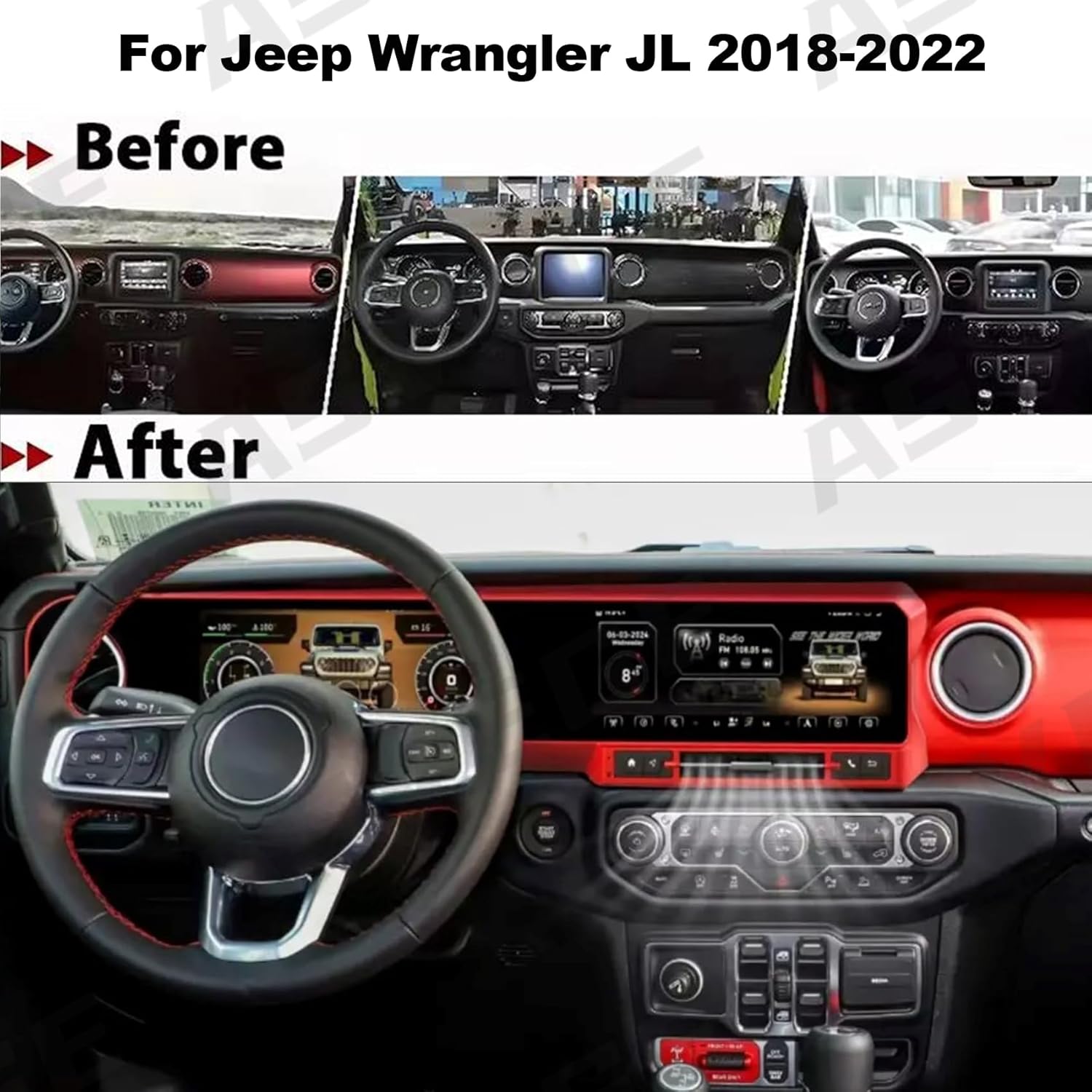
Figure 2: Comparison of the Jeep Wrangler JL dashboard before and after the ASVEGE dual screen system installation, highlighting the integrated appearance.
Step 2: Connecting the Unit
- Connect the provided wiring harnesses to the vehicle's existing connectors. Ensure all connections are secure.
- Integrate the new dual screen unit into the dashboard. The AC vent will be retained.

Figure 3: The ASVEGE dual screen system seamlessly integrated into the Jeep Wrangler JL dashboard, showcasing the main display.
Step 3: Final Assembly
- Secure the dual screen unit and reassemble any removed dashboard panels.
- Reconnect the vehicle's power and test all functions.
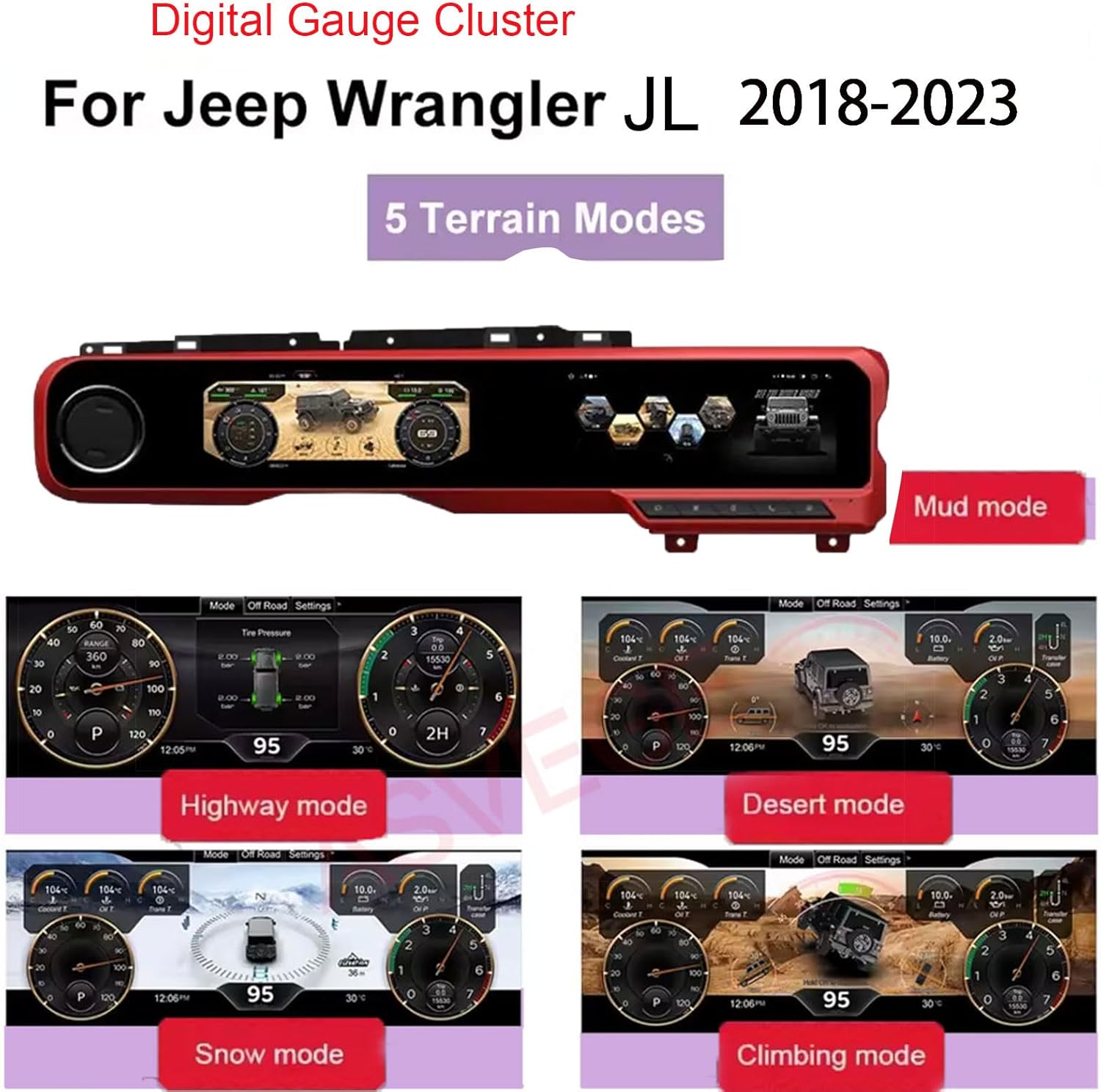
Figure 4: The ASVEGE dual screen system installed, with the digital instrument cluster displaying vehicle information.
Operating Instructions
Digital Instrument Cluster Functions
The digital instrument cluster provides various vehicle data and customizable display modes.
Video 1: Demonstration of the digital instrument cluster functions, including various display modes and settings for the Jeep Wrangler JL (2018-2023).
- Terrain Modes: Select from various terrain modes (Road, Rock, Snow, Mud, Sand) to optimize vehicle display for different driving conditions.
- Vehicle Information: View real-time data such as coolant temperature, oil temperature, transmission temperature, battery voltage, and oil pressure.
- Settings: Access dash settings, car information (doors, car type, engine, transmission, transfer case), and unit settings (TPMS, distance, volume, temperature, speed units).

Figure 5: The digital gauge cluster displaying various terrain modes, including Mud, Highway, Desert, Snow, and Climbing mode, each with specific vehicle data visualizations.
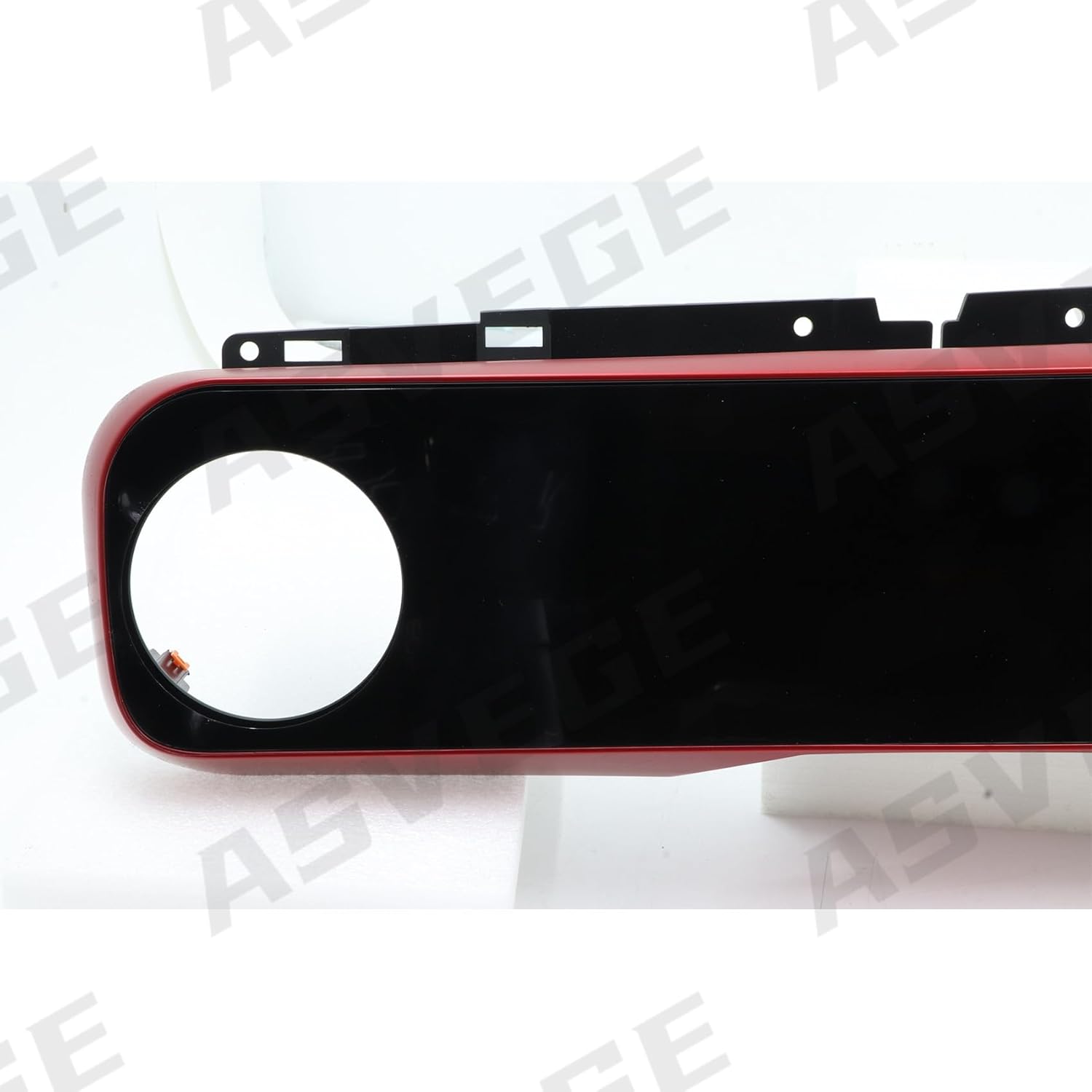
Figure 6: Key features of the digital instrument cluster, including Smart Meter, Full LCD screen, multiple display modes, 4WD display, fuel consumption, temperature reminders, and non-destructive installation.
Car Stereo Functions
The main car stereo unit offers a range of multimedia and connectivity options.
Video 2: Overview of the 2018-2023 Jeep Wrangler JL Gladiator radio upgrade, demonstrating the main screen interface and features.
- CarPlay/Android Auto: Connect your smartphone via USB or Bluetooth for seamless integration of apps, navigation, and communication.
- Navigation: Utilize built-in GPS with your preferred Android navigation apps.
- Multimedia: Play most audio and video formats. Supports Picture-in-Picture (PIP) playback.
- Settings: Access various system settings, including audio, display, and connectivity options.

Figure 7: Overview of the ASVEGE Android 13 system's main features, including connectivity, memory, display resolution, and supported functionalities.
Video 3: Demonstration of the display effect after installing the JL dual-screen setup, showing the integrated interface and responsiveness.
Maintenance
- Cleaning: Use a soft, dry cloth to clean the screens and surrounding surfaces. Avoid abrasive cleaners or solvents.
- Software Updates: Periodically check for software updates to ensure optimal performance and access to new features. Updates can typically be found in the system settings or on the manufacturer's website.
- System Reset: If the system experiences issues, a soft reset can often resolve them. Refer to the on-screen settings for reset options.
Troubleshooting
| Problem | Possible Cause | Solution |
|---|---|---|
| No Power | Loose power connection, blown fuse. | Check all power cables and vehicle fuses. Ensure proper installation. |
| No Sound | Volume too low, incorrect audio source, loose speaker connections. | Increase volume, select correct audio input, check speaker wiring. |
| Touchscreen Unresponsive | Software glitch, screen calibration issue. | Perform a system restart. If issue persists, check for software updates or factory reset. |
| GPS Not Working | Poor satellite signal, outdated map data, GPS antenna issue. | Ensure clear view of the sky. Update map software. Check GPS antenna connection. |
| Bluetooth Connectivity Issues | Device not paired, Bluetooth disabled, interference. | Ensure Bluetooth is enabled on both devices and paired correctly. Try re-pairing. |
Warranty and Support
This product comes with a 12-month warranty from the date of purchase. For warranty claims, technical support, or any inquiries, please contact ASVEGE customer service through the retailer where the product was purchased or visit the official ASVEGE website.
For additional information and support, you may visit the ASVEGE Store on Amazon.


