
1. Introduction and Overview
The YKPOWER 100W 10000mAh Portable Charger Power Bank (Model YP-PB100W) is designed to provide reliable and fast charging for a wide range of electronic devices. Its compact design, high capacity, and intelligent features make it an ideal companion for travel, work, and daily use. This manual will guide you through the proper setup, operation, and maintenance of your power bank.

Image: YKPOWER 100W 10000mAh Portable Charger Power Bank.
Video: Overview of the YKPOWER Power Bank with 100W output, highlighting its features and design.
2. Product Features
- Ultra-Fast 100W Output: Delivers rapid charging for compatible phones, tablets, and laptops, ensuring quick power delivery.
- Rapid 40W Input Recharging: The power bank can be fully recharged in approximately 1 hour using a compatible 40W or higher USB-C power adapter.
- 10000mAh High Capacity: Provides reliable backup power, capable of charging most phones and tablets multiple times. It is also airline approved for travel.
- Dual Device Charging: Equipped with one USB Type-C port (up to 100W output) and one USB Type-A port (up to 18W output) to charge two devices simultaneously.
- TFT Smart Display: A clear, easy-to-read display shows real-time charging status, current battery level, input/output wattage, and estimated remaining time for charge or discharge.
- Compact and Lightweight Design: Measuring 1.77 × 1.37 × 5.98 inches and weighing only 10.58 oz, it is ultra-portable and fits easily into bags or pockets.
- Bright LED Light & SOS Mode: Features an integrated emergency LED light with multiple modes (steady white, steady yellow, and SOS strobe) for various situations.
- Multiple Intelligent Protection System: Built-in safeguards protect against over-voltage, over-current, over-charge, over-discharge, extreme temperatures, and short-circuits.
- Automotive-Grade Power Cells: Utilizes premium 18650 lithium-ion battery cells for enhanced durability and longer battery life.

Image: The power bank providing 100W fast charging to a MacBook Air.

Image: Illustration of the power bank's total 100W output and charging capabilities for various devices.
3. Package Contents
Upon opening your YKPOWER Portable Charger package, you should find the following items:
- 1 x YKPOWER 100W Power Bank (Model YP-PB100W)
- 1 x USB-C to USB-C Cable
- 1 x User Manual (this document)
If any items are missing or damaged, please contact YKPOWER customer support immediately.
4. Setup
4.1 Initial Charge of the Power Bank
It is recommended to fully charge your YKPOWER Portable Charger before its first use to ensure optimal battery performance.
- Connect the provided USB-C to USB-C cable to the IN/OUT 1 (Type-C) port on the power bank.
- Connect the other end of the USB-C cable to a compatible 40W or higher power adapter (not included).
- The TFT Smart Display will activate, showing the charging percentage and incoming wattage (IN W). The power bank is fully charged when the display shows 100%.

Image: The power bank connected to a wall adapter for 40W high-speed recharging.
4.2 Checking Battery Level
To check the current battery level of your power bank, simply press the power button once. The TFT Smart Display will illuminate and show the remaining battery percentage.
5. Operating Instructions
5.1 Charging Your Devices
The YKPOWER Portable Charger can charge a variety of devices, including smartphones, tablets, and laptops, using its dual output ports.
- Identify the appropriate charging cable for your device (USB-C or USB-A).
- Connect one end of the cable to your device.
- Connect the other end of the cable to the corresponding port on the power bank:
- For USB-C compatible devices (up to 100W), use the IN/OUT 1 (Type-C) port.
- For USB-A compatible devices (up to 18W), use the OUT 2 (USB-A) port.
- The TFT Smart Display will show the output wattage (OUT W) and the estimated remaining time for the power bank to discharge.
- The power bank supports simultaneous charging of two devices.
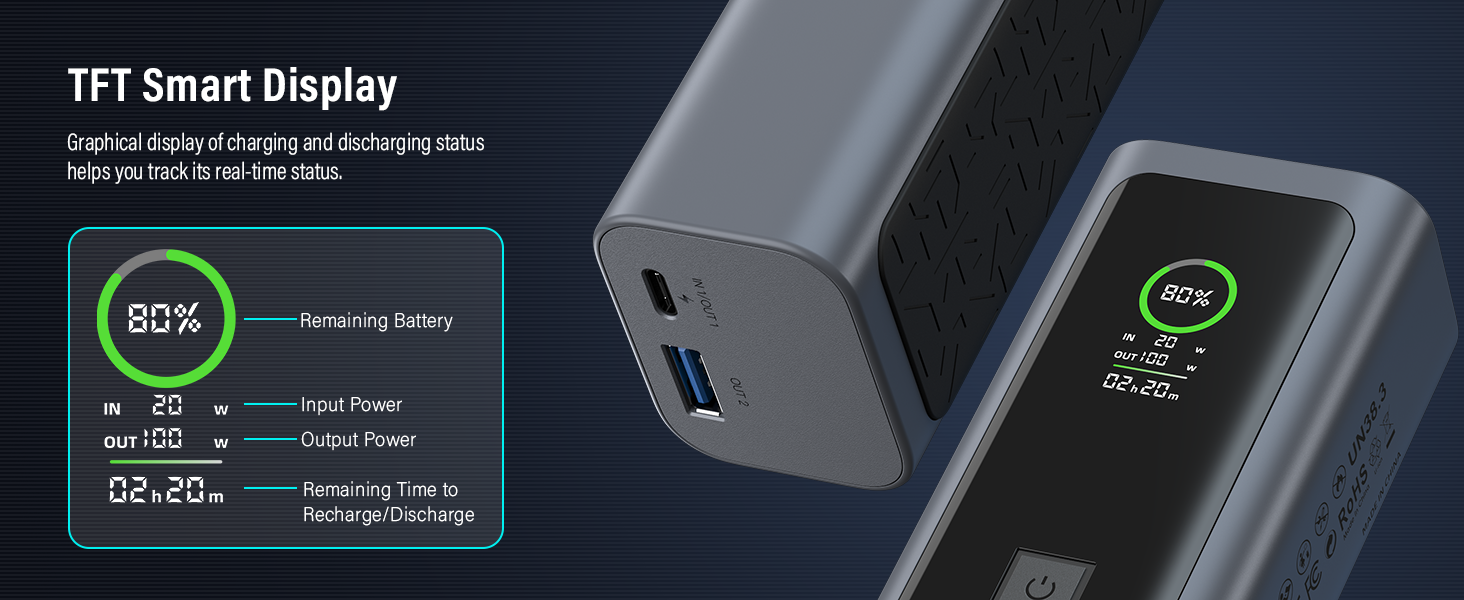
Image: The power bank demonstrating simultaneous charging of a laptop and a smartphone.
Video: Demonstration of the 100W 10000mAh Fast Charging Laptop Portable Charger in use.
5.2 Using the LED Light
The integrated LED light can be used as a flashlight or for emergency signaling.
- To turn on the LED light, press and hold the power button for approximately 2-3 seconds. The light will illuminate in white mode.
- To cycle through the light modes, press the power button once:
- First press: White Light (steady)
- Second press: Yellow Light (steady)
- Third press: SOS Strobe Mode (flashing white)
- Fourth press: Off
- Alternatively, to turn off the LED light directly from any mode, press and hold the power button for 2-3 seconds.
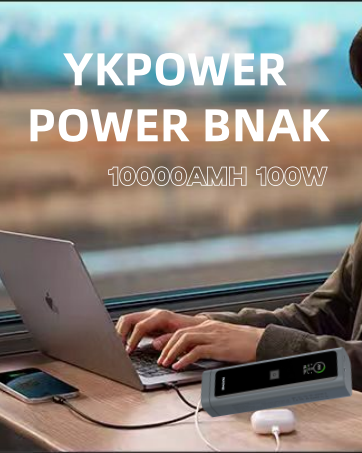
Image: The YKPOWER Power Bank with its LED flashlight feature activated.
Video: Demonstration of the YKPOWER Easy Portable Charger's bright LED light and SOS mode.
5.3 Understanding the TFT Smart Display
The TFT Smart Display provides essential information at a glance:
- Battery Percentage: A circular indicator showing the remaining charge level of the power bank.
- IN (W): Displays the real-time wattage being drawn by the power bank when it is being recharged.
- OUT (W): Displays the real-time wattage being supplied by the power bank to your connected devices.
- Remaining Time: An estimated time (in hours and minutes) indicating how long until the power bank is fully charged (when 'IN' is active) or fully discharged (when 'OUT' is active).
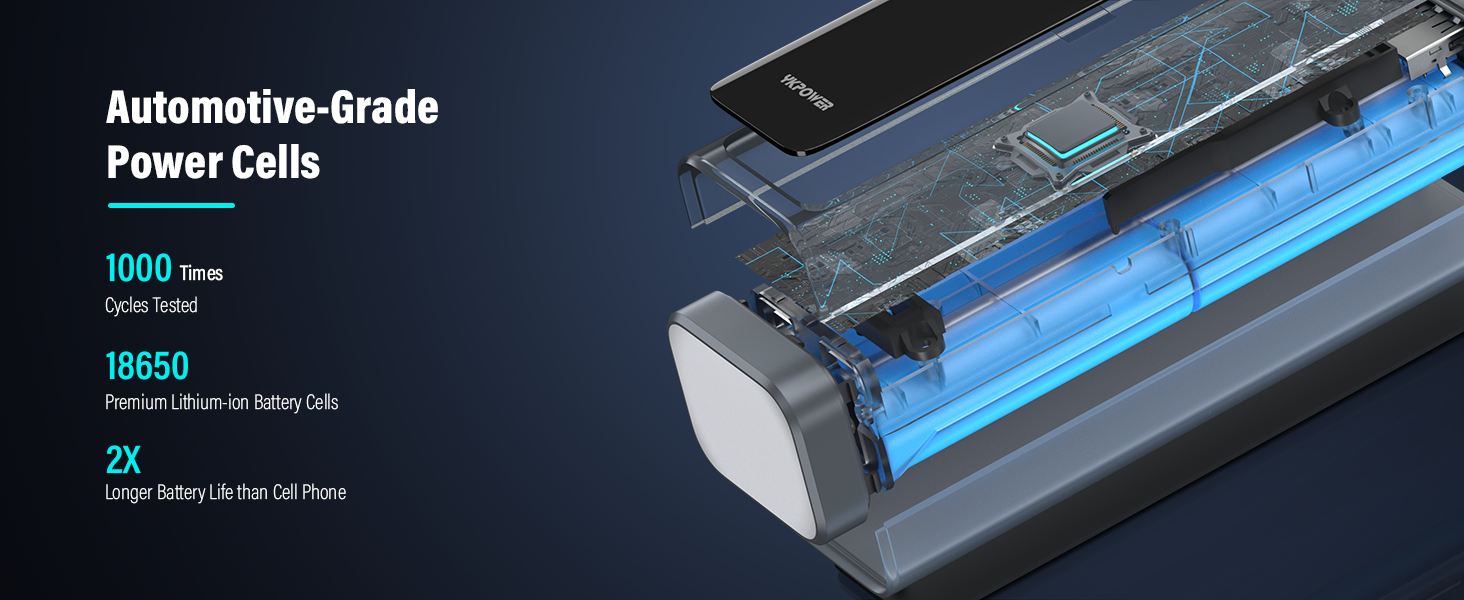
Image: Detailed view of the TFT Smart Display, explaining each indicator.
6. Maintenance
To ensure the longevity and optimal performance of your YKPOWER Portable Charger, follow these maintenance guidelines:
- Keep Dry: Avoid exposing the power bank to water, moisture, or high humidity.
- Temperature Control: Do not expose the device to extreme temperatures, direct sunlight, or heat sources. Store it in a cool, dry place.
- Cleaning: Use a soft, dry cloth to clean the exterior of the power bank. Do not use abrasive cleaners or solvents.
- Regular Recharging: If the power bank is not used for extended periods, recharge it at least once every three months to prevent deep discharge and maintain battery health.
- Avoid Drops: Protect the device from drops, impacts, and excessive force.
7. Troubleshooting
If you encounter any issues with your YKPOWER Portable Charger, refer to the following common troubleshooting steps:
- Device Not Charging:
- Ensure the power bank has sufficient charge (check the TFT display).
- Verify that the charging cable is securely connected to both the power bank and your device.
- Try using a different charging cable or a different output port on the power bank.
- Confirm that your device is compatible with the power bank's output specifications.
- Slow Charging:
- Check if your device supports fast charging.
- Ensure you are using a high-quality, compatible fast-charging cable.
- If charging multiple devices simultaneously, the total output power is shared, which may result in slower charging for individual devices.
- LED Light Not Working:
- Ensure the power bank is powered on.
- Press and hold the power button for 2-3 seconds to activate the light. If it does not turn on, the power bank's battery might be too low.
- TFT Display Not Showing Information:
- Press the power button once to activate the display.
- If the display remains blank, the power bank might be completely discharged. Connect it to a power source for recharging.
8. Specifications
| Feature | Detail |
|---|---|
| Brand | YKPOWER |
| Model Number | YP-PB100W |
| Battery Capacity | 10000 mAh |
| Connector Type | USB Type C + USB Type A |
| Product Dimensions | 7.4 x 2.7 x 2.7 inches |
| Item Weight | 13.4 ounces |
| Special Features | Digital Display, Fast Charging, LED Light & SOS Mode, High Capacity, Portable & Compact Design, Flashlight |
9. Warranty and Support
YKPOWER is committed to providing high-quality products and customer satisfaction. For any questions, technical assistance, or warranty inquiries regarding your YP-PB100W Portable Charger, please refer to the following:
- Customer Service: Contact YKPOWER customer service through the contact information provided on the product packaging or the official YKPOWER website.
- Warranty: Please retain your purchase receipt as proof of purchase for any warranty claims. Specific warranty terms and conditions may vary by region and retailer.
- Online Resources: Visit the YKPOWER official website for additional product information, FAQs, and support resources.